
Sceptre New 22-Inch Gaming Monitor
4.4Editor score
144Hz Refresh Rate
Built-in Speakers
Blue-Light Shift Tech
This guide compares the top affordable PS5 monitors featuring high refresh rates and HDMI compatibility for immersive gaming at a budget-friendly price point.
Finding the right display for your PlayStation 5 is crucial for maximizing performance without breaking the bank. A good monitor offers high refresh rates and low response times to ensure smooth gameplay and crisp visuals during intense sessions.
We analyzed ten highly rated options that balance cost and performance effectively. Each model was selected based on its connectivity options, screen quality, and ability to deliver a satisfying gaming experience for console owners.
Every pick includes key specifications and user feedback to help you decide quickly. Remember that prices fluctuate frequently so check current deals before purchasing to ensure you get the best value for your specific setup needs.
4.4Editor score

4.7Editor score

4.5Editor score
This table provides a side-by-side overview of key specifications for all ten selected monitors. Use it to quickly compare refresh rates, panel types, and connectivity options to find the right match for your PS5 setup.


This monitor stands out for gamers seeking high performance without a high price tag. With a rating of 4.4 stars, it delivers a smooth 144Hz refresh rate that matches the PS5 capabilities well for fast-paced titles.
We may earn a commission when you buy through this link, at no additional cost to you.
The built-in speakers are a major convenience for those who want to avoid extra cables on their desk. Its Blue-Light Shift technology also ensures that long gaming sessions remain comfortable for your eyes.
While the 22-inch size is compact compared to modern standards, it keeps the footprint small for smaller desks. The trade-off is less immersion than larger panels but the cost savings are significant for budget builds.
This is an ideal pick for casual gamers or students who need a reliable display. It offers essential gaming features like high refresh rates at a price point that is hard to beat.
The 144Hz refresh rate ensures fluid motion in competitive shooters and racing games without breaking the budget.
Integrated speakers remove the need for external audio devices keeping your gaming area clean and organized.
We may earn a commission when you buy through this link, at no additional cost to you.
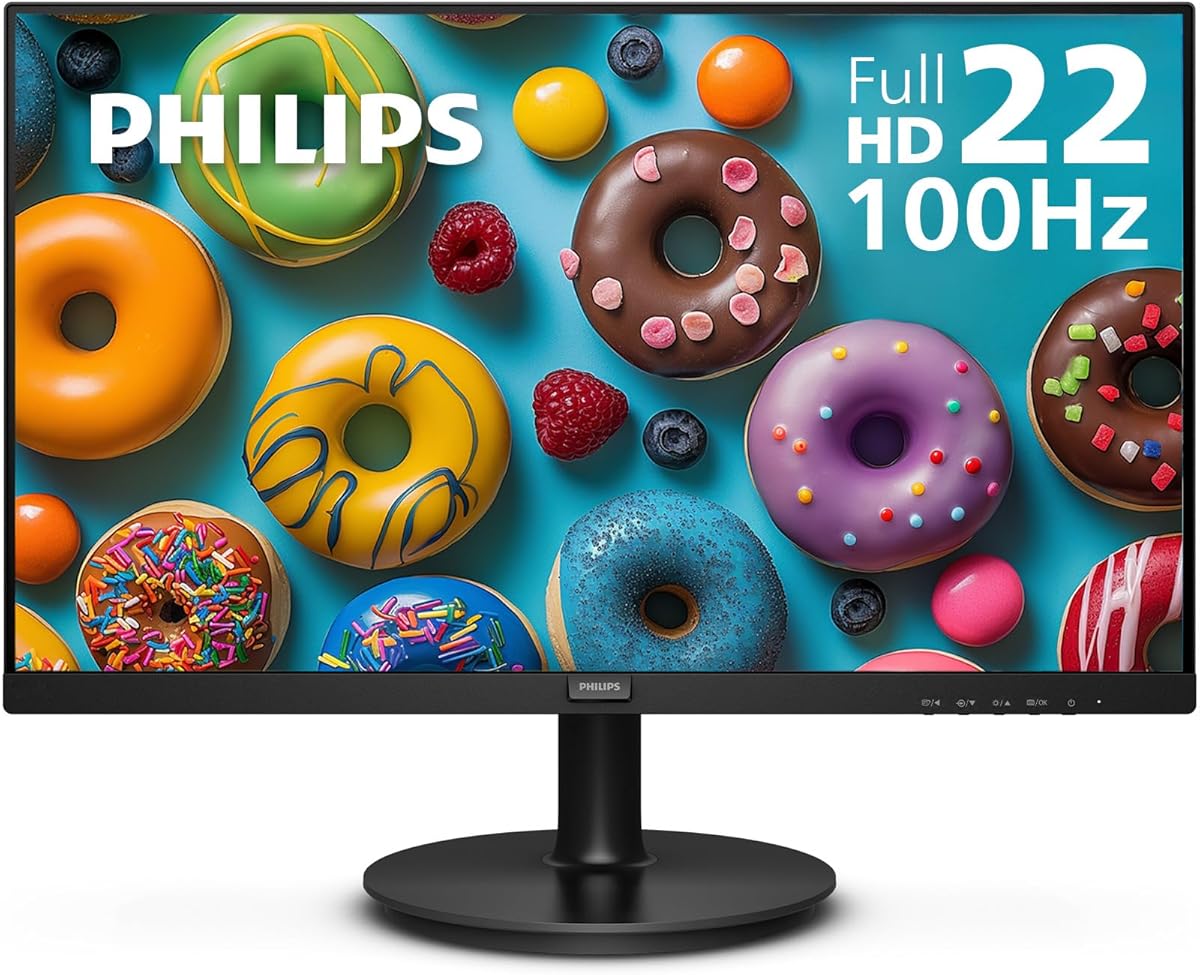
The Philips 22 inch monitor is known for its crisp Full HD visuals and strong contrast performance. With a 4.6 rating it is a reliable choice for those prioritizing image quality over raw speed.
We may earn a commission when you buy through this link, at no additional cost to you.
Its VA panel delivers brighter whites and deeper blacks making it excellent for dark game scenes and movies. The 178-degree viewing angles ensure colors remain consistent even when viewed from an offset position.
Although it tops out at 100Hz which is slightly below the PS5 maximum it still offers smooth gameplay for most titles. The lack of speakers means you will need external audio but the display quality makes up for it.
This model suits users who value color accuracy and contrast in a compact package. It is a solid middle-ground option for both work and casual gaming environments.
The VA technology produces true-to-life images with richer gradients ideal for immersive story driven games.
Flicker-free technology reduces eye strain during extended use helping you play longer without fatigue.
We may earn a commission when you buy through this link, at no additional cost to you.
Stepping up to a 27 inch screen offers more immersion for PS5 gaming sessions. This model holds a 4.5 rating and brings 100% sRGB color gamut for vivid and naturalistic display colors.
We may earn a commission when you buy through this link, at no additional cost to you.
The 1ms response time ensures quick reactions in competitive gaming while the built-in speakers add convenience. Custom FPS and RTS game modes allow you to optimize the display for specific genres effortlessly.
While the 100Hz refresh rate is not the highest available it is sufficient for most casual gamers. The frameless design enhances the visual experience but requires careful handling during installation.
This monitor is best for those who want a bigger canvas without spending a fortune. It balances color accuracy and size effectively for a mid-range gaming experience.
Full sRGB coverage ensures every image displays accurate and vibrant colors for enhanced visual detail.
Built-in display settings for FPS and RTS games improve performance and targeting visibility on screen.
We may earn a commission when you buy through this link, at no additional cost to you.
The 1500R curve design immerses you completely into the gaming landscape providing a unique viewing experience. With a 4.6 rating it delivers 99% sRGB color gamut for deeper colors and defining features.
We may earn a commission when you buy through this link, at no additional cost to you.
Adaptive Sync technology helps close the gap between graphics card and monitor refresh rates eliminating image tearing. The multiple ports including HDMI and VGA offer flexibility for connecting various devices to the PS5.
Curved screens can be more expensive but this model offers a compelling entry point into that category. The trade-off is that not all content may benefit from the curvature compared to flat panels.
Ideal for gamers who want a wrap-around feel without breaking the bank. It is a great choice for immersive single-player games where visual presence matters most.
The 1500R curvature wraps around your field of view enhancing depth and immersion during gameplay.
Adaptive Sync keeps frame rates synchronized with the monitor for smooth stutter free video output.
We may earn a commission when you buy through this link, at no additional cost to you.
ArcticPro delivers a 144Hz refresh rate and rapid response time designed for smooth daily work and gaming. This model has a 4.5 rating and features 105% sRGB color gamut for more vivid colors and sharper details.
We may earn a commission when you buy through this link, at no additional cost to you.
Anti-blue light technology reduces eye strain during extended use making it comfortable for long sessions. The 178-degree viewing angles ensure consistent image quality from any perspective around your desk.
While it lacks built-in speakers the display performance is strong for the price point. The absence of speakers is a minor trade-off for the high refresh rate and color accuracy provided.
This is a great pick for those prioritizing speed and color in a compact form. It works well for FPS games and general productivity tasks.
With 105% sRGB you get a wider gamut than standard monitors for richer visual experiences.
Anti-blue light features help maintain vision health during long gaming and work sessions.
We may earn a commission when you buy through this link, at no additional cost to you.
KOORUI offers a smooth 180Hz refresh rate which helps reduce motion blur during intense multiplayer games. With a 4.4 rating it delivers 3000:1 contrast ratio perfect for dark game scenes and shadow detail.
We may earn a commission when you buy through this link, at no additional cost to you.
The 24 inch screen provides clear visuals suitable for both documents and gaming. Thin bezels make it practical for dual monitor setups while keeping the footprint manageable for most desks.
While VA panels can have some motion blur in fast transitions the high refresh rate mitigates this. The lack of speakers means you will need external audio but the visual performance is solid.
This model is ideal for competitive gamers who need speed over size. It delivers high performance at an accessible price point for budget builds.
180Hz refresh rate ensures fluid action sequences in racing and multiplayer titles.
High contrast ratio produces stronger blacks and richer gradients for immersive visual depth.
We may earn a commission when you buy through this link, at no additional cost to you.
Amzfast delivers a fast VA panel with a 200Hz refresh rate for smoother gameplay in FPS and RPG games. With a 4.5 rating it features 129% sRGB coverage and HDR support for vibrant visuals.
We may earn a commission when you buy through this link, at no additional cost to you.
The metal stand provides stability while VESA mounts allow flexible positioning. Eye-care features reduce low blue light and flicker making it comfortable for extended work or play sessions.
While it sits higher in price it offers premium features like HDR and 129% sRGB at a budget tier. This makes it a top choice for those wanting high specs without paying flagship prices.
This is a premium pick for gamers who want the fastest refresh rates available. It balances high-end features with an affordable price effectively.
200Hz refresh rate ensures minimal input lag and maximum fluidity in competitive scenarios.
HDR Display support adds dynamic range and contrast for more realistic lighting effects.
We may earn a commission when you buy through this link, at no additional cost to you.
Dell offers excellent color accuracy and consistency across wide viewing angles with IPS technology. With a 4.7 rating it delivers 144Hz refresh rate and 1ms MPRT for smooth tear-free motion.
We may earn a commission when you buy through this link, at no additional cost to you.
TÜV Rheinland 3-star eye comfort certification reduces harmful blue light while preserving color quality. The ultra-thin bezels maximize viewing experience making it visually pleasing on any desk.
IPS panels can have slight glow in dark rooms but the color performance is superior to VA. The lack of speakers is standard for this class but external audio is easy to add.
This is the top choice for those who prioritize color fidelity and build quality. It is an excellent all-rounder for gaming and creative work.
IPS technology ensures consistent colors and wide viewing angles for reliable visual output.
TÜV certification ensures blue light reduction without compromising image quality or brightness.
We may earn a commission when you buy through this link, at no additional cost to you.
This curved monitor delivers a revolutionary visual experience with an 1800R screen curvature. With a 4.6 rating it features 98% sRGB color coverage for naturalistic display colors at a low price.
We may earn a commission when you buy through this link, at no additional cost to you.
Built-in speakers save space on your desk making setup easier for casual gamers. VESA wall mount compatibility gives you the freedom to select the optimum viewing position for comfort.
The 75Hz refresh rate is lower than most gaming monitors but sufficient for single-player titles. While not ideal for competitive gaming it offers excellent value for immersion seekers.
This model is best for those on a tight budget who still want curve immersion. It delivers essential features without breaking the bank.
1800R curve wraps around your vision for an in-depth viewing experience.
Built-in speakers deliver robust sound without cluttering your desk setup.
We may earn a commission when you buy through this link, at no additional cost to you.
SANSUI offers a 160Hz refresh rate and 110% sRGB color coverage for vibrant visuals. With a 4.4 rating the 1500R curvature reduces image distortion and eyestrain during long sessions.
We may earn a commission when you buy through this link, at no additional cost to you.
The 4000:1 contrast ratio and HDR mode add dynamic range to supported content. Gamer-centric features like shadow booster and crosshair enhance targeting in specific game genres.
While HDR requires HDMI the DP 1.4 support ensures stable high-speed data transfer. The absence of speakers means external audio is needed but the display features are comprehensive.
This is a solid pick for those seeking high refresh rates and color range. It offers strong performance for the price in a curved package.
110% sRGB and HDR support deliver vibrant and dynamic color reproduction.
Shadow booster and crosshair presets improve visibility and precision during play.
We may earn a commission when you buy through this link, at no additional cost to you.
Choosing the right monitor requires balancing performance features with your specific budget constraints and gaming habits.
Refresh rate determines how many frames per second your screen can display and higher numbers mean smoother motion. Aim for at least 120Hz to fully utilize the PS5 capabilities for fast-paced competitive gaming.
Prioritize higher refresh rates if you play shooters or racing games frequently.
Response time measures how quickly a pixel changes color and impacts motion blur in dynamic scenes. Look for 1ms to 5ms response times to ensure clarity during fast movements.
Fast response times are crucial for competitive gaming to maintain visual clarity.
Panel type affects color accuracy and contrast. IPS panels offer better viewing angles and color while VA panels provide deeper blacks and higher contrast.
Choose IPS for accuracy or VA for contrast and budget savings.
Screen size impacts immersion and desk footprint. A 27-inch screen offers more presence while 24-inch models are more compact for smaller spaces.
Select a size that fits your room and viewing distance comfortably.
Connectivity options like HDMI 2.1 allow for higher refresh rates and resolutions. Ensure the monitor supports at least one HDMI port compatible with your console requirements.
Check for HDMI 2.1 support to unlock full PS5 performance features.
Eye care features such as blue light filters and flicker-free technology reduce strain during long sessions. These are especially important if you game for several hours at a time.
Prioritize eye care options to maintain comfort during extended use.
Design elements like VESA mounts and bezel size affect how you integrate the monitor into your setup. Thin bezels and VESA compatibility offer more flexibility for mounting.
Choose a design that matches your workspace layout and aesthetic goals.
Value depends on how well the specs match your needs relative to the price. A longer warranty provides peace of mind against defects or issues after purchase.
Always check warranty terms to ensure you are protected after buying.
Connect your PS5 to the monitor using a high-speed HDMI cable to ensure optimal signal transmission. Make sure the monitor is set to the correct input source to display the console output.
Adjust the display settings in the PS5 menu to enable 120Hz output and VRR if supported by the monitor. This ensures you get the smoothest motion and adaptive sync features available.
Clean the screen regularly with a microfiber cloth and avoid harsh chemicals to prevent damage to the coating. Proper maintenance will keep the display looking clear and functional for years.
Yes, many budget monitors support 120Hz via HDMI 2.1 or high-speed HDMI 2.0. Check the product specs to confirm if it supports console output rates.
A 27-inch monitor fits well on most desks if you have adequate depth. It offers immersion but may require moving your chair back slightly.
Most budget monitors listed use HDMI 2.0 which is sufficient for 1080p 120Hz. True HDMI 2.1 support is usually found in higher-end models.
Variable Refresh Rate syncs the monitor with the console to reduce stutter and screen tearing. It is highly recommended for smooth gameplay.
Yes, all listed monitors have full HD resolution suitable for work and general computing tasks. They balance gaming and productivity features well.
VA panels offer deeper blacks and higher contrast which is great for dark scenes. IPS panels provide better viewing angles and color accuracy.
We have reviewed ten excellent options ranging from compact 22-inch models to immersive 27-inch displays. Each offers distinct advantages depending on whether you prioritize speed, color, or size.
Prioritize refresh rate and response time if you play competitive games. For immersion, look for larger screens and curved designs like the Sceptre models.
Always check current prices before buying as deals change frequently. This guide provides a solid starting point to find a display that balances cost and performance.