
GETPALS Wireless Charger iPhone Charging Station for Apple Multiple Devices
4.2Editor score
Foldable lightweight design
Three device wireless charging
Overcurrent protection included
This guide compares the top charging docks for multiple Apple devices to help you find the best station for iPhone, Watch, and AirPods in October 2026.
Finding the right charging dock for multiple Apple devices can simplify your daily routine and reduce cable clutter on your desk. A good station should support fast charging, offer stable connections, and fit neatly into your home or office setup without taking up too much space.
We evaluated ten popular charging stations based on their compatibility with iPhones, Watches, and AirPods, as well as their build quality, safety features, and ease of use. Our selection includes models ranging from compact travel-friendly options to robust multi-port hubs for families or power users.
Each pick highlights key strengths, potential trade-offs, and ideal use cases to help you decide which dock fits your specific needs. Remember that product availability and pricing can change frequently, so always check the latest details before making a purchase decision online.
4.2Editor score
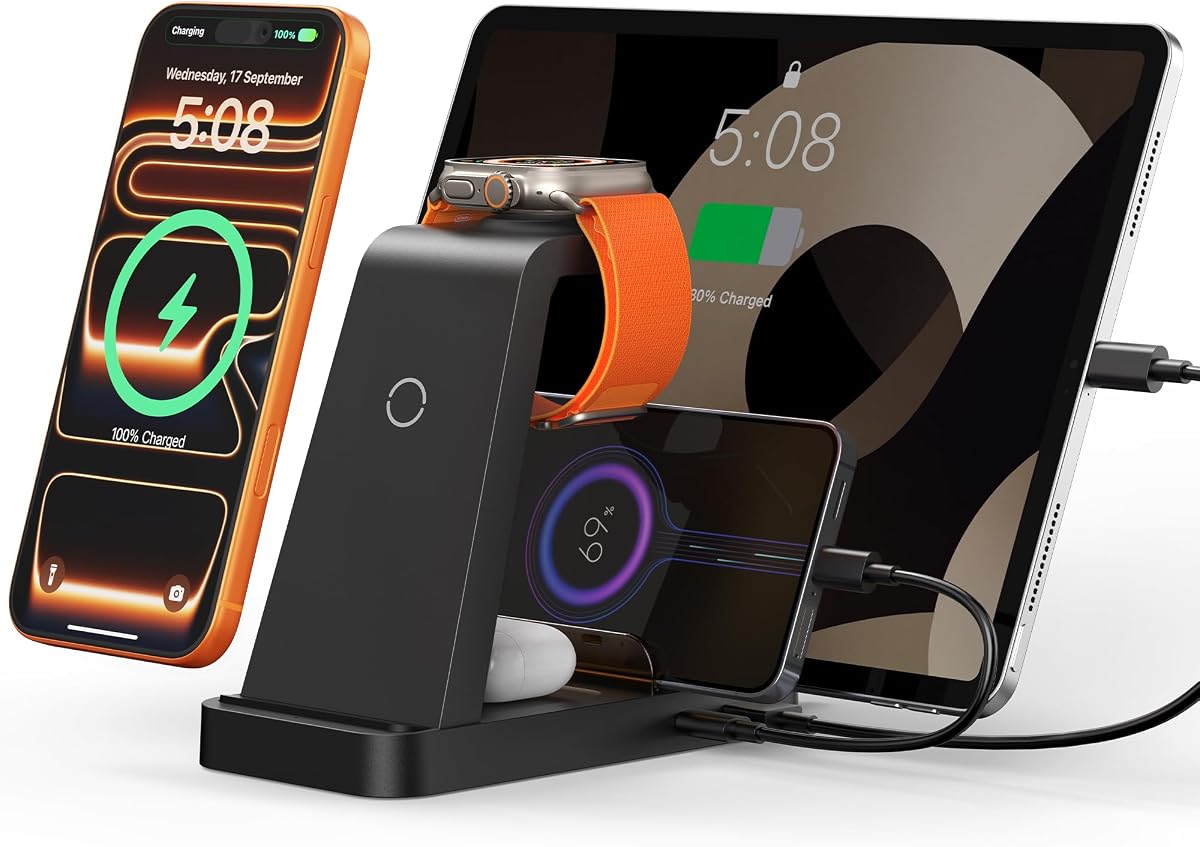
4.3Editor score

4.2Editor score
The following table provides a side-by-side comparison of the top ten charging stations, highlighting their port counts, charging speeds, and key compatibility features to help you make an informed decision.


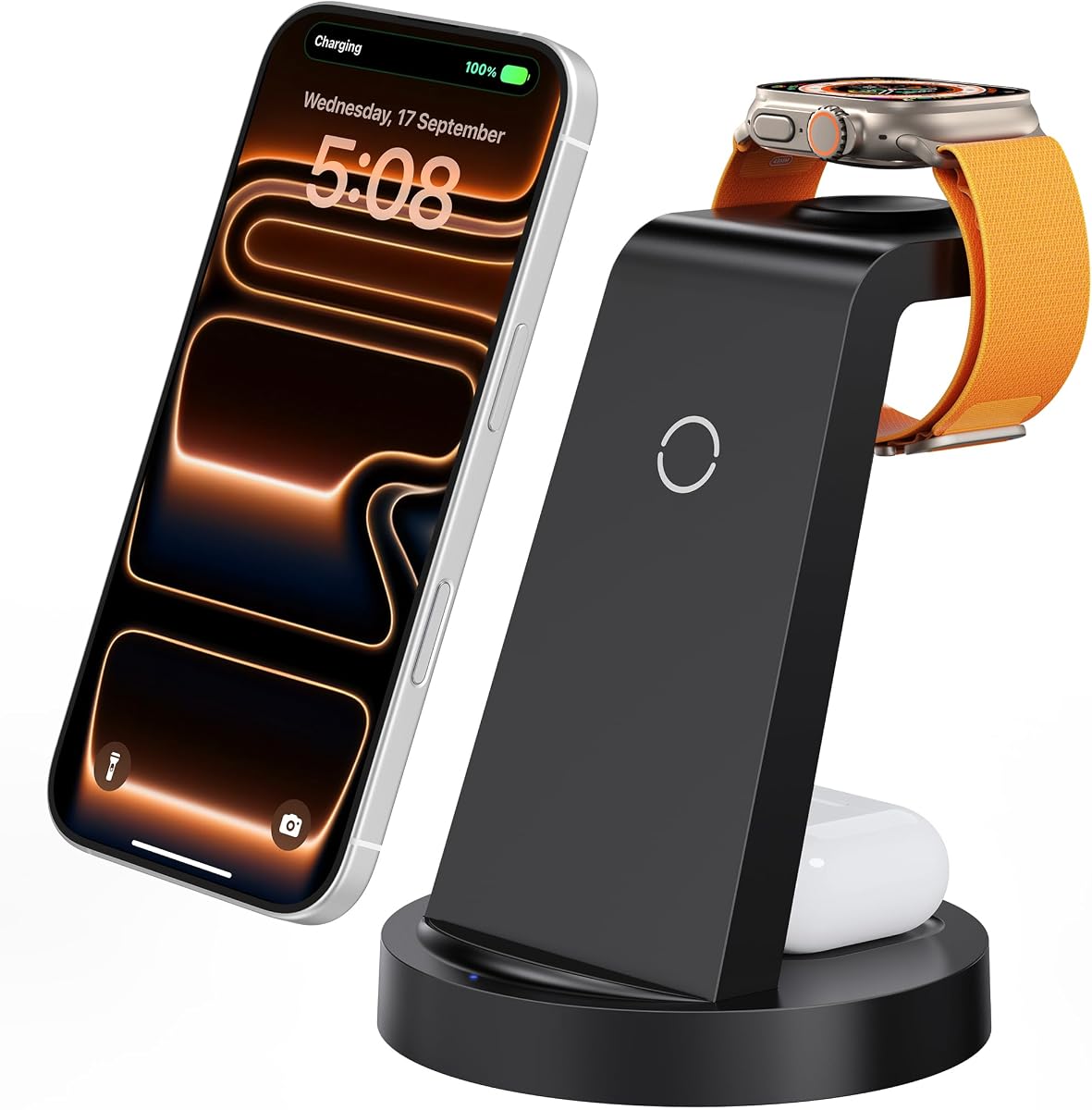


The GETPALS Wireless Charger offers a straightforward solution for users seeking an affordable way to charge their iPhone, Apple Watch, and AirPods simultaneously. With a solid rating, it stands out as a practical entry-level option that keeps your nightstand tidy without breaking the bank.
We may earn a commission when you buy through this link, at no additional cost to you.
This station delivers up to 7.5W for phones, 3W for earbuds, and 2.5W for watches, ensuring efficient power delivery for daily use. Its foldable and lightweight design makes it easy to pack for trips, while the non-slip surface keeps devices secure during charging sessions.
While it lacks magnetic alignment for newer iPhones, the center placement requirement is manageable for most users. The safety features, including overcurrent and overheating protection, provide peace of mind, though the LED indicators might be slightly bright for very dark bedrooms.
This dock is ideal for budget-conscious individuals who need a reliable, compact charger for home or travel. It simplifies your charging setup effectively and is a thoughtful gift for anyone looking to reduce cable clutter in their living space.
The foldable design allows this charger to fit easily into bags, making it perfect for remote work or vacations where space is limited.
Built-in protections against overcurrent, overvoltage, and overheating ensure your devices remain safe while charging overnight or during extended use.
We may earn a commission when you buy through this link, at no additional cost to you.
This 5-in-1 Charging Station is our top pick for its balance of speed, versatility, and value. It handles up to five devices at once, including iPhones, Apple Watches, and AirPods, with a powerful 36W adapter that charges faster than standard bricks.
We may earn a commission when you buy through this link, at no additional cost to you.
The station includes USB and Type-C ports alongside wireless pads, allowing you to charge accessories like Magic Mouse or Android devices. Its FCC certification and robust safety features, such as foreign body detection, ensure reliable performance without overheating risks.
Users should note that phone cases thicker than 5mm may need removal for optimal charging speed. However, the included cables and partitioned design make setup easy and keep your workspace organized, even with multiple gadgets plugged in simultaneously.
Ideal for families or power users, this dock simplifies your daily routine by consolidating multiple chargers into one unit. It offers a clean look and efficient performance, making it a strong choice for any modern desk or nightstand.
With a 36W adapter, this station can fully charge up to five devices in just 2-3 hours, significantly faster than using original adapters alone.
USB and Type-C ports allow for charging a wide range of devices beyond Apple, ensuring you never run out of power for other essentials.
We may earn a commission when you buy through this link, at no additional cost to you.
The 320W Charging Station is designed for households with many gadgets, offering ten ports to power everything from laptops to tablets. Its high-wattage PD ports ensure fast charging for demanding devices like MacBook Pro, while smart chips prevent overcharging.
We may earn a commission when you buy through this link, at no additional cost to you.
This station includes eight complimentary short cables, reducing clutter and ensuring you have the right connector for each device immediately. The flame-retardant ABS material and anti-slip rubber pads provide durability and stability on any desk surface.
While it lacks wireless charging pads, the sheer number of wired ports makes it perfect for users who prefer direct connections. The widened slots accommodate thicker devices with cases, making it versatile for family use where different device sizes are common.
Best for large families or office settings, this dock eliminates the need for multiple wall adapters. Its sturdy build and comprehensive port selection make it a reliable long-term solution for keeping all your essential electronics powered up.
With 65W and 30W PD USB-C ports, this station boosts phone power from 20% to 80% in 30 minutes, ideal for quick top-ups.
Eight short charging cables in assorted types ensure you can connect all your devices immediately without hunting for adapters.
We may earn a commission when you buy through this link, at no additional cost to you.
The Acer Gadget 7-in-1 Wireless Charging Station combines charging needs with smart home features like a Bluetooth-synced clock. It supports up to six devices, including iPhones, Apple Watches, and AirPods, making it a versatile addition to your bedside table.
We may earn a commission when you buy through this link, at no additional cost to you.
Its ambient lighting allows you to customize the mood in your room, while the time sync function keeps your display accurate without manual adjustment. The 30W adapter ensures simultaneous charging for multiple devices, enhancing convenience for daily use.
Note that the case thickness should be less than 2mm for wireless charging to work effectively. Also, it is not compatible with Samsung watches, so Apple ecosystem users will get the most value from this design-focused station.
This dock is perfect for users who want a stylish and functional nightstand accessory. It merges practicality with aesthetics, offering a tangle-free solution that looks great while keeping your essential devices charged and organized.
The Bluetooth time sync feature automatically updates the clock via your phone, adding convenience and functionality to your bedside setup.
Adjustable warm and cool lighting creates the right ambiance for your space, making it a perfect choice for evening relaxation.
We may earn a commission when you buy through this link, at no additional cost to you.
The Anlmz 3 in 1 Charging Station is tailored for bedside use, featuring a soft blue LED that does not disturb sleep. It charges your iPhone, Apple Watch, and AirPods simultaneously with a stable 18W adapter for reliable power delivery.
We may earn a commission when you buy through this link, at no additional cost to you.
Its ABS housing supports heat dissipation, ensuring the unit stays cool even during long charging sessions. The foreign object detection pauses charging when metal accessories are detected, adding an extra layer of safety for your devices.
While it lacks MagSafe magnets, the case-friendly design supports cases up to 5mm thick, reducing the need to remove protection before charging. Centering your device on the pad is key to optimal performance, but once set, it works well.
This dock is an excellent choice for anyone prioritizing a clutter-free and quiet nightstand. It balances safety, compatibility, and subtle design, making it a reliable accessory for daily charging without unnecessary distractions.
A soft blue LED shows charging status without harsh light, ensuring it is comfortable for bedside charging throughout the night.
The ABS housing helps dissipate heat effectively, keeping the charger cool and safe for extended use even with multiple devices.
We may earn a commission when you buy through this link, at no additional cost to you.
This 3 in 1 Foldable Magnetic Charger is designed for travelers who need a compact yet powerful charging solution. The magnetic suction ensures your iPhone aligns perfectly, while the foldable design turns it into a stand for watching videos.
We may earn a commission when you buy through this link, at no additional cost to you.
It features an 180-degree foldable mat that can be adjusted into a phone stand in seconds, providing convenience for media consumption while charging. The lightweight and compact build make it an ideal companion for home, office, or travel use.
Safety is ensured through FCC certification and intelligent protection technology that handles temperature control and overvoltage. However, you may need a MagSafe case for your iPhone to take full advantage of the magnetic alignment features.
Perfect for frequent travelers, this dock minimizes bulk without sacrificing functionality. It simplifies your on-the-go charging needs by keeping your watch, phone, and AirPods powered up in a single, portable package.
The magnetic suction automatically aligns your iPhone, ensuring optimal charging performance without fiddling with placement.
Lightweight and compact, this charger is easy to carry around and serves as a great companion for charging at home, office, and travel.
We may earn a commission when you buy through this link, at no additional cost to you.
The Lcssio 300W Charging Station offers robust power with eight ports, including dual 65W ports capable of charging laptops like MacBook Pro. Its GaN technology ensures efficient power delivery while maintaining lower temperatures during use.
We may earn a commission when you buy through this link, at no additional cost to you.
This station is built with a sturdy construction that cannot be disassembled, adding durability. Wider and higher slots accommodate thicker devices even with cases, making it suitable for families with diverse gadget needs like tablets or phones.
Flame retardant protection and other safety certifications ensure reliable performance. However, it does not include wireless charging pads, so all connections must be made via cables, which might take up more cable length than wireless options.
Ideal for home offices, this dock helps reduce cable clutter and keeps your workspace organized. It is a practical choice for users who prioritize high-wattage wired charging over wireless convenience for their daily workflow.
Dual 65W ports can power laptops like MacBook Pro, Air, and other high-demand devices efficiently and quickly.
Four anti-slip rubber pads protect your desk surface from scratches and prevent the charging station from sliding around during use.
We may earn a commission when you buy through this link, at no additional cost to you.
This 600W Charging Station is a powerhouse designed to charge up to 13 devices simultaneously, including laptops and Apple family devices. Its dual 100W USB-C ports ensure powerful fast charging for demanding devices like MacBooks.
We may earn a commission when you buy through this link, at no additional cost to you.
Built with GaN 5 technology, the internal circuitry prevents overcharging and protects your devices from heat damage. The compact design fulfills all charging needs in one unit, making it a space-saving choice for busy desks.
Note that the USB-C port on the iwatch wireless stand is non-charging, so plan your setup accordingly. Despite the premium price, the performance and capacity make it a strong contender for households with many high-power devices.
Perfect for power users who need to keep everything charged at once, this dock is both stylish and practical. Its all-in-one design and safety features offer peace of mind while keeping your entire tech ecosystem powered up.
Two powerful 100W USB-C ports are designed specifically for charging laptops, ensuring fast and reliable power for your biggest devices.
GaN 5 technology ensures fast and safe powering, keeping the charger efficient and cool even under heavy load.
We may earn a commission when you buy through this link, at no additional cost to you.
The Anker MagGo 3-in-1 Charging Station offers certified fast charging for Apple devices, including official certification for Apple Watch Series 10. Its Qi2 technology delivers consistent 15W wireless charging, ensuring your devices charge quickly and safely.
We may earn a commission when you buy through this link, at no additional cost to you.
Designed for clutter-free workspaces, this compact charger fits easily on any desk. The adjustable angle allows you to find your optimal viewing position, and the included 40W adapter ensures sufficient power for simultaneous charging of three devices.
While it is priced higher than some options, the reliability and certified performance make it a worthwhile investment for users seeking peace of mind. The compact design and efficient charging make it a premium choice for bedside or office use.
Ideal for those who value official certification and speed, this dock ensures your devices are charged efficiently. It is a solid option for users who want a trusted brand and a compact footprint for their essential tech.
Official certification enables you to power your Apple Watch from 0 to 100% in just 1 hour and 13 minutes for fast results.
Adjust vertically up to 45 degrees to find your optimal charging view and enjoy StandBy mode in landscape orientation.
We may earn a commission when you buy through this link, at no additional cost to you.
This 600W Charging Station combines a 3-in-1 wireless dock with a 12-port wired station, supporting up to 15 devices. It features GaN III technology for cool charging and an extra-wide slot for laptops, even with cases.
We may earn a commission when you buy through this link, at no additional cost to you.
The 3-in-1 wireless part seamlessly charges iPhone, iWatch, and AirPods, while the 12 ports handle everything else. With 8 USB-C ports, including 2x100W, it provides ample power for high-demand devices like MacBook Pro simultaneously.
Its minimalist design blends well into nightstands or home offices, though it may take up significant space. The 8-layer safety protection ensures devices stay safe, making it a practical and elegant gift for tech lovers.
Best for households needing maximum power and convenience, this dock consolidates all your charging needs. It is a robust solution for keeping your entire family's devices organized and powered up without multiple chargers.
Seamlessly charges your iPhone, iWatch, and AirPods, while 12 ports power laptops, tablets, and more in one unit.
Features a specially designed side slot that is wider and taller than standard, easily securing laptops even with thick protective cases.
We may earn a commission when you buy through this link, at no additional cost to you.
Choosing the right charging dock involves understanding your device needs, desired charging speed, and available space.
Determine how many devices you need to charge at once. Some docks support three, while others offer ten or more ports. Ensure the dock supports your specific iPhone, Watch, and AirPods models.
Look for docks that cover your exact device mix to avoid missing features or buying extra adapters later.
Higher wattage means faster charging. Check if the dock supports fast charging protocols for your devices, especially for iPhones that benefit from 20W or higher inputs.
Prioritize docks with high-wattage outputs for laptops or tablets to ensure efficient power delivery.
Wireless docks are convenient but may charge slower than wired options. Some models combine both, offering flexibility. Decide if you prefer plug-and-play convenience or direct cable reliability.
Consider hybrid docks if you have a mix of devices with different charging needs.
Safety features like overcurrent and overheating protection are crucial to prevent damage. Look for certifications like FCC and durable materials like flame-retardant ABS for long-term use.
Choose docks with sturdy construction to ensure stability and safety on your desk.
If you travel often, choose a foldable or lightweight design. Stationary docks should fit your space without clutter. Consider the layout and size to match your nightstand or desk dimensions.
Compact designs help maintain a tidy workspace and prevent cable tangles.
Check what cables and adapters are included. Some come with multiple types, while others require you to supply them. Having the right cables in the box saves time and hassle.
Docks with included adapters often offer better overall value for immediate setup.
Some docks include smart features like clocks, ambient lighting, or adjustable angles. These can enhance usability and aesthetics. Decide if these extras align with your preferences.
Extra features can add value if they improve your daily routine or workspace comfort.
Prices vary based on features and power. Balance your budget with your needs; a cheaper dock might suffice if you only need basic charging. Invest more for high power or advanced safety features.
Focus on value rather than just the lowest price to ensure reliability and longevity.
Place the dock on a flat, stable surface away from direct sunlight or moisture. Plug it into a power source using the provided adapter and cables.
Position your devices on the charging pads or into the slots. Ensure phones are centered for wireless charging and cables are securely connected for wired ports.
Keep the vents clear of dust and debris to prevent overheating. Regularly inspect cables for wear and replace them if damaged to maintain safety.
Most wireless docks require cases to be thin, usually under 5mm or 2mm. Thick cases may block the charging signal. You might need to remove the case for charging unless your dock specifically supports thicker cases.
Most docks designed for Apple include Apple Watch charging. However, some multi-port hubs only have wired ports. Check the product details to confirm Apple Watch compatibility before purchasing.
Yes, most models feature safety protections like overcurrent and overheating sensors. They switch to trickle mode when full. Always use the provided adapter and follow manufacturer guidelines for safety.
The number varies by model. Some charge three devices, others up to 15. Check the port count and power output to ensure it meets your needs for simultaneous charging.
Yes, many docks have USB-C or USB-A ports compatible with Android phones and other gadgets. Wireless parts are typically Apple-specific, but wired ports offer broader compatibility.
This could be due to a thick case, metal objects, or misalignment. Ensure your case is compatible, remove metal parts, and center the phone on the pad for optimal contact.
We reviewed ten diverse charging stations to help you find the perfect match for your Apple ecosystem. Our top picks balance speed, safety, and convenience for different needs.
Prioritize compatibility, charging speed, and safety features when making your decision. Consider your daily device count to avoid overloading a smaller dock.
Prices and availability change often. Always check current details and reviews before buying to ensure the dock meets your expectations and needs.