
A-Tech 8GB DDR4 2400 MHz SODIMM
4.7Editor score
Affordable entry-level capacity
Compatible with many notebooks
Lifetime warranty support
This guide compares the top DDR4 Sodimm Laptop RAM modules for performance, compatibility, and value to help you upgrade your notebook memory system effectively
Finding the right memory upgrade can transform your laptop performance. DDR4 SODIMM modules offer a balance of speed and efficiency suitable for modern notebooks and all-in-one PCs.
We evaluated ten highly rated modules based on speed, capacity, compatibility, and user feedback. Each product was selected for its reliability and ability to handle demanding multitasking workloads.
Every pick includes detailed specs, pros, cons, and usage advice. Note that prices fluctuate regularly, so verify current listings before making your final purchase decision today.
4.7Editor score
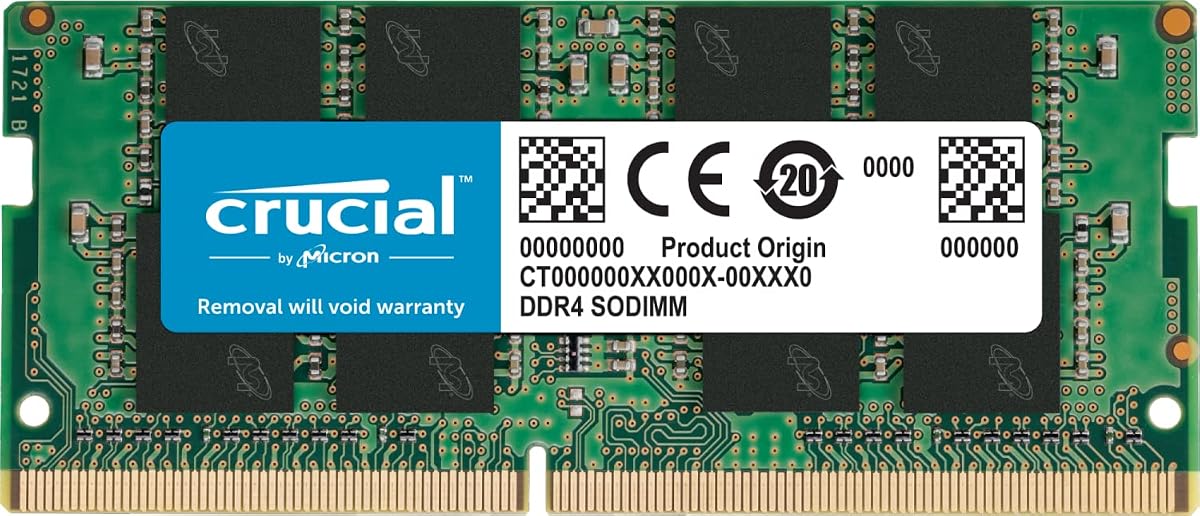
4.8Editor score
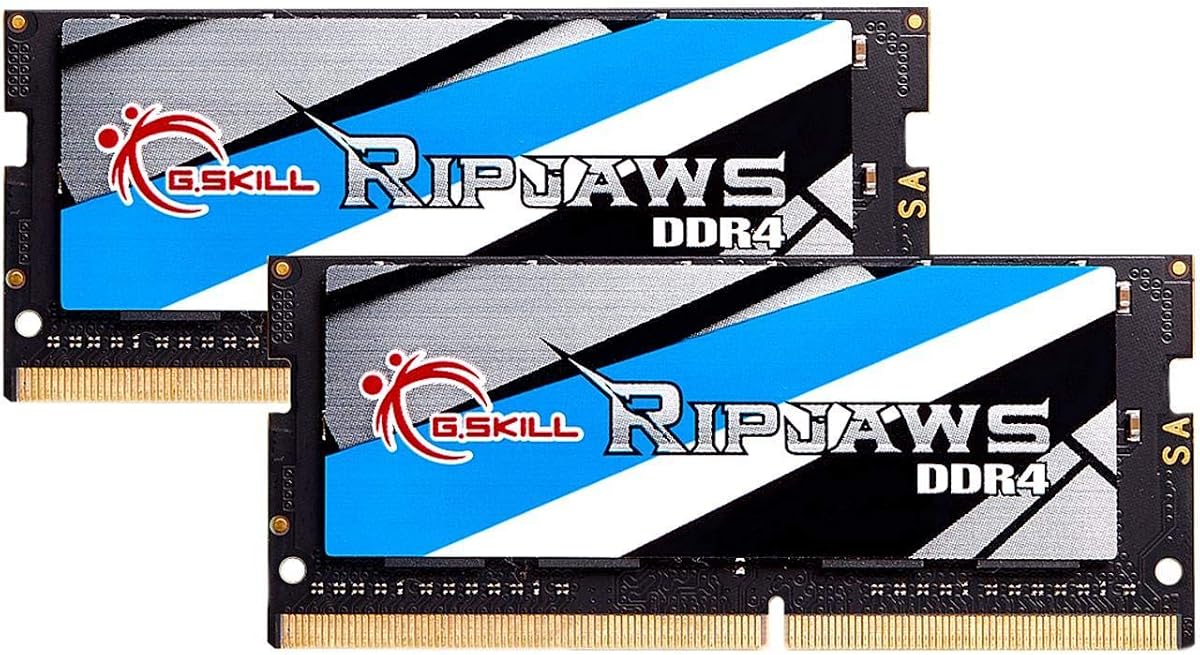
4.7Editor score
The following table provides a side-by-side view of key specifications for each module, helping you quickly identify capacity, speed, and form factor differences across the top options.


This Crucial 16GB module stands out as a top choice for laptop memory upgrades. With a 4.8 rating from thousands of users, it delivers reliable performance and strong compatibility across various laptop models. The module runs at 3200MHz, offering significant speed improvements over lower-tier options.
We may earn a commission when you buy through this link, at no additional cost to you.
Its standout quality is the robust support ecosystem, including the Crucial System Scanner for accurate compatibility checks. Users report smooth upgrades without technical hurdles thanks to detailed how-to guides. The non-ECC SODIMM form factor ensures it fits most standard notebook slots designed for DDR4 memory.
While the price is higher than budget alternatives, the reliability and performance justify the investment. It is not suitable for DDR3 or DDR5 systems, so checking your laptop specs is essential. Most users find that the seamless integration outweighs the minor cost difference compared to cheaper brands.
Buyers seeking a dependable memory boost for daily workloads should prioritize this model. Whether you handle spreadsheets, web browsers, or light creative apps, this RAM provides the headroom needed for responsive computing. It is the ideal pick for those who value stability and manufacturer support.
The Crucial System Scanner tool ensures the RAM matches your specific laptop configuration before purchase, reducing return risks.
At 3200MHz, this module accelerates data access, allowing smoother switching between multiple applications without lag.
We may earn a commission when you buy through this link, at no additional cost to you.
Samsung is a leader in memory manufacturing, and this 16GB module reflects that expertise. With a 4.6 rating, users praise its reliability and speed for notebook and all-in-one computers. The PC4-25600 speed delivers quick data access for heavy workloads.
We may earn a commission when you buy through this link, at no additional cost to you.
Key strengths include its dual rank configuration which often improves stability in memory-intensive applications. It boosts system responsiveness significantly compared to lower capacity options. The module undergoes rigorous quality assurance to ensure it meets strict performance standards.
On the downside, some users note that BIOS settings may require tweaking for optimal speed. It is not compatible with DDR3 systems, so verifying your slot type is crucial. For most standard laptops, it plugs in and works well without major adjustments.
If you need a cost-effective way to reach 16GB of fast memory, this Samsung module is an excellent choice. It suits professionals and students who demand speed and reliability. The brand reputation adds confidence for long-term use.
The 2Rx8 configuration provides more memory banks for faster data retrieval during complex tasks.
Manufactured by Samsung, the module leverages the company's extensive experience in memory chip production.
We may earn a commission when you buy through this link, at no additional cost to you.
This 8GB module offers a solid entry point for RAM upgrades. Rated 4.8 stars, it is perfect for users needing a cost-effective performance bump. Its ability to downclock to 2933MHz or 2666MHz ensures it works with older systems.
We may earn a commission when you buy through this link, at no additional cost to you.
The key strength lies in its flexibility and trusted Micron quality. It is rigorously tested at component levels to ensure reliability. Installation guides make the process smooth for DIY enthusiasts. Most users see immediate improvements in system responsiveness.
The trade-off is the lower total capacity compared to 16GB options. For very heavy multitasking, two sticks may be needed to reach higher totals. Still, for general use and web browsing, a single stick provides ample space.
Buyers looking for a quick, affordable upgrade should consider this module. It balances performance and price well. Whether you are refreshing an older laptop or adding to an existing stick, this RAM is a reliable choice.
Downclocking support allows the RAM to adapt to older motherboards without losing stability.
Step-by-step guides simplify the physical installation for users without technical experience.
We may earn a commission when you buy through this link, at no additional cost to you.
This 32GB kit targets power users needing maximum memory. With a 4.7 rating, it stands out for its performance and capacity. The two 16GB sticks come matched for stability. This design helps avoid common compatibility issues.
We may earn a commission when you buy through this link, at no additional cost to you.
Key strengths include the high speed and rigorous testing. Users can achieve 3200MT/s with compatible hardware. The kit supports demanding workflows like video editing or virtual machines. It boots at JEDEC default speeds for broad compatibility.
The trade-off is the higher price and requirement for two slots. It may not suit laptops with only one slot available. Also, speeds vary based on system BIOS settings. Most users find the performance boost worth the cost.
If you need top-tier memory for a workstation or gaming laptop, this kit is ideal. It offers the reliability of a matched set. Expect significant gains in multitasking and heavy application usage.
Two matched sticks ensure stable dual-channel performance without timing mismatches.
32GB capacity accommodates virtualization and high-resolution video editing tasks easily.
We may earn a commission when you buy through this link, at no additional cost to you.
This 32GB kit offers excellent value for budget-conscious buyers. Rated 4.8 stars, it provides a large memory pool for heavy tasks. The two 16GB sticks work together efficiently. Installation videos make the process accessible for beginners.
We may earn a commission when you buy through this link, at no additional cost to you.
Key strengths include the lifetime warranty and compliance. The strict testing procedures ensure dependable performance. Users can expect reliable operation for notebooks and PCs. It supports speeds up to 3200MHz on compatible systems.
The trade-off is variable speed depending on your motherboard. Not all laptops will reach the max 3200MHz. However, it downclocks safely to match system limits. Most users find the price worth the performance gains.
Buyers seeking an affordable upgrade path should consider this kit. It balances quality and cost well. Whether for work or gaming, the 32GB capacity handles most workloads comfortably.
The lifetime warranty provides long-term protection against defects and manufacturing issues.
JEDEC compliance ensures the RAM meets industry standards for stability and safety.
We may earn a commission when you buy through this link, at no additional cost to you.
This module is ideal for budget upgrades. Rated 4.7 stars, it brings essential speed to older laptops. The 2400MHz speed is lower than newer standards but sufficient for basic tasks. It offers a simple plug-and-play experience.
We may earn a commission when you buy through this link, at no additional cost to you.
Key strengths include the lifetime warranty and easy setup. Users report no major issues with installation. It is designed for notebooks that support DDR4 but lack faster slots. This makes it a good match for older business laptops.
The trade-off is the slower speed compared to 3200MHz models. Heavy users may notice limits in demanding apps. However, for web browsing and office work, it performs well. The low cost makes it a practical choice.
If you need a cheap memory bump, this module is worth considering. It suits systems that need more space than speed. Always check your laptop supports 2400MHz before buying.
A-Tech focuses on affordability without sacrificing basic reliability standards.
Friendly tech support helps resolve any issues before and after purchase.
We may earn a commission when you buy through this link, at no additional cost to you.
This kit is a great option for heavy multitaskers. Rated 4.7 stars, it offers 32GB capacity for notebooks and AIO PCs. The 3200MHz speed provides quick access. It supports downclocking for broader system compatibility.
We may earn a commission when you buy through this link, at no additional cost to you.
Key strengths include its versatile compatibility and unbuffered design. Users find it works across many device types. The 260-pin format fits standard slots easily. It ensures high performance without ECC overhead.
The trade-off is the need for two slots and speed variance. Laptops with one slot won't support this kit. Also, speeds may drop on older motherboards. For most modern laptops, it provides excellent results.
Buyers needing more capacity than 16GB should look at this kit. It offers strong value and performance. Whether for creative work or heavy apps, this RAM delivers reliable power.
Compatible with laptops, notebooks, and all-in-one systems for wide usability.
The 32GB capacity removes bottlenecks when running many apps at once.
We may earn a commission when you buy through this link, at no additional cost to you.
This module brings trusted Samsung quality to your laptop. Rated 4.8 stars, it offers reliable 3200MHz speed. The single rank design ensures flexible compatibility. It expands available memory for faster workloads.
We may earn a commission when you buy through this link, at no additional cost to you.
Key strengths include the high speed and genuine parts. Users notice reduced bottlenecks and better responsiveness. It fits 260-pin slots easily. The 1.2V voltage maintains efficiency without overheating.
The trade-off is the lower capacity compared to 16GB options. For complex tasks, you might need more space. Still, for general use, it performs well. The brand reliability adds peace of mind.
If you want a fast, dependable 8GB module, this is a top pick. It suits users prioritizing speed over capacity. Always verify your laptop supports 3200MHz.
As a genuine Samsung module, it ensures high-quality chip and PCB manufacturing.
The 3200MHz speed ensures data moves quickly to the processor.
We may earn a commission when you buy through this link, at no additional cost to you.
This module offers massive capacity in a single stick. Rated 4.7 stars, it is perfect for high-density needs. The 3200Mbps speed ensures quick access. It fits standard 260-pin laptop slots.
We may earn a commission when you buy through this link, at no additional cost to you.
Key strengths include the density and latest version speed. Users avoid needing two sticks for large capacity. The 2Rx8 configuration helps efficiency. It maintains 1.2V voltage for stability.
The trade-off is the single module price and slot need. You need a free slot to use this. Still, for those who want 32GB without kits, it works. Most users appreciate the simplicity.
Buyers seeking maximum single-stick capacity should choose this. It simplifies upgrades for high-performance laptops. Expect smooth operation for heavy multitasking.
32GB in one stick reduces slot usage while maximizing memory.
As the newest version, it ensures up-to-date performance standards.
We may earn a commission when you buy through this link, at no additional cost to you.
This module combines style with performance. Rated 4.7 stars, it offers 16GB capacity and slim design. The 3200MHz max ensures speed. It supports auto-overclocking on compatible laptops.
We may earn a commission when you buy through this link, at no additional cost to you.
Key strengths include the slim design and selected DRAM. It fits modern laptops easily. Users get excellent stability without manual tweaking. The black finish looks clean.
The trade-off is the higher price and BIOS needs for max speed. Some laptops won't reach 3200MHz. Still, for most, it provides strong results. The brand reputation supports reliability.
If you want a sleek memory module, this is a great pick. It suits users who value design and performance. Check your laptop supports auto-overclocking.
The slim profile ensures physical compatibility with modern laptop internals.
Compatible systems can achieve higher speeds without manual BIOS setup.
We may earn a commission when you buy through this link, at no additional cost to you.
Choosing the right memory involves several factors. This guide breaks down what to look for to ensure you get the best performance for your needs.
Capacity is the most critical factor for performance. Most modern laptops benefit from 16GB or 32GB. This allows smooth multitasking. For heavy apps, choose 32GB. For standard tasks, 8GB or 16GB works.
Choose capacity based on your typical workload to ensure future-proofing.
Speed determines how fast data is transferred. Common options range from 2400MHz to 3200MHz. Higher speeds reduce lag. Ensure your laptop supports the speed. Otherwise, it may downclock.
Always check your motherboard max speed to match the module speed.
Compatibility ensures the RAM fits your laptop. Most laptops use 260-pin SODIMM. Verify this before buying. Check if your system supports non-ECC. Some laptops limit max RAM.
Use manufacturer tools to confirm exact compatibility for your device.
Reliable brands ensure quality and longevity. Samsung, Crucial, and Corsair are trusted. They offer warranties and support. Choosing well-known brands reduces risk. This ensures you avoid failures.
Stick to reputable brands for stable long-term performance.
Warranty protects your investment. Look for lifetime warranties. This covers defects. Some brands offer limited terms. A strong warranty gives peace of mind for your purchase.
Prioritize products with lifetime warranty coverage for best security.
Form factor ensures physical fit. SODIMM fits laptops and AIOs. Standard DIMM won't fit. Ensure your laptop has SODIMM slots. This avoids physical incompatibility issues.
Always verify SODIMM form factor for your specific laptop model.
Voltage affects power efficiency. Most DDR4 uses 1.2V. Lower voltage reduces heat. Ensure your laptop supports this voltage. Mismatched voltage can cause instability. Always check voltage requirements.
Ensure 1.2V voltage matches your system to avoid overheating.
Dual-channel speeds data transfer. Using two sticks enables this. If slots allow, buy kits. This improves performance. Single sticks are fine for basic needs. But kits boost speed.
If possible, use two sticks for dual-channel performance.
To install, power down and remove the battery. Open the access panel. Align the notch and insert firmly. Close the panel and boot. The system will recognize the RAM.
For care, keep your laptop cool. Overheating reduces lifespan. Ensure vents are clear. Avoid dusty environments. Regular cleaning extends RAM life significantly.
Update BIOS regularly. This ensures compatibility. If issues arise, check seating. Reseating modules fixes most problems. If persistent, check laptop manuals.
You can mix brands, but matching specs is better. Mismatched speeds cause downclocking. Stability might suffer. Kits are recommended for best results. If mixed, ensure same capacity.
Higher speed improves performance, but only if supported. If your laptop max is 2400MHz, 3200MHz won't help. Always match your laptop limits. Check specs before buying to avoid waste.
32GB is great for heavy multitasking and video work. For web browsing, it may be overkill. If you plan to keep your laptop long, it is worth it. Otherwise 16GB suffices.
Most modern laptops use SODIMM. Check your model manual. Or use system scanner tools. They show memory specs. If unsure, search online with your model number to confirm.
Dual rank RAM has two sets of chips. It improves stability and speed. Many laptops support this. It is common in 16GB or 32GB modules. Single rank is also fine for basic use.
DDR4 RAM often lasts 5 to 10 years. It is durable. Overheating or physical damage can shorten it. Keep your laptop cool. Avoid dropping the device to maintain longevity.
Choosing the right memory depends on your needs. The top picks cover various budget levels. From 8GB budget options to 32GB power modules, there is something for everyone. Consider your typical tasks.
Prioritize capacity and speed. Check your laptop specs before buying. Reliability is key. Choose brands with strong warranties. This ensures your investment lasts and performs well over time.
Prices change frequently. Verify current listings before purchase. Keep an eye on deals. With the right upgrade, your laptop can run smoother and faster. Happy shopping for your memory needs today.