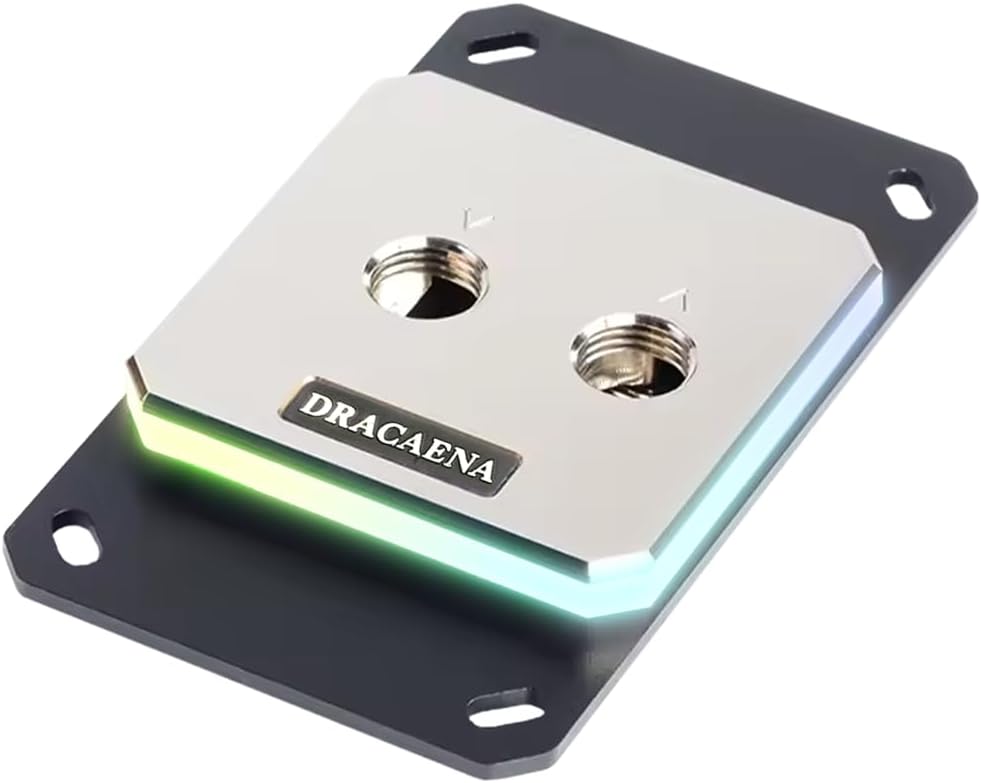
Dracaena.io CPU Water Block for AM5/AM4
4.6Editor score
Broad AMD socket support
All-copper water loop
5V ARGB sync included
Finding the right CPU water block is essential for any serious custom loop builder. These components sit directly on your processor, transferring heat to the coolant efficiently. A good block ensures stable temperatures even under heavy workloads like gaming or rendering.
We evaluated ten top-rated models based on thermal performance, material quality, and aesthetic features. Our analysis covers everything from budget-friendly copper options to premium blocks with integrated displays. Each product was assessed for compatibility with modern sockets like AM5 and LGA 1700.
Each pick in this list highlights specific strengths, whether it is raw cooling power or unique visual effects. Please note that prices and availability can change frequently on retailer sites. Always check the latest listings before finalizing your build components for accuracy.
4.6Editor score

4.6Editor score

3.6Editor score
As an Amazon Associate we earn from qualifying purchases.
The following table provides a side-by-side comparison of all ten CPU water blocks reviewed in this guide. It highlights key specifications, materials, and unique features to help you quickly identify the best fit for your custom cooling loop needs.




The EK-Quantum Velocity 3 is a high-performance CPU water block designed for AMD AM5 and Intel LGA 1700/1851 platforms. It earns our Editor's Choice for its consistent ability to deliver top-tier cooling under demanding workloads.
We may earn a commission when you buy through this link, at no additional cost to you.
Its optimized internal geometry and precise mounting pressure ensure maximum heat transfer efficiency. Compared to its predecessor, the Velocity 3 achieves up to 2 degrees C improvement in thermal performance. The nickel-plated copper cold plate ensures superior thermal conductivity for long-term stability.
While it is not the most affordable option on the market, the performance gains justify the investment for serious builders. The dimensions of 69 x 69 x 25.1mm fit most standard cases without issues.
This block is ideal for enthusiasts who prioritize raw cooling efficiency and build quality. It represents the gold standard for custom loop CPUs looking for reliable temperature control.
The internal design maximizes contact with the CPU die, ensuring heat moves quickly into the coolant.
Compatibility with AM5 and LGA 1851 ensures you can use this block with the latest generation processors.
We may earn a commission when you buy through this link, at no additional cost to you.
The CORSAIR XC7 RGB Elite LCD features a brilliant IPS LCD screen that allows you to show real-time CPU temperature or custom graphics. It stands out as a premium choice for builders who want visual flair alongside solid cooling.
We may earn a commission when you buy through this link, at no additional cost to you.
The Hexa-Flow cooling engine mitigates laminar flow to ensure all CPU cores are evenly cooled. This is particularly effective on multi-chip package CPUs. The nickel-plated copper cold plate with over 120 micro-cooling fins delivers exceptional thermal performance.
Setup is streamlined with USB-C connectivity, which eliminates the need for a separate controller unit. You can animate GIFs or logos at 30 FPS on the screen. However, this feature requires software integration and power.
This block is best for users who want to showcase their system status dynamically. If you value aesthetics and advanced monitoring options, this is a top contender.
The 480×480 IPS LCD offers ultra-bright backlighting for clear visibility even in lit rooms.
USB-C integration makes installation much faster compared to traditional separate controller setups.
We may earn a commission when you buy through this link, at no additional cost to you.
Dracaena.io offers a budget-friendly option that does not sacrifice core thermal performance. This block is compatible with virtually every AMD platform from the last 15 years, making it a versatile choice for legacy builds.
We may earn a commission when you buy through this link, at no additional cost to you.
The all-copper water loop ensures maximum thermal conductivity with no aluminum in the water path. It features a 0.4mm microfin base plate that provides excellent heat transfer. The inclusion of an ARGB controller and mounting hardware makes installation straightforward.
At under fifty dollars, this represents exceptional value. It avoids complex features like LCDs to focus on pure cooling capability. The compact 63mm by 63mm form factor fits easily in most cases.
Buy this if you need reliable cooling for an AMD system without spending a fortune. It is perfect for builders prioritizing function over flashy aesthetics.
Support for AM3 and older sockets means this block works with a wide range of older Ryzen and FX CPUs.
The absence of aluminum in the cooling path prevents galvanic corrosion and ensures long-lasting performance.
We may earn a commission when you buy through this link, at no additional cost to you.
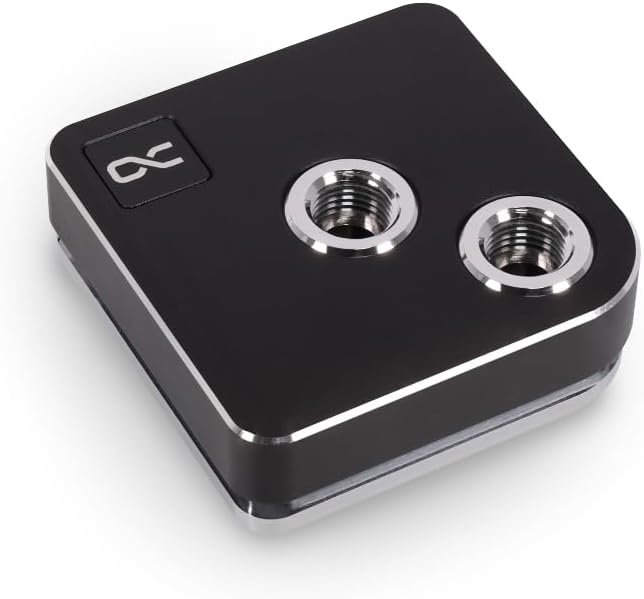
The Alphacool Core 1 is a straightforward CPU water block designed for high reliability. It supports both Intel LGA 1700 and AMD AM4/AM5, making it suitable for modern builds.
We may earn a commission when you buy through this link, at no additional cost to you.
Its black finish provides a sleek look that blends well with dark-themed systems. The dimensions are standard for this category, ensuring easy clearance in most cases. Alphacool is known for durable components that withstand pressure testing well.
While it lacks the RGB or LCD features of higher-end models, it focuses on effective heat dissipation. This makes it a great choice for builders who prefer a minimalist setup.
Consider this if you need a dependable block from a trusted manufacturer without extra bells and whistles.
The focus on a clean design ensures it matches various build styles without clashing with other components.
We may earn a commission when you buy through this link, at no additional cost to you.
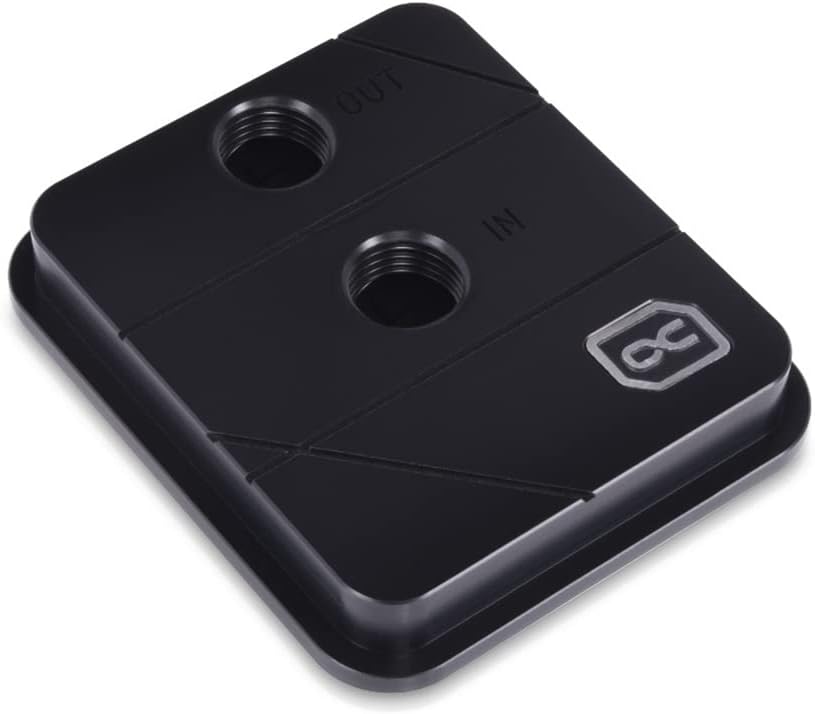
This basic block is one of the most affordable options available. It features a 5mm copper base with a large water contact area designed to carry heat away quickly.
We may earn a commission when you buy through this link, at no additional cost to you.
It supports older platforms like AMD 940 and Intel 775, making it useful for legacy systems. The chrome plate faucets are simple but functional. It includes a basic accessory kit with four screws.
While it is not suitable for high-end modern CPUs, it serves well for entry-level projects. The design is functional without unnecessary complexity.
Choose this if you are building a budget system on an older platform and need basic cooling capability.
Support for older Intel and AMD sockets allows this block to be used in repurposed hardware builds.
We may earn a commission when you buy through this link, at no additional cost to you.
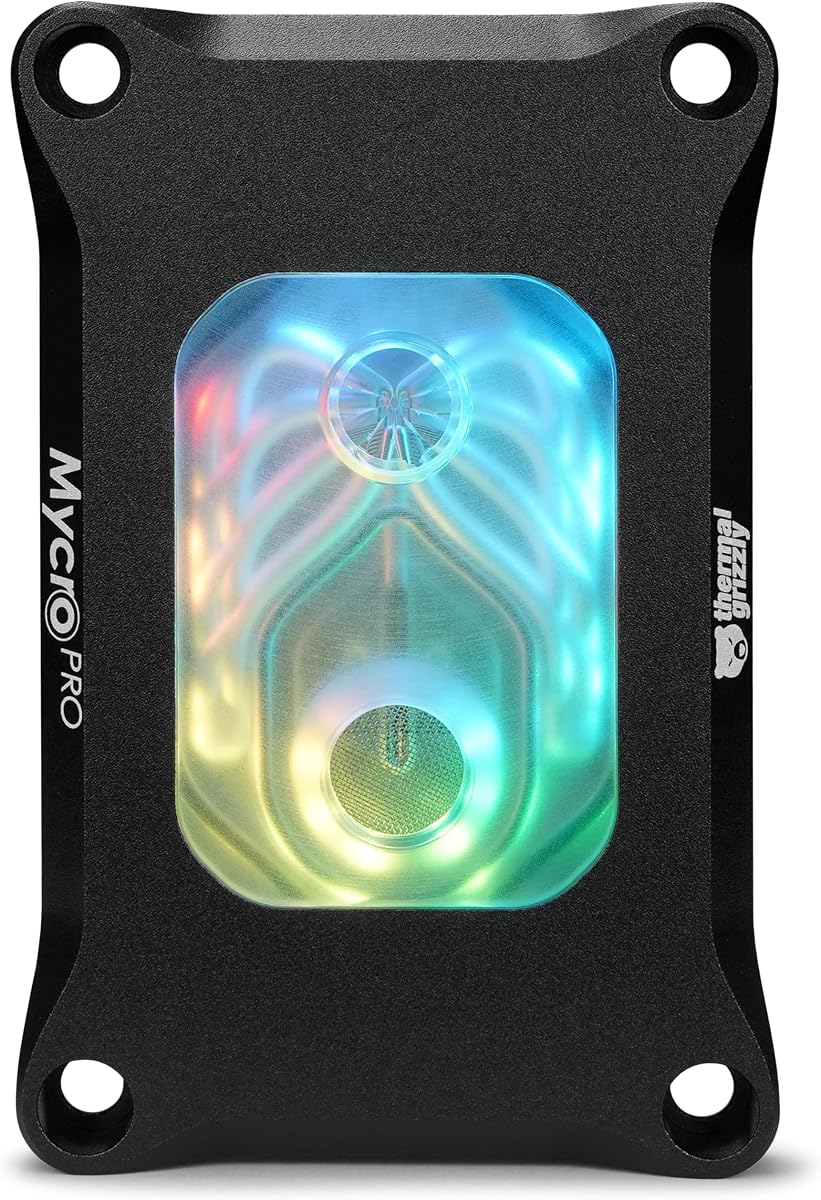
Thermal Grizzly is known for premium thermal solutions, and the Mycro Pro RGB continues that tradition. It is designed for custom loops requiring efficient heat dissipation under high loads.
We may earn a commission when you buy through this link, at no additional cost to you.
The 68 microfins with a 0.2mm structure increase surface area for maximum heat transfer. An integrated fine mesh filter helps trap particles to ensure consistent coolant flow. The RGB window adds a clean illuminated look to the build.
Premium materials like EPDM O-rings ensure durability and stability. This block is well-suited for serious overclocking setups.
Buy this if you demand high efficiency and have a custom loop that benefits from fine filtration and dense microfin design.
The precision-machined cold plate ensures consistent contact across the entire CPU surface area for uniform cooling.
We may earn a commission when you buy through this link, at no additional cost to you.
The TRYX Panorama WB features a curved 6.67 inch 2K AMOLED screen that creates immersive visual effects. It integrates deeply with GIPHY for animated content directly on the block.
We may earn a commission when you buy through this link, at no additional cost to you.
A built-in PWM VRM fan provides targeted airflow to voltage regulators. This is unique to this model and adds practical utility beyond just display. It supports a wide range of Intel and AMD CPUs including AM5.
While the visual effects are stunning, the lower rating suggests mixed user feedback regarding reliability or software issues. The high price point makes it a niche product.
Consider this only if you want the most visually striking water block available and accept the potential trade-offs.
The included VRM fan helps protect motherboard components during extreme overclocking by actively cooling voltage regulators.
We may earn a commission when you buy through this link, at no additional cost to you.
The Alphacool Core XP3 is a compact block made with Acetal material. It offers a low profile of just 21mm height which is excellent for tight case constraints.
We may earn a commission when you buy through this link, at no additional cost to you.
It supports Intel and AMD platforms with standard G1/4 threads. The nickel-plated copper cooler ensures effective heat transfer despite the smaller size. This block is a practical choice for specific build constraints.
The simplicity of the design means it is easy to install and maintain. There are no electronic features to complicate setup.
Choose this if you need a reliable low-height block for a compact custom loop build.
The slim 21mm height ensures clearance in small form factor cases where other blocks might not fit.
We may earn a commission when you buy through this link, at no additional cost to you.
This block is part of the patent-pending iCUE LINK ecosystem. It allows you to daisy-chain components using universal connectors reducing cable clutter significantly.
We may earn a commission when you buy through this link, at no additional cost to you.
A built-in cold plate temperature sensor enables precise cooling control via iCUE software. The transparent flow chamber lets you see the coolant flow which adds to the aesthetic appeal. It features the same Hexa-Flow cooling engine as the LCD version.
While it requires a hub sold separately to work fully, it simplifies wiring for users invested in the CORSAIR ecosystem. It ensures a cohesive system setup.
Buy this if you are building a new system and want to simplify wiring with smart connectors.
Universal connectors reduce the need for individual power cables for RGB and sensors on each component.
We may earn a commission when you buy through this link, at no additional cost to you.
The Core 1 LT features an Acrylic body which offers a different aesthetic compared to metal tops. It is compatible with Intel LGA 1700 and AMD AM4/AM5 for modern builds.
We may earn a commission when you buy through this link, at no additional cost to you.
Digital RGB lighting allows for customizable illumination that syncs with your other components. The dimensions are standard for the Core series ensuring easy fit. Acrylic provides a clean look for viewing coolant color.
While Acrylic is durable it may be more prone to scratches than metal over time. Regular care will maintain its clarity for years.
Consider this if you prefer a visible top material for your custom loop setup and want digital RGB effects.
The acrylic body allows you to see the coolant flowing through the top section which enhances the loop aesthetic.
We may earn a commission when you buy through this link, at no additional cost to you.
Selecting the right CPU water block involves understanding socket compatibility, material quality, and specific features that match your build goals.
Ensure the block supports your CPU socket such as LGA 1700 AM5 or older variants. Many modern blocks support multiple sockets but verify mounting hardware is included.
Always check manufacturer specifications before buying to guarantee a proper physical fit and thermal contact.
Copper is the standard for cold plates due to its high thermal conductivity. Nickel plating is common to prevent corrosion and maintain aesthetics over time.
Avoid blocks with aluminum in the water path as it can cause corrosion when paired with copper components in the same loop.
Microfins or channels inside the block increase surface area for heat transfer. Denser structures usually provide better performance but require higher flow rates.
Optimized internal shapes reduce flow resistance helping your pump work more efficiently during operation.
RGB lighting adds visual flair and can sync with motherboard headers. Integrated LCD or AMOLED screens allow real-time data display like temperature or GIFs.
These features often require extra controllers and software so factor in compatibility with your system ecosystem.
Basic copper blocks are affordable and functional for standard cooling needs. Premium blocks with displays or specialized designs cost significantly more.
Focus on thermal performance if you are overclocking but visual features can be prioritized for standard gaming builds.
Established brands like EKWB CORSAIR and Alphacool offer reliable quality and customer support. They often provide comprehensive mounting kits for various platforms.
Research user reviews to understand long-term reliability and any potential design flaws before purchasing.
Look for blocks that include backplates and mounting screws specific to your socket. Proper mounting pressure is essential for maximum heat transfer.
Some models use universal brackets that save money and storage space across different CPU generations.
High-performance blocks with dense microfins may restrict flow if the pump is not strong enough. Ensure your pump can handle the added resistance.
Standard blocks are generally easier on pump flow allowing for more flexibility in system configuration.
Before installation, clean the CPU surface thoroughly to remove old thermal paste. Apply a high-quality thermal compound evenly across the processor die for optimal contact.
Secure the block with the correct mounting pressure to ensure it sits flat against the CPU. Follow manufacturer torque specifications to avoid damaging the motherboard or processor.
After filling your loop, check for leaks carefully before powering on. Periodically flush and clean your loop to prevent algae or particles from clogging the block microfins.
Nickel-plated copper is widely considered the best material due to its high thermal conductivity and resistance to corrosion. Copper transfers heat efficiently while the nickel layer protects against oxidation in the coolant.
Most standard blocks work well with typical D5 or DDC pumps. However high-performance blocks with dense microfins may require stronger pumps to maintain adequate flow rates.
It is recommended to flush your loop once a year to remove buildup. Cleaning the block ensures consistent cooling performance and prevents internal clogging.
Many modern blocks are not compatible with older sockets unless adapters are provided. Check specific compatibility lists to see if legacy platforms like AM2 or 775 are supported.
RGB lighting adds visual appeal but does not impact cooling performance. If aesthetics are important for your build it can be worth the investment but it is not necessary for functionality.
AM5 blocks are designed for the new Ryzen architecture and may require different mounting pressure. AM4 blocks fit older sockets but may not support the larger spacing of AM5 processors.
Our top picks range from the EKWB Velocity 3 for raw performance to the CORSAIR XC7 for visual flair. Each product offers distinct advantages depending on your specific cooling and aesthetic needs.
When making your decision prioritize cooling efficiency for heavy workloads or visual features for gaming setups. Consider your budget and existing ecosystem like iCUE LINK for seamless integration.
Always verify current pricing and stock before purchasing as availability can vary by region. Check the latest retailer links to ensure you get the best deal for your build.