
Acer Chromebook Plus Spin 714
4.5Editor score
Intel Core Ultra 5 Processor
120Hz High Refresh Rate Display
Thunderbolt 4 Connectivity
Chromebooks have evolved significantly with integrated artificial intelligence features that enhance productivity and creativity. Modern devices now include Google AI tools like Gemini and advanced image editing capabilities directly within the operating system. This guide explores the best models available.
We compared ten top-rated Chromebooks focusing on processor power, memory, storage, and specific AI capabilities. Each selection offers unique strengths for students, professionals, and creative users. Our analysis ensures you find a device that meets your specific workflow needs effectively.
Each product pick highlights key specifications and real-world performance insights to aid your decision. Prices and availability can change frequently so verify current offers before purchasing. This comprehensive resource helps you invest wisely in AI-enhanced computing technology.
4.5Editor score

4.9Editor score
5.0Editor score
As an Amazon Associate we earn from qualifying purchases.
This side-by-side comparison highlights the core specifications of the top ten Chromebooks optimized for artificial intelligence tasks. Review the processor, memory, storage, and display details to find the best fit for your needs.


The Acer Chromebook Plus 514 stands out as the top choice for AI tasks with its 4.9 rating. It combines robust hardware with deep Google AI integration including Gemini access and NotebookLM features for enhanced productivity.
We may earn a commission when you buy through this link, at no additional cost to you.
Its Intel Core i3-1315U processor ensures smooth multitasking while the included Google AI Pro trial provides 5TB storage and advanced generative tools. Users benefit from handwriting conversion and jargon simplification directly within Docs.
While the 256GB SSD is standard for this class, the device compensates with fast Wi-Fi 7 support and a vibrant WUXGA touchscreen. Battery life extends to 17 hours ensuring all day usage without interruption.
This Chromebook is ideal for professionals and students needing reliable AI assistance. The balanced performance and comprehensive software features make it a recommended pick for most users seeking value.
Includes 12 months of Google AI Pro with access to Gemini Advanced and 5TB storage.
Wi-Fi 7 support provides faster speeds and lower latency for cloud AI processing.
We may earn a commission when you buy through this link, at no additional cost to you.
The ASUS Chromebook Plus CX34 offers a budget friendly entry into AI enabled Chromebooks. It features the same Google AI integration as premium models making it accessible for cost conscious buyers.
We may earn a commission when you buy through this link, at no additional cost to you.
Powered by an Intel Core i3-1215U and 8GB RAM it handles daily tasks efficiently. The included AI tools support creative work and note taking with features like noise cancelation for video calls.
While it uses UFS storage instead of NVMe SSD which may impact speed it remains suitable for most web based tasks. The design is lightweight and easy to carry for students on the go.
This model is best for those prioritizing AI features over raw storage speed. Its affordability makes it a solid contender for educational settings or secondary home use.
Built-in Magic Eraser and video lighting enhancement tools boost content quality easily.
Users receive 2TB cloud storage with a year of Google One AI Premium plan.
We may earn a commission when you buy through this link, at no additional cost to you.
The Acer Chromebook Plus 515 provides a larger 15.6 inch display for users who prefer more screen real estate. It maintains the same AI capabilities as smaller models making it versatile for media consumption.
We may earn a commission when you buy through this link, at no additional cost to you.
With the Intel Core i3-1305U processor and LPDDR5X memory it handles multitasking smoothly. The device includes Google AI Pro for a year allowing access to advanced generative features and storage.
The trade-off is portability as the larger chassis adds weight compared to 14-inch alternatives. However the improved viewing area helps with productivity tasks like spreadsheets and document editing.
Ideal for home or office use where mobility is less critical. This model balances size and performance well for those needing a traditional laptop experience on Chrome OS.
Full HD touch display offers clear visuals with anti-glare coating for comfort.
Gemini features simplify notes and convert handwriting to editable text easily.
We may earn a commission when you buy through this link, at no additional cost to you.
The Acer Chromebook Plus Spin 714 delivers premium hardware with the Intel Core Ultra 5 processor. This chip includes a dedicated AI engine for faster on device processing and efficiency.
We may earn a commission when you buy through this link, at no additional cost to you.
Its 120Hz display and Thunderbolt 4 ports set it apart from standard models offering superior visuals and connectivity. The 2-in-1 design supports touch and stylus input for creative work.
While the price is higher it justifies the upgrade with better build quality and advanced features. Users gain access to Gemini tools and enhanced graphics for media creation tasks.
Recommended for professionals needing top tier performance and connectivity. The Spin design adds versatility making it suitable for presentations and interactive training sessions.
Intel Core Ultra 5 provides dedicated neural processing for AI tasks and graphics.
120Hz touch screen ensures smooth scrolling and responsive pen input for drawing.
We may earn a commission when you buy through this link, at no additional cost to you.
This variant of the Acer Chromebook Plus 514 offers 512GB storage for users needing more local space. It retains the core AI features making it a practical upgrade for file heavy workflows.
We may earn a commission when you buy through this link, at no additional cost to you.
The Intel Core i3-N355 provides efficient performance for everyday tasks while the 8GB RAM supports smooth multitasking. Google AI Pro access helps organize files and drafts effectively.
At 3.09 lbs it remains highly portable with military grade durability for rugged use. The 1080p webcam supports privacy and clear video calls for remote collaboration.
Best for students or remote workers storing large media files locally. The combination of storage and AI tools makes it a robust daily driver for various tasks.
512GB SSD allows ample room for offline apps and media without cloud reliance.
Dedicated key creates high-resolution images and aids writing seamlessly in apps.
We may earn a commission when you buy through this link, at no additional cost to you.
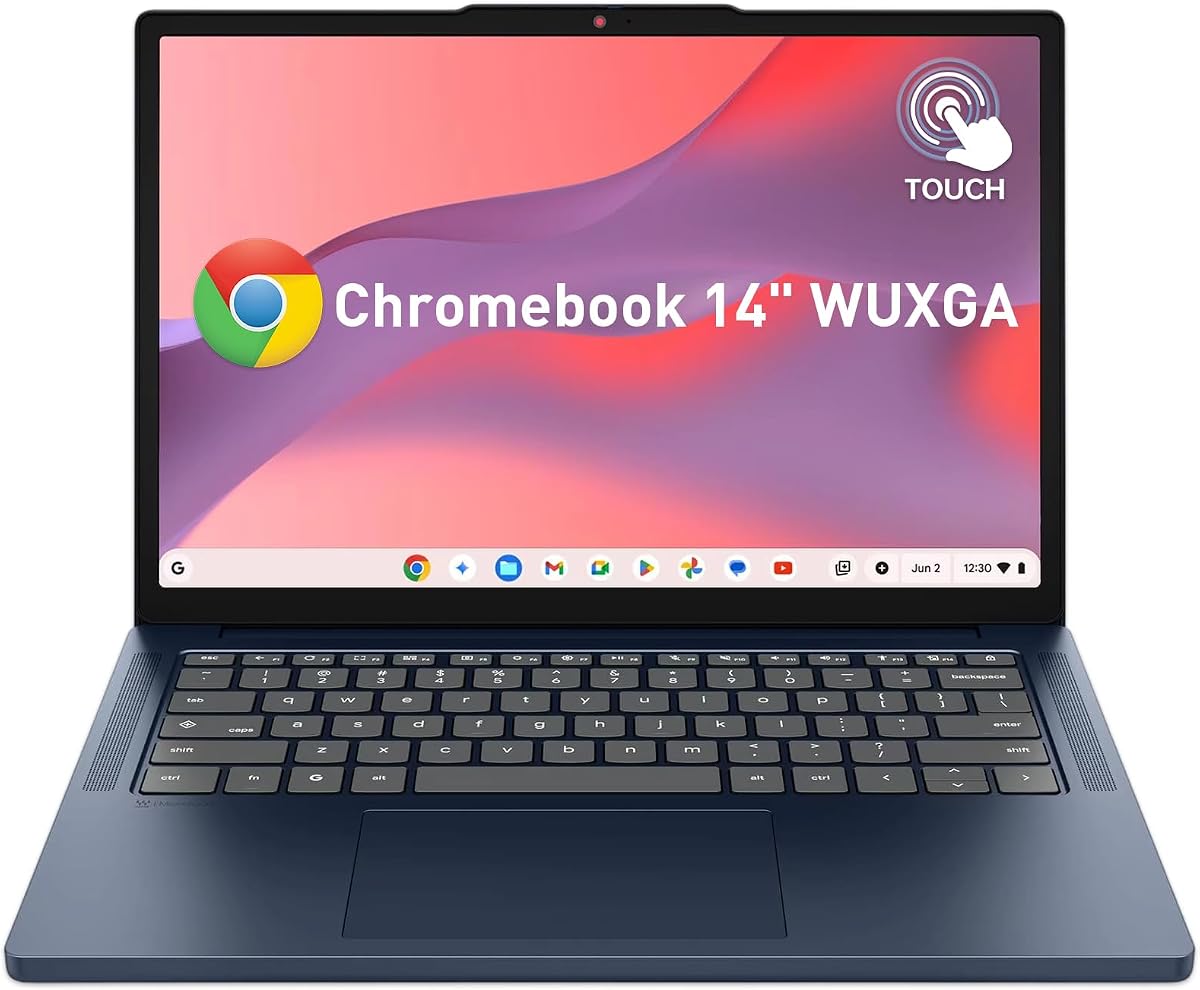
The Lenovo 2026 Chromebook 14 offers a budget friendly option with a perfect 5.0 user rating. It features a vibrant 400-nit display ideal for indoor and outdoor study sessions.
We may earn a commission when you buy through this link, at no additional cost to you.
Powered by a MediaTek Kompanio 540 it handles basic Chrome OS tasks smoothly. While RAM and storage are limited it supports cloud based AI tools effectively for students.
Its lightweight design and long battery make it easy to carry across campus. The included audio features enhance video calls and online lectures for remote learning.
Perfect for K-12 students or casual users needing basic AI features. This model prioritizes value and portability without sacrificing core display quality.
400-nit WUXGA touchscreen ensures visibility even in bright classrooms or outdoors.
Designed for digital textbooks and research with intuitive touch interactions.
We may earn a commission when you buy through this link, at no additional cost to you.
This Acer Chromebook Plus 514 model emphasizes storage with a 512GB SSD for extensive file access. It brings AI creativity tools like Adobe integration and Gemini into an affordable package.
We may earn a commission when you buy through this link, at no additional cost to you.
The N355 processor handles standard tasks while 8GB RAM ensures responsive multitasking. Google AI Pro subscription adds value with extra storage and advanced image editing features.
Its MIL-STD durability ensures it withstands travel and daily wear. The backlit keyboard aids typing in low light environments for students working late.
Ideal for users needing more local storage without premium costs. This model supports both education and business needs with robust security and performance.
Gemini AI helps organize drafts and optimize materials with Quick Insert key support.
Military standard build ensures reliability in harsh conditions for daily travel.
We may earn a commission when you buy through this link, at no additional cost to you.
This Acer Chromebook Plus 514 variant offers balanced specs for general users seeking AI benefits. The Core 3 processor provides reliable performance for everyday web and app usage.
We may earn a commission when you buy through this link, at no additional cost to you.
With 512GB storage and 8GB memory it supports multitasking and file management well. Wi-Fi 6E ensures fast internet connections for seamless cloud AI interactions.
The touchscreen interface enhances navigation and media consumption. While not the fastest it covers basic productivity needs effectively with Google's built-in AI tools.
Suitable for home users or light professionals needing affordable AI capabilities. Its balance of price and features makes it a safe choice for standard workloads.
Wi-Fi 6E connectivity supports faster uploads and downloads for cloud AI apps.
1920×1200 touchscreen enables intuitive interaction with AI image tools and apps.
We may earn a commission when you buy through this link, at no additional cost to you.
This Acer Chromebook Plus 514 uses an AMD Ryzen 3 processor for efficient performance and battery life. It focuses on AI video enhancements for clearer communication in remote settings.
We may earn a commission when you buy through this link, at no additional cost to you.
With up to 12 hours of battery life it suits long workdays without charging. The spill resistant keyboard and durable design make it suitable for active environments.
Storage is limited to 128GB but cloud integration mitigates this for most users. AI tools like Gemini simplify content and enhance image quality for presentations.
Best for mobile professionals needing reliability and battery efficiency. Its AMD architecture offers solid value for those prioritizing longevity over raw power.
AI-powered tools enhance lighting and cancel noise for crystal clear meetings.
Up to 12 hours of battery supports full day use without outlets.
We may earn a commission when you buy through this link, at no additional cost to you.
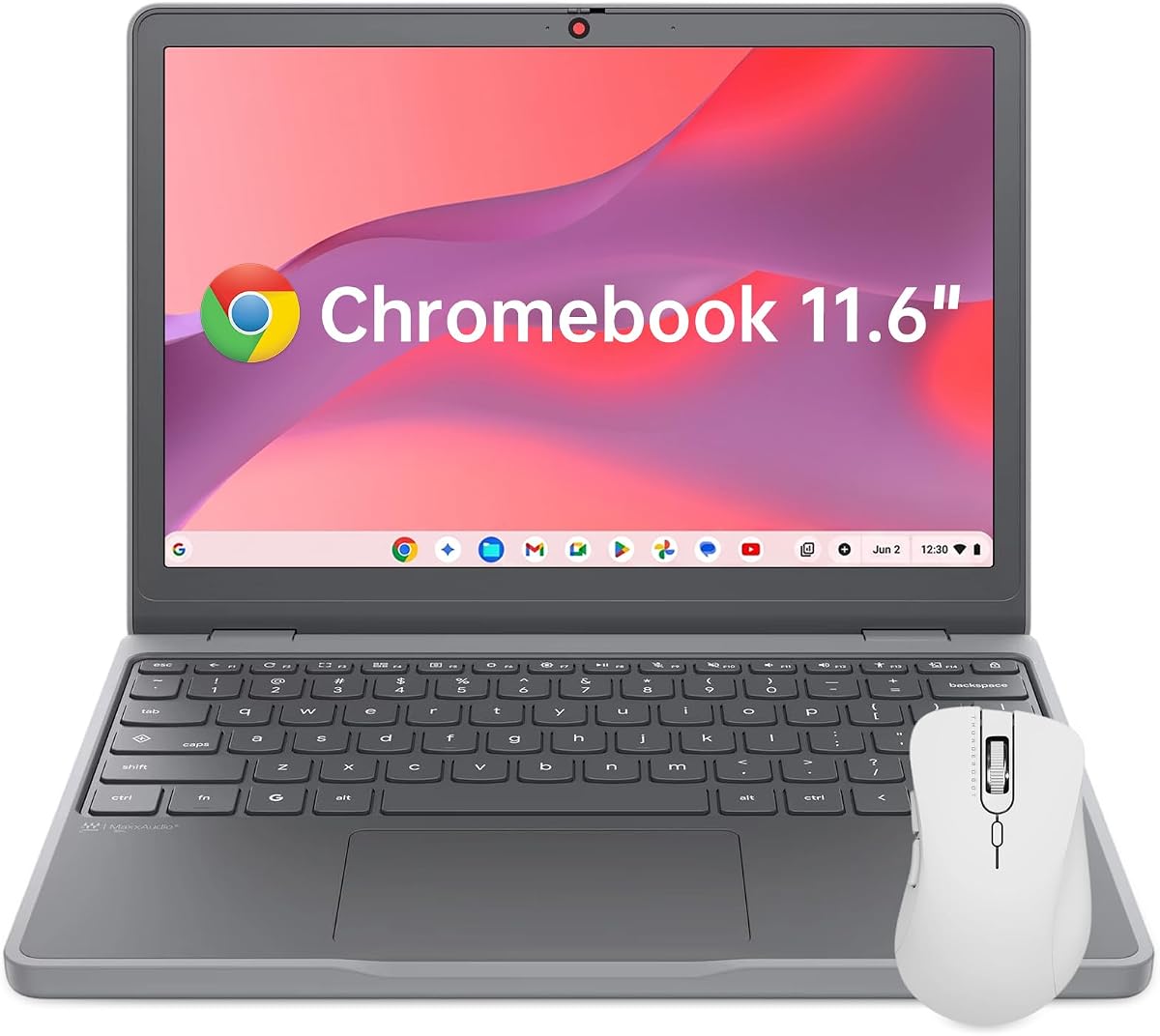
The Lenovo Chromebook 11.6 is the smallest option focused on portability and travel. It fits easily in small bags for students commuting between classes or offices.
We may earn a commission when you buy through this link, at no additional cost to you.
Despite its size it features a durable MIL-STD design with safety privacy shutter and audio enhancements. The Intel N150 processor handles basic tasks and web apps efficiently.
Storage is minimal at 64GB but cloud apps work well for this size. Battery life supports all-day use making it a reliable companion for short trips.
Ideal for secondary use or lightweight tasks where portability is key. Its rugged build and low cost make it a practical choice for specific travel needs.
Weighing just 2.69 lbs ensures easy carrying between classrooms or offices.
Rugged corners and military standards protect against drops and daily wear.
We may earn a commission when you buy through this link, at no additional cost to you.
Selecting the right Chromebook for AI requires evaluating processor strength, memory, storage, and software features. This guide breaks down key factors to consider for a smart purchase.
AI tasks demand a capable processor like Intel Core i3 or AMD Ryzen to run locally. Look for at least 8GB RAM to handle multitasking and background AI processes smoothly.
Prioritize newer chips with dedicated AI engines for better efficiency and responsiveness.
While Google AI relies heavily on cloud storage local SSD speed impacts overall system performance. Aim for at least 256GB to store apps and files without relying entirely on cloud.
Choose models with LPDDR5 memory for faster data processing during creative work.
A clear and bright touchscreen helps interact with AI visual tools effectively. Look for WUXGA resolution and anti-glare coatings to reduce eye strain during long sessions.
High refresh rates or color accuracy matter for creative content generation tasks.
AI features can consume more power so a long battery life ensures uninterrupted work. Models with 10+ hours allow all-day usage without needing frequent charging.
Fast charging support is also a valuable trait for quick power top-ups.
Wi-Fi 6E or Wi-Fi 7 is crucial for fast cloud AI processing and streaming. USB-C and USB-A ports allow connecting external drives and peripherals for expanded storage.
Thunderbolt 4 offers maximum speed if you plan to use external displays or docks.
Ensure the device includes Google AI Pro or relevant trials for access to Gemini and tools. Check for integration with Adobe or Microsoft 365 if those are part of your workflow.
Security chips like Titan C2 add layers of protection for sensitive data.
MIL-STD certified models withstand drops and spills for active school or work use. A spill-resistant keyboard and robust chassis extend the lifespan of your investment.
Consider weight and design if you travel often with your Chromebook.
Prices vary based on hardware and included trials so balance needs with affordability. Budget models offer core AI features while premium ones add speed and connectivity.
Check for current promotions that may include extended software subscriptions.
To maximize AI features ensure your Chromebook stays updated with the latest Chrome OS version. This enables access to new Gemini tools and security patches regularly.
Manage your storage by regularly clearing cache and files you no longer need. Use the cloud storage provided with AI plans to free up local space for essential apps.
Protect the device by using a protective sleeve and avoiding liquid spills on the keyboard. Regularly clean the screen with microfiber cloth to maintain display clarity.
Most models offer a 12-month trial of Google AI Pro with purchase. This includes Gemini features and cloud storage but verify the specific terms for each device before buying.
Chrome OS primarily relies on web-based apps but some Android apps support basic AI functions. For heavy local processing consider models with stronger processors or external tools.
Intel Core i3 and AMD Ryzen 3 processors are recommended for smooth performance. Newer Intel Core Ultra chips provide dedicated AI engines for enhanced efficiency.
Yes, many models are designed specifically for students with durable builds and long battery life. They support educational apps and cloud tools essential for modern learning.
At least 256GB is recommended for comfortable storage of apps and files. Cloud options allow you to store larger media without filling local drives quickly.
Wi-Fi 6E ensures faster and more stable connections for cloud AI processing. It is recommended for seamless use of generative tools but Wi-Fi 6 still works well.
The Acer Chromebook Plus 514 leads the list with its high rating and strong AI integration. It balances performance and features perfectly for most users seeking productivity tools.
Prioritize storage and processor speed if you plan to use AI for creative or heavy tasks. Budget models like the Lenovo 2026 offer entry points for students needing core capabilities.
Always check current pricing and subscription details before purchasing to ensure the best value. This guide helps narrow down options so you can find the ideal AI-enabled Chromebook.