
NICE-POWER DC Power Supply Variable
4.5Editor score
Compact 150W output design
Encoder button precise adjustment
Wide AC voltage input range
Find the best DC Power Supply for Laptop Repairing with our expert guide comparing top models for precision voltage output and safety protection.
Repairing laptops requires precise power sources to avoid damaging sensitive components. A reliable DC power supply ensures stable voltage delivery for testing and diagnostics.
Our team analyzed ten top-rated models based on output range, protection features, and usability. We focused on supplies that offer fine-tuning and safety alerts.
Each pick highlights key strengths and ideal use cases for technicians. Note that availability and specifications may change, so verify details before purchasing.
4.5Editor score

4.6Editor score

4.2Editor score
This side-by-side comparison reviews all ten selected models to help you choose the right unit for your bench needs.


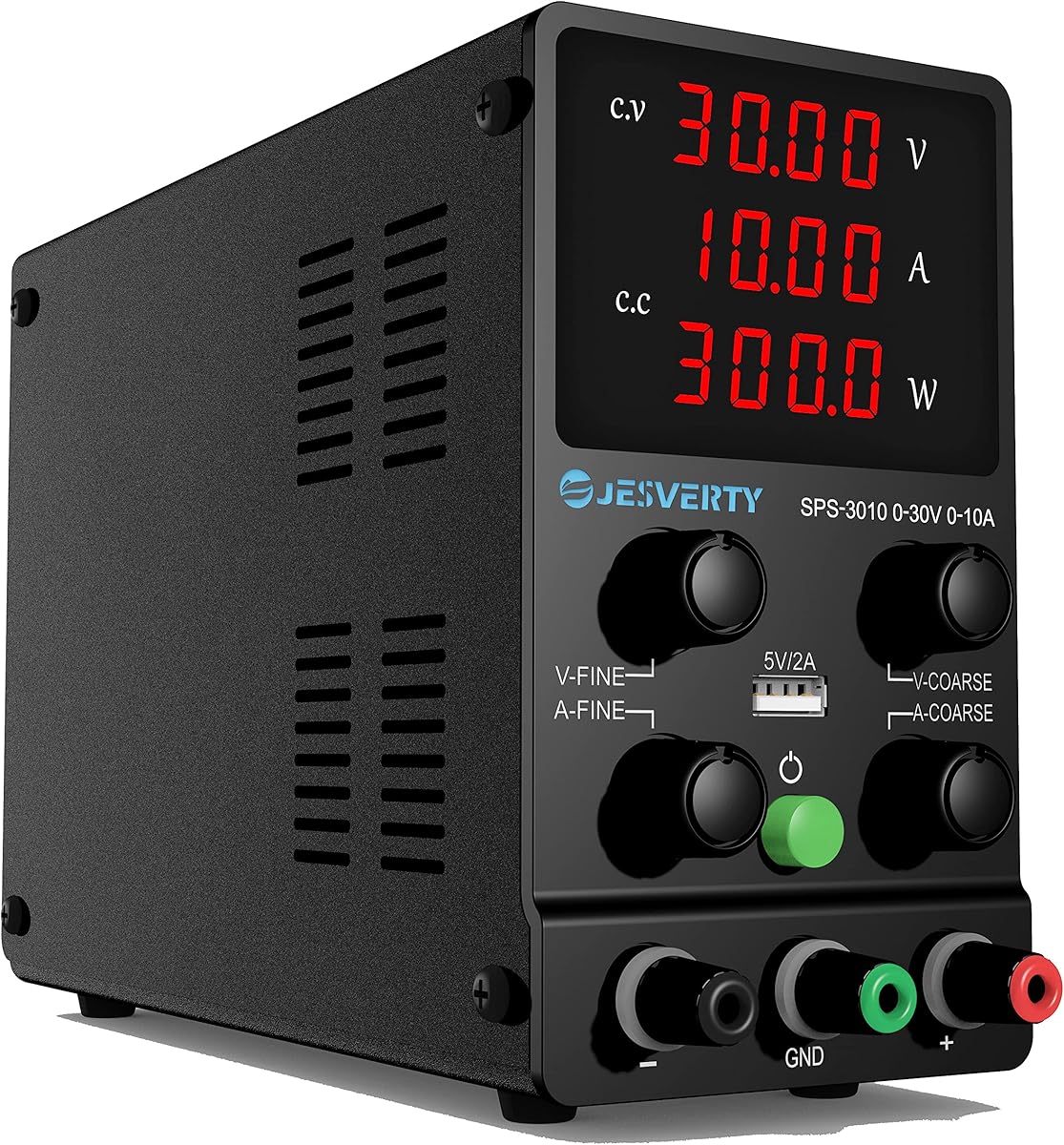

This adjustable power supply offers advanced features for technicians needing precision. It has a 4.6 rating and integrates coding knobs with a high-definition display.
We may earn a commission when you buy through this link, at no additional cost to you.
The coarse and fine tuning system allows efficient voltage and current setting without endless scrolling. Safety features like short circuit alerts and OCP protect your work.
While the beep can be turned off by holding the knob, the fan may operate even at lower loads. These are minor trade-offs for the high functionality.
It is ideal for anyone needing a versatile bench unit for laptop and device repair. The Type-C port adds convenience for charging tools during work.
The combination of coarse and fine knobs speeds up setup time and reduces errors during precise repairs.
The 3.6A USB and Type-C port lets you charge mobile devices directly from the supply without extra adapters.
We may earn a commission when you buy through this link, at no additional cost to you.
This regulated power supply is designed for reliable delivery in repair labs. It features an LED screen that displays parameters clearly and offers protection circuits.
We may earn a commission when you buy through this link, at no additional cost to you.
The design focuses on low noise and stable output which is critical for sensitive electronics. It is also significantly lighter than linear counterparts.
It is restricted to US voltage ranges and lacks higher current output beyond 5A. This might limit use for high-draw boards but suits most laptops.
Best for those prioritizing stability and portability in a lab setting. The manufacturer support adds confidence for professional users.
The LCD screen shows current down to 1mA increments for precise monitoring of power usage.
At only 5 lbs and without a fan, this unit saves bench space and reduces clutter.
We may earn a commission when you buy through this link, at no additional cost to you.
This unit targets advanced users and computer repair services with comprehensive features. It includes memory presets and a precise encoder dial for repeatable settings.
We may earn a commission when you buy through this link, at no additional cost to you.
The complete kit includes various leads and a work mat which adds immediate value. Protection modes are robust and prevent errors with sensitive equipment.
It costs more than other options and lacks 220V support. These limits may not matter for US based shops focused on high quality gear.
Ideal for service centers needing reliability and ease of setup. The US brand support is a strong advantage for business buyers.
Memory recall presets allow you to store and recall frequently used voltage settings instantly.
The kit provides multiple types of leads and hooks for diverse testing scenarios.
We may earn a commission when you buy through this link, at no additional cost to you.
This programmable supply connects to laptops via USB-C for direct control. It offers modern connectivity without bulky legacy ports.
We may earn a commission when you buy through this link, at no additional cost to you.
Features like encoder knobs and automatic mode switching ensure accurate power delivery. The dual display keeps you aware of output in real time.
You will need a computer to use the advanced control features fully. This adds a step to setup compared to standalone models.
Best for R&D or automated testing environments. The lock function helps prevent accidental changes during long tests.
Connect to your laptop to run test sequences and log data without manual adjustments.
The lock function secures set parameters to prevent accidental changes during aging tests.
We may earn a commission when you buy through this link, at no additional cost to you.
This model offers high value with solid features for general repair. It supports 150W output and uses encoder buttons for easy settings.
We may earn a commission when you buy through this link, at no additional cost to you.
The compact design fits easily in small workspaces and the fan cools effectively. Input voltage compatibility makes it travel friendly for technicians.
The display resolution is lower than premium models so precision is limited. However for general use it remains accurate and stable.
Great for beginners or those on a budget. The support team ensures help is available when needed.
With less than 1KG weight and small size it is one of the most compact options available.
Input AC voltage from 100V to 240V means no transformer is needed for international use.
We may earn a commission when you buy through this link, at no additional cost to you.
This supply includes a button to enable or disable output preventing accidental damage. The display is clear and allows brightness adjustments.
We may earn a commission when you buy through this link, at no additional cost to you.
The encoder knob provides fine control over voltage and current settings. Overcurrent protection with a buzzer alerts you instantly to issues.
There are no memory settings so you must reset every time. For quick repairs this is acceptable as setup is fast.
Ideal for technicians wanting safety features without complexity. The USB port is a handy bonus for charging devices.
The output button allows you to disconnect power safely without unplugging the main cord.
Screen brightness can be adjusted to match your lighting conditions.
We may earn a commission when you buy through this link, at no additional cost to you.
This unit balances size and performance well for bench use. It shows real-time power values which helps in monitoring load.
We may earn a commission when you buy through this link, at no additional cost to you.
The auto switching between CV and CC modes simplifies operation. Protection functions ensure safe usage during testing.
Included leads are basic so high current tests may need better ones. AC input settings depend on factory shipment location.
Best for small shops needing a reliable and portable supply. The display details are thorough for daily diagnostics.
The display calculates and shows power in watts alongside voltage and current values.
Built-in protections like short-circuit and overload protection extend unit lifespan.
We may earn a commission when you buy through this link, at no additional cost to you.
This unit features an IPS color display that can flip for better viewing angles. It supports PC control and multiple connection styles.
We may earn a commission when you buy through this link, at no additional cost to you.
Low ripple ensures clean output for precision equipment. The safety mechanisms are extensive and protect against common risks.
Charging batteries may require an external reverse protection module. Curve display setup adds some complexity to initial use.
Perfect for those who appreciate visual feedback and presets. The flip screen is useful for different work angles.
The screen supports curve display to visualize changes in output over time.
Multiple terminal types ensure you can connect various equipment easily.
We may earn a commission when you buy through this link, at no additional cost to you.
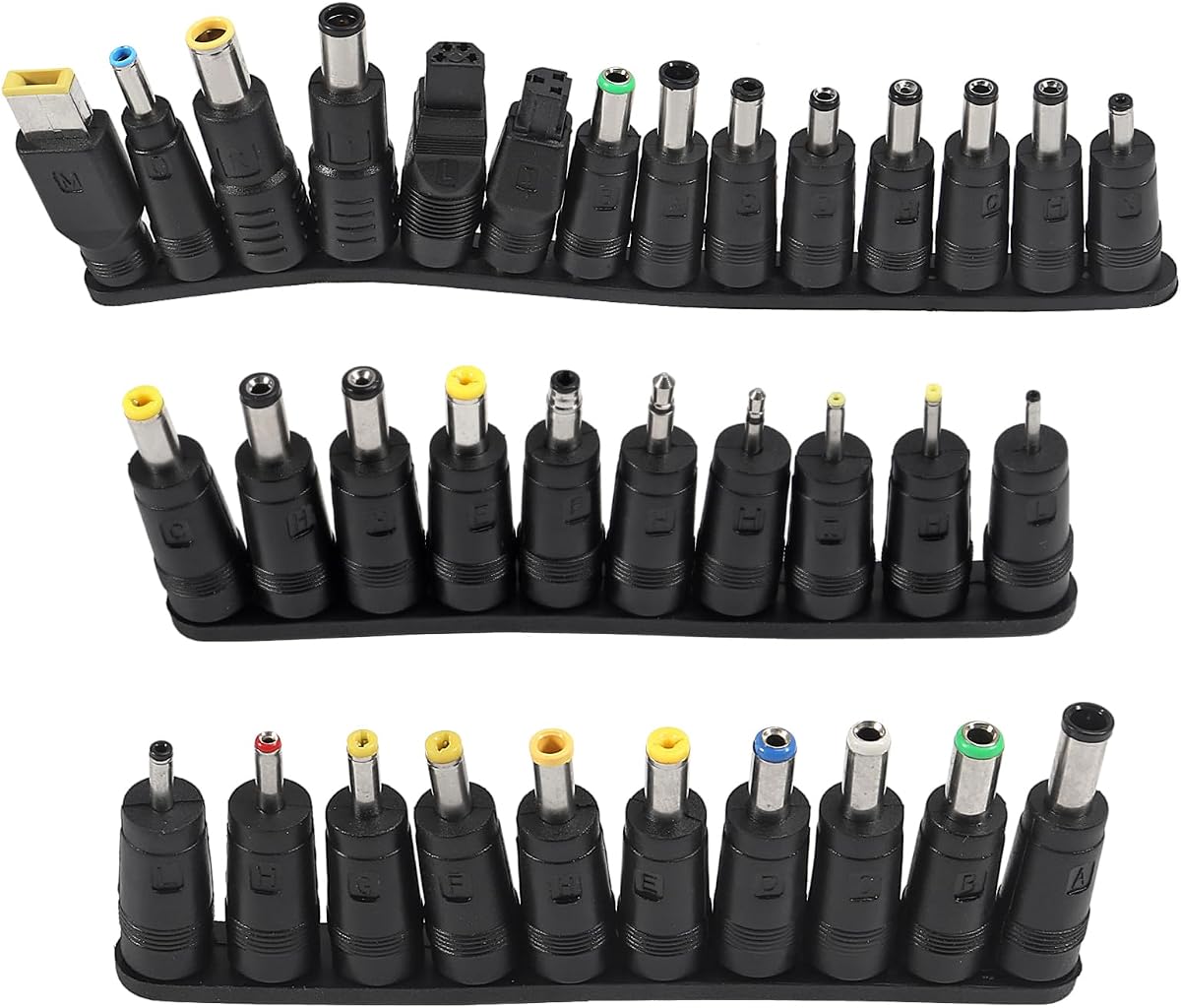
This kit provides a range of tips for various laptop brands. It covers many common needs for technicians without owning many supplies.
We may earn a commission when you buy through this link, at no additional cost to you.
Lenovo specific tips are present which are often hard to find. It serves as a useful addition to a bench power supply setup.
Not every device model is covered so verification is essential. The tips are connectors and do not include a power source.
Best for adding versatility to existing repair gear. The variety ensures you can likely find a fit for most common devices.
With 34 connectors you can adapt to many different device jacks.
This kit offers a cost-effective way to cover multiple laptop types.
We may earn a commission when you buy through this link, at no additional cost to you.
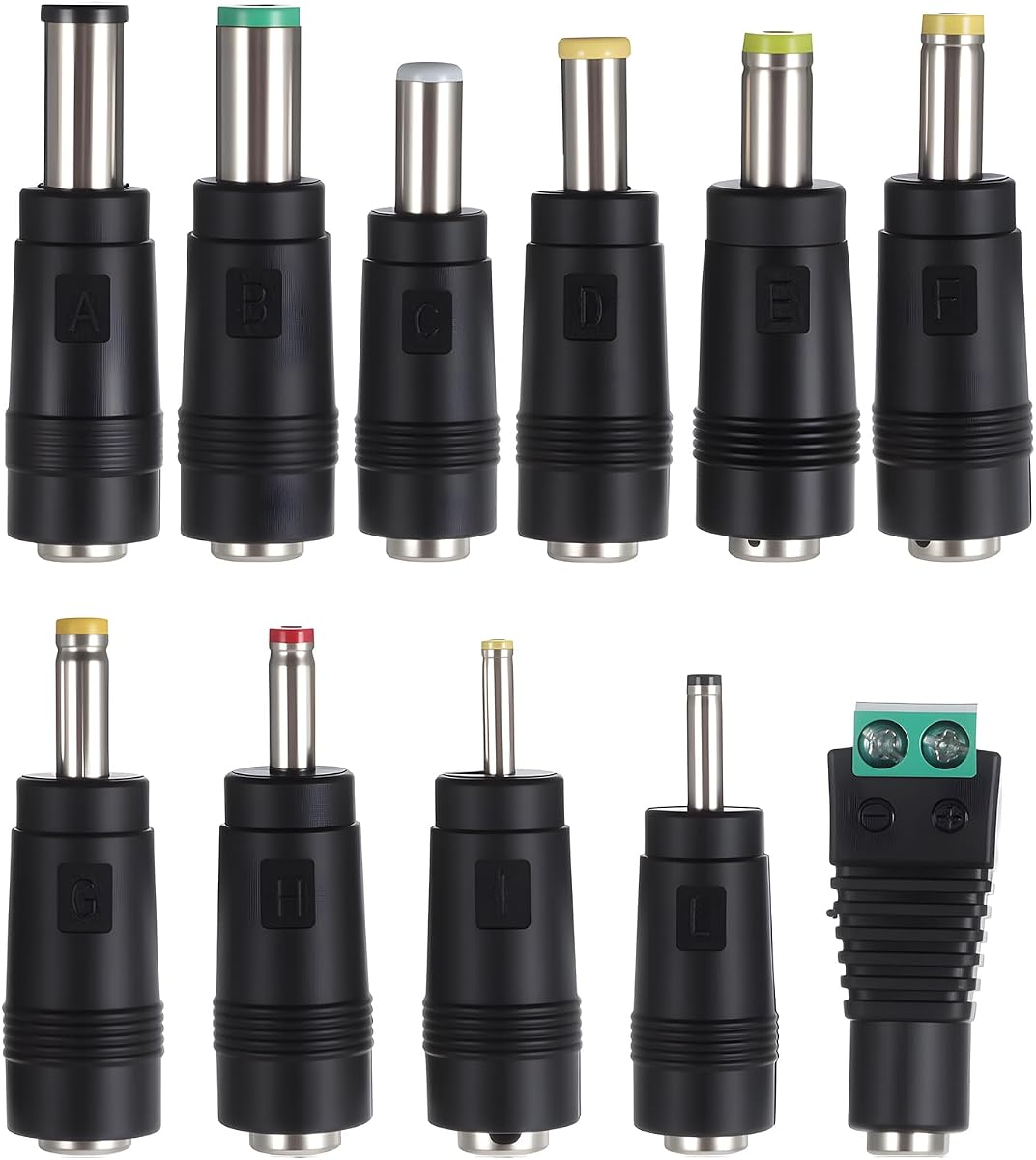
This 11 piece kit focuses on essential connectors for common electronics. It is ideal for quick repairs and maintenance.
We may earn a commission when you buy through this link, at no additional cost to you.
It adapts to 5.5mm x 2.1mm male connectors found on many devices. This is great for portable repair kits.
Check the device interface type before use to ensure compatibility. The set is small but effective for general needs.
Recommended for field technicians needing a backup set. It is a simple way to handle adapter issues on site.
The kit includes the most common sizes needed for daily repairs.
Its small size allows it to fit easily in tool cases.
We may earn a commission when you buy through this link, at no additional cost to you.
Selecting the right power supply requires attention to specific features and safety.
Ensure the supply can output voltages and currents required by your devices. Most laptop repairs need 0-30V and 5A or more.
Choose a range that covers all your common repair scenarios without overloading.
Look for encoder knobs or digital control for precise adjustments. These prevent setting errors and allow fine tuning.
Adjustment resolution of 0.01V or better is ideal for sensitive components.
Safety features like overcurrent and short circuit protection prevent damage to your equipment. Always prioritize models with these protections.
Protection alerts such as buzzers or lights help you react quickly to faults.
A clear display with high resolution makes it easy to read values in various lighting. Digital displays often show power and current.
Consider adjustable brightness if you work in dim or bright environments.
Modern units may offer USB ports or PC control. These allow for logging or charging devices directly.
Ensure the connectors match your cables or plan to buy adapters.
Low noise supplies are better for quiet workspaces. Fans help with heat but may be noisy under load.
Check for efficient cooling designs if you plan to use the supply for extended periods.
Compact units are easier to store and transport. Consider weight if you move your bench often.
Small footprint saves bench space for other tools and equipment.
Reputable brands offer technical support and warranties. Check coverage details before purchasing.
Good support can save time when you need help with setup or issues.
Set voltage and current limits before connecting your device. Start with lower values and increase slowly.
Use appropriate cables and connectors to prevent connection failures. Secure leads tightly to avoid arcing.
Allow the unit to cool after heavy use. Store it in a dry place away from dust to maintain longevity.
Most laptops use 19V but some use 5V to 24V. A supply with a 0-30V range covers all common needs.
Switching supplies are lighter and efficient while linear ones offer lower noise. Switching is generally preferred for portability.
Encoder knobs provide precise steps and avoid drift. They are easier to set accurately compared to old potentiometers.
Use current limit features to stop short circuits. Always connect positive to positive and negative to negative carefully.
Some units include USB ports for charging. Ensure the output matches the device charging specs before using.
Only programmable models require PC control. Most basic units operate independently with manual settings.
Clean the air vents with compressed air monthly to prevent dust buildup. Keep the unit in a clean environment.
Protection features will cut power or alarm. Always stay within rated limits to ensure safety and durability.
The top picks cover different needs from budget to professional use. Each model offers distinct benefits for specific repair scenarios.
Prioritize safety features and precision when selecting your unit. Stability and protection are crucial for successful repairs.
Check current availability and specs before buying. Specifications and pricing may change so always verify the latest details.