
msi PRO MP341CQ E12
4.2Editor score
120Hz High Refresh Rate
UWQHD 3440×1440 Resolution
Adaptive Sync Support
VESA Mount Compatible
Finding an affordable ultrawide monitor can transform your workspace without breaking the bank. These displays offer expansive screens that enhance productivity and immersion. We focus on models that balance cost with essential features for everyday use.
We evaluated ten top-rated options based on resolution, refresh rate, and panel quality. Each product was scrutinized for connectivity, ergonomics, and real-world performance. Our goal is to highlight value picks that meet diverse user needs effectively.
Each pick showcases key strengths and potential trade-offs to inform your decision. Remember that prices fluctuate frequently so check current listings before buying. This guide ensures you invest in a monitor that fits your budget and requirements.
4.2Editor score

4.4Editor score

4.6Editor score
As an Amazon Associate we earn from qualifying purchases.
This side-by-side comparison highlights key specifications across all ten selected monitors. Use this table to quickly identify which model aligns best with your specific needs.


This SANSUI monitor stands out as a top contender for budget-conscious gamers and professionals alike. With a 4.4 star rating from satisfied users, it delivers robust performance metrics that rival more expensive competitors. The 200Hz refresh rate is particularly impressive for this price point.
We may earn a commission when you buy through this link, at no additional cost to you.
Its key strengths lie in the high refresh rate and HDMI 2.1 support which allows for smooth visuals without tearing. The AI features like blue light reduction and crosshair assist enhance the user experience significantly. Ergonomic adjustments and VESA compatibility ensure it fits any desk setup comfortably.
While the lack of built-in speakers is a minor trade-off, it is often overlooked given the price. VA panels typically exhibit slower gray transitions which might affect motion clarity slightly. However for most users this will not impact their daily workflow or gaming sessions negatively.
Anyone seeking a high-performance ultrawide without overspending should consider this model immediately. It balances specs and affordability better than most options currently available. We recommend it highly for those needing smooth motion and modern connectivity options.
The 200Hz refresh rate ensures fluid motion in games and video playback.
HDMI 2.1 support allows for future-ready connections with next-gen consoles or PCs.
We may earn a commission when you buy through this link, at no additional cost to you.
The MSI PRO MP341CQ E12 earns its spot as the best budget option by offering essential features at a low cost. Users appreciate the solid build quality and the inclusion of built-in speakers which are rare in this segment. It meets the basic needs for productivity and casual gaming effectively.
We may earn a commission when you buy through this link, at no additional cost to you.
Key features include a 120Hz refresh rate and Adaptive Sync which helps maintain smooth visuals during gaming. The TUV Rheinland certification ensures eye comfort during long sessions. The panel supports 1080p and 1440p resolutions making it versatile for various setups.
The stand lacks height adjustment which might require additional support for optimal ergonomics. While the speakers are present they are not exceptionally powerful. These minor drawbacks do not detract from the overall value proposition of the monitor.
Students and professionals on a tight budget will find this monitor highly appealing. It provides a reliable entry point into ultrawide computing without compromising on core performance. We suggest it for those prioritizing price over premium ergonomics.
This model offers an accessible price point without sacrificing essential screen real estate.
Certified flicker-free and low blue light tech protects vision during long usage.
We may earn a commission when you buy through this link, at no additional cost to you.
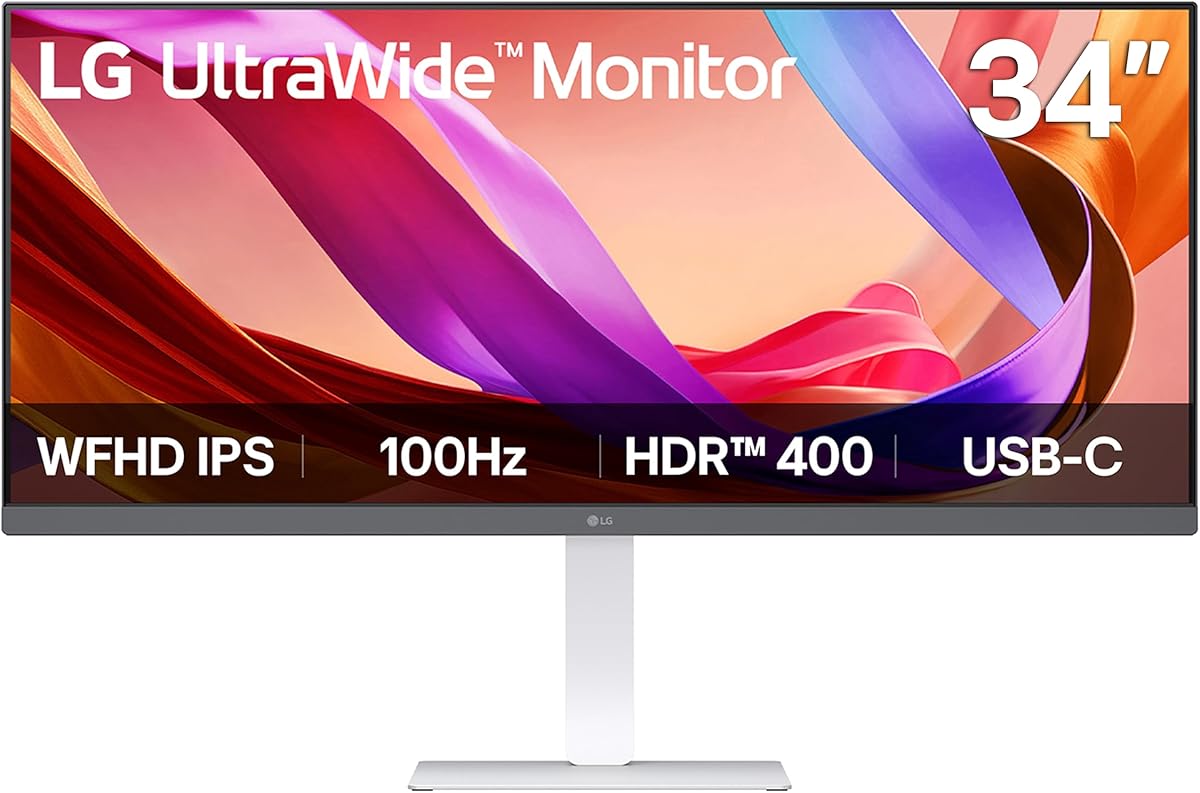
The LG 34WR55QK-B justifies its higher price with premium features like a full ergonomic stand and USB-C power delivery. With a high 4.6 rating it is favored by users who value build quality and connectivity. It is a polished choice for professional environments.
We may earn a commission when you buy through this link, at no additional cost to you.
Its strengths include the USB-C port which charges laptops while delivering display data. The HDR10 support enhances visual depth and the OnScreen Control software simplifies multitasking. The color accuracy is reliable making it suitable for creative tasks as well.
The 5ms response time might feel slightly sluggish for competitive gaming compared to faster panels. The price is higher than budget options but the features justify the extra cost for many. You pay for convenience and ergonomics rather than raw speed.
Professionals and creative users looking for a complete desk solution should consider this model. It streamlines cable management and desk aesthetics significantly. We recommend it for those willing to invest in a high-quality ultrawide experience.
Full ergonomic adjustments and USB-C power simplify desktop setup significantly.
HDR10 support and excellent color accuracy deliver vibrant and true-to-life visuals.
We may earn a commission when you buy through this link, at no additional cost to you.
The LG 34U530A-W offers a solid WFHD IPS panel ideal for multitasking and general use. Users appreciate the height-adjustable stand and built-in speakers which add convenience. It is a reliable workhorse for office environments where text clarity is key.
We may earn a commission when you buy through this link, at no additional cost to you.
The IPS panel ensures colors remain consistent from different angles which is rare at this price. USB-C connectivity supports data transfer and display output in one cable. The Switch app allows efficient screen splitting for better workflow management.
The resolution is lower than UWQHD which might affect pixel density slightly. It is not optimized for high-end gaming due to slower response times. However for office work and media consumption it performs very well.
Office workers needing a reliable display with ergonomic features will find this suitable. It offers a balance of usability and cost effectively. We recommend it for professionals prioritizing text readability and ease of use.
IPS technology ensures consistent color and contrast even from side angles.
The Switch app helps manage multiple windows efficiently on the screen.
We may earn a commission when you buy through this link, at no additional cost to you.
This LG model targets creative professionals with its 99% sRGB coverage and high-power USB-C port. Users value the accurate colors and the ability to charge a laptop efficiently. It is a great companion for designers and editors needing reliable visuals.
We may earn a commission when you buy through this link, at no additional cost to you.
The curved IPS panel provides a unique blend of immersion and color consistency. HDR10 support enhances media consumption significantly. The audio output is decent reducing the need for external speakers during video calls.
It lacks specific gaming features like high refresh rates or adaptive sync. The curve might be distracting for some users who prefer flat screens for precision work. These trade-offs are acceptable given the focus on color performance.
Creative professionals seeking accurate color reproduction and charging convenience should consider this. It offers a stable platform for heavy visual tasks. We recommend it for those prioritizing color fidelity over gaming speed.
High sRGB coverage ensures that creative content looks accurate and vibrant.
USB-C with 96W power allows laptop charging through the monitor cable.
We may earn a commission when you buy through this link, at no additional cost to you.
Samsung's ViewFinity S50GC focuses heavily on eye health with an ambient light sensor. Users appreciate how the monitor automatically adjusts brightness to match room lighting. It is a thoughtful design choice for those who spend long hours in front of screens.
We may earn a commission when you buy through this link, at no additional cost to you.
The FreeSync technology ensures smooth gaming without tearing. The borderless design looks modern and fits well in multi-monitor setups. PIP and PBP modes allow viewing two inputs simultaneously which enhances productivity.
The stand lacks height adjustment which might require a riser for optimal posture. Response times are average so competitive gamers might prefer faster options. Still the eye care features are a strong selling point for many buyers.
Office workers and students needing eye comfort features will find this beneficial. It balances performance and health considerations effectively. We recommend it for anyone prioritizing visual comfort during long tasks.
Ambient light sensor adjusts screen brightness to reduce eye strain automatically.
PIP and PBP features allow simultaneous content viewing from multiple sources.
We may earn a commission when you buy through this link, at no additional cost to you.
The Samsung 34 ViewFinity S50GC offers a visually pleasing bezel-free design that appeals to modern setups. Users appreciate the high contrast and vivid colors provided by the HDR10 support. It is a versatile monitor for streaming and general content creation.
We may earn a commission when you buy through this link, at no additional cost to you.
The FreeSync support helps maintain smooth visuals during gaming sessions. The PBP feature allows streamers to view chat while monitoring the game stream. The eye care features ensure comfort during long streaming sessions.
Basic stand ergonomics might limit precise positioning for some users. Color calibration tools are minimal compared to professional displays. However the price and features make it a strong contender for casual creatives.
Streamers and content creators needing a clean aesthetic and multitasking tools will like this. It balances performance and cost well. We recommend it for those who need a solid visual foundation for streaming setups.
The virtually bezel-free design maximizes screen space and enhances visual appeal.
PBP mode enables streamers to manage multiple inputs on a single screen.
We may earn a commission when you buy through this link, at no additional cost to you.
CRUA offers a competitive gaming monitor with a 165Hz refresh rate and IPS panel. Users value the high color gamut and smooth performance at a budget price. It is a strong choice for those seeking gaming features without a premium tag.
We may earn a commission when you buy through this link, at no additional cost to you.
The 120% sRGB coverage delivers vibrant visuals that enhance immersion. FreeSync ensures gameplay remains tear-free. The connectivity options are generous allowing multiple devices to be connected simultaneously.
The stand is basic with limited adjustment options which might require a VESA mount. Build quality feels average compared to branded competitors. Still the performance specs are impressive for the price point.
Gamers on a budget looking for high refresh rates should consider this model. It offers solid performance metrics without overspending. We recommend it for casual gamers who prioritize speed and color over build quality.
165Hz refresh rate ensures fluid motion and responsive controls during gameplay.
Wide sRGB coverage makes colors pop for immersive visual experiences.
We may earn a commission when you buy through this link, at no additional cost to you.
The Acer Nitro ED300C X1 provides a fast gaming experience with a 200Hz refresh rate. Users appreciate the affordability and responsiveness of this entry-level model. It is ideal for gamers who want speed without investing in larger screens.
We may earn a commission when you buy through this link, at no additional cost to you.
The 1ms response time and FreeSync Premium deliver smooth gameplay. The curved design adds immersion even at a smaller size. It is a solid option for budget builds or secondary monitors.
The lower resolution means text might appear less crisp than 1440p options. The smaller size limits multitasking compared to 34-inch monitors. However for pure gaming performance it offers great value.
Entry-level gamers or those with limited desk space will find this suitable. It delivers high-speed performance at an accessible price. We recommend it for budget-conscious gamers prioritizing refresh rate over resolution.
200Hz refresh rate and 1ms response provide ultra-smooth motion in games.
Affordable pricing makes it accessible for gamers starting their journey.
We may earn a commission when you buy through this link, at no additional cost to you.
KTC offers a feature-rich monitor with high contrast and an ergonomic stand at a great price. Users appreciate the detailed dark scenes due to the high contrast ratio. It is a solid pick for immersive media and gaming experiences.
We may earn a commission when you buy through this link, at no additional cost to you.
The 180Hz refresh rate and VA panel provide depth in visuals. The stand allows full adjustments including height and pivot. This is rare at this price point. The warranty service adds confidence for long-term use.
VA panels may suffer from black smearing during fast motion. Color gamut is limited compared to IPS alternatives. These trade-offs are worth it for the contrast and ergonomics offered here.
Media consumers and gamers seeking deep blacks should consider this model. It balances specs and ergonomics effectively. We recommend it for those who prioritize immersion and stand quality.
VA panel delivers 4000:1 contrast for rich and deep blacks in scenes.
Full stand adjustments ensure you can find the perfect viewing position easily.
We may earn a commission when you buy through this link, at no additional cost to you.
Selecting the right ultrawide monitor involves balancing performance specs with ergonomic needs.
Resolution determines clarity and detail. Look for UWQHD (3440×1440) for sharper images or WFHD (2560×1080) for a budget option. VA panels offer better contrast while IPS provides wider viewing angles.
Prioritize UWQHD if you need sharp text and detailed visuals. IPS is better for color work while VA suits dark room viewing.
Refresh rate affects smoothness. Aim for 120Hz or higher for gaming. Lower rates are fine for office tasks. Response time impacts ghosting. Look for 1ms to 5ms for competitive play.
Choose 140Hz+ if you play fast-paced shooters. For office use 75Hz to 100Hz is sufficient.
A good stand adjusts height tilt and swivel. This reduces neck strain. Some budget models lack height adjustment. Check if VESA mounting is supported for flexibility.
Ensure the stand fits your desk height. If not VESA compatibility allows using an external arm for better positioning.
Modern monitors include HDMI and DisplayPort. USB-C with power delivery simplifies laptop setups. Ensure ports support your desired resolution and refresh rate.
Check port availability to match your devices. USB-C hubs can reduce cable clutter on your desk.
Extended use requires eye protection. Look for Low Blue Light and Flicker Free certifications. Some models include ambient light sensors for automatic brightness adjustment.
Enable eye care settings during work hours. Proper lighting and break routines also help reduce fatigue.
Gaming monitors feature FreeSync or G-Sync compatibility to reduce tearing. Productivity monitors offer Picture-in-Picture or Picture-by-Picture modes for multitasking.
Match modes to your primary use. Gamers need sync tech while multitaskers benefit from PBP features.
A solid warranty protects against dead pixels or defects. Check the duration and terms carefully. Reputable brands offer responsive customer support for issues.
Verify warranty length before buying. Longer coverage ensures peace of mind for your investment.
High sRGB coverage ensures true-to-life colors. Brightness measured in nits affects visibility in bright rooms. HDR support enhances dynamic range for media.
Prioritize high sRGB for design work. Higher brightness helps in well-lit environments.
Position the monitor at eye level to reduce strain. Ensure the distance is about two arm lengths away. Adjust brightness to match ambient lighting levels.
Use software tools to calibrate color if possible. Install drivers for full feature access. Enable blue light filters during evening hours to improve sleep.
Clean the screen with a microfiber cloth to avoid scratches. Avoid using household cleaners directly on the panel. Unplug before cleaning to prevent electrical risks.
WFHD stands for Wide Full HD (2560×1080) while UWQHD is Wide Quad HD (3440×1440). UWQHD offers sharper image quality and more screen real estate. It is better for detailed work but requires a more powerful GPU for gaming.
Yes ultrawide monitors allow you to code and reference documentation side by side. The 21:9 aspect ratio mimics dual setups without bezel gaps. It boosts productivity by reducing window switching.
Yes many budget models offer 120Hz to 200Hz refresh rates. These are great for gaming but ensure your PC GPU can support them. Look for FreeSync technology to maximize performance.
Modern consoles support ultrawide outputs but not all games utilize the full width. Check game compatibility before connecting. Some titles will show black bars on the sides.
USB-C with power delivery simplifies laptop setups by carrying video and data. It reduces cable clutter significantly. However non-USB-C monitors are also effective for desktop PCs.
Most ultrawide monitors use a standard 100x100mm VESA mount. This allows compatibility with third-party monitor arms. Always check the manual before purchasing an arm.
Enable flicker-free and low blue light modes on your monitor. Adjust brightness to match your room lighting. Take regular breaks using the 20-20-20 rule to rest your eyes.
Some models include basic built-in speakers for audio. However external speakers usually provide better sound quality. Check the product specs to see if audio output is included.
Our top picks highlight exceptional value across different user needs. From the SANSUI high refresh rate model to the LG ergonomic choices there is something for everyone.
Prioritize features that matter most to your workflow. Gamers should focus on refresh rates while professionals need ergonomics and color accuracy.
Always check current prices and availability before purchasing. Deals change frequently so act fast when you find the right fit for your setup.