
HUO JI E-Yooso
4.6Editor score
Gasket Structure
Hot-Swappable
96% Layout
Discover the 10 best creamy keyboards of October 2026. We compare sound quality, typing feel, features, and value to help you find your perfect match.
Creamy keyboards have taken the mechanical keyboard world by storm. They offer a smooth, soft, and satisfying typing experience that feels like butter under your fingers. This guide helps you find the perfect model for your needs.
We evaluated ten top-rated models based on sound profile, build quality, connectivity, and customization options. Our analysis focuses on gasket mounts, pre-lubed switches, and acoustic dampening techniques that create that coveted creamy thock.
Each pick highlights key strengths and ideal use cases for typing or gaming. Prices and availability change frequently, so check current listings before purchasing to ensure you get the best deal on your new keyboard.
4.6Editor score

4.8Editor score

4.8Editor score
This table provides a quick side-by-side comparison of all ten models. Review the layout, connectivity options, and key features to narrow down your choices before diving into the detailed reviews.





The YUNZII B98 PRO stands out as the top contender in the creamy keyboard category. With a rating of 4.8 stars, users consistently praise its smooth typing experience and versatile connectivity options that adapt to any setup.
We may earn a commission when you buy through this link, at no additional cost to you.
This keyboard features a gasket mount with five-layer filling that delivers a unique and premium typing feel. The pre-lubed switches and tuned stabilizers ensure every keystroke produces a solid, consistent sound profile without hollow echoes or harsh vibrations.
While the price is higher than budget options, the extensive features justify the cost. The only minor trade-off is its size due to the 96% layout, which requires ample desk space for comfortable mouse movement during gaming sessions.
Enthusiasts and professionals seeking deep customization and reliability will love this keyboard. Its QMK/VIA support allows for complex macros and layouts, making it a perfect choice for power users who value both aesthetics and function.
Powered by open-source QMK/VIA firmware, this keyboard allows remapping keys, recording macros, and designing intricate RGB lighting with 16.8 million colors for total personalization.
The built-in 8000mAh battery provides exceptionally long life, ideal for uninterrupted work and extended gaming sessions without frequent charging interruptions.
We may earn a commission when you buy through this link, at no additional cost to you.
For those seeking a creamy sound without breaking the bank, the HUO JI E-Yooso is an excellent choice. It achieves a 4.6 rating by offering premium features like gasket mounting and hot-swappability at a budget-friendly price point.
We may earn a commission when you buy through this link, at no additional cost to you.
The gasket structure combined with five layers of sound-absorbing foams reduces noise and hollow sounds effectively. Pre-lubed linear switches provide a smooth typing feel that rivals much more expensive mechanical keyboards on the market today.
The main compromise is the lack of wireless connectivity, which might inconvenience users with cluttered desks. However, the included USB-C cable ensures a stable connection for those who prioritize performance and sound quality over mobility.
This keyboard is perfect for gamers and typists on a tight budget who still want customizability. Its 96% layout saves space while retaining functionality, making it a smart investment for anyone starting their mechanical keyboard journey.
Equipped with thicker sound-absorbing foams and a silicone dampener pad, this model reduces 40% noise and removes 80% hollow sound for a cleaner experience.
The hot-swap PCB allows users to replace 3-pin or 5-pin switches easily without soldering issues, letting you tailor the sound to your preference.
We may earn a commission when you buy through this link, at no additional cost to you.
The Redragon K768 PRO brings premium features to a competitive market segment. With a 4.8 rating, it offers a creamy, cushioned typing feel enhanced by precision-locked gasket covers and custom linear switches that deliver a soft bounce.
We may earn a commission when you buy through this link, at no additional cost to you.
One standout feature is the massive 8000mAh battery, ensuring far longer runtime than typical gaming keyboards. The single-knob design simplifies volume and lighting adjustments, removing the need for complex key combinations during tasks.
Users might find the keyboard slightly heavy for travel, but this stability enhances typing accuracy. The proprietary software provides deep customization, though it is Windows-focused, which could limit Mac users compared to open-source alternatives.
This model suits professionals and gamers who prioritize battery life and premium materials. Its PBT keycaps resist fading and texture loss over years, making it a durable choice for heavy daily use in both office and home environments.
Backed by a massive 8000mAh battery, this keyboard offers days between charges, providing far longer runtime than typical gaming keyboards available today.
A single control knob adjusts backlight brightness and media playback, allowing you to manage lighting and volume without memorizing extra key combos.
We may earn a commission when you buy through this link, at no additional cost to you.
The AULA F75 excels as a compact wireless performer with a creamy sound profile. Rated at 4.6 stars, it supports tri-mode connectivity and connects up to five devices simultaneously, making it ideal for multitasking users with multiple systems.
We may earn a commission when you buy through this link, at no additional cost to you.
Its hot-swappable base supports 3-pin and 5-pin switches, allowing beginners to customize without soldering. Five layers of filling silencer effectively counteract cavity noise, ensuring a solid feel and smooth typing experience during long sessions.
While the lack of a numpad might limit some users, the 75% layout saves significant desktop space. The driver is web-based, which simplifies installation but offers fewer advanced features compared to standalone software applications available today.
This keyboard is perfect for gamers and office workers who need flexibility. The multi-function knob allows easy control of media and backlight, enhancing usability. With its robust battery and responsive switches, it balances portability and performance effectively.
The keyboard supports BT5.0, 2.4GHz wireless, and USB wired connection, allowing users to connect up to five devices at the same time easily.
Advanced structure and PCB single key slotting better optimize resilience and stability, making the hand feel softer and more elastic during typing.
We may earn a commission when you buy through this link, at no additional cost to you.
The SOLAKAKA A99 Pro stands out with its unique LCD screen displaying time, battery, and system status. Rated 4.5 stars, it offers a premium gasket structure with five layers of cushioning pads that ensure a soft hand feel and creamy sound.
We may earn a commission when you buy through this link, at no additional cost to you.
Its web driver allows customization without downloading software, which simplifies setup. The 8000mAh battery provides ample power for extended use, supporting approximately 61 hours of use in backlit mode for heavy productivity users.
The main challenge is adapting to the web driver interface compared to traditional apps. Additionally, the side lights add vibrancy but can be overwhelming for some. However, the visual feedback on the LCD makes monitoring status effortless during intense gaming.
This keyboard is ideal for users who value visual feedback and wireless reliability. The hot-swappable design lets you replace switches and keycaps easily, making it a durable and versatile choice for those who enjoy tweaking their setup occasionally.
The LCD display shows information such as date, time, battery level, connected system, and connection mode for more convenient keyboard operation.
Five layers of cushioning pads and PCB single-key slotting eliminate internal cavity noise, providing a soft hand feel and comfortable typing experience.
We may earn a commission when you buy through this link, at no additional cost to you.
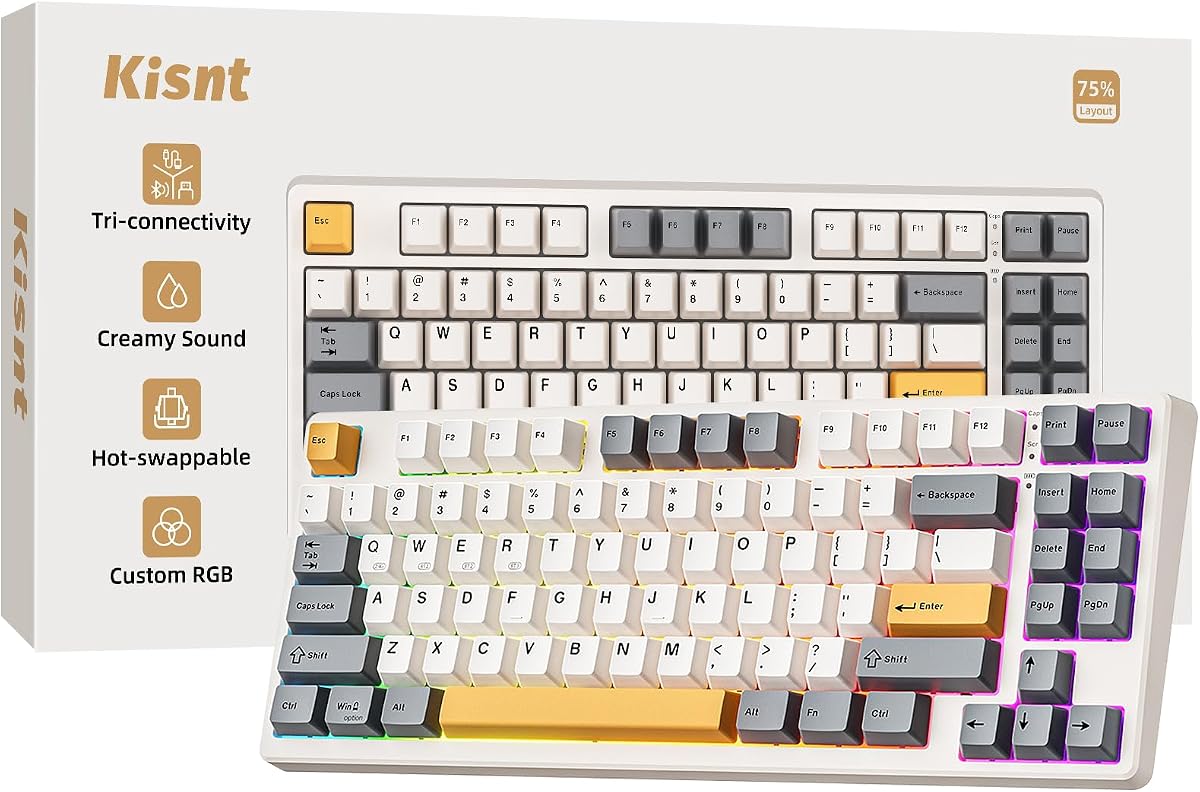
The Kisnt KN85 is designed for small desks and minimalists who want creamy sound. With a 4.6 rating, it uses a gasket mount to absorb vibrations and produce a smooth, marbly thock that avoids loud clacky taps common in standard boards.
We may earn a commission when you buy through this link, at no additional cost to you.
Its 75% layout frees up 25% of desk space for better mouse movement, which gamers appreciate. Pre-lubed Bsun linear switches deliver a buttery response that feels soft and cushioned, making every keystroke an enjoyable experience for writers.
Mac users might find the driver software limited since it runs on Windows only. However, the keyboard is fully functional without it. The 2-year warranty and specialist support add significant peace of mind for long-term daily use in offices.
Ideal for programmers and students, this keyboard balances compactness with quality. Its tri-mode connectivity allows switching between devices quickly, and the warm ambient RGB glow creates a calm desk vibe perfect for late-night work sessions.
The compact 85-key keyboard frees up 25% of desk space for better mouse movement, making it ideal for small desks and minimalist setups.
Each keypress feels softly cushioned thanks to the gasket mount absorbing harsh vibrations, ensuring a smooth and marbly thock sound profile.
We may earn a commission when you buy through this link, at no additional cost to you.
The Redragon K745 PRO offers full-size comfort with a creamy, cushioned typing feel. Rated 4.6 stars, it features a gasket-mounted construction with 5-layer noise dampening that gives an extra-soft, silky bounce for comfortable typing during long periods.
We may earn a commission when you buy through this link, at no additional cost to you.
Dedicated shortcut keys default to mute and calculator functions, boosting workflow efficiency. The see-through round PBT keycaps meet vibrant RGB, allowing light to shine through cleanly while resisting the greasy shine that ABS keycaps develop over time.
The full 108-key layout requires significant desk space, which may not suit compact setups. Additionally, the pro software interface is functional but basic. However, the zero lag switching ensures smooth device transitions without sacrificing speed during critical tasks.
This keyboard suits users needing a number pad for data entry or calculations. Its tri-mode connectivity allows jumping between USB-C, Bluetooth, and 2.4GHz wireless, making it a versatile companion for mixed environments like office and home setups.
Four extra hotkeys default to mute, calculator, screen lock, and desktop, improving workflow efficiency for professionals who need quick access.
Translucent PBT keycaps resist greasy shine over time while letting RGB shine through cleanly, ensuring the keyboard looks fresh and vibrant for longer.
We may earn a commission when you buy through this link, at no additional cost to you.
The AULA S99 appeals to those who love vintage aesthetics without sacrificing modern connectivity. With a 4.2 rating, it combines 96% layout retro aesthetics with seamless multi-device connectivity, offering a unique look on the modern desk setup.
We may earn a commission when you buy through this link, at no additional cost to you.
It features a dual-mode rotary knob for adjusting volume and lighting effects easily. Full key programmable support allows recording macros for complex actions, which is useful in exciting real-time games where efficiency matters during competitive play.
Membrane switches may not satisfy mechanical enthusiasts expecting tactile feedback or hot-swap customization. However, the ergonomic design and foldable stand help reduce wrist pressure, making it comfortable for users prioritizing style and ergonomics over tactile feel.
Ideal for casual gamers and home office users, this keyboard offers good value. Its compatibility with Windows, Mac, and iOS ensures it fits various environments, while the after-sales service guarantees smooth experience for those investing in this brand.
The 96% layout retro keyboard combines vintage aesthetics with modern craftsmanship, retaining the familiar typing experience while freeing up desktop space.
Equipped with a foldable two-stage stand, this keyboard lets you adjust the angle according to your needs, reducing pressure on your wrists.
We may earn a commission when you buy through this link, at no additional cost to you.
The AULA S99 Pink offers a vibrant aesthetic for those wanting a personalized workspace. With a 4.2 rating, it supports macro customization and RGB lighting effects, allowing you to create a unique lighting setup to match your gaming or work environment.
We may earn a commission when you buy through this link, at no additional cost to you.
Its knob design allows quick adjustment of volume, connection mode, and brightness without complex combinations. The ergonomic features include a foldable 2-stage kickstand, letting you choose the tilt angle that best suits your posture for better keying comfort.
Like the green version, it uses membrane switches which may lack tactile precision. The pink color option may not suit all professional environments. However, its wireless flexibility and affordability make it a fun choice for casual users seeking style.
This keyboard suits users wanting a compact and colorful setup. The multi-device connection ensures you can switch between phone and PC easily. Its compatibility with various OS systems makes it a versatile option for mixed device households.
With Macro software, you can create unique lighting setup to make your rgb keyboard more interesting and create a personalized work gaming environment.
All controls for volume, connection mode, and lighting require just a twist or a click, simplifying your setup management on the desk.
We may earn a commission when you buy through this link, at no additional cost to you.
The AULA F75 Blue provides a solid mechanical option with pre-lubed reaper switches. Rated 4.6 stars, it delivers a pleasant creamy mechanical sound and fast response for exciting games while maintaining a compact footprint for limited desk space.
We may earn a commission when you buy through this link, at no additional cost to you.
Its tri-mode connection supports up to five devices, allowing easy switching via shortcut keys. Five layers of filling silencer fills gaps between PCB and plate, effectively counteracting cavity noise to provide a solid feel during intense typing or gaming sessions.
Win key lock prevents accidental touches during intense games. The RGB supports 10 cool music rhythm lighting effects with driver software. However, the lack of a numpad may limit productivity for heavy spreadsheet users who require number entry.
This keyboard is perfect for gamers needing performance and style. Full-key macro programmable options increase winning probability and work efficiency. With its durable build and smooth typing experience, it stands as a reliable choice for daily use.
Advanced structure and PCB single key slotting optimize resilience and stability, making the hand feel softer and more elastic during use.
RGB lighting supports 10 music rhythm effects with driver, creating a captivating atmosphere that syncs with your gaming or creative work.
We may earn a commission when you buy through this link, at no additional cost to you.
Choosing the right creamy keyboard involves balancing sound, feel, connectivity, and layout preferences. Here are the key factors to consider before purchasing.
Creamy sound relies heavily on pre-lubed linear switches that minimize friction and clickiness. Look for models that explicitly state they come with lubed stabilizers and switches to ensure a smooth, silent typing experience.
Prioritize keyboards with pre-lubed linear switches and stabilizers to avoid the hassle of manual modding.
Gasket mounting is the industry standard for achieving a soft, bouncy feel that absorbs vibration. This design suspends the PCB on rubber gaskets, creating a distinct 'thock' sound that users love.
Choose a gasket mount design to ensure soft hand feel and consistent sound profile.
Tri-mode connectivity (Bluetooth, 2.4GHz wireless, and USB-C) offers maximum flexibility for multi-device workflows. Ensure the battery capacity is large enough to support days of usage without constant recharging.
Select tri-mode wireless options for seamless switching between devices and extended battery life.
Layouts range from compact 65% to full-size 100%. Consider if you need a number pad for work or if you prefer a smaller board for mouse room. 75% and 96% layouts are popular compromises.
Decide between compact 75% or 96% layouts based on your desk space and workflow needs.
Hot-swappable PCBs allow you to change switches without soldering, extending the keyboard's lifespan. Software support for macros and RGB customization adds functionality that can boost productivity.
Look for hot-swappable bases and robust software drivers for future customization.
PBT keycaps are preferred over ABS because they resist shine and retain texture over time. This material ensures the keyboard looks new for years and provides a better tactile feel when typing.
Opt for double-shot PBT keycaps to prevent greasy shine and maintain durability.
Internal foam layers and sound-dampening cotton pads reduce hollow sounds and echo. A well-dampened keyboard sounds deeper and more satisfying to the ear, which is essential for creamy typing.
Check for multi-layer acoustic dampening to eliminate internal cavity noise.
Prices vary significantly, but reputable brands often offer at least a one-year warranty. Consider the cost of accessories like wrist rests and switch pullers included in the package when comparing values.
Ensure a strong warranty policy to protect your investment in high-quality peripherals.
Connect your keyboard using the included cable or insert the wireless receiver to establish a stable connection. Use the FN keys to switch between Bluetooth channels if you need to pair multiple devices like phones and laptops simultaneously.
Use the provided software to remap keys and create macros that streamline repetitive tasks. Adjust RGB lighting settings to reduce eye strain and personalize the look to match your desk aesthetic.
Keep your keyboard clean by using a soft brush or compressed air to remove dust from between keycaps. Store it in a cool, dry place when not in use to prevent wear on the materials.
A creamy sound comes from a combination of gasket mounts, pre-lubed switches, and internal sound dampening foams. These elements work together to soften the impact of keystrokes, eliminating hollow echoes and harsh clicks for a smooth, thocky tone.
Most models listed support macOS, but you should verify specific function key mappings. Some software drivers may be Windows-exclusive, so check compatibility for advanced features like macros on Mac systems.
Yes, if the keyboard has a hot-swappable PCB. This feature lets you remove and install new switches without soldering, allowing you to customize the feel and sound over time without tools.
Many models support tri-mode connectivity including Bluetooth and 2.4GHz wireless. Always check the battery capacity to ensure you get enough usage time between charges for your specific needs.
Choose 75% or 65% for smaller desks and more mouse space. Opt for 96% or 100% if you need a number pad for data entry or calculations frequently during work.
Use compressed air to blow out debris and a soft brush to clean around keycaps. Remove keycaps occasionally to wipe the plate underneath, ensuring no dust interferes with the switch mechanism.
We have reviewed ten top creamy keyboards offering unique blends of performance and style. The YUNZII B98 PRO leads as the overall best, while the HUO JI E-Yooso offers unbeatable value for budget buyers.
When choosing, prioritize what matters most to your workflow. If you need deep customization, look for QMK/VIA support. For portability, focus on tri-mode connectivity and battery life.
Always check current prices and stock before buying as these models can sell out quickly. With the right choice, you will enjoy a satisfying typing experience that elevates your daily work and gaming sessions.