
Crucial Pro 32GB DDR5 RAM Kit
4.8Editor score
6000MHz Operation Speed
Intel XMP 3.0 Support
Stable Overclocking Performance
Discover the top DDR5 RAM for overclocking ranked by speed, latency, and stability. This guide compares ten kits for Intel and AMD platforms.
Choosing the right DDR5 RAM for overclocking is essential for maximizing your system performance. High-speed memory kits allow faster data transfer rates which significantly improve gaming frame rates and multitasking efficiency.
We evaluated ten leading DDR5 kits based on speed, latency, compatibility, and reliability. Our comparison focuses on models that support XMP 3.0 and AMD EXPO profiles for easy optimization without manual tweaking.
Each pick highlights specific strengths like low latency or high capacity. Prices fluctuate frequently so check current listings before purchasing to ensure you get the best value for your budget.
4.8Editor score

4.6Editor score

4.7Editor score
This side-by-side comparison shows key specifications for all ten kits. Compare speeds, latencies, and features to find the perfect match for your motherboard and processor.




This Crucial Pro kit delivers reliable performance for overclocking with 32GB capacity and 6000MHz speed. It has a 4.8 rating indicating high user satisfaction across gaming and productivity tasks.
We may earn a commission when you buy through this link, at no additional cost to you.
The RAM kit operates at 6000MHz with CL36 timings which accelerates gaming performance significantly. It is compatible with 13th Gen Intel Core and AMD Ryzen 9000 series CPUs ensuring broad system support.
Some users might find the black aesthetics simple compared to RGB options. This is acceptable since the focus is on stability and performance rather than lighting effects.
Enthusiasts seeking stable speeds without constant tweaking should buy this kit. It offers top-tier overclocking potential with extended timings for lower latency.
Lower latency improves frame rates in fast-paced AAA games making gameplay smoother.
Rigorously tested at component and module levels ensuring top reliability for your build.
We may earn a commission when you buy through this link, at no additional cost to you.
The Corsair Vengeance RGB RS kit offers dynamic lighting and solid speeds up to 6000MHz. Its 4.3 rating reflects decent performance for budget-conscious builders seeking style and function.
We may earn a commission when you buy through this link, at no additional cost to you.
Dynamic RGB lighting provides vibrant effects through a panoramic diffuser. Onboard voltage regulation ensures reliable power at high frequencies which is crucial for stable overclocking.
Maximum speed depends on your motherboard and CPU adjustments. This is a trade-off but allows flexibility for users who want to tune their system manually.
Budget builders wanting RGB features should consider this kit. It delivers optimized bandwidth and tight response times for the latest DDR5 motherboards.
Individually addressable lighting delivers vibrant effects visible from any viewing angle.
Reliable power at high frequencies supports stable overclocking across platforms.
We may earn a commission when you buy through this link, at no additional cost to you.
This Crucial Pro kit pushes boundaries with 6400MHz speed and CL32 low latency. It holds a 4.6 rating confirming its elite status for demanding gaming and multitasking workloads.
We may earn a commission when you buy through this link, at no additional cost to you.
The kit operates up to 6400MHz for boosted responsiveness. It is compatible with Intel Core Ultra Series 2 and Ryzen 9000 Series desktop CPUs offering future-proof performance.
Higher speeds might require precise motherboard tuning for stability. This is acceptable given the significant performance gains over standard 6000MHz kits.
Users seeking maximum speed should buy this premium kit. Extended timings ensure stable overclocking powered by advanced memory technology.
6400MHz speed boosts gaming multitasking and overall system responsiveness significantly.
Stable overclocking with Intel XMP 3.0 and AMD EXPO profiles on modern CPUs.
We may earn a commission when you buy through this link, at no additional cost to you.
The Crucial Pro Overclocking Edition is a single 16GB module offering 6000MHz performance. With a 4.7 rating it proves reliable for users needing an extra stick or replacement.
We may earn a commission when you buy through this link, at no additional cost to you.
This UDIMM module features a 288-pin configuration and industry standard compliance. It supports systems requiring DDR5-6000 memory transfer rates efficiently.
It lacks multi-module kit benefits like matched testing. This is acceptable for upgrades but users should ensure compatibility with existing RAM.
Users needing a single module upgrade should consider this option. It delivers 6000MT/s speeds with solid reliability from trusted Micron technology.
6000MT/s rate ensures fast data movement for responsive system performance.
UDIMM compliant design ensures compatibility with most DDR5 motherboards available.
We may earn a commission when you buy through this link, at no additional cost to you.
The G.SKILL Flare X5 Series provides 32GB capacity with speeds up to 6000MT/s. It has a 4.7 rating reflecting strong performance for both AMD EXPO and Intel XMP users.
We may earn a commission when you buy through this link, at no additional cost to you.
This kit includes JEDEC default and overclock profiles for flexibility. It supports a wide range of Intel and AMD platforms including Z890 and X870 motherboards.
Mixing kits can lead to stability issues so use matched sets. This is a standard industry practice to ensure reliable system performance.
System builders looking for broad compatibility should buy this kit. It offers optimized settings for peak performance on the latest DDR5 motherboards.
Includes memory overclock profiles for both Intel and AMD platforms out of the box.
Kits are designed to run together as a set for guaranteed stability.
We may earn a commission when you buy through this link, at no additional cost to you.
The Patriot Viper Venom DDR5 RAM offers 32GB capacity at 6000MHz with CL30 timings. With a 4.6 rating it is tested for reliability across latest DDR5 platforms.
We may earn a commission when you buy through this link, at no additional cost to you.
Timings of 30-40-40-76 support overclocking via XMP 3.0. The kit is tested to ensure high performance and reliability for demanding applications.
The design is minimal without flashy RGB lighting. This is acceptable for users prioritizing performance and warranty coverage over aesthetics.
Users wanting low latency with warranty should buy this kit. It offers reliable high speed performance for modern DDR5 systems.
30-40-40-76 timings support XMP 3.0 overclocking for high speed performance.
Peace of mind with a lifetime warranty protecting your investment long term.
We may earn a commission when you buy through this link, at no additional cost to you.
This CORSAIR Vengeance RGB kit features Ten-Zone RGB lighting and 6000MHz speeds. It holds a 4.7 rating reflecting strong performance and vibrant visual effects for any build.
We may earn a commission when you buy through this link, at no additional cost to you.
Onboard voltage regulation enables stable overclocking through iCUE software. It is compatible with AMD EXPO for higher frequencies on supported systems.
Voltage at 1.40V may require careful cooling consideration. This is acceptable given the performance gains and software control available.
Users prioritizing software control and lighting should buy this kit. It offers optimized bandwidth and tight response times for modern motherboards.
Ten individually addressable ultra-bright LEDs per module in a panoramic bar.
Enables easier more finely-tuned and more stable overclocking via software.
We may earn a commission when you buy through this link, at no additional cost to you.
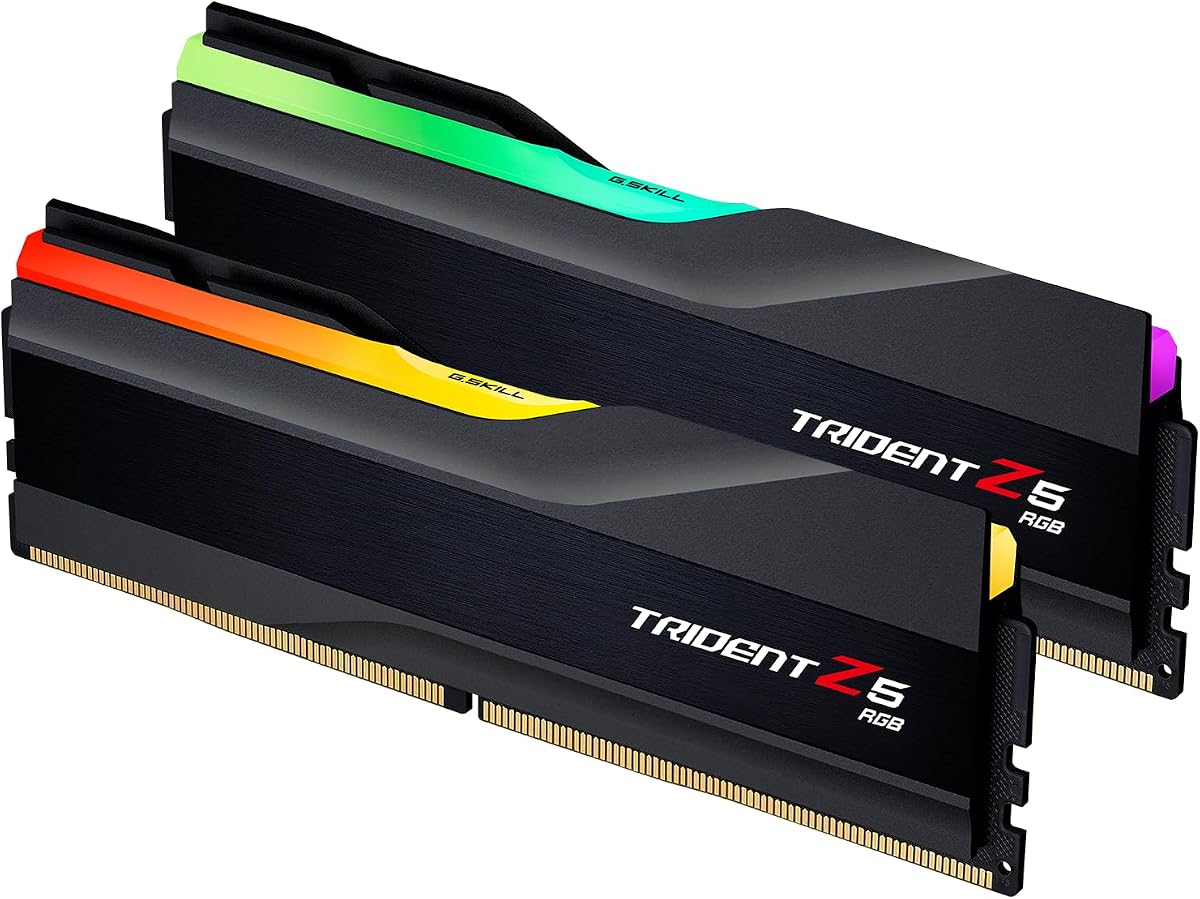
The G.SKILL Trident Z5 RGB Series provides 32GB capacity and speeds up to 6000MT/s. With a 4.7 rating it is a premium option for users seeking RGB aesthetics and performance.
We may earn a commission when you buy through this link, at no additional cost to you.
It includes JEDEC default and Intel XMP profiles for flexibility. It supports Intel and AMD platforms with detailed QVL validation tools available.
Mixing kits causes stability issues so always use matched sets. This is standard practice to ensure system reliability across different memory configurations.
Users wanting top performance and aesthetics should buy this kit. It offers optimized profiles for peak performance on latest DDR5 motherboards.
Includes memory overclock profiles for both Intel and AMD platforms.
Memory kits are designed to run together as a set for stability.
We may earn a commission when you buy through this link, at no additional cost to you.
This CORSAIR Vengeance DDR5 kit provides 32GB capacity with speeds up to 6000MHz. It holds a 4.8 rating indicating high reliability and tight screening for stable performance.
We may earn a commission when you buy through this link, at no additional cost to you.
Dual memory profiles allow easy selection of optimized settings for Intel or AMD. Onboard voltage regulation enables stable overclocking through software control.
Maximum speed depends on system components which is a common factor. This allows flexibility but requires compatible motherboards for highest performance.
Users seeking tightly screened memory should buy this kit. It delivers optimized bandwidth and tight response times for modern DDR5 systems.
Carefully screened memory chips ensure extended overclocking potential.
Dual profiles allow easy selection of optimized settings for your platform.
We may earn a commission when you buy through this link, at no additional cost to you.
The G.SKILL Ripjaws S5 Series provides 32GB capacity with speeds up to 6000MT/s. It holds a 4.6 rating reflecting solid performance and compatibility for various DDR5 platforms.
We may earn a commission when you buy through this link, at no additional cost to you.
It supports Intel XMP 3.0 and AMD EXPO for flexible overclocking. The kit includes JEDEC default profile for easy booting without manual tweaks.
Mixing memory kits can lead to system instability or failure. This is a standard warning to ensure users maintain system reliability and stability.
Users wanting broad platform support should buy this kit. It offers optimized profiles for peak performance on the latest DDR5 motherboards.
Includes memory overclock profiles for both Intel and AMD platforms.
Memory kits boot at JEDEC default speed with compatible hardware settings.
We may earn a commission when you buy through this link, at no additional cost to you.
Selecting the right DDR5 RAM for overclocking involves understanding several key technical factors that affect stability and performance.
Memory speed determines how quickly data is transferred between your CPU and RAM. Higher speeds like 6000MHz or 6400MHz significantly improve gaming frame rates and system responsiveness when paired with compatible motherboards.
Choose the fastest speed supported by your specific motherboard and CPU to maximize potential.
CAS Latency measures the delay between when a request is made and when data is available. Lower CL numbers such as CL30 or CL32 generally provide better responsiveness in latency-sensitive applications like competitive gaming.
Look for lower latency values within your budget to ensure snappier performance.
Capacity affects how many applications can run simultaneously without slowing down. 32GB kits are ideal for gaming and multitasking providing ample headroom for future software requirements and heavy workloads.
Opt for 32GB capacity for a balanced mix of performance and future-proofing.
Intel and AMD platforms require specific profiles for overclocking profiles like XMP 3.0 or EXPO. Ensure the RAM kit explicitly states compatibility with your processor generation to avoid stability issues or boot failures.
Verify XMP or EXPO compatibility with your specific CPU and motherboard model.
Higher frequency memory often requires increased voltage which can impact system stability and heat. Check voltage specifications and ensure your motherboard voltage regulators can handle the load without throttling.
Ensure your power supply and motherboard support the required voltage levels for stability.
Overclocking generates more heat which can degrade performance if not managed. Look for kits with heat spreaders or aluminum casing that help dissipate heat and maintain consistent speeds under load.
Prioritize kits with effective heat spreaders to maintain stable operation under overclocking.
Overclocking carries risk and a solid warranty provides protection against defects. Look for brands offering limited lifetime warranties which reflect confidence in product longevity and quality control standards.
Select brands with lifetime warranties to protect your investment against manufacturing defects.
Memory kits are matched for consistency to ensure both sticks perform identically. Mixing different kits can lead to instability or failure so always purchase matched sets from the same package for reliability.
Always buy matched sets instead of mixing separate sticks for stable performance.
Install the memory kit into the correct slots on your motherboard usually A2 and B2 for dual channel performance. Ensure the clips snap securely into place to avoid physical connection issues during operation.
Enter your BIOS and enable the XMP or EXPO profile to achieve rated speeds. This automated process configures voltage and timing settings to optimize performance without manual tweaking.
Regularly update your BIOS and monitor temperatures to maintain stability. Use tools like MemTest86 to verify data integrity after overclocking changes to ensure system reliability.
Yes DDR5 RAM benefits significantly from overclocking due to its higher base speeds and bandwidth. Enabling XMP or EXPO profiles can improve gaming frame rates and multitasking efficiency. Ensure your motherboard supports these profiles to gain the full benefit.
Most users find 6000MHz to 6400MHz to be the sweet spot for DDR5 overclocking. This range balances speed and stability across both Intel and AMD platforms. Higher speeds may require more manual tuning.
Updating BIOS ensures compatibility and stability for XMP profiles. Manufacturers release updates to improve memory compatibility with newer CPUs. Always check the motherboard manufacturer website for the latest BIOS before overclocking.
No only Z-series Intel boards and high-end AMD boards fully support aggressive overclocking. Check your motherboard specs to confirm XMP or EXPO support before purchasing memory. Budget boards may limit speed options.
Moderate overclocking within manufacturer specs is generally safe for hardware. Excessive voltage or unstable settings can cause instability or shorten component life. Always use reliable profiles and monitor temperatures during stress testing.
System boot failure usually means settings are too aggressive for the hardware. Clear BIOS settings to default and try enabling XMP again. Ensure you use matched memory kits to avoid compatibility issues.
Our top picks include the Crucial Pro kits for value and performance and the CORSAIR Vengeance for premium features. Each offers distinct benefits tailored to different budget and system requirements.
Prioritize compatibility with your specific CPU and motherboard when making your choice. Speed and latency matter but stability is key for a reliable system experience.
Prices change frequently so verify current listings before purchasing. Ensure you get the best deal and current availability for your preferred model.