
Pair of Desktop Speaker Stands 9-14 Clamp
4.5Editor score
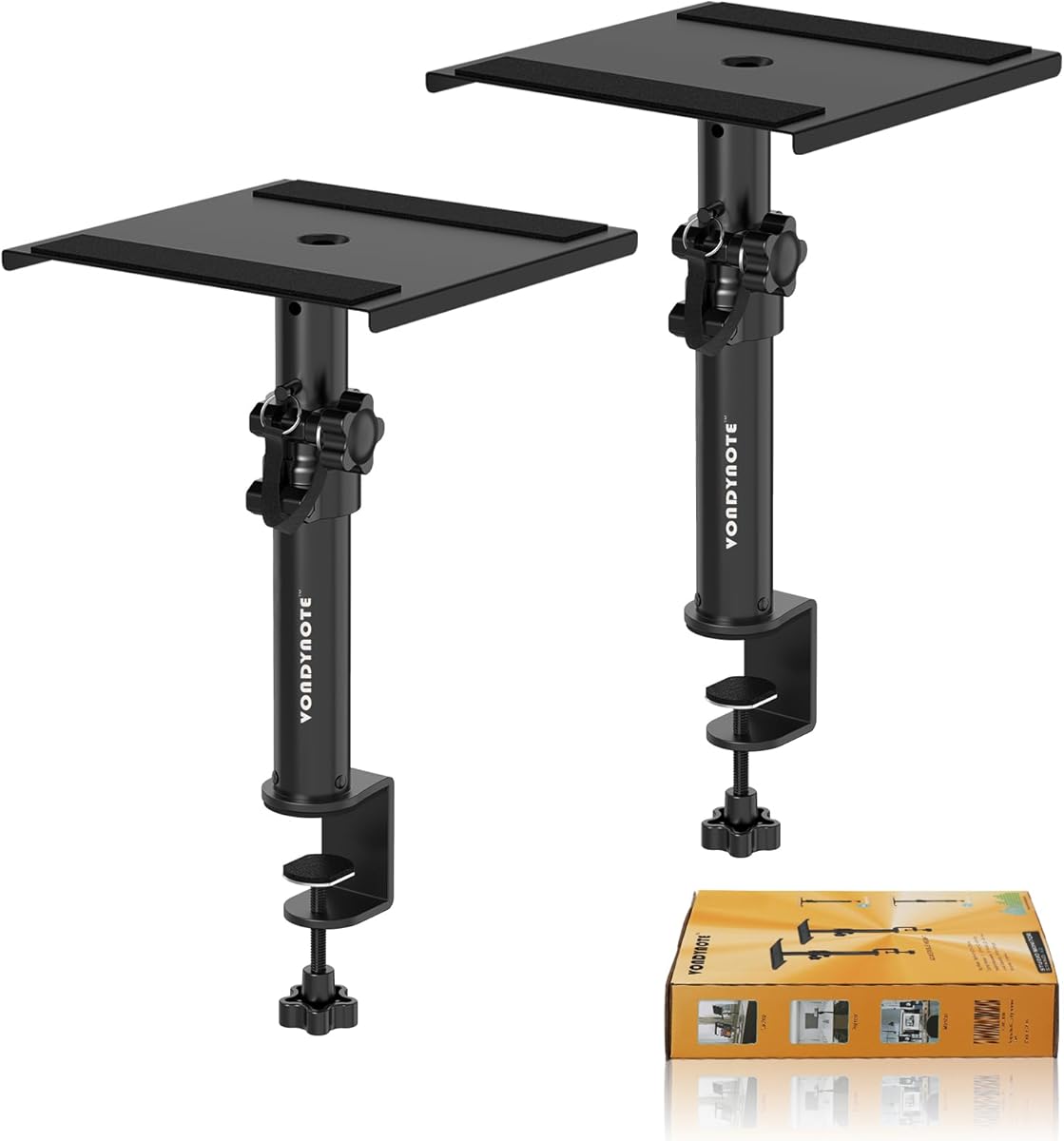
Four locking height positions available
Five millimeter thick C-clamp design
Space saving thirty two point five cm squared
Finding the right desk speaker stands can transform your audio experience by elevating monitors to ear level. Proper positioning reduces surface vibrations and delivers clearer sound across all frequencies for better listening.
We compared ten popular models based on stability, adjustability, and compatibility with various speaker sizes. Our analysis focuses on clamp strength, height ranges, and tilt options to help you choose the best fit.
Each pick highlights key features and real-world performance traits to guide your decision. Note that pricing and availability change frequently so check current listings before purchasing your ideal setup.
4.5Editor score

4.8Editor score

4.7Editor score
As an Amazon Associate we earn from qualifying purchases.
This side-by-side comparison highlights the key specifications and unique features of each model to help you quickly identify the best option for your specific audio setup needs.




The Liquid Stands Studio Monitor Stands earn our top pick with a 4.8 rating thanks to their robust stainless steel build and versatile adjustment features ideal for professional audio setups.
We may earn a commission when you buy through this link, at no additional cost to you.
These stands offer unmatched versatility with the ability to adjust plates horizontally or vertically by adding or removing included lips. The tilt adjusts from zero to twenty degrees ensuring optimal sound projection.
While the price is higher than many competitors the build quality and ten year warranty justify the investment. Users appreciate the heavy duty construction that prevents wobbling under heavy studio monitors.
Audio professionals and serious hobbyists should choose these stands for their stability and adjustability. The high weight capacity ensures even large speakers remain secure and vibration free during use.
Heavy duty stainless steel with a four inch wide base provides exceptional stability for heavy speakers up to sixty five lbs.
Full tilt from zero to twenty degrees and horizontal vertical orientation options allow precise speaker positioning for any room layout.
We may earn a commission when you buy through this link, at no additional cost to you.
This pair of desktop speaker stands offers excellent value with a 4.5 rating providing solid clamp strength and height options without breaking the bank for budget conscious users.
We may earn a commission when you buy through this link, at no additional cost to you.
The five millimeter thick C-clamp with grade eight point eight steel screws ensures the stands stay secure without loosening over time. Four locking heights let you find the perfect listening position easily.
Trade-offs include lack of tilt adjustment and required wall clearance for clamp placement. These limitations are acceptable given the low price and reliable stability for standard speaker setups.
Budget focused buyers and those with small desks will appreciate this affordable option. It delivers essential elevation and stability for most studio monitors and bookshelf speakers effectively.
Five millimeter thick C-clamp with reinforced steel screws prevents bending and loosening for long term stable support.
Takes up only thirty two point five cm squared of clamp space freeing your desktop for other equipment and accessories.
We may earn a commission when you buy through this link, at no additional cost to you.
The Kanto SP9 Rising Desktop Speaker Stands achieve a 4.7 rating with premium materials and features like hollow cable columns and rotational adjustment for audiophiles seeking superior performance.
We may earn a commission when you buy through this link, at no additional cost to you.
Closed cell foam padding absorbs resonance effectively while the hollow support column routes cables neatly keeping your desk tidy. Two top plate sizes ensure compatibility with various speaker models easily.
The main trade-off is fixed height which may not suit all desk heights. However the build quality and aesthetic appeal justify the premium price for many users seeking style and function.
Audio enthusiasts valuing design and sound clarity should consider these stands. They provide stable elevation with integrated cable management for a clean professional audio workstation appearance.
Hollow support column allows convenient cable routing to keep your desk surface clutter free and organized.
Rotating top plate up to fifteen degrees left or right ensures speakers are directed precisely toward your listening position.
We may earn a commission when you buy through this link, at no additional cost to you.
The Vondynote Set of 2 Desktop Clamp Speaker Stands hold a 4.6 rating offering short stands perfect for tight spaces where taller models would obstruct desk usage and airflow.
We may earn a commission when you buy through this link, at no additional cost to you.
The clamp features three mm EVA pads to protect desktop surfaces from scratches. Grade eight point eight reinforced steel screws ensure the stand stays tight and secure during regular use.
While the height range is shorter at nine to fourteen inches it suits many standard desk setups. The nine by nine inch top plate provides stable footing for most monitors.
Users with smaller desks need compact options will find these stands suitable. They provide essential elevation and protection without taking up much valuable desktop space.
Three millimeter EVA pad on the clamp protects your desktop surface from scratches and damage during installation.
Grade eight point eight reinforced steel screws prevent loosening over time ensuring the stand remains sturdy.
We may earn a commission when you buy through this link, at no additional cost to you.
The Vondynote Pair of Studio Monitor Stands achieve a 4.6 rating with a notable twelve degree tilt adjustment allowing you to direct sound precisely toward your listening position.
We may earn a commission when you buy through this link, at no additional cost to you.
A nine by twelve inch metal top plate accommodates larger speakers up to sixty lbs. Four drill holes in the telescopic tube let you lock the height at ten point four to fifteen point four inches.
Trade-offs include larger footprint due to tilt and plate size. These are acceptable for users prioritizing sound direction and stability for heavier studio monitors on stable surfaces.
Listeners needing tilt adjustment for precise audio imaging should consider this model. It combines adjustability with solid clamp strength for versatile desktop monitoring setups.
Top plate adjusts from zero to twelve degrees to suit monitor speakers placed horizontally or tilted.
Supports up to sixty lbs allowing use with heavier studio monitors or HiFi equipment safely.
We may earn a commission when you buy through this link, at no additional cost to you.
This stand holds a 4.5 rating with an extendable ledge stopper allowing depth adjustment from five point five to seven point five inches to match various speaker sizes effectively.
We may earn a commission when you buy through this link, at no additional cost to you.
The C-shaped cantilevered design leaves five point nine inches of desktop space underneath for cables or accessories. A preset slot accommodates speakers with bottom mounting holes securely.
Trade-offs include lower weight capacity at twelve lbs limiting use to small or medium bookshelf speakers. The tilt and depth adjust remain valuable for precise alignment on most desks.
Users with lightweight speakers needing depth and tilt options will find this model ideal. Its design maximizes desk utility while elevating speakers to ear level properly.
Adjustable depth range from five point five to seven point five inches fits different sized speakers comfortably.
C-shaped design leaves five point nine inches clear underneath allowing storage of items under the speakers.
We may earn a commission when you buy through this link, at no additional cost to you.
This set has a 4.3 rating offering a freestanding base ideal for desks where clamping is not possible or convenient for users needing portable speaker support.
We may earn a commission when you buy through this link, at no additional cost to you.
The four level locking pole allows height adjustment from eight point seven to fourteen point two inches. The tray tilts plus twelve to minus twelve degrees for optimal audio direction.
Trade-offs include larger footprint compared to clamp stands and slightly lower customer satisfaction. Still the stability and flexibility make it a solid choice for specific room setups.
Users unable to clamp speakers or needing moveable stands will appreciate this model. It supports laptops and projectors well for versatile desktop utility.
Stable free standing base can move anywhere without needing to clamp to a desk edge.
Raise speakers or also elevate laptops, projectors and other devices to save more desk space.
We may earn a commission when you buy through this link, at no additional cost to you.
This model earns a 4.9 rating with two installation methods allowing freestanding use or screw mounting for enhanced stability depending on your specific desk and security needs.
We may earn a commission when you buy through this link, at no additional cost to you.
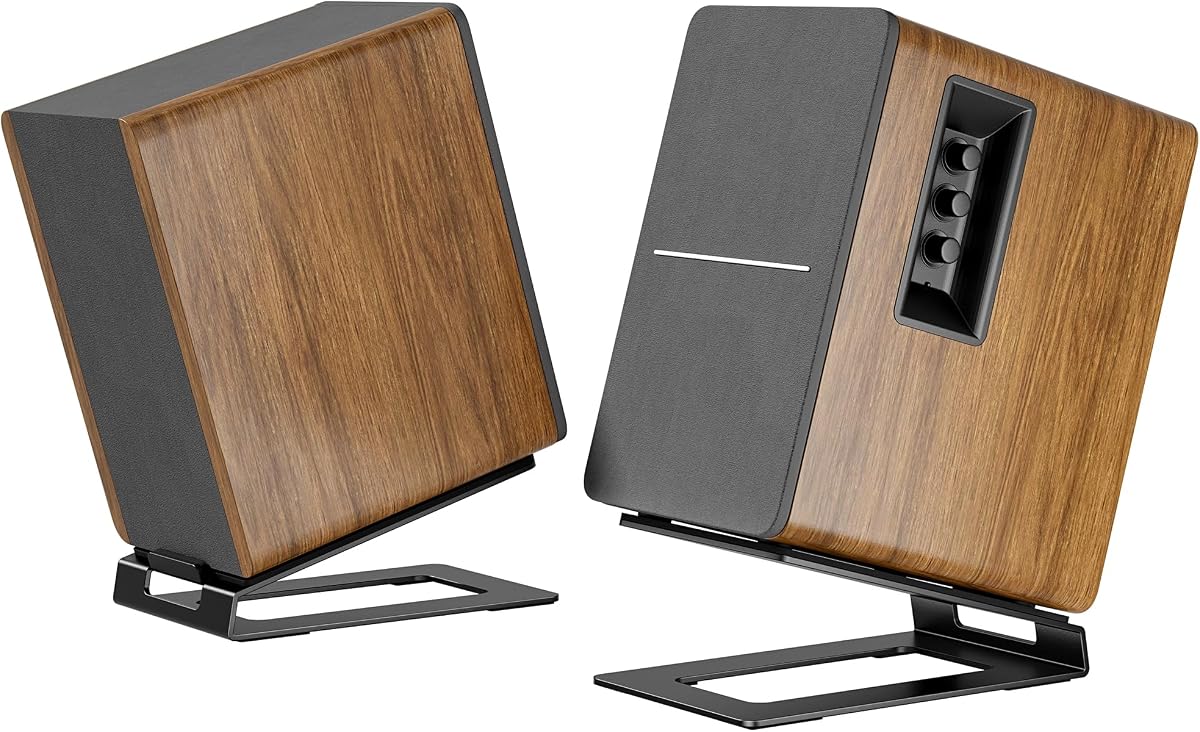
The sixteen degree upward tilt positions speakers at the ideal listening angle reducing distortion. The sturdy metal base prevents unwanted vibrations for a cleaner richer sound experience.
Trade-offs include limited tilt direction and tool requirements for mounting. These are minor given the flexibility and high stability rating that users praise highly.
Users needing flexible installation and reliable stability will prefer this option. It delivers precise sound tuning with protective features for desk and speaker safety.
Choose freestanding use straight out of box or mount with screws for enhanced stability.
Sixteen degree upward tilt positions speakers at ideal listening angle for direct sound without distortion.
We may earn a commission when you buy through this link, at no additional cost to you.
These stands carry a 4.6 rating with heavy duty C-clamps that securely hold up to thirty three lbs each and fit desks up to two point five inches thick reliably.
We may earn a commission when you buy through this link, at no additional cost to you.
The platform is nine point five by eight point eight inches supporting most speaker setups. Four height settings allow raising speakers to ear level while plus ten to minus ten degrees tilts the tray.
Trade-offs include moderate price and clamp profile size. Users appreciate the reliable build and easy installation for professional audio and home entertainment setups.
Those needing heavy duty clamps and tilt adjustment will find these stands useful. They provide solid elevation with protective padding for desk surface safety.
Low profile C-clamps save workspace and support up to thirty three lbs each.
Adjust tray tilt angle plus ten to minus ten degrees for ideal sound projection.
We may earn a commission when you buy through this link, at no additional cost to you.
This set holds a 4.6 rating offering a clamp that fits desks up to three point nine three inches thick providing wide compatibility for diverse workspace configurations.
We may earn a commission when you buy through this link, at no additional cost to you.
The four level locking pole adjusts height from eight point nine to thirteen point nine inches. The tray tilts plus twelve to minus twelve degrees allowing precise audio direction.
Trade-offs include clamp depth limitations near walls and lack of explicit swivel. Still the versatility and stability make it a strong contender for varied desktop needs.
Users with thicker desks and need height and tilt flexibility will benefit. It supports monitors and other devices to maximize your available desk space.
Stable C-clamp installation fits most desks up to three point nine three inches thickness.
Four level locking pole adjusts height from eight point nine to thirteen point nine inches to desk.
We may earn a commission when you buy through this link, at no additional cost to you.
Selecting the right desk speaker stands requires evaluating stability, adjustability, and compatibility with your specific speakers and workspace constraints.
Stability is crucial to prevent speaker vibration and wobbling. Look for stands with high weight capacity and robust construction like steel or heavy duty clamps to ensure safe support.
Always check the maximum load rating to match your speaker weight.
Height adjustment lets you position speakers at ear level for better sound imaging. Models with multiple locking positions or telescopic tubes offer flexibility for different desk heights.
Choose a range that aligns your listening position properly.
Tilt and rotation adjust the angle of your speakers toward your ears. This improves sound clarity and reduces room reflection issues. Some stands offer up to twenty degrees tilt or rotatable trays.
Prioritize tilt options if your desk placement is far from ideal.
Clamp stands save desk space but require compatible desk edges. Look for padded clamps to protect your surface and adjustable ranges that fit your desk thickness securely.
Ensure the clamp width and pad quality match your desk.
Vibration pads or isolation padding prevent resonance transfer to your desk. This leads to cleaner audio with less unwanted sound. EVA or foam pads are common effective materials.
Check for included anti-vibration pads for better sound.
Consider the footprint each stand occupies on your desk. Clamp models usually save more space than freestanding ones. Small bases keep your workspace tidy and open.
Measure your available desk area before buying.
Materials like stainless steel or high grade steel ensure durability and strength. Good build quality prevents bending or loosening over time. Check user reviews for long term stability feedback.
Invest in solid materials for longevity and safety.
Cable management features like hollow columns or built-in routing channels keep wires tidy. This reduces clutter and potential cable damage. It contributes to a professional workspace appearance.
Look for designs that support cable routing.
Install your stands carefully by following the manufacturer instructions. For clamp stands ensure your desk is clean and the clamp is centered to avoid scratching the surface. Tighten screws evenly for maximum stability.
Place your speakers securely on the stand and adjust tilt and height to align with your ears. Use included mounting hardware to secure the speakers to the tray preventing accidental drops or movement.
Regularly inspect your stands for loose screws or wear on pads. Tighten any loosened screws and replace worn pads to maintain stability and desk protection. Avoid placing excessive weight beyond the rated capacity.
Yes even small bookshelf speakers benefit from stands that elevate them to ear level. This reduces desk vibrations and improves sound clarity by positioning drivers optimally for listening. Proper stands also free up desk space for other items.
Choose stands with a weight capacity exceeding your speaker weight by at least twenty percent for safety. Most models support between twenty to sixty five lbs so verify your speaker specs. Heavier stands usually offer better stability.
Most clamp stands fit wooden desks as long as thickness matches the clamp range. Padded clamps protect wood surfaces from scratches and damage. Check the clamp adjustment range to ensure it fits your desk edge properly.
Typically ten to twenty degrees tilt allows precise speaker angling toward your ears. This improves sound stage and reduces reflection from surfaces. More tilt flexibility is better if your listening position varies regularly.
Most stands require minimal assembly such as attaching plates or tightening bolts. Hardware is usually included with clear instructions for quick setup. Freestanding models might need more steps but are generally user friendly.
Universal stands with adjustable trays accommodate different monitor sizes. Check top plate dimensions and compatibility ranges in product descriptions. Some include multiple plate sizes for broader support.
Wipe the surfaces with a soft dry cloth to remove dust. Avoid harsh chemicals that could damage metal or padding. Check screws periodically and tighten any loose parts to maintain stability.
Clamp stands are better for saving space on smaller desks since they do not take up surface area. Freestanding models offer mobility but require more floor space. Choose based on your desk size and stability needs.
The Liquid Stands Editor's Choice offers exceptional build quality and adjustability while the Vondynote Budget pick provides affordability with solid clamp strength. Kanto SP9 leads for premium design with cable management features.
Prioritize weight capacity, height, and tilt options based on your speaker size and listening preferences. Consider desk thickness and available space to select the right installation method.
Prices and availability change so review current listings before purchasing. Choosing the right stand ensures your audio setup performs at its best with stability and clarity.