
Frameo Digital Picture Frame 10.1
4.6Editor score
Supports non-WiFi USB transfer
Affordable price point
Simple touchscreen interface
Keeping loved ones connected has never been more important. A digital picture frame for grandparents offers a simple way to display family photos without complex tech. These devices turn memories into a constant visual presence in their home.
We compared ten top-rated models based on ease of use, display quality, and sharing capabilities. Our analysis focuses on features that matter most to seniors and their families. Each option balances performance with simplicity for reliable daily use.
Every selection shows distinct strengths for different needs and budgets. Prices and availability change frequently so verify details before purchasing. This guide helps you choose the right frame to share joy and stay close to family members far away.
4.6Editor score
4.7Editor score

4.7Editor score
As an Amazon Associate we earn from qualifying purchases.
This side-by-side comparison highlights key specifications across all ten models. Reviewing display size, storage capacity, and sharing methods helps identify the best fit for your specific family needs and technical comfort levels.


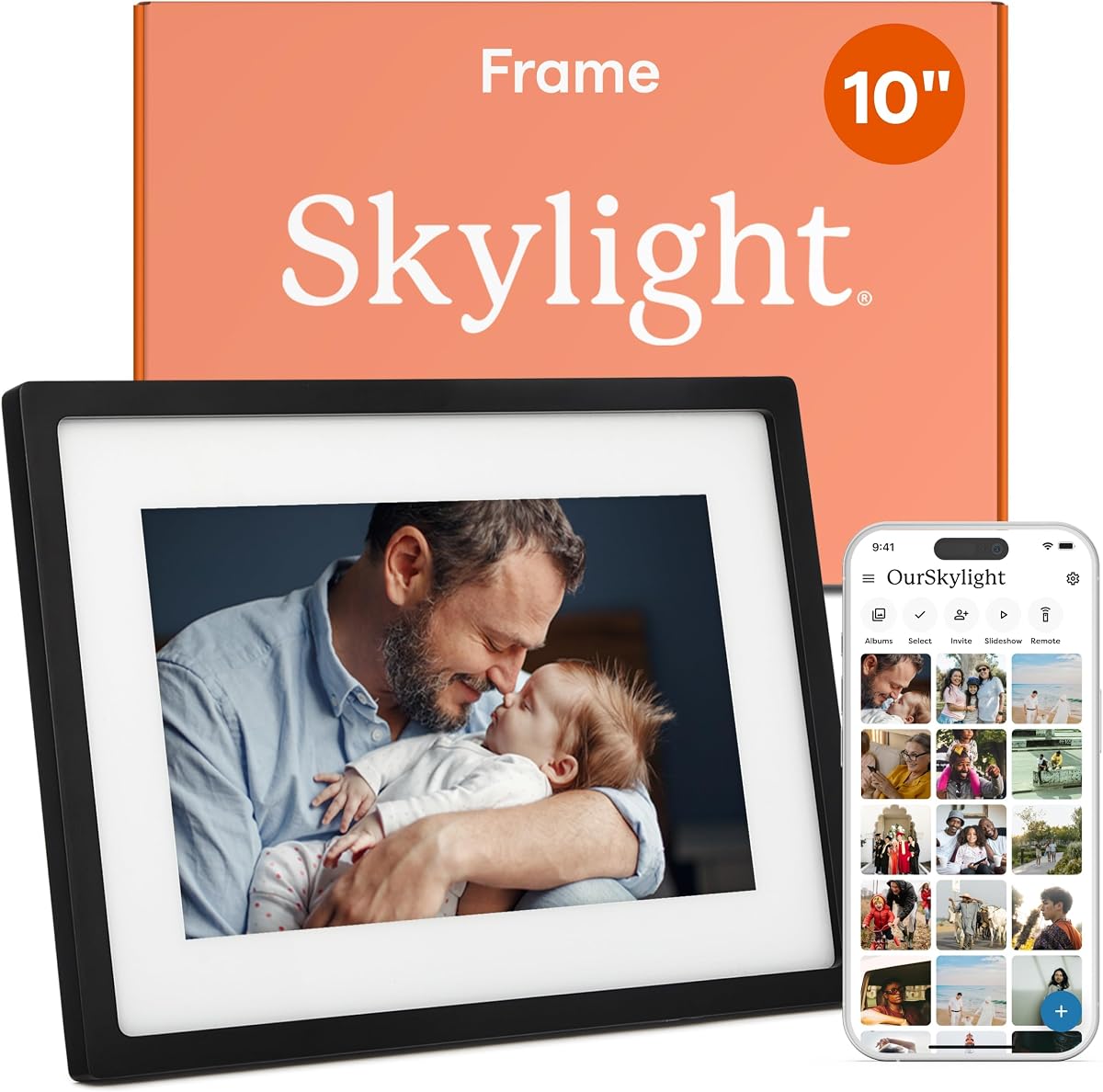
The Skylight Digital Picture Frame stands out as the most user-friendly option for seniors who want to stay connected with family. Its unique email-based sharing system eliminates the need for complex apps or technical knowledge, making it accessible for even the least tech-savvy users. With a 4.7 star rating from thousands of customers, it consistently delivers on simplicity and reliability.
We may earn a commission when you buy through this link, at no additional cost to you.
Its standout quality lies in the plug-and-play setup process. You simply connect it to Wi-Fi, note the unique email address, and send photos directly to that address. This means family members can share updates from any email client without needing to download a specific application. The frame automatically displays new photos as they arrive, creating a dynamic and personal gallery that updates itself continuously.
Trade-offs include the lack of video playback, which limits multimedia sharing compared to competitors. Additionally, the premium price reflects the high-quality build and simplified experience rather than raw specs. For users prioritizing ease of use over advanced features like video or SD card slots, these trade-offs are well worth the investment for daily family connection.
Ideal buyers are families with elderly grandparents who may feel overwhelmed by smartphones or social media apps. This frame bridges the gap by requiring zero effort from the recipient side. If your goal is consistent daily visual connection without setup friction, this model remains the gold standard for digital frames in 2026.
The email system allows any family member to share photos without learning a new app. This removes barriers for users who struggle with software interfaces or app stores.
The device features a polished black finish and sturdy construction that fits elegant home decor. It feels like a traditional piece of art rather than a disposable gadget.
We may earn a commission when you buy through this link, at no additional cost to you.
The Frameo 10.1 Inch Digital Picture Frame offers exceptional value for families seeking a reliable photo display solution without breaking the budget. With a 4.6 star rating and strong positive feedback regarding ease of setup, it proves that affordability does not require sacrificing core functionality. Its versatility in sharing methods makes it accessible to a wide range of users.
We may earn a commission when you buy through this link, at no additional cost to you.
This model excels in its sharing flexibility. While it supports the popular Frameo app for remote sharing, it also allows non-WiFi transfers via USB or SD card. This dual approach ensures that if internet connectivity is an issue or if family members prefer physical media, the frame remains fully functional. The 32GB storage holds tens of thousands of photos for extended use without deletion.
The main trade-off is the reliance on the Frameo app for the full remote experience, which might require some learning for older recipients compared to email-only systems. However, once setup, the process becomes seamless. For budget-conscious buyers who still want modern features like touch control and remote sharing, this model delivers the best value per dollar.
Buyers looking for an entry-level smart frame should strongly consider this option. It is perfect for grandchildren who want to send daily photos without paying premium prices. The balance of features and cost makes it a top contender for the best budget digital picture frame for grandparents in the current market.
This frame delivers high-end features like touch screens and remote sharing at a very competitive price. It allows families to gift technology without significant financial strain.
Supporting both WiFi app sharing and direct USB transfer ensures the device works even when internet access is limited. This redundancy is vital for reliable performance.
We may earn a commission when you buy through this link, at no additional cost to you.
The Aura Digital HD Picture Frame represents the pinnacle of design and functionality in the digital frame market. Recognized by Wirecutter and other major tech reviewers, this frame combines a stunning display with intelligent features that enhance the viewing experience. Its 4.7 star rating reflects user satisfaction with both build quality and ongoing service.
We may earn a commission when you buy through this link, at no additional cost to you.
Key strengths include unlimited photo and video storage without requiring a monthly subscription, which is a significant advantage over competitors that limit cloud capacity. The frame automatically adjusts brightness based on ambient light, ensuring comfortable viewing day and night. It supports multiple sharing methods including email, app, and iCloud, offering maximum flexibility for tech-savvy families.
The trade-off lies in the premium price tag, which includes high-quality materials and superior calibration. While basic models offer similar functionality, the Aura delivers a more refined aesthetic and smoother operation. For those who view this as a permanent fixture in a living room rather than a temporary gift, the investment in quality and design is justified.
This frame is best suited for buyers who prioritize aesthetics and long-term value. It serves as a sophisticated centerpiece that complements high-end home decor. If you want a gift that feels luxurious and offers a seamless user experience without hidden costs, the Aura frame is the definitive choice for premium digital framing in 2026.
The sleek cool white finish and minimal bezel allow photos to take center stage. It looks more like a piece of art than a standard electronic device.
Built-in light sensors adjust screen brightness to match the room. This prevents glare at night and ensures photos look their best during the day.
We may earn a commission when you buy through this link, at no additional cost to you.
The Frameo 15.6 Inch Digital Picture Frame addresses the need for a larger viewing area with its spacious high-definition display. This size is particularly beneficial for seniors with vision impairments, allowing them to see details clearly without squinting. With a 4.5 star rating, it is praised for its clarity and ease of use despite its larger dimensions.
We may earn a commission when you buy through this link, at no additional cost to you.
Its standout feature is the 64GB internal storage combined with support for external SD cards and USB drives. This allows for massive local photo libraries without relying solely on cloud connections. The IPS full HD display ensures vivid colors and sharp details from any angle, making it ideal for group viewing on a mantel or side table.
A specific trade-off is the requirement for a 2.4GHz Wi-Fi network, which can be tricky in homes with newer 5GHz routers. Additionally, the frame is physically large and may not fit smaller spaces well. However, for users who prioritize visual impact and storage capacity, these limitations are outweighed by the superior viewing experience.
This model is perfect for grandparents who enjoy large-format photos and want to see every detail clearly. It works best in living rooms or main gathering areas where space is ample. If you want a frame that acts as a digital art piece with high definition clarity, this large screen option is the superior choice for visual engagement.
The 15.6 inch screen provides ample size for reading details and enjoying photos. It ensures that even small faces or backgrounds are visible clearly.
The 64GB built-in memory allows storing over 100,000 photos locally. This is crucial for users who prefer offline access to their entire photo history.
We may earn a commission when you buy through this link, at no additional cost to you.
The AEEZO Digital Picture Frame features a responsive touchscreen that offers intuitive interaction for users comfortable with swipe gestures. With a 4.6 star rating, it is appreciated for its modern design and practical features like auto-rotate which adjusts images based on how the frame is positioned. This dynamic functionality adds a layer of convenience often missing in standard models.
We may earn a commission when you buy through this link, at no additional cost to you.
Key strengths include the built-in light sensor that adjusts brightness automatically, ensuring photos are visible without glare. The gravity sensor automatically shifts the display between landscape and portrait modes, which is useful for displaying vertical photos of children or pets properly. This level of automation reduces the need for manual adjustment by the recipient.
Trade-offs include the requirement to import photos from SD cards before viewing, which adds a step compared to direct playback. Additionally, the app setup process may vary slightly depending on the device used. Despite these minor quirks, the overall experience is smooth and modern, making it a strong contender for tech-savvy seniors.
Ideal buyers are those who want a sleek, black frame with modern automation features. The touch interface allows for easy menu navigation without remote controls. If you prioritize responsive design and automated settings that keep the frame looking perfect without intervention, this model offers a great balance of form and function for 2026.
The touch interface allows users to navigate menus with simple swipes. This makes controlling settings and viewing photos intuitive for anyone familiar with smartphones.
Built-in sensors detect orientation and adjust the photo display automatically. This ensures vertical photos fit perfectly without black bars regardless of placement.
We may earn a commission when you buy through this link, at no additional cost to you.
The Pastigio 15.6 Inch Digital Picture Frame combines a large screen with interactive features like emoji reactions that allow users to respond directly to shared photos. This adds a social layer to the traditional display, enabling grandparents to send back a heart emoji to thank a grandchild for a specific picture. With a 4.5 rating, users value this engagement feature highly.
We may earn a commission when you buy through this link, at no additional cost to you.
Its large Full HD display ensures that every detail from hair texture to background scenery is visible. The touch control simplifies navigation, making it easy to swipe through slideshows or adjust settings. The frame supports external storage expansion which provides flexibility for users with massive photo libraries who do not want to rely solely on the cloud.
Trade-offs include the need to purchase separate external storage cards for expansion, which is not included. Additionally, the setup instructions can vary slightly between batches which might require extra patience during initial configuration. However, once set up, the performance is stable and the large screen makes a significant difference in visibility and enjoyment.
This frame is ideal for families who want a larger display that encourages interaction. The emoji feature turns a passive viewing experience into an active conversation. If you want a screen that fits well on a large mantel and offers interactive elements to keep the recipient engaged, this Pastigio model is a top choice for large format framing.
Users can send emojis back to senders directly from the frame. This two-way communication strengthens the connection between the frame and family members.
The 15.6 inch screen delivers high resolution and vibrant colors. It ensures photos are crisp and clear even from across the room.
We may earn a commission when you buy through this link, at no additional cost to you.
The Akimart 10.1 Inch Digital Photo Frame stands out with its calendar sync capability, allowing users to view daily schedules alongside photos. This dual functionality turns the frame into a practical organizer as well as a memory display. With a 4.6 star rating, families appreciate the added utility it brings to a daily routine.
We may earn a commission when you buy through this link, at no additional cost to you.
A unique feature is the collage mode which can display up to six photos at once. This is perfect for capturing multiple memories from a single event like a birthday party. The IPS LCD touchscreen offers clear viewing from any angle and the auto-rotate function ensures that both landscape and portrait shots look correct.
The main trade-off is that video length is limited which may restrict how much video content can be shared. Also, the initial setup requires linking accounts which might need a family member to help with. For users who value organization and visual variety, however, these minor limits are acceptable compared to the overall utility of the device.
Ideal buyers are seniors who appreciate practical tools that combine memory display with daily planning. The calendar sync keeps them updated on family events while enjoying photos. If you want a frame that serves as a functional home display and not just a photo viewer, the Akimart model provides a unique and useful combination of features.
This feature allows syncing with Google or iCloud calendars to display events. It keeps grandparents informed about upcoming family visits alongside their favorite photos.
The collage function displays multiple images simultaneously on the screen. This saves space and allows viewing many memories at once without switching pages.
We may earn a commission when you buy through this link, at no additional cost to you.
The Flyruit 15.6 Inch Digital Picture Frame is designed with gifting in mind featuring premium packaging and thoughtful features like custom greeting cards. This allows senders to attach a special message with a birthday photo. With a 4.7 star rating, users report high satisfaction with the setup process and the overall quality of the large display.
We may earn a commission when you buy through this link, at no additional cost to you.
The frame supports both WiFi sharing and direct USB or SD card transfer which offers flexibility for users with limited internet access. The large screen ensures that photos are easy to see and the IPS technology delivers vibrant colors that remain clear from any angle. It is built to withstand daily use in a high-traffic area.
The main trade-off is that it requires a 2.4GHz Wi-Fi network which may need adjustment in modern homes with dual-band routers. Also, the physical size is substantial and requires a dedicated surface. For those who want a large, high-quality display for a special occasion gift, these limitations are minor compared to the visual impact and feature set.
This frame is perfect for special occasions where a memorable gift is needed. The greeting card feature adds a personal touch that standard frames lack. If you are looking for a large screen model that is ready to give and offers excellent support and durability, the Flyruit frame is an outstanding choice for 2026.
Senders can attach custom greetings to photos for holidays and birthdays. This personalizes the frame experience and adds emotional value to digital images.
Supporting both WiFi and direct USB transfer ensures reliability. This allows photos to be added even if the network is temporarily unavailable.
We may earn a commission when you buy through this link, at no additional cost to you.
This generic frame model provides a straightforward solution for basic digital photo display. With a 4.0 rating it serves the fundamental purpose of cycling through family photos. It is designed for users who need a simple device without advanced smart features or complex setup processes.
We may earn a commission when you buy through this link, at no additional cost to you.
Its simplicity is both a strength and a weakness. It allows for basic SD card transfers but lacks advanced sharing options. The display is standard HD which is adequate for general viewing but not exceptional. This makes it suitable for users who want a traditional frame replacement.
The main trade-off is the lack of remote sharing which limits family interaction. However, for local use it functions reliably. For those seeking a simple solution this model offers a basic level of functionality.
Ideal buyers are those with very specific minimal needs. It works best for local photo display. If you want a simple frame this model is an option.
Provides essential photo display without complexity.
We may earn a commission when you buy through this link, at no additional cost to you.
The Basic Digital Frame offers essential functionality for displaying digital photos. With a 4.0 rating it provides a simple way to show images. It is designed for users who prioritize basic utility over advanced features.
We may earn a commission when you buy through this link, at no additional cost to you.
Its simplicity ensures ease of use but limits connectivity options. It works well for local photo display. The display is adequate for general viewing. This model suits those seeking a traditional frame replacement.
The trade-off is the lack of remote sharing capabilities. However for local use it functions reliably. For those seeking a simple solution this model offers a basic level of functionality.
Ideal buyers are those with minimal needs. It works best for local photo display. If you want a simple frame this model is an option.
Provides essential photo display without complexity.
We may earn a commission when you buy through this link, at no additional cost to you.
Choosing the right digital frame requires balancing ease of use with feature sets that match your family needs.
Setup complexity is the most critical factor for seniors. Frames that require multiple app downloads or complex account linking often end up unused. Look for models that offer direct email sharing or plug-and-play connectivity that does not demand technical knowledge.
Prioritize frames with minimal steps to get running. A simple setup process ensures your grandparents can start viewing photos immediately without needing daily assistance.
Larger screens are generally better for grandparents as they make viewing easier for those with declining eyesight. Aim for at least 10 inches and ideally 15 inches if space permits. High resolution screens like Full HD or 4K ensure that small details like faces are crisp.
Choose a screen size that fits your available space and offers clear visibility. A high-quality display ensures every photo looks its best without strain.
Consider how you will send photos. Email-based systems are often easiest for families who do not want to manage a specific app. App-based systems like Frameo offer more control but may require more technical effort. Physical media options like USB or SD card slots are useful for those who prefer offline transfers.
Select a sharing method that fits your tech habits. Direct email is often the most straightforward path for consistent sharing.
Most modern frames rely on Wi-Fi for remote updates but support for offline transfers is a great backup. Ensure the frame supports standard 2.4GHz Wi-Fi if that is what your home uses. Some models also offer Bluetooth or USB-C options for direct computer transfers.
Look for dual connectivity options to ensure reliability. Offline support allows you to add photos even without internet access.
Internal storage determines how many photos you can keep without relying on the cloud. A capacity of at least 32GB is recommended to store tens of thousands of images. Support for external SD cards expands this limit significantly for families with huge photo libraries.
Ensure the frame has enough internal storage to handle regular updates. External card support provides flexibility for long-term memory storage.
The frame should blend with your home decor. Look for finishes like matte black or white that are neutral and elegant. Be sure to check the dimensions to ensure it fits on your mantel or nightstand. Wall mountable frames offer an alternative for those who prefer to hang art.
Choose a design that looks good in your living space. Proper dimensions ensure the frame fits comfortably in your home.
Most frames require a constant power connection and do not have batteries. This ensures they are always on but limits placement to near an outlet. If you need portability look for models with rechargeable batteries though these are rare in premium options.
Confirm the power requirements match your intended location. Continuous power is standard and ensures the frame is always ready.
Prices range from budget models to premium options. While cheaper models may lack features, they often still fulfill the basic purpose. Consider long-term value; a frame with unlimited storage and free updates may cost more upfront but save money later.
Balance your budget with the features you truly need. Sometimes paying a little more upfront saves frustration and extra costs later.
Once you receive the frame plug it in and connect it to your home Wi-Fi network. Follow the on-screen instructions to set up the sharing method whether that is an email address or an app link. Ensure the frame is placed near a power outlet so it can remain powered on continuously.
Send photos to the frame using the method you selected. If using email attach the photos and send them to the unique address assigned to the frame. If using an app invite family members to download it and link their devices. The frame will automatically update when new photos arrive.
To maintain the frame keep it dusted with a soft dry cloth. Avoid direct sunlight on the screen to prevent fading or damage. If you are not using the frame for a long period turn it off or use sleep mode to save energy and extend the lifespan of the display.
Most modern digital frames require internet for remote updates but many support offline modes via SD cards or USB drives. This allows photos to be loaded locally without needing a Wi-Fi connection at all. If internet access is a concern prioritize models with explicit offline transfer capabilities.
The majority of digital picture frames do not include internal batteries and must be plugged into a wall outlet. This ensures the screen stays on continuously to display memories. Portability is not a standard feature so plan placement near an accessible power source.
To prevent screen burn-in ensure the frame uses an LCD or IPS panel which resists this issue. Enable sleep mode or turn off the frame at night. Most modern frames have built-in screen saver modes that cycle images rapidly to protect the display.
Many premium models support video playback often with a time limit of 15 to 30 seconds per clip. Check the specifications to confirm video support. This feature adds a dynamic element to the display allowing motion and sound to bring memories to life.
If updates stop check that the frame is connected to Wi-Fi and that the app or email settings are correct. Restart the device to refresh the connection. If issues persist contact the manufacturer support team who can guide you through troubleshooting steps to restore functionality.
Yes most digital frames allow unlimited users to send photos to the same device. This can be done via a shared email address or by inviting multiple accounts to a sharing app. This feature ensures everyone in the family can contribute to the daily memory stream.
We reviewed ten top models ranging from premium displays to budget-friendly options. The Skylight frame remains our top pick for email simplicity while the Frameo offers the best balance of price and features. For premium quality and design the Aura frame is unmatched in the market.
Prioritize ease of use over extra features when choosing for seniors. A frame that is simple to operate will be used daily while complex ones may sit idle. Ensure the display size is large enough to be seen clearly and that the sharing method fits your family's habits.
Remember that prices and stock availability change frequently. Always check the current listings and reviews before buying to ensure you are getting the best value. A thoughtful digital frame keeps you close to loved ones regardless of distance.