
New IR Remote Control Replecement for Dish Network 20.1 IR Satellite Receiver TV DVD VCR
3.7Editor score
Affordable replacement
IR signal standard
Basic TV control
This guide compares the top Dish Network replacement remotes for 2026 to help you find the best compatible control for your Hopper or legacy receiver system.
Finding a reliable Dish Network replacement remote is essential when your original control stops working or gets lost. The right remote ensures seamless navigation, voice search, and full access to your entertainment features without interruption.
We evaluated ten top-rated remotes based on compatibility, build quality, and user feedback. Our list covers universal options, infrared models, and upgraded voice-enabled controls designed for various Dish receiver generations.
Each pick includes detailed specs, pros, and cons to guide your decision. Prices and availability change frequently, so verify current details before purchasing to ensure you get the exact model needed for your setup.
3.7Editor score

4.5Editor score

4.6Editor score
This side-by-side comparison highlights key differences across the ten selected remotes, helping you identify which model matches your specific Dish receiver type and feature requirements.

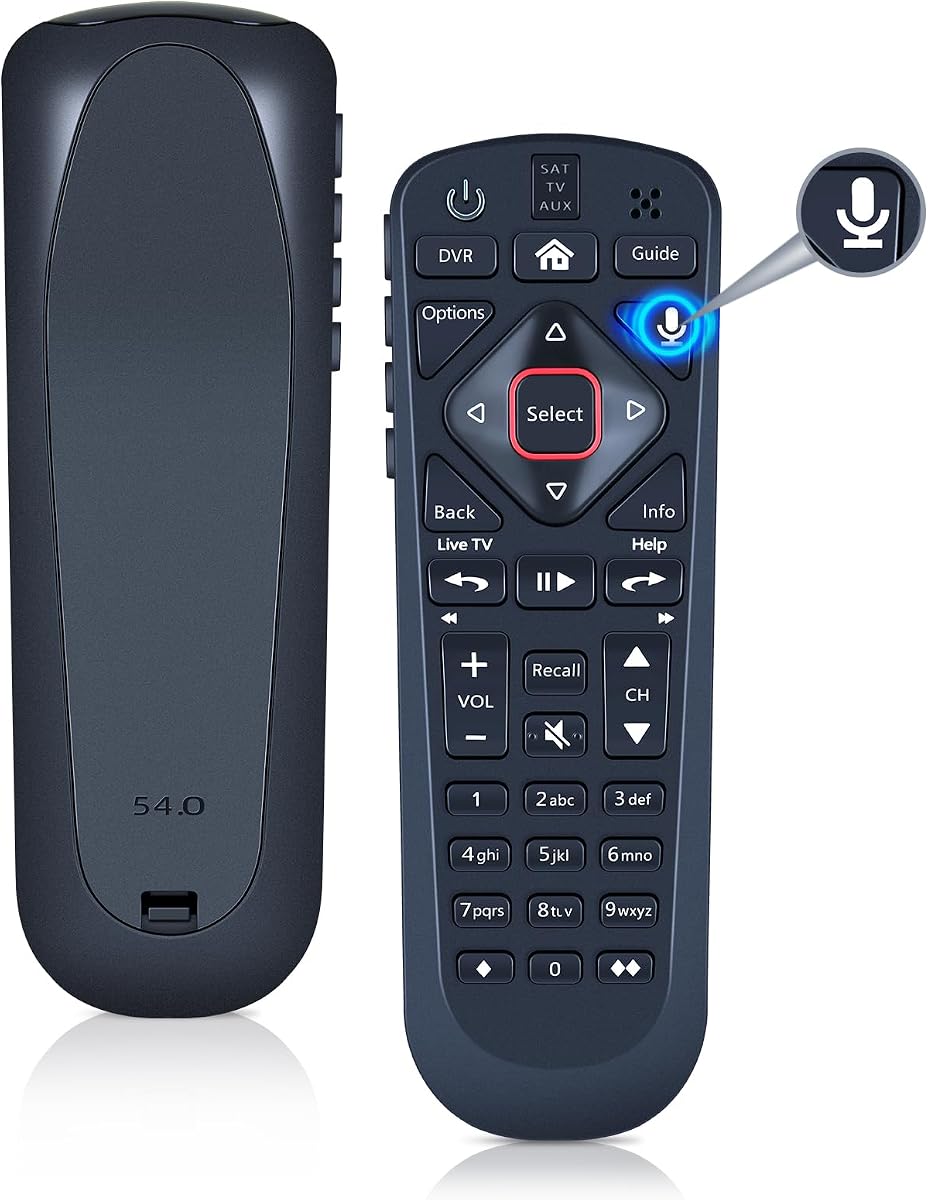



This FQOUG replacement remote leads our list with a 4.5 rating, offering UHF connectivity and voice search for Dish Network Upgraded 54 Series receivers. It stands out for reliable range and intuitive pairing via the SYS INFO button, ensuring seamless integration without complex coding.
We may earn a commission when you buy through this link, at no additional cost to you.
The voice search feature lets you browse channels and On Demand content hands-free, while UHF technology works even without line-of-sight. Users praise the responsive keys and the straightforward unpairing method using SAT, Home, and Guide buttons if connection issues arise.
Trade-offs include the need to purchase AAA batteries separately and incompatibility with Hopper 3 receivers. However, these are minor compared to the performance benefits, making it a robust choice for most upgraded Dish setups seeking modern control features.
Ideal for users needing a direct replacement with enhanced capabilities, this remote balances functionality and ease of use. If you have a 54 Series receiver, this model delivers the best overall experience with voice and UHF advantages.
Built-in voice search allows quick channel finding and app access without manual typing, streamlining your viewing experience significantly.
UHF signals penetrate obstacles better than IR, allowing control even when the receiver is in a cabinet or behind a TV.
We may earn a commission when you buy through this link, at no additional cost to you.
Rated 4.6, this official Dish 54.0 remote offers premium features like auto backlit keys and a remote locator, perfect for Hopper family receivers. Its seamless integration with Hopper systems ensures all advanced functions are accessible with high reliability.
We may earn a commission when you buy through this link, at no additional cost to you.
Key strengths include programmable hot keys for apps and the remote locator that beeps to help find misplaced remotes. The keypad illuminates automatically in dark rooms, enhancing usability during nighttime viewing without manual activation.
The trade-off is the dependency on internet connectivity for full search functionality and a higher cost compared to third-party alternatives. Yet, for users prioritizing official compatibility and premium usability, these features justify the investment.
Choose this remote if you own a Hopper and value top-tier convenience. It remains the gold standard for Dish users seeking an official replacement with advanced quality-of-life enhancements.
A button on the DVR triggers a beep on the remote, making it easy to locate even in dim lighting or cluttered spaces.
Customize buttons to launch apps like Netflix or record shows instantly, saving navigation steps for frequent tasks.
We may earn a commission when you buy through this link, at no additional cost to you.
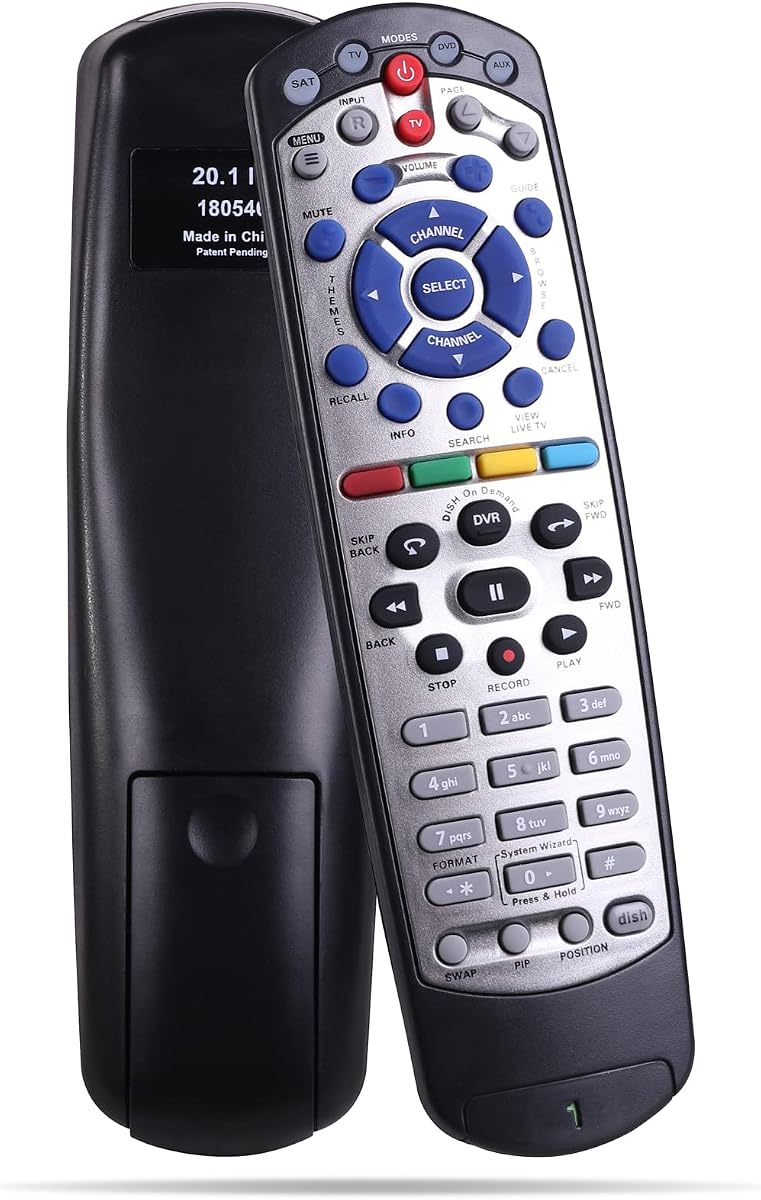
At a budget-friendly price with a 3.7 rating, this IR remote is ideal for Dish Network 20.1 satellite receivers needing basic control. It covers essential TV, DVD, and VCR functions, making it a cost-effective solution for older setups.
We may earn a commission when you buy through this link, at no additional cost to you.
Strengths include a one-year warranty and straightforward instructions for pairing and code selection. It provides reliable operation once programmed, ensuring you regain full access to your receiver without investing in expensive upgrades.
The main downside is the lower rating due to potential programming hurdles and lack of advanced features like voice or UHF. However, for users needing a simple replacement for legacy equipment, the value proposition is clear.
Recommend this for those on a tight budget with a 20.1 receiver. It fulfills essential control needs affordably while offering warranty support for peace of mind.
Designed for cost-conscious buyers, this remote delivers essential functionality at a fraction of the cost of premium models.
A full year of coverage ensures you're protected against defects, providing confidence in this economical replacement option.
We may earn a commission when you buy through this link, at no additional cost to you.
This FQOUG remote offers voice search and UHF capabilities for 54 Series receivers, rated 3.7. It provides a budget-conscious alternative to official remotes, focusing on core modern features like voice control and reliable signal range.
We may earn a commission when you buy through this link, at no additional cost to you.
Setup involves inserting batteries and following menu prompts to pair with the receiver. Users note the voice function works well for basic searches, and UHF ensures consistent performance even with obstacles in the signal path.
The lower rating may reflect occasional pairing variability or missing premium build features found in official models. Still, for a functional upgrade without high cost, it delivers acceptable performance for most households.
Consider this if you want voice search at a mid-range price. It’s a practical pick for 54 Series users who prioritize feature availability over brand-specific refinements.
Speak commands to find shows or apps quickly, adding convenience to your daily remote interactions.
UHF technology offers broader range and better obstacle penetration compared to traditional infrared remotes.
We may earn a commission when you buy through this link, at no additional cost to you.
Rated 4.2, this WDZP replacement remote includes a built-in microphone for voice search, targeting 54 Series and Hopper receivers. It emphasizes easy pairing through menu prompts, making setup straightforward for average users without technical expertise.
We may earn a commission when you buy through this link, at no additional cost to you.
The microphone enables hands-free navigation, reducing the need to manually scroll through channels. Users appreciate the clear instructions for unpairing via SAT and Home/Guide buttons if issues arise during initial configuration.
A six-month warranty is shorter than some competitors, but the 4.2 rating suggests reliable performance. The trade-off is fewer premium features, yet it covers essential voice and navigation needs effectively.
This remote suits users seeking voice control with straightforward setup. It offers a balanced choice for 54 Series households needing functional upgrades without significant investment.
An integrated mic captures voice commands for quick search results, simplifying content discovery on your Dish receiver.
Step-by-step pairing instructions ensure you can connect the remote to your receiver with minimal confusion.
We may earn a commission when you buy through this link, at no additional cost to you.
With a 4.4 rating, this 21.1 remote supports both IR and UHF PRO signals, ideal for multi-room setups with TV1 and TV2 locations. Its universal design ensures compatibility across various DISH receivers, offering dependable core functionality.
We may earn a commission when you buy through this link, at no additional cost to you.
The dual-signal capability provides flexibility depending on your receiver's configuration, allowing optimal performance in different room setups. Users value the reliability and straightforward operation without needing complex configuration steps.
Drawbacks include outdated design compared to newer voice-enabled models and limited detailed specs in current listings. However, for legacy systems requiring a proven dual-signal remote, it remains a solid choice.
Choose this for multi-room DISH systems needing IR or UHF PRO flexibility. It delivers consistent performance for standard receiver configurations without unnecessary complexity.
Switch between IR and UHF PRO modes based on your receiver setup to ensure stable control in various environments.
Designed for multi-room installations, it supports both TV1 and TV2 receivers for seamless household use.
We may earn a commission when you buy through this link, at no additional cost to you.
Rated 4.1, this remote works instantly with 20.1 receivers without programming, making it highly convenient for replacements. The plug-and-play design eliminates setup hassles, allowing you to install batteries and start using it immediately.
We may earn a commission when you buy through this link, at no additional cost to you.
Users report sensitive keys and a comfortable grip, ensuring smooth operation during daily use. The remote stores settings locally, maintaining consistency with your receiver's preferences without external configuration.
The limitation is strict compatibility with 20.1 models and reliance on IR signals, which require line-of-sight. Despite this, its simplicity and reliability make it a top pick for legacy receiver owners.
Ideal for those needing a no-fuss replacement for 20.1 receivers. It combines ease of use with solid performance for standard viewing needs.
Insert batteries and begin controlling your receiver instantly, bypassing code entry or complex pairing steps.
Designed for a comfortable grip, the remote ensures ease of handling during extended viewing sessions.
We may earn a commission when you buy through this link, at no additional cost to you.
A 2-pack offering with a 4.3 rating, this remote set is perfect for households needing backup or multi-room control for 20.1 receivers. Each unit provides reliable IR operation, ensuring you always have a functional remote available.
We may earn a commission when you buy through this link, at no additional cost to you.
Both remotes undergo quality testing before shipment, guaranteeing consistent performance. The included instructions simplify setup, and the compact design makes them easy to hold and store when not in use.
The need to configure each remote individually adds minor effort, but the value of having a spare is significant. A one-year warranty further supports this practical purchase option.
Choose this for families wanting a spare or secondary remote. The value proposition and reliable performance make it ideal for maintaining uninterrupted control.
Get two remotes for the price of one, ideal for keeping a backup or extending control to another room.
Each remote is rigorously inspected to ensure it functions perfectly out of the box.
We may earn a commission when you buy through this link, at no additional cost to you.
With a 4.0 rating, this IR remote serves as a standard replacement for 20.1 receivers, covering essential TV, DVD, and VCR functions. Its design mirrors original remotes, ensuring familiar button layouts and straightforward operation.
We may earn a commission when you buy through this link, at no additional cost to you.
Setup requires pairing and code selection to match your TV brand, but the process is documented clearly. Once configured, it delivers reliable performance with a one-year warranty backing its durability.
Lacking voice or UHF features, it focuses on core functionality. For users prioritizing simplicity and cost-effectiveness over advanced capabilities, this model fits well within that scope.
A solid choice for basic replacement needs. It offers dependable control for legacy receivers without unnecessary complexity.
Matches the original remote's button arrangement, making it easy to adapt without relearning controls.
A full year of coverage ensures you are protected against manufacturing defects.
We may earn a commission when you buy through this link, at no additional cost to you.
Rated 4.6, the Dish Network 52.0 remote offers premium features like a remote finder and backlit keys for Hopper, Joey, and Wally receivers. It remains a highly rated option for those prioritizing usability and legacy compatibility.
We may earn a commission when you buy through this link, at no additional cost to you.
The remote finder function helps locate misplaced remotes with a button on the receiver, while programmable hot keys streamline access to apps like Netflix. Backlit keys enhance visibility in low-light environments without manual activation.
As an older model, it lacks voice search, but its reliability and feature set make it a strong alternative to newer remotes. Users appreciate the thoughtful design elements that improve daily usability.
Ideal for Hopper users seeking proven comfort and smart features. The 52.0 model delivers a premium experience with practical enhancements for standard setups.
Keys automatically illuminate in dark settings, ensuring you can navigate channels easily during night viewing.
Press a button on your receiver to trigger the remote's locator function, making it easier to find lost devices.
We may earn a commission when you buy through this link, at no additional cost to you.
Selecting the right remote requires matching your Dish receiver model with the appropriate technology and features. This guide outlines key factors to ensure compatibility and optimal performance.
Verify your receiver model number—such as 54.1, 20.1, or Hopper—before purchasing. Using an incompatible remote can lead to functionality issues or the need for complex reprogramming. Check the product description for explicit receiver matches to avoid confusion.
Always confirm your receiver model number matches the remote's listed compatibility to ensure seamless operation without setup hurdles.
Infrared (IR) remotes need a clear line-of-sight to the receiver, while UHF remotes work through obstacles. If your receiver is hidden in a cabinet, UHF offers better flexibility. However, IR models are typically more affordable and sufficient for visible setups.
Choose UHF if your receiver is not in direct line-of-sight; otherwise, standard IR may be more cost-effective.
Voice-enabled remotes allow you to search for shows and channels using spoken commands, reducing reliance on arrow keys. This feature enhances accessibility and convenience but may require an internet connection for full functionality. Consider if voice control aligns with your usage habits.
Voice search adds convenience for quick content discovery but requires compatible hardware and internet access.
A comfortable grip and durable construction ensure the remote lasts longer and feels better in hand. Look for remotes with responsive keys and sturdy materials to withstand daily use. User reviews often highlight tactile feedback as a key indicator of quality.
Prioritize ergonomic design and durable materials for a comfortable and long-lasting user experience.
Features like backlit keys, remote locators, and programmable hot keys improve usability. Backlit keys help in dark rooms, while remote locators help find misplaced remotes. Evaluate which features genuinely add value to your setup before purchasing.
Assess extras like backlit keys or remotes to decide if their convenience justifies any extra cost.
A warranty protects against defects and ensures customer support is available. Most third-party remotes offer one-year coverage, while official remotes may vary. Check the terms for replacements and technical assistance to safeguard your purchase.
Ensure the remote includes a warranty to cover potential defects and provide peace of mind.
Most remotes use standard AAA batteries, which are easy to replace. Some advanced models may have specific power needs. Confirm the battery type to ensure you can maintain operation without specialized power sources.
Verify standard battery requirements to ensure easy maintenance and availability of replacements.
Some remotes require pairing or programming, while others are plug-and-play. Pairing steps typically involve navigating menus or pressing button combinations. Choose a remote with clear instructions and intuitive setup to save time and frustration.
Opt for remotes with simple setup procedures to get started quickly without technical challenges.
Begin by inserting fresh AAA batteries into the battery compartment, ensuring correct polarity. For remotes requiring pairing, access the receiver's menu and follow on-screen instructions to sync the device. Once connected, test all buttons to confirm proper functionality before regular use.
Maintain your remote by keeping it clean with a soft, dry cloth. Avoid exposing it to moisture or extreme temperatures, which can damage internal components. Store it in a safe location to prevent physical damage or loss, especially if using models without a locator feature.
If issues arise, try unpairing the remote using the specified button sequence, such as holding SAT and Home/Guide together for three seconds. Replacing batteries or updating receiver firmware may also resolve connectivity problems. Consult the included manual for specific troubleshooting steps.
Not all remotes are compatible with Hopper receivers. Only models explicitly listed as supporting Hopper, such as the 54.0 or 52.0 series, will work fully. Always check compatibility details before purchasing to avoid issues.
Most remotes require pairing through the receiver's menu. Press the Home button twice, navigate to Settings, then Remote Control, and follow the pairing wizard. Some models use a SAT button press combined with SYS INFO on the receiver.
IR remotes need a direct line-of-sight to the receiver, while UHF remotes can work through obstacles like cabinets. UHF offers better flexibility but may cost more. Choose based on your receiver's location.
Yes, many third-party remotes are compatible and offer similar features at lower costs. Ensure the model supports your specific receiver type to guarantee full functionality and avoid compatibility issues.
Common causes include low batteries, improper pairing, or signal obstruction. Check battery polarity, re-pair the remote following instructions, and ensure the IR sensor on the receiver is unblocked for proper communication.
Most third-party remotes do not include batteries. You will need to purchase standard AAA batteries separately. Official remotes may sometimes include them, but this varies by seller.
Our top picks highlight versatile options for various receiver models. The FQOUG 54 Series remote leads with voice and UHF capabilities, while the official 54.0 offers premium features. Budget buyers may prefer the straightforward 20.1 IR replacements.
Prioritize compatibility with your receiver model and signal requirements. If your receiver is hidden, opt for UHF. For modern convenience, voice search adds significant value. Balance features with your budget to find the right fit.
Remember that availability and details can change. Always verify product descriptions and compatibility before buying to ensure you select the correct replacement for your Dish Network setup.