
UGREEN DXP4800 Pro
4.4Editor score
Intel i3-1315U CPU
10GbE and 2.5GbE ports
96GB RAM expandable
Compare the top 10 4 Bay NAS systems for storage and media streaming. This guide reviews performance, features, and reliability to help you choose.
Finding the right 4 Bay NAS can transform how you manage data at home or in small offices. These devices offer centralized storage, automatic backups, and media streaming capabilities that exceed traditional hard drives.
We evaluated ten leading models based on processing power, network speed, software ease, and expansion options. Each entry was analyzed for its ability to handle multitasking, secure data, and support diverse user needs.
Every pick highlights key strengths and ideal use cases. While prices fluctuate, this list focuses on value and capability. Expect detailed insights to help you invest wisely in your next network attached storage solution.
4.4Editor score

4.0Editor score

4.0Editor score
This side-by-side comparison highlights the core specifications and unique selling points of each reviewed model. Use this table to quickly identify which system matches your performance, budget, and storage expansion needs.






The TERRAMASTER F4-425 stands out as a powerful entry for home media enthusiasts seeking value. With an Intel x86 quad-core processor and 4GB RAM, it handles 4K transcoding efficiently. Its rating reflects solid performance for the price point.
We may earn a commission when you buy through this link, at no additional cost to you.
Hardware acceleration for H.265 decoding ensures smooth streaming via Plex or Emby. The 2.5GbE port accelerates large file transfers. AI photo albums keep your media organized without heavy manual tagging.
While software may lack depth compared to premium rivals, the setup is straightforward. The tool-free design simplifies drive installation. It operates quietly, making it suitable for living rooms.
Buy this if you prioritize raw performance and storage capacity over advanced enterprise features. It delivers reliable storage for families managing large video libraries.
Dedicated hardware transcoding allows multiple users to stream high-definition content without buffering.
Push-Lock trays allow you to install hard drives in seconds without tools.
We may earn a commission when you buy through this link, at no additional cost to you.
The UGREEN DXP4800 GT is designed for creators needing speed and multitasking. Powered by an AMD Ryzen processor and dual 10GbE ports, it handles heavy workloads. Its high rating signals strong approval from tech enthusiasts.
We may earn a commission when you buy through this link, at no additional cost to you.
With up to 64GB RAM support, virtual machines and Docker containers run smoothly. The built-in surveillance center adds security value. Local privacy features ensure data remains under your control.
Some users may find the manual setup for certain apps complex. The price reflects its premium hardware. However, the throughput justifies the cost for professional workflows.
This unit is ideal for editing teams or power users who demand fast local access. It bridges the gap between consumer and enterprise-grade storage.
Dual 10GbE ports enable theoretical speeds up to 2.5GB/s with link aggregation.
Built-in SD slot and high-speed USB ports simplify direct device transfers.
We may earn a commission when you buy through this link, at no additional cost to you.
The Synology DS425+ targets businesses needing reliable document management. It supports concurrent access for over ten users efficiently. Granular controls ensure sensitive files stay secure. Its rating underscores trust in business environments.
We may earn a commission when you buy through this link, at no additional cost to you.
Features like audit logs and layered protection prevent data loss. Surveillance support extends its utility beyond file storage. Centralized repositories streamline collaboration.
Cost is a barrier for home users. However, for small teams, the value is high. Synology's enterprise support adds peace of mind.
Choose this if your priority is secure document sharing. It excels in environments where data integrity is paramount.
Audit logs track file access ensuring accountability for team members.
Combination of RAID and snapshots protects against accidental deletion.
We may earn a commission when you buy through this link, at no additional cost to you.
The UGREEN DXP4800 Plus offers a balance of speed and usability. It features fast 10GbE networking and AI photo albums. Families benefit from intuitive file sharing across devices. Its high rating suggests strong user satisfaction.
We may earn a commission when you buy through this link, at no additional cost to you.
Apps work across Windows and macOS. Automatic backups simplify data protection. The design avoids unnecessary complexity.
Lack of Wi-Fi limits placement flexibility. Yet, wired connections ensure stability. The warranty provides adequate support.
This NAS fits households needing reliable storage. It simplifies media management for non-technical users.
AI recognition organizes photos by people and locations automatically.
Seamless operation across major operating systems and smart TVs.
We may earn a commission when you buy through this link, at no additional cost to you.
The UGREEN DH4300 Plus simplifies private storage for home users. It avoids recurring cloud fees with one-time purchase benefits. Easy setup and app support make it accessible. Ratings reflect satisfaction among beginners.
We may earn a commission when you buy through this link, at no additional cost to you.
Features like AI photo albums help organize memories. Security certifications ensure privacy. Magnetic covers offer thoughtful design touches.
Limited to Docker without full VM support. But for basic storage and backups, it suffices. Savings over cloud plans are significant.
Select this for straightforward home needs. It delivers privacy without technical hurdles.
Local storage ensures your files remain private from third-party clouds.
One-time cost beats monthly subscriptions over many years.
We may earn a commission when you buy through this link, at no additional cost to you.
The Synology DS925+ brings reliable performance to mid-tier users. Dual 2.5GbE ports ensure network redundancy. Its software supports virtualization well. Ratings indicate stable operation in diverse settings.
We may earn a commission when you buy through this link, at no additional cost to you.
File management tools are comprehensive. Surveillance integration is robust. Warranty terms are standard for the brand.
Price points are higher than competitors. The learning curve exists for newcomers. Yet, reliability justifies the expense.
Opt for this if stability is key. It balances power and usability effectively.
Dual Ethernet ports prevent single-point network failures.
Integrated tools allow running lightweight virtual machines.
We may earn a commission when you buy through this link, at no additional cost to you.
The Yxk Zero1 Pro caters to home media setups. HDMI output connects directly to TVs. Intel N100 provides sufficient power for general tasks. Ratings highlight its ease of use.
We may earn a commission when you buy through this link, at no additional cost to you.
Aluminum casing manages heat efficiently. Support for third-party OS offers flexibility. Shared media libraries are easy to configure.
Official support may lag behind bigger brands. Hardware is entry-level. However, value is high for hobbyists.
Buy this for DIY home servers. It offers great customization for media lovers.
Connect directly to your TV for local media playback.
Install custom operating systems for advanced control.
We may earn a commission when you buy through this link, at no additional cost to you.
The Asustor Drivestor 4 Gen 2 is an affordable solution for small needs. WORM technology protects against ransomware. Streaming supports 4K smoothly. Ratings show decent satisfaction for the price.
We may earn a commission when you buy through this link, at no additional cost to you.
Setup is straightforward. USB ports allow quick backups. The OS is user-friendly.
RAM may limit heavy multitasking. Performance is sufficient for basic tasks. Value remains strong.
Choose this for tight budgets. It delivers essential features without bloat.
Immutable snapshots lock data against malicious encryption attacks.
Lower entry price makes private cloud accessible to all.
We may earn a commission when you buy through this link, at no additional cost to you.
The Synology DS423 excels at secure sharing. Versioned files protect against errors. Surveillance options integrate well. Ratings reflect trust in data safety.
We may earn a commission when you buy through this link, at no additional cost to you.
Remote access is smooth. File server features replace cloud subscriptions. Warranty is standard.
Price sits higher than budget models. Expansion options are minimal. Security remains top priority.
Ideal for families and small businesses prioritizing safety. It simplifies secure collaboration.
Recover files from previous states instantly after accidental changes.
Private cloud setup is intuitive for non-tech family members.
We may earn a commission when you buy through this link, at no additional cost to you.
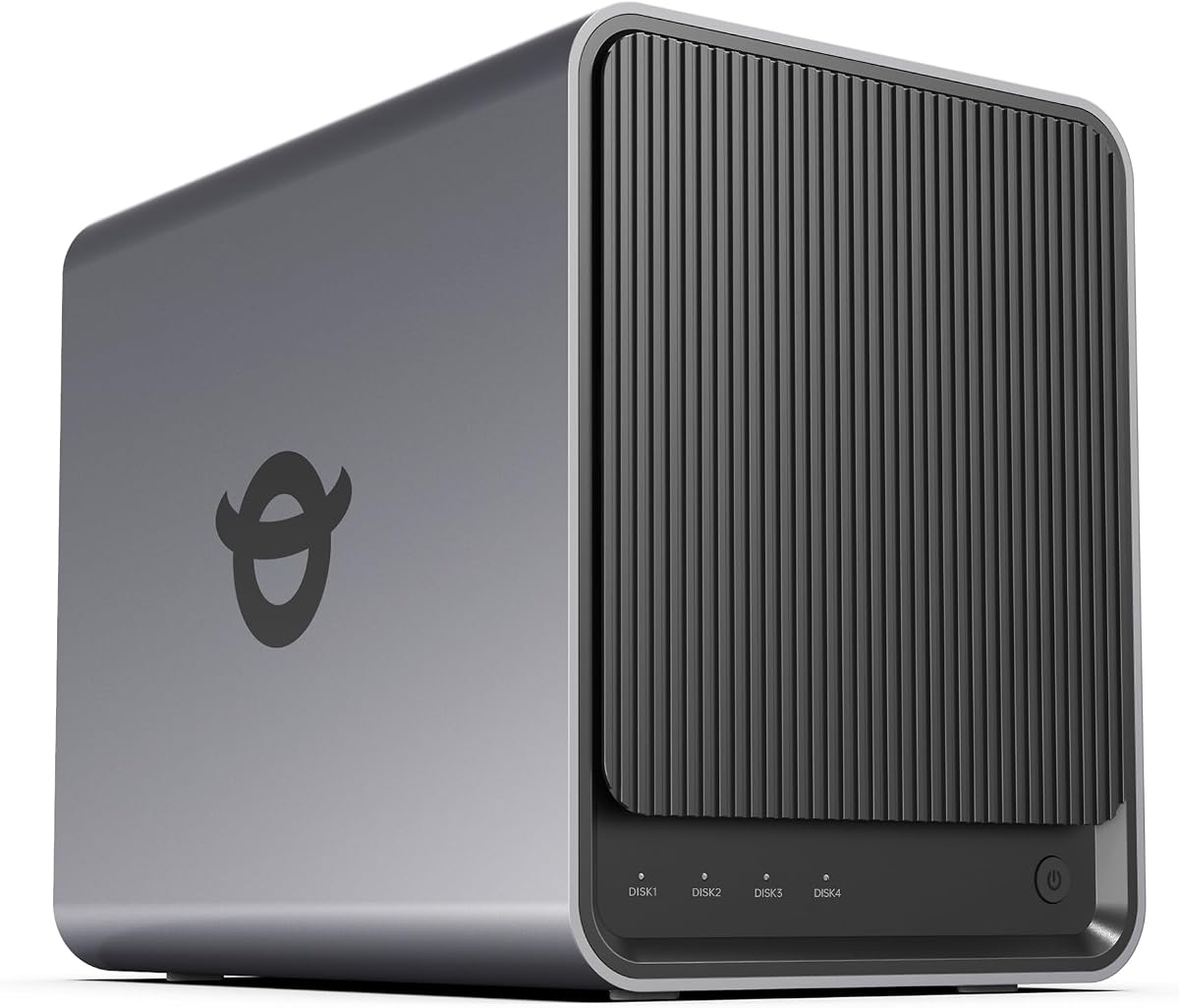
The UGREEN DXP4800 Pro delivers workstation-class performance. Powerful CPUs run VMs effortlessly. Dual network options ensure speed. Ratings reflect high-end capability.
We may earn a commission when you buy through this link, at no additional cost to you.
Privacy certifications offer trust. Data Vault hides sensitive files. AI processing stays local.
Cost is a significant factor. Learning curve exists. But performance is unmatched.
Select this for professional workflows. It handles heavy data processing with ease.
Intel i3-1315U delivers desktop-class speed for multitasking.
Certified security ensures data stays private from external parties.
We may earn a commission when you buy through this link, at no additional cost to you.
Selecting the right NAS requires balancing speed, storage, and budget. This guide outlines critical factors to ensure your choice fits your long-term needs.
The CPU dictates multitasking ability. Look for Intel or AMD chips if you plan to run virtual machines. Low-power CPUs suffice for simple file storage.
Choose a faster processor for media transcoding or heavy app usage.
Network ports affect transfer speeds. 2.5GbE or 10GbE is vital for large files. Gigabit ports limit throughput on fast networks.
Ensure your router matches the NAS speed to avoid bottlenecks.
RAM handles simultaneous user connections. More users or apps require more memory. Upgradability adds future value.
Opt for models with expandable RAM to support growth over time.
Operating systems differ in ease of use. Synology offers intuitive interfaces while others allow more customization. Check supported apps like Docker or Surveillance.
Test software demos to ensure the interface suits your skill level.
Data protection is essential. Look for encryption, snapshots, and secure remote access. Ransomware resistance is becoming standard in modern systems.
Prioritize systems with robust encryption and permission management tools.
Consider how you can add drives later. Some models support M.2 slots or additional enclosures. Capacity limits vary by model and drive size.
Check if future upgrades are possible without replacing the unit.
Reliable support ensures minimal downtime. Manufacturers often offer two to three years of coverage. Check community forums for troubleshooting help.
Select brands with dedicated support teams for critical business use.
Higher costs often bring better build quality. Calculate long-term savings versus cloud subscriptions. Balance features against your actual usage needs.
Invest in durability if the NAS will run 24/7 continuously.
Start by installing hard drives securely. Most units have tool-free trays. Align cables and connect to your router before powering on.
Configure your storage space via the admin panel. Create user accounts and set permissions carefully. Regularly update firmware to maintain security.
Keep the device in a cool, dry spot. Ensure fans are not blocked by dust. Periodically check health status to avoid drive failure surprises.
Yes, especially for families or teams needing centralized backups. It eliminates monthly cloud fees and provides faster local access. The initial cost is offset by long-term savings and data control.
Most support standard 3.5-inch SATA drives. However, NAS-specific drives are recommended for reliability. Always check the manufacturer compatibility list before buying new hardware.
Yes, most modern models sync to Google Drive, Dropbox, or OneDrive. This adds redundancy by storing copies offsite. It ensures you retain access even if the local device fails.
A 4 Bay NAS offers twice the storage slots and better redundancy options. It allows for more complex RAID setups without losing capacity. This makes it ideal for larger media libraries.
Use strong unique passwords and enable two-factor authentication. Keep firmware updated regularly. Limit remote access to specific trusted IP addresses whenever possible.
Yes, standard cables may not support the full speed. Use certified Cat6a or Cat7 cables. Ensure your router also has 10GbE ports to realize the speed benefits.
We reviewed ten options ranging from budget to premium. The TERRAMASTER F4-425 offers great value, while UGREEN models bring raw speed. Synology remains a reliable choice for ease of use.
Prioritize features that match your daily tasks. Media streamers should look for transcoding capabilities. Professionals need RAM and virtualization support. Always check network compatibility.
Prices vary frequently so verify current deals before purchasing. Investing in a solid 4 Bay NAS ensures data safety and flexibility for years to come.