
ASUS ProArt PA248QV
4.6Editor score
100% sRGB coverage
WUXGA resolution display
Calman Verified accuracy
This guide compares the top ASUS Proart Monitor models for professionals, covering color accuracy, resolution, connectivity, and ergonomic features to help you
Finding the right display for creative work requires careful attention to color fidelity and resolution. ASUS Proart monitors are designed specifically for professionals who need reliable performance and accurate visuals for their daily tasks.
We have evaluated ten distinct models based on their panel technology, connectivity options, and overall value for different workflows. Our comparison highlights key strengths and weaknesses to help you make an informed decision for your studio or home office.
Each selection below showcases specific advantages tailored to different budget levels and professional needs. Please note that pricing and availability can change rapidly so always verify current details before making your final purchase decision.
4.6Editor score
4.2Editor score
The following table provides a side-by-side overview of the top ten models evaluated in this guide allowing you to quickly compare resolutions, color coverage, and key connectivity features at a glance.




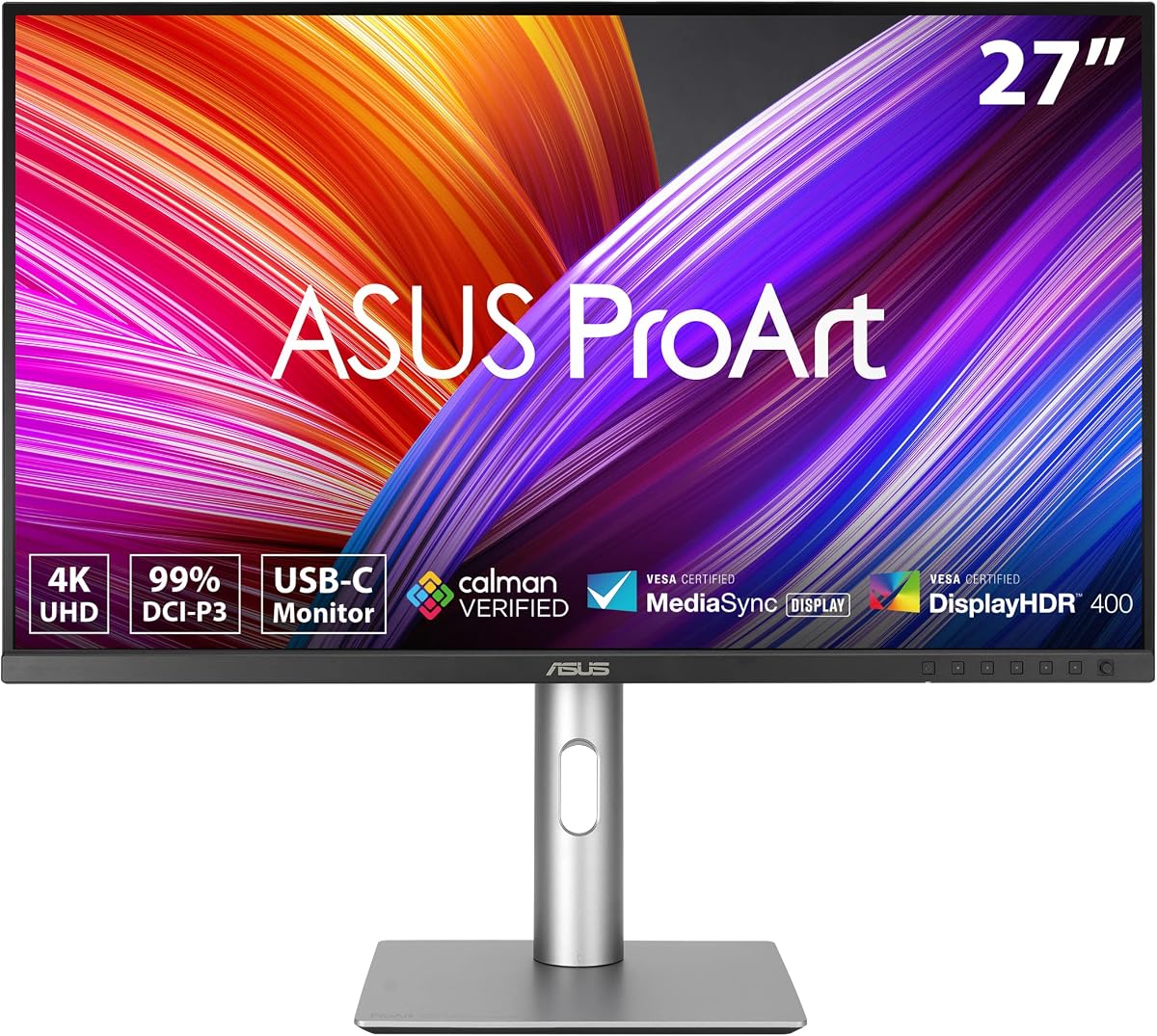
This model stands out as a top recommendation for professionals seeking high resolution and accurate colors without breaking the bank. It offers a robust set of features that cater to graphic designers and video editors who demand precision in their workflow.
We may earn a commission when you buy through this link, at no additional cost to you.
The display delivers 99% coverage of both DCI-P3 and Adobe RGB color spaces ensuring that your work looks consistent across different devices. Factory calibration guarantees Delta E values under 2 right out of the box saving you time and money on external calibration tools.
Connectivity is a strong point with USB-C providing both video and power delivery to simplify your desk setup. However the HDR implementation is limited to basic specifications which might not satisfy users looking for high dynamic range entertainment or mixed usage scenarios.
If you need a reliable daily driver for creative work that balances performance and cost this unit is an excellent choice. The included warranty and cloud subscription add extra value making it a compelling option for long-term professional use.
The wide color gamut and factory calibration ensure your designs look true to life across different outputs and media.
Single cable connectivity reduces cable clutter while powering your laptop and delivering high resolution video simultaneously.
We may earn a commission when you buy through this link, at no additional cost to you.
For those starting their journey in professional design this monitor offers an accessible entry point into high quality color management. It proves that you do not need to spend a fortune to get reliable color reproduction for your daily tasks.
We may earn a commission when you buy through this link, at no additional cost to you.
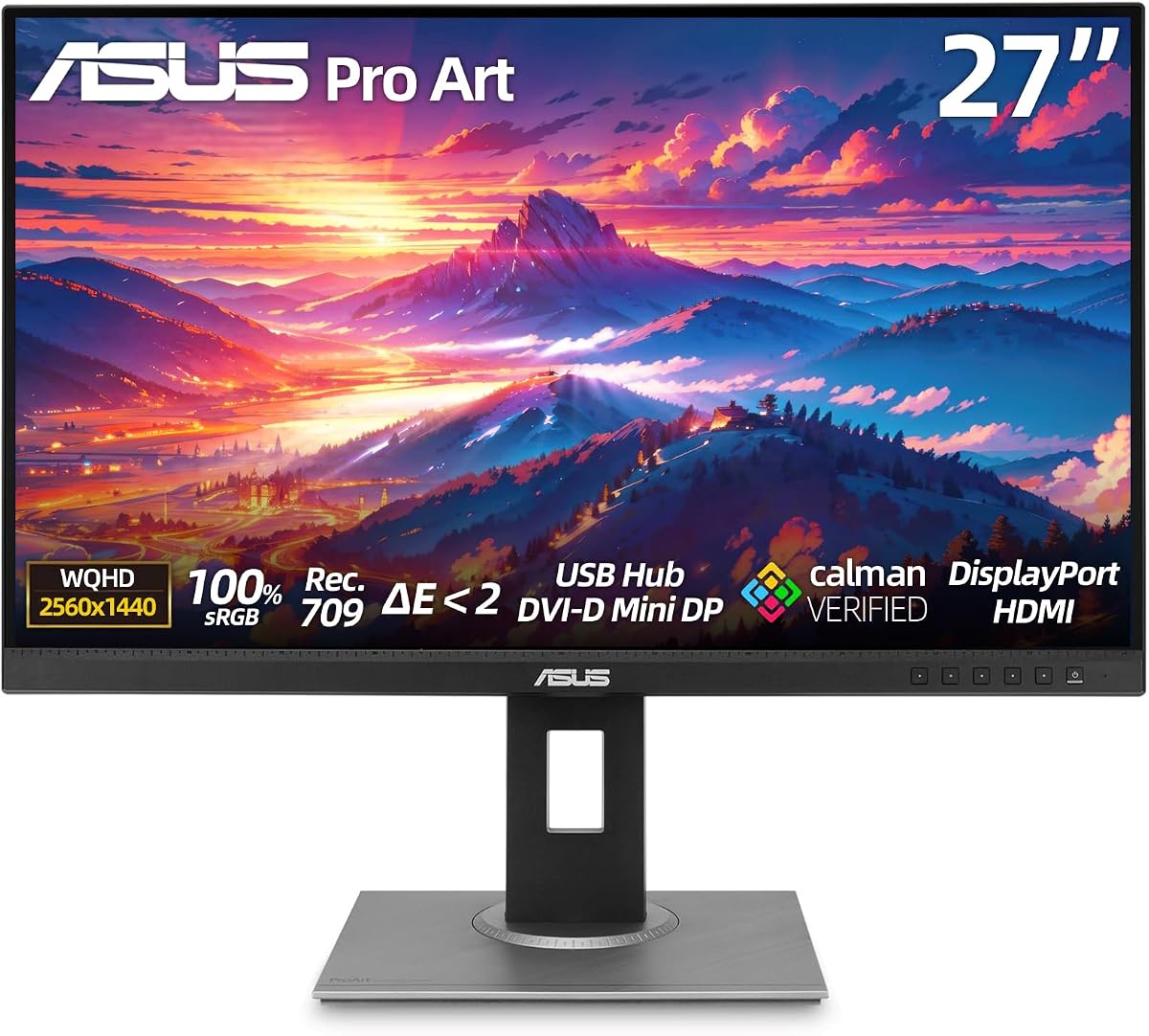
The screen covers 100% of the sRGB and Rec.709 spaces which is sufficient for most web and print design work. Calibration verification ensures that the colors you see are accurate helping you avoid costly mistakes in your final deliverables.
While it lacks the advanced connectivity of higher end models it provides essential ports like HDMI and DisplayPort for easy connection to PCs and laptops. The anti-glare coating is particularly useful for bright offices where reflections can distract from focused work.
This unit is ideal for students or freelancers who need a dependable screen for editing and drafting without a huge upfront investment. Its strong rating reflects user satisfaction with its durability and performance relative to its modest price point.
Get professional color standards without the premium price tag making it perfect for budget conscious creatives.
The adjustable stand helps maintain healthy posture during long work sessions reducing physical fatigue over time.
We may earn a commission when you buy through this link, at no additional cost to you.
This display is engineered for professionals who require extreme detail and seamless integration with the Apple ecosystem. The 6K resolution provides ample screen real estate for complex timelines and detailed design work that demands clarity.
We may earn a commission when you buy through this link, at no additional cost to you.
It features specific presets to match MacBook displays ensuring consistent color perception across your devices. Thunderbolt 4 support allows for a clean single cable connection that handles video data and charging simultaneously which keeps your workspace tidy.
The built-in KVM switch is a significant productivity booster allowing you to control multiple computers with one set of peripherals. However the premium price means it is best suited for dedicated workstations where maximum resolution is a critical requirement.
If you work with high resolution media or need to multitask across several machines this monitor delivers the performance you need. It represents a top tier choice for those who prioritize screen quality and ecosystem compatibility above all else.
The 6K resolution ensures that every pixel and text character remains crisp and readable during extended editing sessions.
Effortlessly switch between different computers using a single keyboard and mouse to streamline your production pipeline.
We may earn a commission when you buy through this link, at no additional cost to you.
This monitor strikes a solid balance between resolution and connectivity making it a versatile choice for various creative tasks. It is particularly well suited for developers and designers who need accurate colors without needing ultra high resolution specs.
We may earn a commission when you buy through this link, at no additional cost to you.
The QHD panel offers plenty of space for multitasking while maintaining sharp image quality for detailed graphics work. Factory calibration ensures that colors remain consistent which is crucial for brand identity work and digital asset creation.
USB-C connectivity allows for a streamlined setup where you can charge your laptop and connect to the display with one cable. The ability to pivot the screen vertically is a useful feature for those who spend a lot of time reading code or text.
It is a reliable workhorse that meets industry standards for color reproduction without unnecessary bloat or expensive features. For professionals looking for a dependable daily driver this model offers excellent value and consistent performance over time.
The vertical pivot option allows for better visibility of long documents or code lines during development tasks.
USB-C connectivity reduces cable clutter while powering your laptop and delivering video signals simultaneously.
We may earn a commission when you buy through this link, at no additional cost to you.
This model emphasizes user comfort without compromising on professional color standards making it perfect for long work sessions. It incorporates advanced eye care technologies that help reduce strain during extended periods of focused screen time.
We may earn a commission when you buy through this link, at no additional cost to you.
The panel delivers precise color accuracy with full coverage of standard sRGB and Rec.709 spaces ensuring your creative work looks consistent. Calibration verification adds trust to the display performance allowing you to rely on it for color critical projects.
The ergonomic stand offers full tilt swivel and height adjustment so you can find the perfect viewing angle for your setup. This flexibility is essential for maintaining healthy posture and reducing physical fatigue during your work day.
If you spend many hours in front of a screen this monitor offers a comfortable and reliable solution for your daily needs. The perfect rating suggests users find it particularly effective for balancing health and productivity in their professional workflow.
Advanced eye care features minimize strain allowing you to work longer periods without discomfort or fatigue.
The fully adjustable stand ensures you can position the screen optimally to match your seating arrangement.
We may earn a commission when you buy through this link, at no additional cost to you.
This monitor is specifically certified to meet Trade Agreements Act requirements making it essential for government and corporate contracts. It brings high quality performance to procurement scenarios where compliance is a mandatory requirement for purchasing decisions.
We may earn a commission when you buy through this link, at no additional cost to you.
The 32-inch 4K screen provides ample workspace for complex visual tasks while maintaining vibrant colors and sharp details. HDR support enhances the viewing experience for media content though it remains focused on professional utility rather than entertainment.
Connectivity is robust with USB-C delivering significant power to keep your laptop charged while driving the display. The ergonomic stand ensures that users can adjust the screen to comfortable angles reducing strain during mandatory work hours.
For organizations requiring certified equipment this model delivers reliable performance and compliance without sacrificing visual quality. It stands as a secure choice for professional environments where regulatory standards must be met consistently.
TAA compliance ensures this monitor meets necessary trade regulations for government and public sector procurement.
The 4K resolution offers ample space for detailed editing and multitasking in a professional corporate setting.
We may earn a commission when you buy through this link, at no additional cost to you.
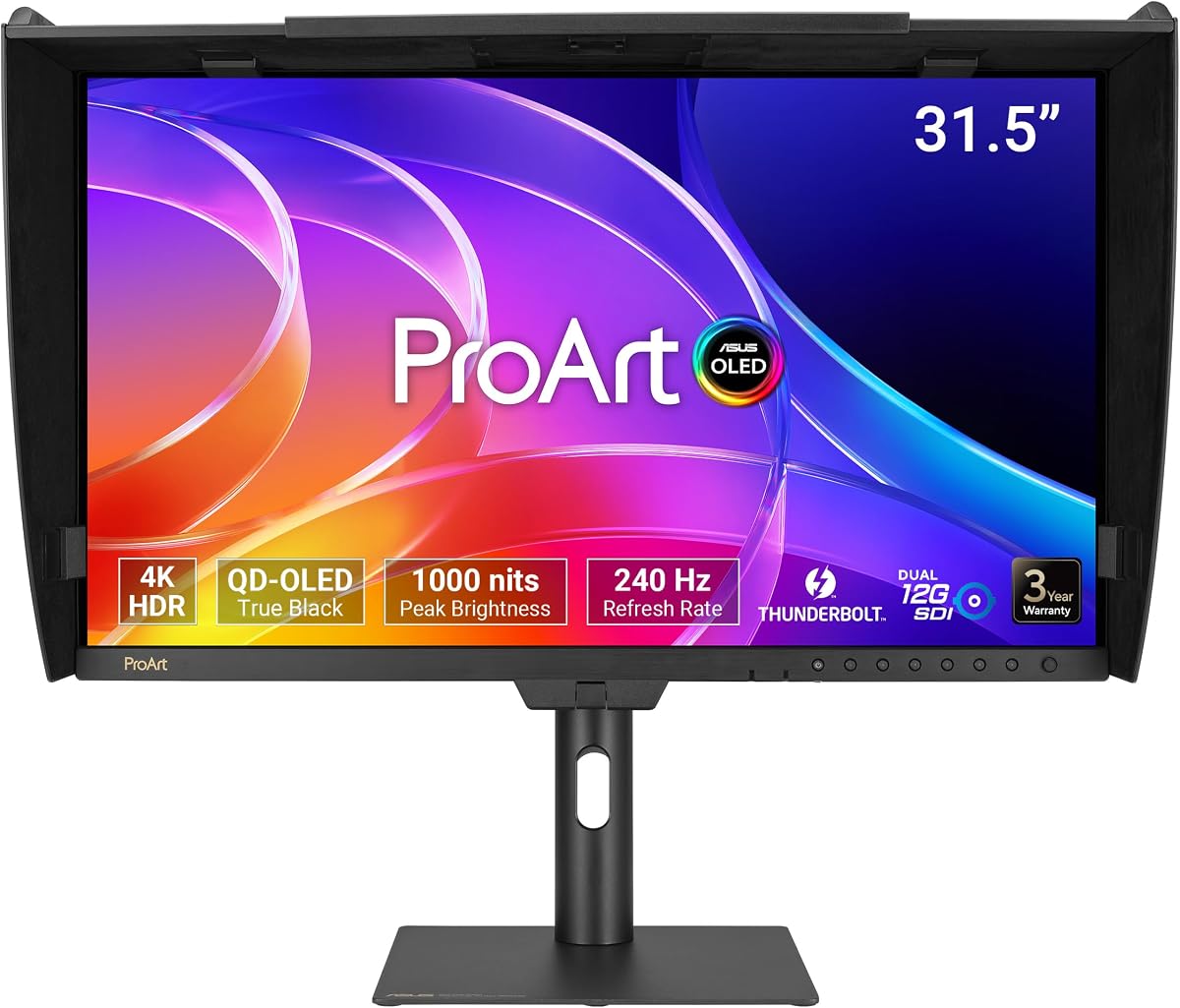
This monitor introduces OLED technology to professional workflows offering unmatched contrast and color depth for visual creators. The self-emissive pixels deliver true blacks and infinite contrast which elevates the fidelity of video editing and color grading tasks.
We may earn a commission when you buy through this link, at no additional cost to you.
It supports high refresh rates and fast response times allowing for smooth rendering in high motion environments. The peak brightness and HDR certification ensure that highlights pop while maintaining shadow detail across a wide dynamic range.
The inclusion of a monitor hood helps minimize glare and reflections which is crucial for maintaining accurate color perception in varied lighting. Professional SDI connectivity also caters to broadcast professionals needing reliable high bandwidth signal transport.
If you demand the absolute best in contrast and color fidelity this display sets a new standard for creative production. It is a premium investment for those who need the highest possible visual accuracy in their workflow.
OLED technology provides true blacks and infinite contrast enhancing the realism of shadows and highlights.
High refresh rates ensure fluid motion playback essential for video editing and high fidelity preview.
We may earn a commission when you buy through this link, at no additional cost to you.
This model utilizes Mini-LED technology to achieve high brightness and deep local dimming for impressive contrast performance. It is designed for professionals who need to calibrate their displays periodically to maintain exact color standards over time.
We may earn a commission when you buy through this link, at no additional cost to you.
The inclusion of an X-rite calibrator simplifies the calibration process ensuring that you can maintain accuracy with ease. High peak brightness makes it suitable for HDR content creation where detail in bright areas is critical for final output.
Adobe RGB coverage is extensive providing the wide gamut necessary for high-end print work and specialized creative tasks. While the technology is advanced users should verify their specific workflow requirements to ensure the investment matches their needs.
It is an excellent choice for studios that require regular calibration and high brightness for HDR production. The hardware calibration support ensures long term consistency which is vital for professional environments.
A bundled calibrator reduces the upfront cost of maintaining professional color accuracy on your display.
Extensive Adobe RGB coverage ensures your digital files translate accurately to physical print media.
We may earn a commission when you buy through this link, at no additional cost to you.
This monitor offers a unique blend of professional color performance and high refresh rate speeds suitable for dynamic content. It appeals to users who want a single screen for both serious creative work and smooth visual feedback during interactive sessions.
We may earn a commission when you buy through this link, at no additional cost to you.
The 144Hz refresh rate ensures smooth motion which is beneficial for video editing and fluid UI interaction. Color accuracy remains a priority with solid DCI-P3 coverage and factory calibration ensuring that design work looks correct.
USB-C provides robust power delivery keeping laptops charged during intensive tasks while maintaining a clean desk setup. The combination of performance metrics makes it a flexible tool for modern workstations that handle diverse tasks daily.
If you need a display that balances creative accuracy with high performance specs this model offers a versatile solution. It is well suited for users who value responsiveness alongside standard color standards for their projects.
High refresh rates provide fluid motion playback beneficial for both editing timelines and interactive tasks.
Factory calibration and DCI-P3 coverage ensure consistent color results for digital design and media.
We may earn a commission when you buy through this link, at no additional cost to you.
This top-tier display is built for professional HDR production where extreme brightness and contrast are non-negotiable. The advanced backlight system delivers high brightness while maintaining deep blacks suitable for critical color grading and review.
We may earn a commission when you buy through this link, at no additional cost to you.
True 10-bit color ensures smooth gradients and detailed shadows which are essential for high-end video and film work. Hardware calibration support allows professionals to fine-tune the display to meet exact industry standards over time.
The high peak brightness ensures that HDR content is displayed accurately with realistic highlights that pop on screen. While the investment is significant it provides the technical capabilities required for high fidelity visual production.
For studios and professionals dedicated to HDR content creation this monitor offers the necessary tools for accuracy and quality. It is a specialized tool designed to meet the rigorous demands of high-end video workflows.
High peak brightness levels ensure accurate display of HDR highlights and realistic lighting effects.
True 10-bit color depth enables smooth gradients and detailed control for professional video work.
We may earn a commission when you buy through this link, at no additional cost to you.
Selecting the right monitor depends on your specific workflow requirements budget and technical needs. This guide breaks down the key factors to consider before making your purchase.
Resolution determines how much detail you can see on the screen which is critical for design and editing. Larger screens like 32 inches offer more workspace but require higher resolutions like 4K or 6K to maintain sharpness.
Choose a resolution that matches your typical project requirements to ensure text and graphics remain crisp and clear.
Professional work relies heavily on color accuracy to ensure consistency across devices and print outputs. Look for models with factory calibration and wide color gamut coverage such as DCI-P3 or Adobe RGB.
Verify the Delta E value and coverage percentage to ensure the monitor meets industry standards for your specific field.
Modern workflows often require connecting multiple devices so having a variety of ports is essential for flexibility. USB-C with power delivery can simplify your setup by charging your laptop while sending video signals.
Ensure the monitor has the specific ports you need like HDMI or Thunderbolt to avoid buying additional adapters.
While less critical for static design work a higher refresh rate helps with fluid motion during video editing. Most professional models focus on color over speed but some hybrid options offer high refresh rates for versatility.
Consider your usage habits to decide if a standard 60Hz or higher 144Hz rate fits your daily workflow needs.
Spending long hours at a computer means that the physical adjustability of your monitor is vital for comfort. Look for stands that offer height tilt swivel and pivot adjustments to reduce strain on your neck and eyes.
A robust ergonomic stand is as important as the panel itself for maintaining health and productivity over time.
Professional tools should come with reliable support to minimize downtime if issues arise with the unit. ASUS often includes extended warranty options that cover hardware and calibration services for added peace of mind.
Check the standard warranty terms and any available extension plans before finalizing your purchase for protection.
Extra features like KVM switches or daisy chaining can significantly improve workflow efficiency for multi-device setups. These functions allow you to control multiple computers or link screens using fewer cables and resources.
Identify which productivity tools are actually useful for your routine to avoid paying for unnecessary technical features.
Prices vary widely depending on panel type and features so determine your maximum spending limit early on. Entry level models offer great value for basic tasks while premium displays bring advanced tech for specialized needs.
Balance the cost against the features you truly need to ensure you get the best return on investment.
To maintain optimal color accuracy calibrate the display periodically using built-in tools or an external sensor to ensure consistent output.
Keep the screen clean by using a soft microfiber cloth to remove dust without applying excessive pressure to the panel surface.
Adjust the stand height and tilt to align with your eye level and prevent neck strain during long work sessions.
The main differences lie in resolution panel size and specific connectivity features. While all models focus on color accuracy higher end options offer 4K or 6K resolution and Thunderbolt ports for better workflow efficiency.
Yes many models are optimized for macOS with specific color presets and USB-C connectivity. This ensures seamless integration and accurate color representation for creative work on Apple devices.
Most models come factory calibrated for accurate colors right out of the box. However periodic calibration is recommended for critical color work to maintain long term precision.
Certain models support DisplayPort daisy chaining allowing you to connect multiple screens with a single cable. This feature helps reduce cable clutter on your desk.
Many displays offer up to 96W power delivery which is sufficient for charging most laptops while driving the display. Always check the wattage requirements of your specific device.
Packages usually include necessary cables like HDMI or USB-C power adapters and a stand. Some higher end models may include calibration tools or monitor hoods for added value.
Most models come with a standard five-year warranty including two years of extension upon online registration. This provides comprehensive coverage for professional use cases.
Entry level models like the PA248QV offer professional color accuracy at an affordable price point. They are excellent for those starting their journey in graphic design.
We have explored ten distinct models ranging from budget-friendly options to high-end OLED displays. Each offers unique strengths tailored to different professional needs and technical requirements.
Prioritize resolution and color coverage based on your specific workflow to ensure the display supports your creative tasks effectively.
Prices and availability fluctuate so always check current deals and verify specifications before finalizing your order.