
Tapo 1080P Indoor Security Camera
4.4Editor score
1080P HD video resolution
Two-way audio communication
Night vision with spotlights
This guide compares the top Airbnb security camera options for 2026, reviewing features like resolution, battery life, and smart alerts for host and guest
Hosting on Airbnb requires balancing guest privacy with property protection. Security cameras help you monitor common areas and entry points without violating trust. Choosing the right model involves considering resolution, connectivity, and installation ease.
We evaluated ten leading security cameras based on video quality, battery performance, and smart features. Our analysis focuses on models suitable for indoor and outdoor use in rental properties. Each product offers unique benefits for different hosting scenarios and budgets.
This list details key specifications, pros, and cons for every top pick. You will find options ranging from budget-friendly indoor units to premium outdoor systems. Prices and availability change frequently, so verify details before purchasing to ensure the best value.
4.4Editor score

4.7Editor score
4.4Editor score
The following table provides a side-by-side comparison of all ten security cameras analyzed in this guide. Each entry highlights essential specifications to help you identify the best fit for your rental property needs.




The Aerzosty Window Camera offers a unique solution for hosts needing quick monitoring without drilling. With its magnetic mount, you can install it on any window in seconds. The 2K 3MP resolution ensures clear footage day and night.
We may earn a commission when you buy through this link, at no additional cost to you.
Its standout feature is the upgraded color night vision, which captures details in near-total darkness better than traditional black-and-white sensors. The built-in two-way audio lets you communicate with delivery drivers or guests remotely. Smart alerts notify you of motion or sound instantly via the app.
While the magnetic mount is convenient, it limits placement to windows, which may not suit every entry point. Cloud storage requires a subscription, though a seven-day free trial is available for new users. Local microSD card support provides a good alternative for cost-conscious hosts.
This camera is ideal for renters or those wanting a non-permanent security setup. It delivers reliable performance for the price, making it a strong choice for monitoring doorways or hallways from inside the home.
The F1.0 aperture lens captures vibrant full-color footage even in low light, reducing the need for external lighting.
Support for 5GHz and 2.4GHz WiFi ensures a stable connection and faster video streaming during high traffic times.
We may earn a commission when you buy through this link, at no additional cost to you.
The Tapo 1080P Indoor Security Camera is an excellent choice for hosts on a tight budget who still need reliable surveillance. It offers essential features like two-way audio and motion detection at a low cost. Its compact design blends into any room decor.
We may earn a commission when you buy through this link, at no additional cost to you.
A key highlight is its compatibility with solar panels, allowing for extended battery life in outdoor or hard-to-reach indoor spots. The camera supports local microSD storage up to 512GB, reducing reliance on paid cloud subscriptions. Privacy is prioritized with encrypted video and two-factor authentication.
While the resolution is standard HD, it is sufficient for identifying faces and activities in well-lit areas. However, it lacks advanced AI detection for specific objects like pets or vehicles, which may trigger false alerts. The spotlights aid night vision but may be intrusive in dark living spaces.
This model works best for indoor monitoring of common areas or entryways. Its versatility and low cost make it accessible for hosts wanting to secure multiple points without a significant financial investment.
When paired with the solar panel, the camera can operate wire-free for long periods, ideal for areas without outlets.
Built-in encryption and local storage options ensure your footage remains secure and under your control.
We may earn a commission when you buy through this link, at no additional cost to you.
The Ring Indoor Cam stands out for its user-friendly design and strong integration with smart home systems. Its manual privacy cover provides peace of mind for guests, allowing them to physically block the camera when needed. This feature is crucial for maintaining trust in rental spaces.
We may earn a commission when you buy through this link, at no additional cost to you.
The camera delivers crisp 1080p HD video with color night vision, ensuring you can see clearly even in the dark. Advanced Pre-Roll records a few seconds before motion events, helping you understand the context of an alert. It works seamlessly with Alexa for voice control and announcements.
However, full functionality often depends on a Ring Protect subscription, which adds to the ongoing cost. It is also designed solely for indoor plug-in use, limiting its placement options compared to battery-powered models. The lack of advanced AI distinguishes it from higher-end competitors.
Ideal for hosts already invested in the Ring or Alexa ecosystem, this camera offers convenience and reliability. Its focus on privacy and smart home connectivity makes it a top contender for modern apartment or home setups.
The physical shutter allows hosts to guarantee guest privacy without relying on software toggles that guests may not see.
Integration with Echo Show devices lets you view camera feeds directly on smart displays throughout your property.
We may earn a commission when you buy through this link, at no additional cost to you.
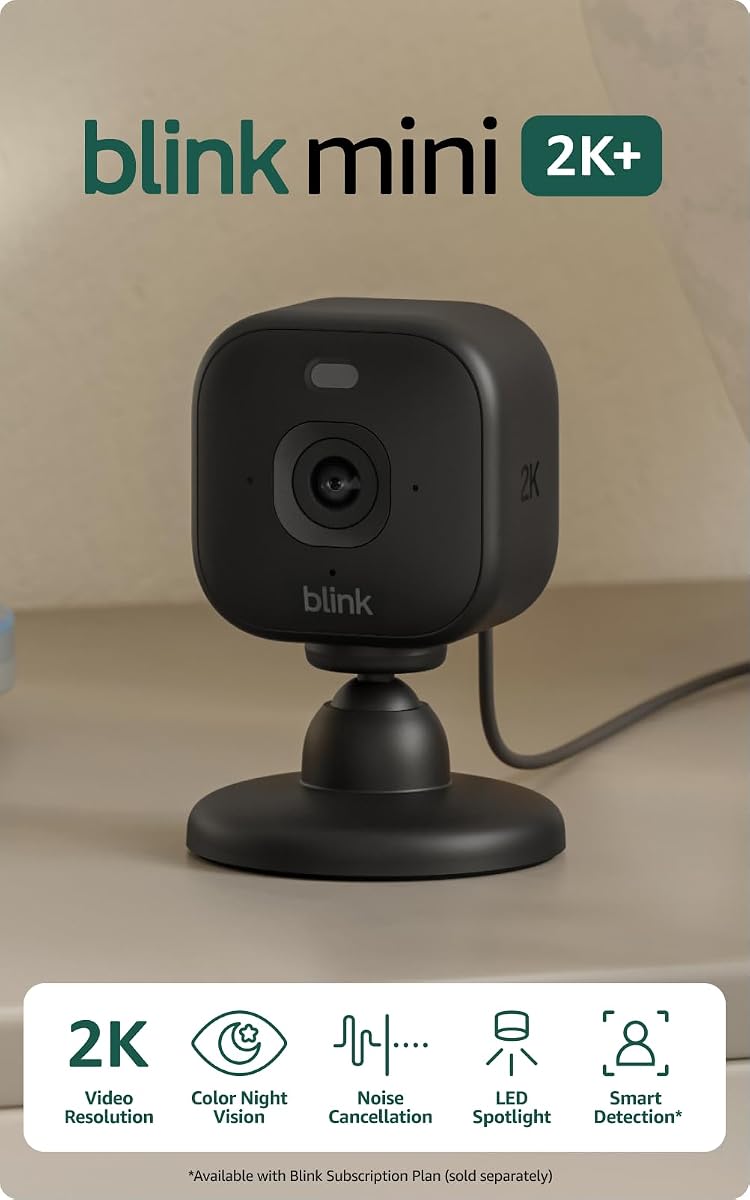
The Blink Mini 2K+ offers superior video clarity with its 2K resolution, making it easier to identify details like faces or license plates. The two-camera bundle provides value, allowing you to cover two distinct areas such as a living room and a hallway. Enhanced audio with noise cancellation improves communication quality.
We may earn a commission when you buy through this link, at no additional cost to you.
Its 4x digital zoom lets you crop in on specific areas without losing image quality, which is useful for monitoring pets or valuables. The camera can also function as a chime for Blink Video Doorbells, integrating well into a broader home security system. Setup is quick and requires no technical skills.
The main limitation is its reliance on a power outlet, which restricts placement to areas near walls. Additionally, smart detection features like person and vehicle recognition are locked behind a subscription plan. This adds ongoing costs compared to models with basic free alerts.
For hosts prioritizing video quality and audio clarity in indoor spaces, this is a strong option. The two-pack design makes it a versatile solution for multi-room monitoring without needing complex wiring or multiple apps.
Noise cancellation technology ensures that voices are heard clearly even if there is background noise like TV or music.
Purchasing the 2-camera kit reduces the per-unit cost and simplifies management through a single app interface.
We may earn a commission when you buy through this link, at no additional cost to you.
This GMK 4 Pack system provides comprehensive security for properties needing multiple viewing angles. Each camera delivers 2K 3MP resolution with color night vision, ensuring clear footage in any lighting condition. The battery-powered design eliminates the need for external wiring, simplifying installation.
We may earn a commission when you buy through this link, at no additional cost to you.
You can monitor large areas like driveways, backyards, and entry points with a single app. The IP65 rating protects the cameras from rain and dust, making them durable for outdoor use. Two-way audio and a built-in siren allow you to deter intruders or speak with guests directly.
The cameras rely on 2.4GHz WiFi, which can be less stable than 5GHz networks in high-traffic areas. Battery life varies with usage frequency, so you may need to recharge units in high-motion zones periodically. However, hybrid power options allow for plug-in use if needed.
For hosts managing larger properties or those needing extensive coverage, this kit offers significant value. The ability to share access with family or co-hosts ensures everyone stays informed about property security without physical presence.
Built to withstand rain and extreme heat, these cameras maintain performance year-round in various climate conditions.
Invite multiple users to view feeds securely while retaining full control as the primary admin for privacy.
We may earn a commission when you buy through this link, at no additional cost to you.
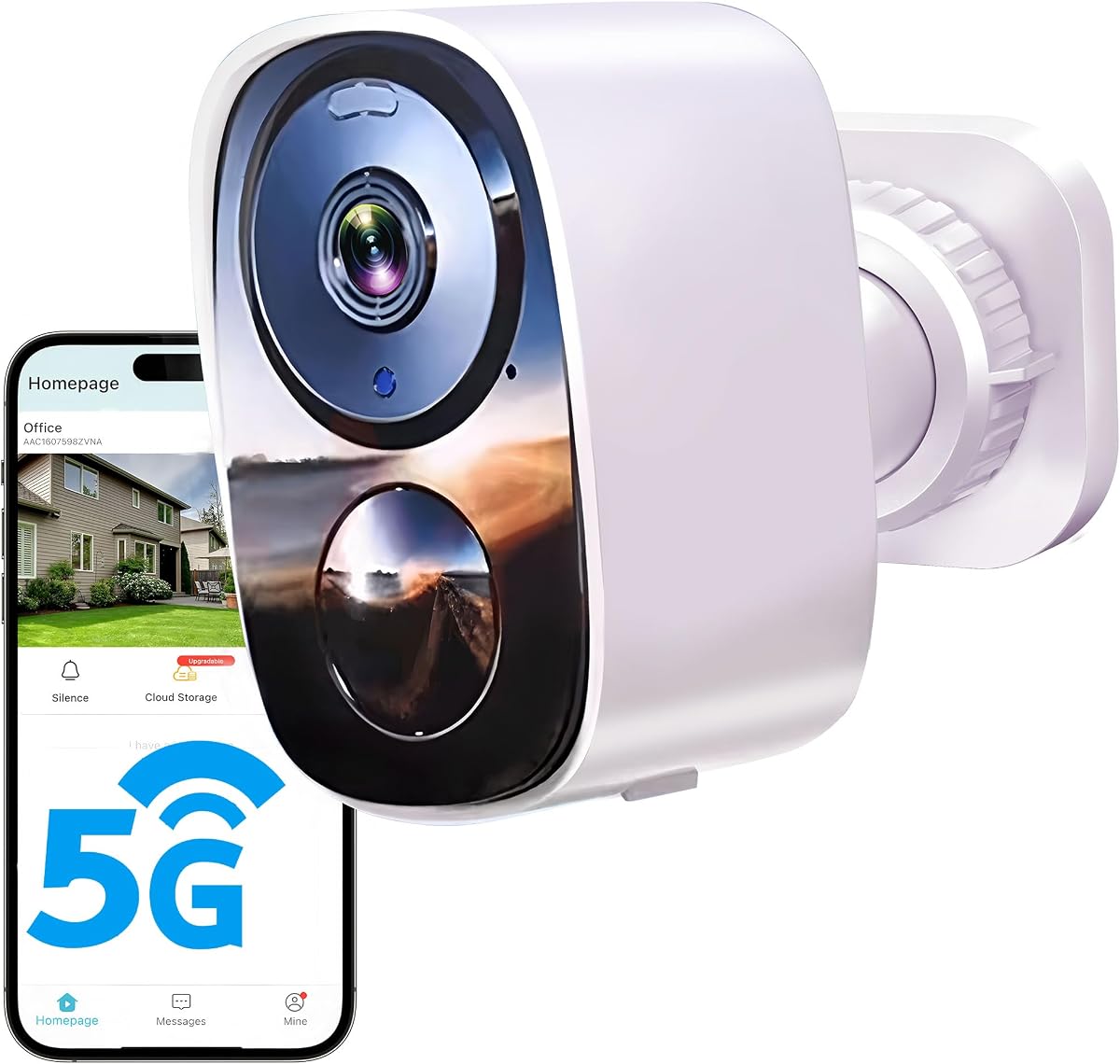
This 2026 Upgraded model distinguishes itself with a free cloud storage plan, which is rare for 2K resolution cameras. It supports both 2.4GHz and 5GHz WiFi, offering a more stable connection in congested areas. The long-lasting battery ensures uninterrupted monitoring without frequent maintenance.
We may earn a commission when you buy through this link, at no additional cost to you.
The camera features AI motion detection to reduce false alerts from shadows or leaves. Its IP66 waterproof rating makes it suitable for harsh weather conditions. Two-way audio allows for immediate communication, which is useful for welcoming guests or addressing issues remotely.
While the free plan offers SD quality, HD storage may require a paid upgrade for full resolution retention. The battery life is tested under specific conditions, so actual performance may vary in colder climates. Setup is straightforward, but app functionality is critical for accessing stored clips.
Hosts looking for a cost-effective outdoor solution with cloud convenience will find this appealing. It balances modern features like dual-band WiFi with affordability, making it a practical choice for entry-level outdoor security.
Access to 5GHz bands reduces interference and lag, ensuring smoother video streaming during peak usage times.
Smart sensors distinguish between people and general movement, minimizing unnecessary notifications and saving storage.
We may earn a commission when you buy through this link, at no additional cost to you.
The Blink Outdoor 4 system is designed for long-term, low-maintenance outdoor surveillance. With a claimed two-year battery life on included lithium batteries, it is ideal for remote areas where frequent charging is difficult. The kit includes three cameras and a Sync Module Core for centralized control.
We may earn a commission when you buy through this link, at no additional cost to you.
It delivers reliable 1080p HD video and two-way talk for basic monitoring needs. The dual-zone motion detection helps focus alerts on specific areas, reducing noise. Works with Alexa for hands-free checks and system control via voice commands.
Local storage requires an optional Sync Module XR or flash drive, as the core module relies on cloud subscription for clips. The 1080p resolution is standard but may lack detail compared to 2K models. Setup is simple, yet it depends heavily on a strong WiFi signal for syncing.
This system is perfect for hosts wanting a set-and-forget solution with minimal upkeep. It balances affordability with longevity, making it a practical choice for covering driveways or large yards without constant attention.
Lithium batteries provide extended runtime, ensuring security remains active even during travel or busy periods.
Customizable zones allow you to ignore non-critical areas like bushes and focus only on entry points.
We may earn a commission when you buy through this link, at no additional cost to you.
The eufy E30 offers top-tier video quality with its 4K resolution, capturing minute details that other cameras miss. Its 360-degree pan and tilt capability allow a single camera to cover an entire room. This eliminates blind spots and provides a comprehensive view of common areas.
We may earn a commission when you buy through this link, at no additional cost to you.
Advanced on-device AI distinguishes between humans, pets, and other sounds to send precise alerts. The camera supports local SD card storage, avoiding recurring cloud fees. Two-way audio and HomeKit compatibility make it a versatile smart home addition.
While the price is higher, the lack of subscription requirements offsets long-term costs. The camera requires a stable power source and WiFi connection. Its indoor focus limits outdoor applications, but it excels in living rooms or hallways.
This camera is best for hosts seeking maximum clarity and smart features without ongoing costs. The panoramic view reduces the need for multiple units, simplifying monitoring in open-plan rental spaces.
Crystal-clear 4K recording ensures you can zoom in and identify details without pixelation or blur.
Automatic tracking follows movement in real-time, keeping subjects in frame without manual input.
We may earn a commission when you buy through this link, at no additional cost to you.
The Ring Outdoor Cam is a flexible choice that performs well in both indoor and outdoor environments. Its weather-resistant build ensures durability against rain and heat. The rechargeable battery simplifies maintenance, as you do not need to worry about replacing disposable cells.
We may earn a commission when you buy through this link, at no additional cost to you.
Color night vision enhances clarity in low light, making it easier to identify faces or colors. Live View and Two-Way Talk provide real-time interaction with visitors. The versatile mounting bracket allows for wall or flat surface placement in various locations.
Like other Ring products, full features like intelligent alerts often require a subscription. Battery life depends on usage frequency, so high-traffic areas may need more frequent recharging. It is best used as part of a broader Ring system.
Hosts seeking a reliable, adaptable camera for varied locations will appreciate its design. It offers a balance of convenience and performance, fitting seamlessly into existing smart home ecosystems.
Built to withstand rain and extreme heat, the camera remains operational through seasonal changes.
Echo Dot and Show devices can provide audio alerts and video feeds, enhancing accessibility and response time.
We may earn a commission when you buy through this link, at no additional cost to you.
The eufy C31 combines indoor flexibility with outdoor durability, offering a 2-pack for broader coverage. Its 360-degree pan and tilt eliminate blind spots, providing complete room or yard visibility. Wired power ensures 24/7 recording without battery interruptions, which is vital for continuous monitoring.
We may earn a commission when you buy through this link, at no additional cost to you.
Dual external antennas enhance signal strength, maintaining a stable connection even at longer distances. The lack of subscription fees is a major advantage, saving money over the long term. Color night vision delivers clear footage in darkness without harsh lighting.
The requirement for a wired power source limits placement to areas with outlets. It is also not compatible with Apple HomeKit, which may affect smart home integration for some users. Local storage via HomeBase offers additional flexibility.
This model is ideal for hosts needing uninterrupted surveillance with minimal recurring costs. Its robust design and connectivity features make it a reliable long-term investment for property security.
Wired power ensures no missed moments due to dead batteries, critical for high-security areas like driveways.
Stronger signal stability reduces lag and disconnection issues in remote outdoor locations.
We may earn a commission when you buy through this link, at no additional cost to you.
Selecting the right security camera involves assessing several key factors to ensure compatibility with your property and hosting style.
Higher resolution like 2K or 4K provides clearer details for identifying faces and objects. For indoor monitoring, 1080p is sufficient, but outdoor settings benefit from higher quality.
Prioritize 2K or 4K models if you need to read license plates or small text.
Battery-powered cameras offer flexibility but require maintenance. Wired models provide continuous power but limit placement to outlets. Solar options can extend battery life effectively.
Choose wired for continuous recording and battery for easy installation.
Local SD card storage avoids monthly fees but risks data loss. Cloud storage offers safety and remote access but often requires a subscription. Check if your model supports both.
Look for models with hybrid storage to balance cost and security.
Outdoor cameras must withstand rain and heat. An IP65 or IP66 rating ensures durability in various weather conditions. Indoor models generally do not need this rating.
Always verify the IP rating if installing outside or in humid areas.
Color night vision captures more detail in low light than traditional infrared. This helps in identifying faces or clothing colors at night. Spotlights can assist in illuminating dark areas.
Prefer color night vision for better clarity in darker environments.
AI detection filters out false alarms from pets or shadows. Two-way audio lets you communicate remotely. Voice control with Alexa or Google adds convenience.
Smart alerts and audio features enhance user interaction and accuracy.
Features like physical privacy covers or local storage increase trust. Ensure the camera allows you to disable recording in private areas like bathrooms.
Verify privacy features to comply with host and guest expectations.
Dual-band WiFi supports both 2.4GHz and 5GHz for stability. Ensure your network can handle multiple devices. Some cameras require specific signal strength for optimal performance.
Check network compatibility to prevent connection issues.
Install cameras in common areas like entryways, hallways, or driveways. Avoid private spaces like bedrooms or bathrooms to respect guest privacy. Always disclose camera locations in your listing description.
Test the camera after installation to ensure it connects to your WiFi and app. Adjust motion zones to reduce false alerts from trees or passersby. Keep firmware updated to access the latest security patches.
Regularly clean the lens to maintain video clarity. If using battery models, check power levels before guest arrivals. Store footage securely and delete recordings that are no longer needed.
Yes, you can place cameras outside entry points, but you must disclose them in your listing. Ensure they do not record private areas or sound without consent. Check local laws for specific requirements regarding outdoor surveillance.
Not all cameras require subscriptions. Many models support local microSD card storage for free. Subscription plans typically add cloud storage and advanced AI features. Always check the product details for recurring costs.
Use cameras only for security purposes like entryways. Enable privacy modes when guests are home. Avoid recording inside private rooms. Clear communication and transparency build trust with your guests.
A 1080p resolution is sufficient for most indoor needs. For outdoor security where license plates or faces must be clear, 2K or higher is better. Balance resolution with storage and bandwidth capabilities.
Most smart cameras require WiFi for remote viewing and alerts. Some models support local storage without internet but still need a network connection for full functionality. Check connectivity options before buying.
Battery life varies based on usage and temperature. Some models last weeks, others months. Frequent motion triggers or recording shorten battery life. Consider wired options for continuous monitoring without charging.
Most cameras have manual privacy covers or physical switches. However, guests generally cannot disable the camera permanently. Ensure you have control over settings to maintain security protocols consistently.
Cameras with local storage continue recording to the SD card. You lose remote access until the connection is restored. Some models have cellular backup options, but most rely solely on your home network.
Choosing the right Airbnb security camera involves balancing resolution, power options, and cost. The models reviewed offer a range of solutions from budget indoor units to premium outdoor systems.
Prioritize features like clear night vision and reliable motion detection. Privacy controls and clear disclosures are essential for maintaining trust with your guests.
Remember that prices and availability can change. Always check current details and reviews before making a final decision to ensure you get the best value for your specific property needs.