
ASUS ProArt PA32QCV
3.9Editor score
Factory calibrated color
Dual Thunderbolt 4
MacBook color preset
Choosing the right display is crucial for professional workflows. A 32 inch 6K monitor offers immense screen real estate and sharpness. This guide explores the best options available for high-end creative and productivity needs.
We evaluated these monitors based on panel quality, connectivity options, and ergonomic features. Our comparison focuses on models that deliver true 6K resolution with reliable performance for demanding tasks like video editing and design.
Each pick highlights specific strengths to match different user requirements. Prices and availability change frequently so verify current listings before purchasing. This guide ensures you find the perfect match for your setup.
3.9Editor score

3.8Editor score

5.0Editor score
As an Amazon Associate we earn from qualifying purchases.
The following table provides a side-by-side overview of key specifications for each model. Compare resolution, panel types, and connectivity to find the best fit for your workstation needs.


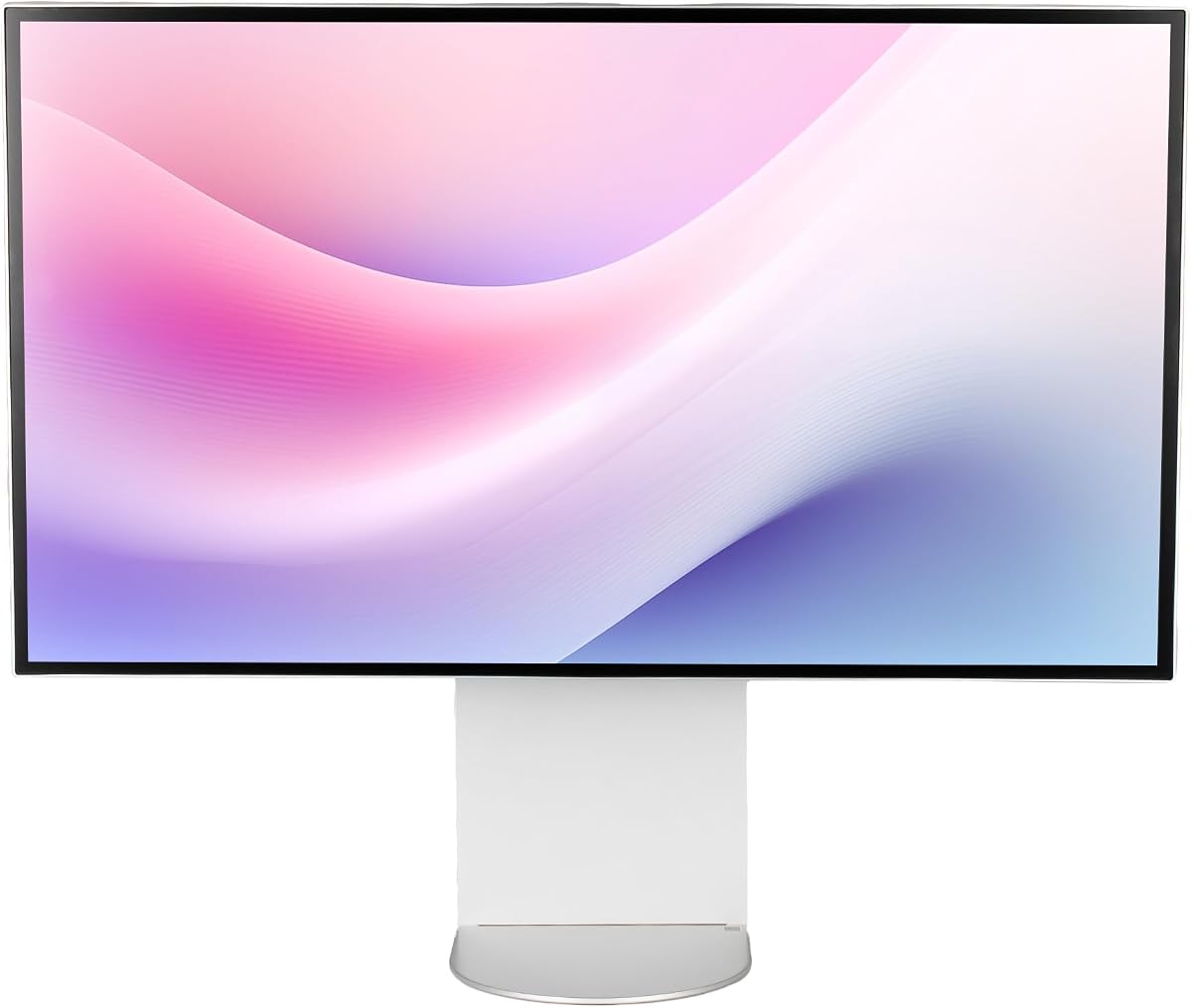
The LG UltraFine evo stands out as a top contender for professional workflows. It offers exceptional clarity with 224 PPI density making text sharp and interfaces precise. This model delivers a balance of connectivity and color fidelity for demanding users.
We may earn a commission when you buy through this link, at no additional cost to you.
Its Thunderbolt 5 support ensures fast data transfer and daisy chaining for multi-monitor setups. The Nano IPS Black panel provides deep blacks and rich shadows essential for accurate color grading. Creative tools benefit from the wide color gamut coverage and real 10-bit depth.
While it lacks high refresh rates for gaming it excels in static work environments. The TUV Rheinland certification ensures eye comfort during long sessions. Some users may find the price high but the performance justifies it for pros.
Ideal for video editors and designers needing reliable 6K performance. This monitor transforms any workspace into a professional hub. Consider it if you value future-ready connectivity and top-tier visual fidelity.
Thunderbolt 5 provides ultra-fast transfer speeds faster than previous generations allowing seamless workflow integration. This reduces wait times when moving large assets.
Real 10-bit color and wide gamut coverage ensure your edits look consistent across devices. This is vital for print and web output.
We may earn a commission when you buy through this link, at no additional cost to you.
The ASUS ProArt PA32QCV offers a compelling option for creators seeking affordability without sacrificing quality. It features factory calibration ensuring accurate colors right out of the box. This makes it a reliable choice for those starting in professional content creation.
We may earn a commission when you buy through this link, at no additional cost to you.
Connectivity is robust with dual Thunderbolt 4 ports supporting power delivery and daisy chaining. The MacBook Color Match preset simplifies workflows for Apple users by matching the display to their laptop screen. Intelligent Light Sync helps maintain color consistency in varying lighting conditions.
While it lacks the absolute highest pixel density the 6K resolution remains sharp for most tasks. The Auto KVM switch adds convenience by allowing effortless device switching. The warranty coverage provides added peace of mind for long-term use.
This monitor is ideal for students and freelancers needing high-end specs at a lower cost. Its balance of features and price makes it a strong recommendation. Choose it for reliable performance and seamless Mac integration.
The dedicated MacBook Color Preset Mode ensures your external display matches your laptop perfectly. This eliminates color mismatch issues during mobile workflows.
Built-in Auto KVM allows switching between two computers using one keyboard and mouse. This streamlines setups for users managing multiple machines.
We may earn a commission when you buy through this link, at no additional cost to you.
The ALOGIC Clarity Touch brings a unique dimension to 6K displays with integrated touch capabilities. It functions like a massive digital canvas enabling intuitive interaction with design software. The included Active Stylus adds precision for sketching and annotating directly on the screen.
We may earn a commission when you buy through this link, at no additional cost to you.
Color accuracy is exceptional with factory calibrated gamuts ensuring true-to-life reproduction. The Fold Stand allows the monitor to rotate 360 degrees so you can switch from viewing to drafting modes effortlessly. This flexibility is rare in traditional monitors.
While the price reflects its innovative nature it offers unparalleled utility for architects and artists. The USB-C hub centralizes your setup by powering devices and transferring data. It transforms your desk into an interactive workspace unlike any other.
This model is perfect for professionals who need direct tactile control over their creative work. It bridges the gap between tablet convenience and desktop power. Consider it if you want a truly immersive and responsive display.
Navigate like a 32 inch iPad using intuitive multitouch controls like pinch to zoom. This makes reviewing and editing content faster and more natural.
The Active Stylus offers 4096 pressure sensitivity for natural sketching. It empowers you to draft and paint with lifelike precision.
We may earn a commission when you buy through this link, at no additional cost to you.
Samsung delivers the industry's first 6K gaming monitor with the Odyssey G8. It balances resolution and speed by offering a Dual Mode for different priorities. This makes it suitable for users who game and work on the same screen.
We may earn a commission when you buy through this link, at no additional cost to you.
At 6K it provides stunning visuals while 3K mode boosts refresh rates up to 330Hz for competitive play. The Fast IPS panel ensures vivid colors across the screen without compromising response time. G-SYNC compatibility helps eliminate tearing and stuttering during intense sessions.
While primarily built for entertainment its resolution supports creative tasks too. The ergonomic stand offers full adjustability for comfortable long sessions. However the high refresh rate focus may mean less optimization for professional color work.
This is the top pick for gamers wanting future-ready visuals. It handles demanding titles with ease and supports high bandwidth inputs. Choose it if gaming performance is a priority alongside high resolution.
Switch between breathtaking 6K visuals and lightning-fast 3K action instantly. This flexibility ensures you always have the right mode for your task.
G-SYNC and FreeSync Premium work together to reduce lag and tearing. This ensures smooth gameplay even during the most demanding scenes.
We may earn a commission when you buy through this link, at no additional cost to you.
The Dell UltraSharp U3224KB is designed for maximum productivity in corporate settings. Its 6K resolution ensures documents and spreadsheets are crisp and easy to read. The LED technology offers efficiency while maintaining visual brilliance throughout the workday.
We may earn a commission when you buy through this link, at no additional cost to you.
With a USB Type-C port data transfers quickly and simplifies cabling for laptops. The 5 ms response time supports dynamic content like video calls or sports streams effectively. Brightness levels are sufficient for well lit office environments without glare.
While it lacks some high-end creative features it excels at general office tasks. The design is sleek and functional fitting into any professional workspace. It prioritizes dependability and clear viewing over extreme color metrics.
Ideal for teams needing reliable high-resolution screens for collaboration. This monitor handles multitasking and data-heavy applications well. Choose it for a dependable tool that keeps productivity high.
The large viewable screen size showcases data and media with striking clarity. This helps you see more context at once.
USB Type-C allows faster data transfer for your convenience. This reduces downtime when accessing external drives.
We may earn a commission when you buy through this link, at no additional cost to you.
This bundle includes essential accessories for a complete setup experience. It features KVM functionality allowing you to control two computers with one keyboard. This makes it a smart choice for users managing multiple devices efficiently.
We may earn a commission when you buy through this link, at no additional cost to you.
The bundle adds cable ties and a cleaning kit for maintaining your workspace. Ergonomic adjustments like tilt and pivot help reduce strain during long hours. The built-in hub supports flexible connections for drives and peripherals.
While the monitor itself matches the standalone model the extras add practical value. It simplifies the setup process for new users. Consider this if you want everything ready out of the box.
Perfect for those who need multi-device management in one screen. It enhances workspace efficiency and organization. Choose this bundle for a comprehensive professional package.
Built-in KVM lets you control two computers using one set of peripherals. This simplifies switching between work and personal devices.
Bundle items include cable management tools and cleaning kits. This ensures your workspace remains organized and pristine.
We may earn a commission when you buy through this link, at no additional cost to you.
The G32X features a minimalist design that elevates desk aesthetics. Its CNC-machined aluminum body ensures premium durability and a sleek finish. This model balances technical performance with a clean look.
We may earn a commission when you buy through this link, at no additional cost to you.
Brightness levels reach 500 nits providing deep blacks and balanced visuals. The anti-glare screen and low blue light modes protect your eyes during extended use. Color accuracy remains high with strong DCI-P3 coverage.
While it is a newer entrant it offers robust connectivity for modern devices. The 100W charging port simplifies cabling for laptops. Its ergonomic stand supports full adjustments for comfort.
Ideal for users who value design alongside functionality. This monitor fits well in home studios or offices. Choose it for a stylish and capable workspace solution.
The CNC-machined aluminum body ensures durability and a premium look. This adds a touch of elegance to your setup.
A single-cable high-speed port charges laptops while streaming video. This reduces cable clutter for a cleaner desk.
We may earn a commission when you buy through this link, at no additional cost to you.
The G32P Honeycomb offers flexibility for users with custom setups. By excluding a stand it allows you to mount it on any VESA arm. The honeycomb design ensures effective cooling during intense usage.
We may earn a commission when you buy through this link, at no additional cost to you.
Its glossy panel delivers vibrant colors and deep blacks for a cinematic experience. The 223 PPI density ensures text and images are sharp. This is ideal for users prioritizing visual fidelity over glare resistance.
While the lack of a stand adds complexity it supports versatile installation. Eye care features like flicker-free backlighting are included. Ensure you have a suitable mount before purchasing.
Perfect for enthusiasts building a dedicated home theater or studio. It provides flexibility and strong thermal performance. Choose it if you want full control over your monitor positioning.
Without a stand it supports third-party arms for flexible setup. This allows you to tailor the height and angle perfectly.
The honeycomb cooling design ensures premium durability and thermal efficiency. This helps maintain stable performance during long sessions.
We may earn a commission when you buy through this link, at no additional cost to you.
This bundle includes a two-year premium service protection plan for added security. It comes with essential cables like Thunderbolt 4 and DisplayPort ready for immediate use. This minimizes the need for additional purchases upon arrival.
We may earn a commission when you buy through this link, at no additional cost to you.
The monitor itself offers striking clarity and dependability for daily tasks. LED backlight technology provides efficiency and visual brilliance. USB-C allows quick data transmission for modern laptops.
The protection plan ensures peace of mind against hardware issues. It is a smart choice for businesses wanting long-term coverage. While it matches standard specs the support adds value.
Ideal for offices seeking reliability and warranty support. This setup simplifies deployment with included accessories. Choose it for a secure and ready-to-use solution.
The 2 Year Premium Extended Service Protection Plan covers you against hardware failures. This ensures your investment remains secure.
All necessary cables are included for seamless connectivity. This saves time when setting up your new workspace.
We may earn a commission when you buy through this link, at no additional cost to you.
This version offers the core benefits of the UltraFine series with an anti-glare panel. It supports VESA mounting for flexible installation options. The design prioritizes comfort with tilt height and pivot adjustments.
We may earn a commission when you buy through this link, at no additional cost to you.
Nano IPS technology provides consistent colors from various viewing angles. The inclusion of three USB-C ports enhances connectivity for multiple devices. It is a solid choice for general professional use.
Energy efficiency may vary but the display performance remains reliable. The 60Hz refresh rate suits static content well. Consider this if you need a straightforward high-resolution option.
Ideal for standard office environments needing sharp text. It balances features with practical usability. Choose it for a reliable and versatile display.
Adjustable height tilt and pivot help you find the best viewing angle. This reduces strain during long work hours.
Three USB-C ports allow flexible connection of peripherals. This keeps your desk organized and efficient.
We may earn a commission when you buy through this link, at no additional cost to you.
Selecting a 6K monitor involves weighing resolution, connectivity, and intended use.
Ensure the display offers native 6K resolution like 6144×3456 or 6016×3384. Higher PPI means sharper text and images for detailed work.
Look for high PPI values over 200 for a retina-like experience.
IPS panels provide wide viewing angles and consistent colors. Check for Adobe RGB or DCI-P3 coverage to match your creative needs.
Factory calibration is crucial for accurate color work.
Thunderbolt 5 or 4 supports fast data and video transfer. Ensure your computer supports the same standard for full benefits.
USB-C with power delivery reduces cable clutter.
For gaming look for higher refresh rates like 165Hz. For static work 60Hz is usually sufficient.
Fast response times reduce motion blur in dynamic content.
Adjustable stands help reduce neck strain. Look for tilt pivot and height options.
VESA mount compatibility offers flexibility for custom setups.
Touch or KVM features add functionality to your workflow. Evaluate if these specific tools fit your needs.
Some models include accessories like styluses or protection plans.
Consider the energy class of the panel. Efficient models save power over time.
Check for eco certifications if this is a priority.
Extended warranties offer protection against defects. A good warranty ensures peace of mind.
Check for support availability in your region.
Always use certified cables to ensure maximum data transfer and power delivery. Verify your ports support the highest standards available.
Clean the screen with a microfiber cloth and approved solution. Avoid abrasive materials to protect the coating.
Adjust the stand height to align the top of the screen with your eyes. This reduces strain during long sessions.
Yes a 6K display requires significant graphics power. Ensure your GPU supports high resolutions via HDMI or DisplayPort. Check compatibility before connecting.
Many models support macOS seamlessly. Look for Thunderbolt connectivity for native integration. Check if the manufacturer offers Mac-specific presets.
It allows for smoother editing with full-resolution timelines. While not strictly necessary it provides headroom for cropping and effects.
Thunderbolt 5 offers faster speeds and improved bandwidth. It supports higher refresh rates and data transfers. Ensure your system supports the latest standard.
You need HDMI 2.1 cables to support 6K resolutions. Older cables may not handle the bandwidth. Use certified high-speed cables.
Most do not unless specified in the bundle. Touch models often include an active stylus for creative work. Check the product details.
We reviewed ten models ranging from creative powerhouses to gaming-ready displays. The LG and ASUS options stand out for professional color accuracy and connectivity.
Prioritize specs that match your daily tasks. Gaming needs different features than graphic design. Ensure the monitor integrates well with your existing gear.
Prices fluctuate frequently so check current listings before buying. This guide helps you make an informed decision for a high-quality workspace.