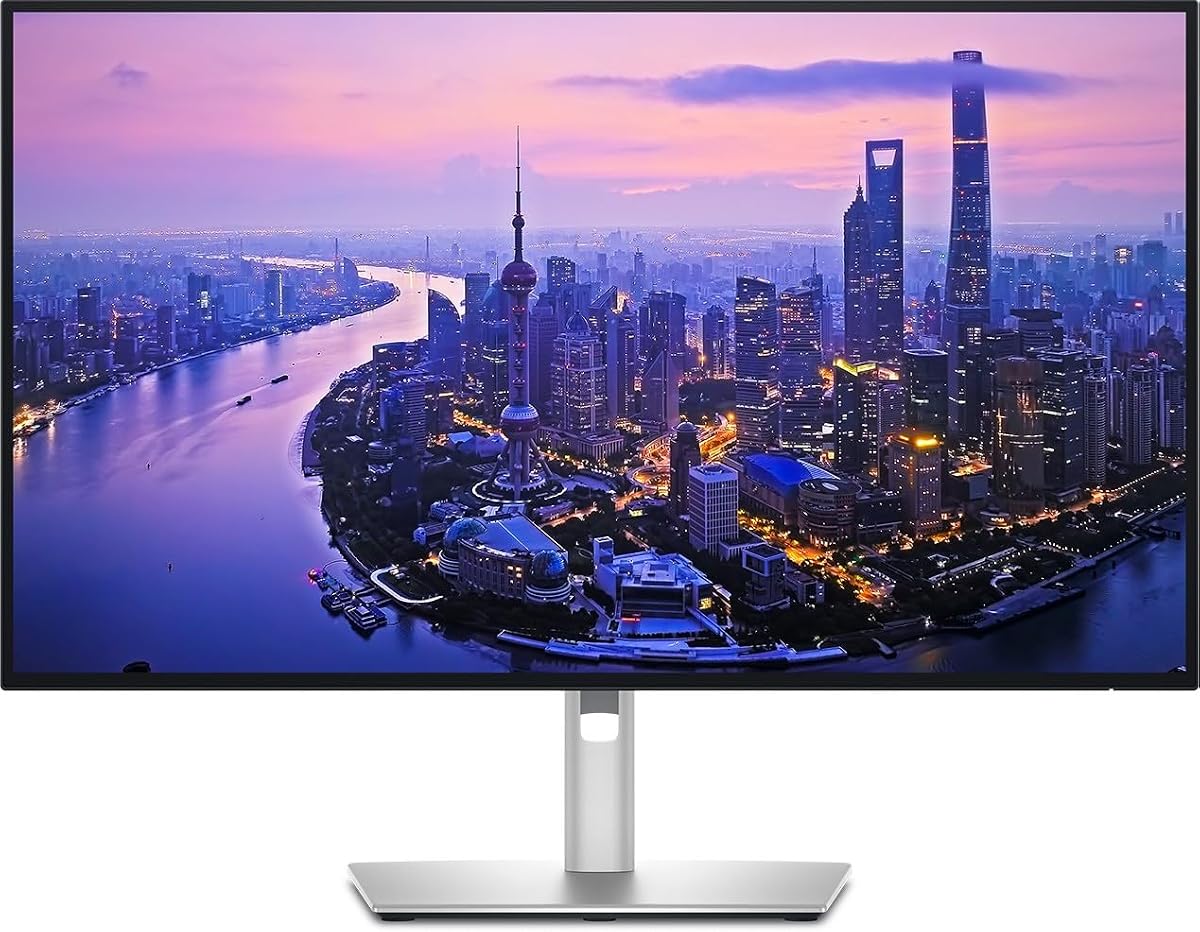
Dell UltraSharp U2725QE
4.4Editor score
140W Power Delivery
Factory Calibration
Thunderbolt 4 daisy chain
Selecting the right display for professional work requires careful consideration of resolution, color accuracy, and connectivity options. Thunderbolt technology offers high-speed data transfer and power delivery in a single cable, streamlining complex setups for creators and businesses.
We evaluated ten leading models based on display quality, port versatility, ergonomic design, and real-world performance. Each product was assessed for its ability to handle demanding workflows while maintaining visual fidelity and user comfort throughout extended daily use sessions.
Each pick highlights specific strengths like color gamut coverage, refresh rates, or hub capabilities. Prices and availability can change frequently, so verify current listings before purchasing to ensure you get the best value for your specific professional or creative needs.
4.4Editor score

4.6Editor score

4.5Editor score
As an Amazon Associate we earn from qualifying purchases.
The following table provides a side-by-side overview of the ten selected models, highlighting key specifications and unique features to help you quickly identify the best fit for your workspace requirements.


The Dell UltraSharp 32 Thunderbolt Hub Monitor stands out as the top choice for professional users demanding superior visual fidelity and connectivity. With a 4.6 rating from users, it delivers a stunning 4K UHD experience that aligns perfectly with high-end creative workflows and executive presentations.
We may earn a commission when you buy through this link, at no additional cost to you.
Its standout feature is the Enhanced IPS Black panel, which offers a remarkable 3000:1 contrast ratio and deeper blacks than standard IPS displays. Combined with 99% Display P3 coverage and factory calibration under Delta E 1.5, this monitor ensures that every hue and shadow is rendered with precision, crucial for photo and video editing.
While the price reflects its premium positioning, the built-in KVM switch allows seamless control of two machines with a single keyboard and mouse, saving desk space and reducing clutter. The 120Hz refresh rate adds fluidity to scrolling and motion, making it versatile for both creative work and dynamic data visualization.
This monitor is ideal for designers, developers, and executives who need a single, high-performance display to centralize their workspace. If you prioritize color accuracy, contrast depth, and streamlined connectivity in a large format, the U3226QER is the definitive choice for your professional setup.
The Enhanced IPS Black technology provides 47% deeper blacks, enhancing shadow detail and color pop for immersive viewing experiences.
Built-in KVM switch simplifies multi-computer setups, allowing easy switching between devices without additional hardware.
We may earn a commission when you buy through this link, at no additional cost to you.
The Dell UltraSharp U2725QE earns its premium badge by combining cutting-edge display technology with unmatched connectivity. Boasting a 4.4 rating, this monitor excels in delivering a smooth, fluid motion experience with a 120Hz refresh rate while maintaining professional-grade color accuracy for critical tasks.
We may earn a commission when you buy through this link, at no additional cost to you.
Its 140W power delivery is a game changer for MacBook Pro users, allowing full system charging through a single Thunderbolt cable. The factory calibration ensures Delta E less than 1.5, and the IPS Black panel offers better contrast than traditional IPS, making dark scenes look richer and details more defined.
The ambient light sensor auto-adjusts brightness to reduce eye strain during long sessions, a thoughtful feature for remote work environments. While the cost is higher than standard monitors, the combination of power delivery, contrast, and color precision justifies the investment for professionals who rely on their display daily.
Choose this monitor if you need the ultimate single-cable solution for high-power laptops and demanding visual work. It is best suited for power users, creative professionals, and executives who value performance and ergonomic comfort over budget considerations.
140W USB-C power delivery eliminates the need for separate charging cables, keeping your workspace clean and organized.
ComfortView Plus and ambient light sensor work together to minimize blue light and adjust brightness automatically.
We may earn a commission when you buy through this link, at no additional cost to you.
The ViewSonic VP2488-4K offers exceptional value for professionals seeking Thunderbolt 4 connectivity without a steep price tag. With a 4.5 rating, it delivers professional-grade color performance in a compact 24-inch design, making it perfect for smaller desks or focused workstations.
We may earn a commission when you buy through this link, at no additional cost to you.
Its standout feature is the Pantone Validated color accuracy, ensuring that creative work matches industry standards precisely. The 100W power delivery keeps MacBooks charged while transferring data at 40Gbps, and the full ergonomic adjustability supports healthy viewing angles throughout the day.
While the 24-inch size might be small for multi-window tasks compared to 32-inch models, the high pixel density ensures text remains sharp. The 100% sRGB and 98% DCI-P3 coverage means colors remain vibrant and true to life, suitable for design and video editing tasks.
This monitor is ideal for designers, students, or professionals who need reliable color accuracy and Thunderbolt connectivity on a budget. If you prioritize precision and compatibility with Mac hardware without breaking the bank, the VP2488-4K is a smart, efficient choice.
Pantone Validation ensures colors match real-world materials, critical for branding and print design workflows.
The 24-inch form factor saves desk space while still delivering sharp 4K detail for detailed work.
We may earn a commission when you buy through this link, at no additional cost to you.
The Dell S2725QC is a versatile 4K monitor that balances performance and affordability for general productivity. With a 4.4 rating, it offers a smooth 120Hz refresh rate which is rare in this price range, making it suitable for both work and light entertainment.
We may earn a commission when you buy through this link, at no additional cost to you.
Its IPS panel delivers vibrant colors with 99% sRGB coverage, ensuring accurate visuals for everyday tasks. The ComfortView Plus technology reduces harmful blue light emissions to under 35%, protecting your eyes during long working hours without compromising color accuracy or brightness.
While it offers 65W USB-C power delivery, which is sufficient for most ultrabooks, it lacks the higher wattage of premium models. However, its low 4ms response time and FreeSync Premium support make it a solid choice for users who value smooth motion and eye comfort.
Buy this monitor if you want a reliable, eye-friendly display for daily office work without spending too much. It fits well in home offices or shared workspaces where comfort and fluid motion are key priorities over extreme power delivery.
Low blue light and ComfortView Plus reduce strain, allowing longer work sessions with less fatigue.
120Hz refresh rate and FreeSync Premium ensure fluid visuals for multitasking and content consumption.
We may earn a commission when you buy through this link, at no additional cost to you.
The LG 27UP850K-W brings high dynamic range capabilities to the 4K Thunderbolt monitor category. Rated at 4.5 stars, it excels in visual immersion with DisplayHDR 400 support, allowing you to view content as creators intended with enhanced contrast and detail.
We may earn a commission when you buy through this link, at no additional cost to you.
Its 95% DCI-P3 color gamut ensures rich, vivid colors that pop on screen, ideal for multimedia and design work. The 90W USB-C power delivery keeps your laptop charged while transferring data, and the included Stereo Speakers with MaxxAudio offer basic audio convenience without extra peripherals.
While the HDR 400 rating is entry-level, it still provides better contrast than standard SDR monitors for movies and games. The Switch App adds multi-tasking power, letting you split screens into six sections effortlessly, improving workflow efficiency across applications.
Choose this monitor if you watch a lot of streaming content or edit video and want built-in audio options. It is a strong all-rounder for users who want a bit of entertainment functionality alongside their professional 4K workflow.
DisplayHDR 400 support brings out more detail in dark and bright scenes for immersive viewing.
Built-in speakers and webOS platform allow for entertainment without additional hardware clutter.
We may earn a commission when you buy through this link, at no additional cost to you.
The Dell UltraSharp 27 4K Thunderbolt Hub Monitor is built to simplify complex desk setups with its robust connectivity options. While it has a 3.8 rating, its design focuses on delivering a premium workspace experience with stunning clarity for creative and productivity tasks.
We may earn a commission when you buy through this link, at no additional cost to you.
Its built-in Thunderbolt hub supports high-speed data transfer and daisy-chaining, meaning you can connect peripherals like external drives and docks directly to the screen. The 100% sRGB coverage ensures that your work looks consistent across different devices and platforms.
The stand offers full ergonomic adjustability, allowing you to customize height, tilt, and pivot for comfort. Sustainability is also a key factor, with eco-friendly materials used in construction, aligning with corporate environmental goals and modern office aesthetics.
This model is best for professionals who need a reliable hub for organizing multiple peripherals and value sustainability. If you prioritize a clean desk setup and broad color accuracy, this monitor provides the necessary tools for efficient daily operations.
Connect multiple devices through the monitor, reducing cable clutter and improving desk organization.
Full stand adjustments help maintain healthy posture during long working hours.
We may earn a commission when you buy through this link, at no additional cost to you.
The Dell UltraSharp Hub W129 offers a consistent performance profile for business environments. While specific user ratings are unavailable, the monitor focuses on delivering standard high-performance connectivity through USB-C and Thunderbolt ports for modern laptops.
We may earn a commission when you buy through this link, at no additional cost to you.
It ensures reliable data transfer and display output with a standard USB-C interface, making it easy to integrate into existing office networks. The high-speed data transfer capabilities allow for quick access to external storage and peripherals connected directly to the screen.
Business users will appreciate its clean appearance and durable construction, which fit well in professional settings. While it may not offer specialized features like KVM or advanced HDR, it provides the essential connectivity and clarity needed for corporate productivity.
This monitor is a solid choice for IT departments looking for reliable, standard displays for general office use. If you need consistent performance and straightforward connectivity without advanced features, it meets basic requirements effectively.
Designed for business stability, ensuring consistent performance over long usage periods.
Universal USB-C and Thunderbolt ports support a wide range of modern laptops.
We may earn a commission when you buy through this link, at no additional cost to you.
The Samsung 32 ViewFinity S7 stands out with a 4.8 rating, reflecting exceptional customer satisfaction for its resolution and clarity. It delivers visual excellence with a large 32-inch screen that provides ample space for intricate designs and complex diagrams.
We may earn a commission when you buy through this link, at no additional cost to you.
Its HDR10 support optimizes contrast, offering more than 1 billion accurate colors for better darks and highlights. Eye Saver Mode reduces blue light and prevents flickering, ensuring comfortable viewing during long professional sessions without strain.
While it lacks Thunderbolt ports, it focuses on high-resolution clarity and connectivity through HDMI and DisplayPort. The high pixel density reveals fine details clearly, making it a strong option for users who prioritize screen real estate over advanced data ports.
This monitor is ideal for architects, analysts, or creatives who need a large canvas for their work. If you value eye comfort and high pixel density on a budget, the ViewFinity S7 offers great value and performance.
32-inch 4K resolution ensures text and graphics remain sharp for detailed design work.
Eye Saver Mode certification helps reduce strain during extended work sessions.
We may earn a commission when you buy through this link, at no additional cost to you.
The Dell U3225QE provides a massive workspace for multitasking professionals needing expansive screens. With a 4.0 rating, it combines a 31.5-inch display with an integrated Thunderbolt hub, streamlining connectivity for multiple peripherals without extra docks.
We may earn a commission when you buy through this link, at no additional cost to you.
Its slim bezel design creates a clean aesthetic, perfect for modern office environments. The high-resolution display ensures crisp text and sharp images, reducing eye strain and increasing productivity during detailed work sessions.
While HDR capabilities are standard, the sheer screen real estate makes it ideal for developers or traders managing multiple windows. The integrated hub allows efficient use of desk space by centralizing connections.
Choose this monitor if you need a large canvas and centralized connectivity for heavy multitasking. It is best suited for professionals who prefer fewer external devices and a streamlined desktop setup.
32-inch screen reduces the need for multiple monitors in complex workflow setups.
Slim bezels and sleek design complement professional office furniture.
We may earn a commission when you buy through this link, at no additional cost to you.
The Samsung TU87F Series offers unique dual Thunderbolt ports, allowing for seamless daisy chaining to connect two 4K displays efficiently. Rated 4.1, it excels in setup simplicity, enabling complex multi-monitor workflows with minimal cabling.
We may earn a commission when you buy through this link, at no additional cost to you.
Its VA panel delivers deep blacks and high contrast, with 99.9% sRGB coverage for accurate color reproduction. The Picture by Picture feature lets you view two sources simultaneously, boosting productivity for users managing multiple systems or streams.
While the refresh rate is capped at 60Hz, it is well suited for business applications and creative design rather than high-speed gaming. The 90W power delivery ensures laptops stay charged while you work, adding convenience to the workspace.
This model is best for users needing a dual-display setup without extra hardware. If you require deep blacks and multi-source viewing on a budget, the TU87F provides excellent value and versatility for professional use.
Picture by Picture allows side-by-side comparison of two different input sources easily.
Dual Thunderbolt ports enable daisy chaining for complex multi-monitor configurations.
We may earn a commission when you buy through this link, at no additional cost to you.
Choosing the right monitor involves balancing connectivity speed, display quality, and specific professional needs. This guide breaks down the essential factors to consider before making a purchase.
Thunderbolt 4 supports speeds up to 40 Gbps and power delivery up to 140W, ideal for single-cable setups with high-end laptops. Ensure the monitor supports the wattage required by your specific device to avoid needing additional power bricks.
Look for monitors with sufficient USB-C power delivery to charge your laptop fully while transmitting data and video.
For creative work, look for 99% DCI-P3 or sRGB coverage and factory calibration under Delta E 1.5. Professional models often include Pantone validation or IPS Black panels for better contrast and true-to-life colors.
Prioritize displays with factory calibration to minimize color correction needs upon unboxing.
IPS panels offer wide viewing angles and vibrant colors, while VA panels provide deeper blacks but slower response. IPS Black technology improves contrast ratios significantly over standard IPS, making shadows richer and details clearer.
Choose IPS Black if you watch movies or edit video in low-light environments.
While 60Hz is standard, some monitors offer 120Hz for smoother motion in UI navigation and light gaming. Lower response times reduce ghosting and blur in fast-paced tasks, enhancing overall fluidity.
Seek 120Hz models if you multitask heavily or enjoy dynamic content consumption.
A fully adjustable stand allowing tilt, swivel, pivot, and height adjustments reduces neck strain during long sessions. VESA mount compatibility provides flexibility for arm mounting if the stand is inadequate.
Ensure the stand allows eye-level viewing to prevent fatigue over work days.
Daisy chaining lets you connect multiple monitors to one laptop port, simplifying cable management and reducing dock dependency. This feature requires Thunderbolt compatibility on both the monitor and the host device.
Verify daisy chain support if you plan a multi-monitor setup with minimal cables.
27 to 32 inches offers optimal 4K pixel density for text clarity without excessive scaling. Larger screens provide more real estate for multi-window workflows, while compact sizes suit small desks.
Match screen size to your viewing distance and desk footprint to maximize productivity.
Features like ComfortView Plus, Eye Saver Mode, and blue light filters reduce eye strain during extended use. Flicker-free technology is also critical for reducing headaches and fatigue during long shifts.
Prioritize displays with certified low blue light tech for healthy daily usage.
Begin by connecting your laptop to the monitor using a certified Thunderbolt cable capable of high-speed data and power delivery. Ensure both devices are powered on and the correct input source is selected on the monitor settings menu.
Adjust the stand height and tilt so the top of the screen is at or slightly below eye level. Calibrate color settings using the monitor software or operating system tools to ensure accuracy for your specific tasks.
Clean the screen with a microfiber cloth and avoid abrasive chemicals to protect the coating. Use the monitor's sleep settings to save energy and extend panel life when not in active use.
Not all do. Check the specifications to confirm if the model supports Thunderbolt daisy chaining for multi-monitor setups. This feature usually requires two Thunderbolt ports on the monitor.
Thunderbolt 4 supports up to 40 Gbps speed with stricter security and display standards compared to Thunderbolt 3. It ensures consistent performance for multiple displays and faster data transfer speeds.
Yes, most Thunderbolt monitors are compatible with Windows laptops that support USB-C and Thunderbolt. Ensure your laptop supports DisplayPort Alt Mode to handle video output through USB-C.
Yes, IPS Black provides significantly higher contrast ratios, deeper blacks, and better color depth than standard IPS panels. It is ideal for creative work and viewing in darker environments.
Yes, use a certified Thunderbolt 4 cable rated for 40 Gbps to ensure full speed and power delivery. Standard USB-C cables may limit speed or power significantly.
Factory calibration means the manufacturer adjusts the monitor color settings before shipping to ensure Delta E accuracy. This reduces the need for you to calibrate colors yourself upon setup.
The Dell UltraSharp 32 Thunderbolt Hub Monitor leads as our top choice for its exceptional color accuracy, IPS Black panel, and KVM functionality. It serves as an ideal central hub for creative professionals and executives needing a streamlined workspace.
When selecting a monitor, prioritize power delivery and contrast features that match your specific workflow needs. For those on a budget, the ViewSonic VP2488-4K offers impressive professional features without compromising on accuracy or speed.
Remember that prices fluctuate regularly based on market conditions and sales events. Always verify the current specifications and pricing before finalizing your purchase to ensure you get the best value available.