
AOC 27G51Z
4.6Editor score
Affordable pricing option
240Hz native refresh rate
Adaptive-Sync support included
Finding the right display for tactical shooters requires attention to motion clarity and input lag. A high refresh rate screen ensures you see enemy movement instantly without blur or stutter during intense firefights.
We evaluated ten leading models based on panel technology, adaptive sync support, and ergonomic designs. Each option delivers smooth visuals tailored for fast-paced competitive gaming sessions in ranked matches.
Every pick highlights key strengths and trade-offs to help you decide quickly. Prices and availability fluctuate frequently, so verify current listings before making your final purchase decision today.
4.6Editor score
4.5Editor score

4.8Editor score
As an Amazon Associate we earn from qualifying purchases.
This side-by-side comparison highlights the core specifications and unique features of each model to help you identify the best match for your competitive setup needs.




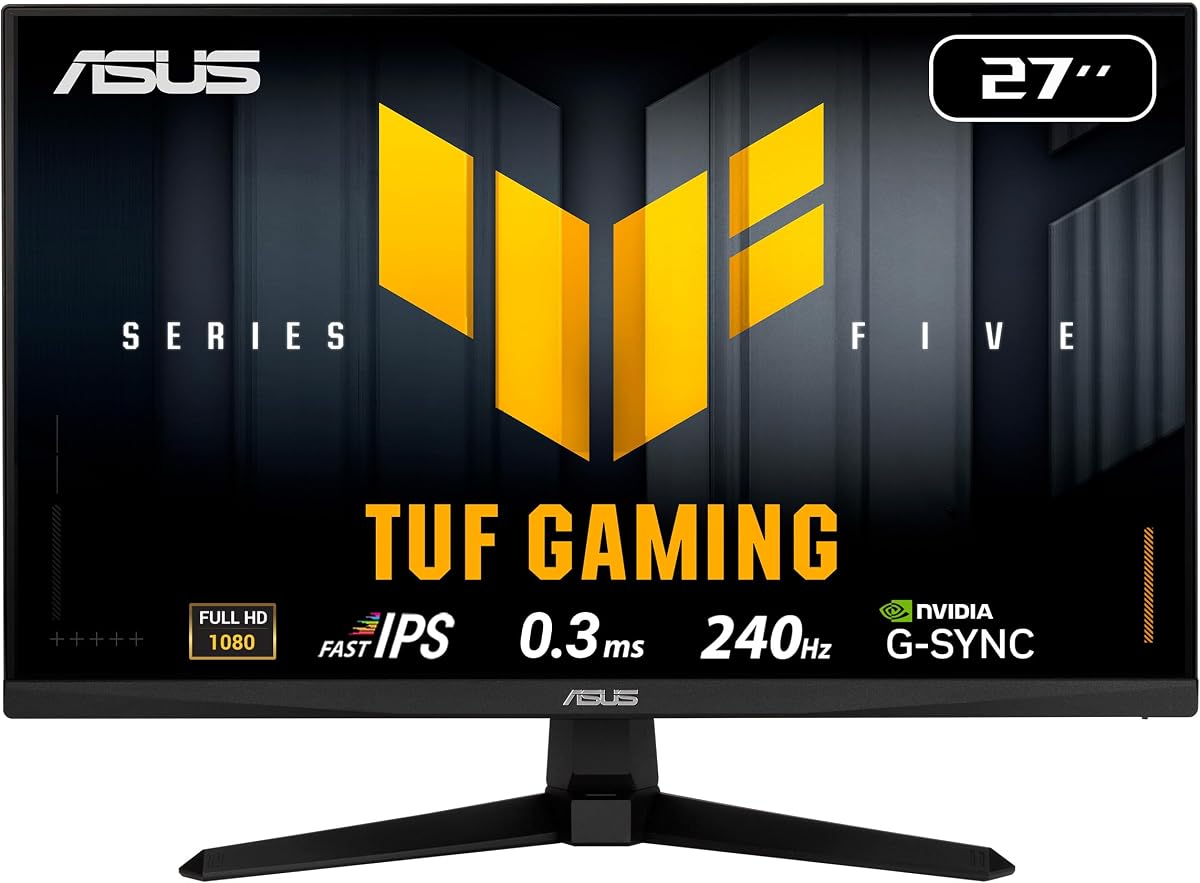
This ASUS TUF model earns top marks for its Fast IPS panel delivering crisp visuals with minimal motion blur during fast-paced gameplay in tactical shooters.
We may earn a commission when you buy through this link, at no additional cost to you.
The 0.3ms response time and ELMB Sync technology ensure sharp tracking of enemies across the map without ghosting artifacts distracting your aim.
While the price is higher than budget options, the inclusion of G-Sync compatibility and extensive ergonomic adjustments justify the investment for serious competitors.
Competitive players seeking reliable performance and clear motion clarity will find this monitor an excellent choice for climbing ranked ladders consistently.
The Fast IPS technology combined with a 0.3ms response time ensures that rapid movements remain sharp and distinct.
G-Sync compatibility eliminates screen tearing and stuttering, maintaining a smooth visual experience across variable frame rates.
We may earn a commission when you buy through this link, at no additional cost to you.
The AOC 27G51Z offers an impressive entry point into high refresh rate gaming with native 240Hz performance tailored for competitive needs.
We may earn a commission when you buy through this link, at no additional cost to you.
Its IPS panel provides vibrant colors and wide viewing angles while maintaining consistent response times that prevent motion blur during action.
Although it lacks advanced ergonomic features like height adjustment, the tilt functionality and low power consumption make it practical for long sessions.
Budget-conscious gamers looking for solid performance without breaking the bank should consider this model for their next competitive upgrade.
At its price point, this monitor delivers exceptional value by combining high refresh rates with reliable panel quality and adaptive sync.
The FHD IPS display ensures clear text and detailed textures, crucial for spotting enemies at various distances in Valorant maps.
We may earn a commission when you buy through this link, at no additional cost to you.
This MSI model stands out for its AI Vision technology which enhances visibility in dark areas to help you spot opponents hiding in shadows.
We may earn a commission when you buy through this link, at no additional cost to you.
The VA panel delivers deep blacks and high contrast making it easier to distinguish enemies against darker map backgrounds during night maps.
While VA panels can sometimes show slower response in dark transitions, the 240Hz refresh and FreeSync Premium mitigate most tearing issues effectively.
Players prioritizing visibility and contrast performance in varying lighting conditions will appreciate the premium features offered by this robust monitor.
The integrated AI Vision feature optimizes brightness and saturation to reveal hidden details in darker sections of the game.
A high contrast ratio provides richer blacks and sharper separation between foreground elements and background shadows.
We may earn a commission when you buy through this link, at no additional cost to you.
Dell delivers a reliable option with a fast IPS panel that maintains color accuracy while supporting high refresh rates for smooth competitive action.
We may earn a commission when you buy through this link, at no additional cost to you.
The 240Hz refresh rate paired with FreeSync Premium ensures fluid gameplay without tearing or stuttering during intense team fights.
Eye comfort features certified by TUV make extended sessions more comfortable reducing strain during long training or ranked sessions daily.
Gamers valuing visual quality and eye comfort over extensive ergonomic adjustments will find this Dell monitor a solid and dependable choice.
TUV Rheinland 3-star certification ensures the display reduces harmful blue light while maintaining image quality.
Fast refresh rates and low response times combine to deliver seamless motion rendering across all screen positions.
We may earn a commission when you buy through this link, at no additional cost to you.
The SANSUI 24.5 inch monitor pushes limits with a 300Hz potential refresh rate providing ultra-smooth motion for players with high-end systems.
We may earn a commission when you buy through this link, at no additional cost to you.
Fast IPS technology ensures consistent response times across the panel reducing ghosting and maintaining clarity when tracking moving targets quickly.
Integrated game assistants like Crosshair overlays help with aim training while low blue light filters protect eyes during late-night matches.
Competitors seeking maximum refresh rate capability without premium pricing will appreciate the raw performance options offered by this model.
With support up to 300Hz, this monitor accommodates high-performance setups aiming for frame rates beyond standard 240Hz limits.
Built-in game modes and overlays enhance situational awareness and aim precision for competitive players.
We may earn a commission when you buy through this link, at no additional cost to you.
Amzfast offers a curved option that enhances immersion by wrapping the image slightly around your peripheral vision for a focused view.
We may earn a commission when you buy through this link, at no additional cost to you.
The ultra-slim base saves desk space while the 240Hz refresh rate ensures smooth motion rendering during critical gameplay moments consistently.
Eye protection features including low blue light and flicker-free tech make this suitable for extended gaming or office work sessions.
Players with limited desk space who still want high refresh rates will find this compact curved design a practical and stylish solution.
The curvature reduces eye movement required to scan the screen helping maintain focus on central gameplay areas.
An ultra-slim base maximizes usable desk area allowing for better keyboard and mouse positioning during matches.
We may earn a commission when you buy through this link, at no additional cost to you.
This AOC model stands out with its QHD resolution offering sharper details and clearer enemy outlines compared to standard FHD displays.
We may earn a commission when you buy through this link, at no additional cost to you.
The overclocked 260Hz refresh rate delivers fluid motion with minimal blur ensuring your crosshair placement remains accurate during fast moves.
High brightness and contrast make maps look vibrant while adaptive sync keeps frame delivery smooth even during intense action sequences.
Competitors with powerful GPUs willing to invest in higher resolution clarity will enjoy the visual edge provided by this QHD panel.
QHD provides more pixels for sharper textures and clearer enemy models at a distance enhancing situational awareness.
Pushing refresh rates beyond standard limits ensures buttery smooth motion for players with hardware capable of high frame rates.
We may earn a commission when you buy through this link, at no additional cost to you.
ASUS brings its trusted TUF line to a compact 24-inch form factor perfect for players who prefer smaller screens for competitive focus.
We may earn a commission when you buy through this link, at no additional cost to you.
Fast IPS technology combined with G-Sync compatibility delivers sharp visuals and tear-free performance essential for precise aiming in tactical shooters.
Ergonomic height adjustment allows you to set the perfect viewing angle reducing neck strain during long competitive practice sessions daily.
Competitors looking for a reliable compact display with extensive adjustments and solid warranty coverage will find this model well-suited.
Smaller screens allow easier focus on the center of the display where most action occurs during competitive matches.
Height adjustable stands ensure the monitor aligns with eye level improving comfort and reducing fatigue during extended play.
We may earn a commission when you buy through this link, at no additional cost to you.
SANSUI provides an affordable curved option that balances budget pricing with high refresh rate performance for competitive gaming needs today.
We may earn a commission when you buy through this link, at no additional cost to you.
The 240Hz rate ensures motion remains fluid while the curvature helps focus attention on central gameplay areas during tense matches.
Built-in game modes enhance visibility and contrast giving players an edge in spotting targets across varied lighting conditions in maps.
Entry-level competitors wanting curved immersion without high costs should consider this model as a practical and effective starter monitor.
Curved panels reduce eye strain by keeping the screen edges at a consistent distance from your eyes.
Pre-set game modes adjust brightness and contrast to optimize visibility for FPS gameplay scenarios.
We may earn a commission when you buy through this link, at no additional cost to you.
The VG259QM5A hits the sweet spot between compact and full size with a 25-inch panel that offers balanced viewing comfort for gamers.
We may earn a commission when you buy through this link, at no additional cost to you.
Fast IPS technology delivers quick pixel transitions ensuring sharp visuals and minimal ghosting during fast-paced competitive encounters reliably.
Wide color gamut coverage provides accurate colors for maps and skins enhancing immersion while adaptive sync maintains smooth gameplay flow.
Players seeking a slightly larger screen than standard 24-inch options with reliable performance will appreciate this balanced and durable choice.
A 25-inch display offers enough visual real estate without overwhelming your field of view during critical moments.
Accurate color reproduction and fast response times combine to deliver clear and vibrant visuals essential for competitive play.
We may earn a commission when you buy through this link, at no additional cost to you.
Selecting the right monitor requires balancing performance features like response time and refresh rate with practical needs such as panel type and ergonomics.
A 240Hz monitor should be paired with a GPU capable of delivering high frame rates in Valorant to fully utilize the screen capabilities.
Matching your hardware to the monitor ensures smooth visuals without wasted potential or unnecessary cost overkill.
Look for response times of 1ms or lower to reduce motion blur when tracking fast moving enemies across the map.
Low response times combined with ELMB or similar technologies help maintain sharp crosshairs and target outlines.
IPS panels offer better color accuracy and viewing angles while VA panels provide higher contrast ratios for dark areas.
Competitive gamers usually prefer IPS for consistent response speeds across all colors and brightness levels.
FreeSync and G-Sync compatibility prevents screen tearing by synchronizing monitor refresh with GPU output.
Ensure your graphics card supports the sync technology advertised on the monitor packaging for best results.
Most competitive players prefer 24 to 25 inch screens with 1080p resolution for faster rendering and tighter focus.
Larger screens can distract your peripheral vision making it harder to focus on central gameplay areas.
Height and tilt adjustments are crucial for maintaining proper posture during long gaming or training sessions daily.
A monitor stand that allows eye-level placement reduces neck strain and keeps your focus consistent.
Ensure your monitor has DisplayPort or HDMI ports that support 240Hz at your desired resolution.
Having multiple ports allows flexibility when connecting multiple devices or consoles alongside your gaming PC.
Check the warranty length and coverage for dead pixels or hardware defects before finalizing your purchase decision.
Brands offering longer warranties provide peace of mind that your investment is protected over time.
Begin by calibrating your monitor settings to match your preferred brightness and contrast levels ensuring visibility without excessive glare.
Use DisplayPort connections whenever possible to guarantee maximum refresh rate support and stable frame delivery during gameplay.
Clean the screen with a microfiber cloth and avoid harsh chemicals to preserve the panel coating and prevent permanent damage.
While not strictly mandatory, a 240Hz monitor provides a noticeable advantage in smoothness and response speed. It helps reduce motion blur and allows you to react faster to sudden enemy movements compared to lower refresh rates.
Yes, many modern budget GPUs can push 240Hz in Valorant due to its optimization. However, you may need to lower some settings to maintain high frame rates consistently across all maps.
Smaller screens like 24 inches keep your eyes focused on the center reducing the need for head movement. This helps maintain consistent aim and reaction times during intense matches.
MPRT measures motion blur reduction while GtG measures pixel transition speed. Both are important but GtG often gives a clearer picture of actual input latency performance.
Choose the technology that matches your graphics card brand. Both reduce screen tearing effectively but using the wrong one may result in limited compatibility or features.
Start by lowering brightness to reduce eye strain and adjust color settings for natural visibility. Use the monitor's game mode presets to enhance contrast and motion clarity.
Only if your laptop has a DisplayPort or HDMI 2.0 output capable of 240Hz. Check your laptop specs before purchasing to ensure full performance capability is available.
Most monitors last several years if cared for properly. Replace when you notice dead pixels, burn-in, or when hardware upgrades outperform current display capabilities.
The ASUS TUF VG279QM5A leads our list with its exceptional response time and G-Sync compatibility delivering unmatched clarity for serious competitive players.
Prioritize panel speed and adaptive sync support over extra features when aiming for high performance in fast-paced tactical shooter environments.
Always check current listings and availability since model stock and pricing shift frequently across online retailers and regional sellers.