
EMEET C960 1080P Webcam with Microphone, 2 Mics, 90° FOV, Computer Camera
4.4Editor score
Built-in 2 Omnidirectional Mics
Automatic Light Adjustment
Plug-and-Play with USB connectivity
This guide compares the top 1080p webcams for streaming and meetings, analyzing video quality, audio performance, and privacy features to help you choose the
Choosing a high-quality webcam is essential for clear communication in today's digital workspace. A good 1080p webcam ensures your video is sharp and your audio is clear during important calls.
We compared ten top-rated models based on video resolution, autofocus capabilities, microphone quality, and privacy features. Each product was evaluated for compatibility with major platforms like Zoom and Teams.
Each pick highlights specific strengths for different user needs, from budget-friendly options to business-grade cameras. Note that prices fluctuate frequently, so check current listings before purchasing.
4.4Editor score

4.6Editor score

4.4Editor score
The following table provides a side-by-side comparison of all ten webcams evaluated in this guide, highlighting key specifications and features for easy decision making.




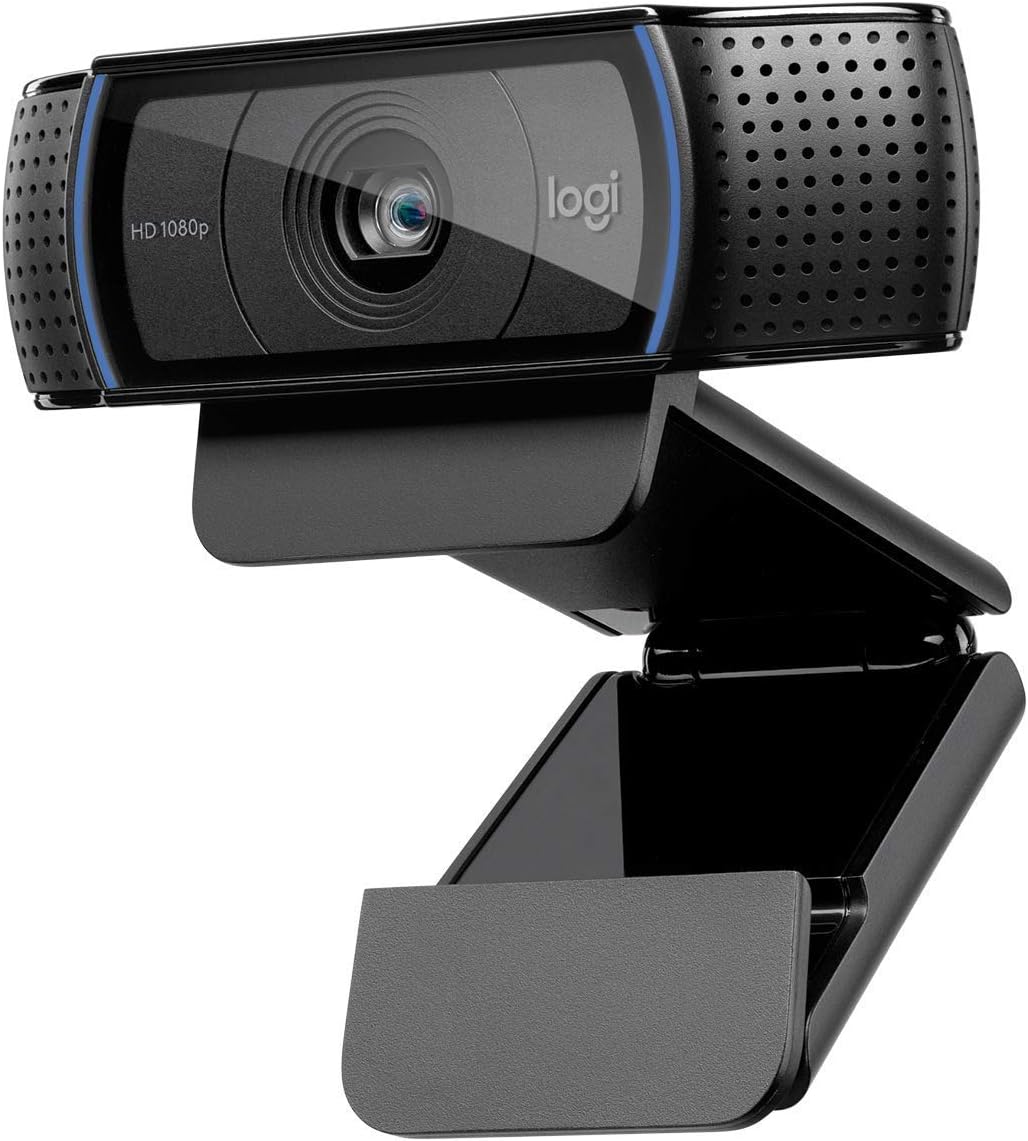


The Logitech C920x HD Pro PC Webcam is a top-rated choice with a 4.6 star rating. It delivers crisp Full HD 1080p video at 30 fps, making it ideal for professional video calls.
We may earn a commission when you buy through this link, at no additional cost to you.
Its HD lighting adjustment and autofocus automatically fine-tune images even in low-light settings, ensuring you look your best. The stereo audio with dual mics captures natural sound during calls and recorded videos.
While it lacks a privacy shutter, you can use the included XSplit VCam license to blur backgrounds without a green screen. The only minor trade-off is the fixed cable length.
Ideal for desktop or laptop users seeking premium video quality, this webcam is a strong recommendation for anyone needing reliable performance on Zoom or Teams.
The advanced capture software ensures your video content is suitable for use as a desktop computer camera or a monitor webcam.
Stereo audio with dual mics provides natural sound during calls and recorded videos, making it great as a video conference camera.
We may earn a commission when you buy through this link, at no additional cost to you.
The EMEET C960 is a highly rated budget option with a 4.4 star rating. It provides realistic 1920 x 1080p video with a 5-layer anti-glare lens for smooth video streaming.
We may earn a commission when you buy through this link, at no additional cost to you.
Built-in 2 omnidirectional mics capture clear audio, and automatic light adjustment ensures stable image performance. The 90-degree wide-angle lens captures more participants without frequent adjustments.
The removable cover offers privacy when not in use. Note that it has fixed focus and no built-in speakers, which is acceptable for its price point.
Perfect for students and home office users needing a reliable, affordable webcam that works seamlessly with Zoom and Teams.
New C960 webcam features both USB Type-A & A-to-C adapter connections for wider compatibility with various devices.
Compatible with Windows 10/11, macOS 10.14+, and Android TV 7.0+ for versatile usage across different systems.
We may earn a commission when you buy through this link, at no additional cost to you.
The Logitech Brio 101 is a premium 1080p webcam with a 4.4 star rating. It features Auto-Light Balance to boost brightness and reduce shadows for better image quality.
We may earn a commission when you buy through this link, at no additional cost to you.
The integrated webcam cover makes it easy to get total, reliable privacy when you're not on a video call. It is made with a minimum of 77% post-consumer plastic, appealing to eco-conscious users.
Customize your view easily with the Logi Options+ app to adjust zoom and framing. The USB A connection ensures a reliable plug and play experience.
A great choice for professionals seeking a sophisticated camera with privacy features and excellent light adjustment for home office setups.
Brio 101 is made with a minimum of 77% post-consumer plastic and includes a privacy cover for secure video calls.
Works with Microsoft Teams, Zoom, and Google Meet, and allows easy adjustment of settings via the Logi Options+ app.
We may earn a commission when you buy through this link, at no additional cost to you.
The Logitech C920S HD Pro Webcam is a reliable choice with a 4.6 star rating. It offers Full HD 1080P video calls that make you look like a Pro.
We may earn a commission when you buy through this link, at no additional cost to you.
Comes with a privacy shutter that puts you in control of what you show and protects the lens. HD autofocus and light Correction ensure razor-sharp high Def in every environment.
The stereo audio with dual mics captures natural sound on calls and recorded videos. It does not include the 3-month XSplit VCam license found in other models.
Highly recommended for users prioritizing privacy features and sharp image quality for daily video conferencing.
Webcam comes with privacy shutter that puts you in control of what you show and protects the lens with a snugly fitting cover.
Full HD 1080P video Recording uses a glass lens and full HD mean your recorded videos are crisp and vibrantly colored.
We may earn a commission when you buy through this link, at no additional cost to you.
The Logitech C920e HD 1080p Mic Enabled Webcam is a business-grade option with a 4.6 star rating. It features a 78 degree fixed field of view for well-balanced framing.
We may earn a commission when you buy through this link, at no additional cost to you.
Two integrated omnidirectional microphones capture your audio clearly from up to one meter away. It is certified for Zoom and Microsoft Teams, ensuring seamless integration in the workplace.
The attachable privacy screen flips up and down to cover or expose the lens. It is designed with a sturdy, adjustable clip and 1/4 inch threads for versatility.
Ideal for corporate users needing certified compatibility and reliable performance for daily business meetings.
Certified for Zoom, TAA compliant and works with all popular video calling applications such as Microsoft Teams to ensure compatibility and seamless integration in the workplace.
C920e is designed with a sturdy, adjustable clip that makes it easy to mount on any laptop or external monitor. Plus 1/4 inches threads provide versatility to mount the webcam on a tripod as well.
We may earn a commission when you buy through this link, at no additional cost to you.
The NexiGo N60 1080P Webcam is an affordable option with a 4.3 star rating. It is powered by a 1080p FHD two-MP CMOS for sharp videos at 1920 x 1080 with 30fps.
We may earn a commission when you buy through this link, at no additional cost to you.
The built-in noise-canceling microphone reduces ambient noise to enhance sound quality. The privacy cover blocks the lens when the webcam is not in use for peace of mind.
It is compatible with a wide range of systems including Windows 7, 10, 11, and Mac OS X 10.7+. Contact support for firmware updates if you notice any audio delays.
Great for individuals seeking a budget-friendly camera with essential features like privacy protection and noise reduction.
Works with USB 2.0/3.0, no additional drivers required. Ready to use in approximately one minute or less on any compatible device.
The built-in noise-canceling microphone reduces ambient noise to enhance the sound quality of your video for calls and streaming.
We may earn a commission when you buy through this link, at no additional cost to you.
The EMEET S600 4K Webcam offers unmatched streaming quality with a 4.4 star rating. It boasts a high-definition 4K sony 1/2.55 sensor, delivering crisp images far exceeding typical webcam quality.
We may earn a commission when you buy through this link, at no additional cost to you.
Advanced PDAF Autofocus tech offers faster speed and higher precision than common autofocus. At 1080P, the FOV adjusts 40 to 73 degrees, allowing you to focus on you and surroundings.
Integrated privacy cover and rugged design ensure durability. Plug and play works with nearly all popular operating systems without extra software.
Excellent for content creators and streamers needing high frame rates and advanced autofocus features.
Its auto light adjustment capability balances shadows and highlights even in low-light environments, keeping every detail sharp and clear on screen.
Equipped with premium microphones that use a proprietary algorithm to filter out background noise and capture your voice with exceptional clarity.
We may earn a commission when you buy through this link, at no additional cost to you.
The Logitech HD Pro Webcam C920 is a classic choice with a 4.6 star rating. It delivers Full HD 1080p widescreen video calling and recording quality.
We may earn a commission when you buy through this link, at no additional cost to you.
This model has been a staple for desktop or laptop webcam users for years. It features auto light correction to help you look good in all your video meetings.
While it lacks newer features like 4K streaming, it remains a trusted option for basic video conferencing needs.
A solid pick for users seeking a proven, no-fuss webcam at a competitive price point.
Full HD 1080p resolution ensures you look sharp and clear on every video call without needing extra software.
We may earn a commission when you buy through this link, at no additional cost to you.
The Logitech Brio 105 Full HD 1080p Business Webcam offers great value with a 4.4 star rating. It produces clear video so meetings feel natural and employees feel confident.
We may earn a commission when you buy through this link, at no additional cost to you.
RightLight 2 light-balancing technology automatically improves image quality in suboptimal conditions. The integrated webcam cover gives employees extra confidence that their privacy is protected.
Compatible with major operating systems and certified for Google Meet, it works with Chromebook and is supported by Logitech Sync for remote deployment.
Best suited for businesses needing affordable, reliable webcams for remote workers.
RightLight 2 light-balancing technology automatically improves image quality in suboptimal conditions for consistent video calls.
Designed for Business with major operating systems compatibility and supported by Logitech Sync for remote deployment.
We may earn a commission when you buy through this link, at no additional cost to you.
The Logitech Brio 100 1080p Full HD Webcam (Renewed) is a budget-conscious choice with a 4.5 star rating. It offers up to Full HD 1080p Resolution at 30 fps for clear video.
We may earn a commission when you buy through this link, at no additional cost to you.
A 58 Diagonal Field of View captures more of your surroundings during video calls. The built-in microphone provides integrated audio capture for a convenient all-in-one solution.
As a renewed product, it may have cosmetic wear but retains functional quality. The easy USB connection works seamlessly with popular video conferencing applications.
A good option for those seeking affordable HD video without paying for premium features.
Up to Full HD 1080p Resolution at 30 fps for clear and smooth video streaming and recording during all your calls.
58 Diagonal Field of View captures more of your surroundings during video calls and recordings so you can share context.
We may earn a commission when you buy through this link, at no additional cost to you.
Selecting the right 1080p webcam involves evaluating several critical factors to ensure compatibility and performance for your specific use case.
While all models listed offer 1080p resolution, some support higher frame rates like 60fps for smoother video. This is important for streaming or fast-motion content where smooth movement is critical.
Prioritize 1080p at 30fps for standard meetings or 60fps if you plan to stream or record content.
Autofocus ensures your face remains sharp even if you move. Light correction adjusts exposure automatically for better image quality in variable lighting conditions.
Always choose a webcam with autofocus and light correction for professional-looking video.
Built-in microphones vary in quality. Look for dual mics or noise-canceling features to ensure clear audio during calls without external equipment.
Check if the microphone supports omnidirectional pickup for better sound capture from all angles.
The FOV determines how much of your environment is captured. A wider angle is better for group calls, while a narrower one focuses on you alone.
Select a FOV that matches your typical meeting size to avoid excessive background or cut-off edges.
A privacy shutter or cover is essential for protecting your privacy when the camera is not in use. Integrated covers are more secure than sliding covers.
Ensure the webcam has a reliable physical cover to prevent unauthorized access to your camera.
Verify that the webcam works with your operating system and video platforms. Some models are certified for Zoom or Microsoft Teams, ensuring seamless integration.
Look for USB 3.0 support for higher bandwidth and better performance with modern computers.
Most webcams use a clip mount for monitors or laptops. If you need a tripod, check for 1/4 inch threads for versatile mounting options.
Choose a sturdy mount that fits your setup securely to prevent camera shake during calls.
Durable materials ensure the webcam withstands daily use. Recycled plastic options offer sustainability without compromising quality.
Look for models with robust clips and joints to avoid breakage over time.
To get the best performance, ensure your camera is positioned at eye level and connected directly to your computer's USB port for stable power and data.
Regularly clean the lens with a microfiber cloth to avoid smudges that can degrade image quality. Avoid using harsh chemicals that could damage the lens coating.
Keep your drivers and software updated to maintain compatibility with new operating system versions and security patches.
Most models in this guide are compatible with macOS 10.7 or higher. Always check the specific product details for OS requirements before purchasing.
Yes, models with 60fps support like the EMEET S600 are ideal for streaming. Others at 30fps work for casual gaming but may show less smooth motion.
No, only specific models like the C920S and C920e include privacy shutters. Always check the product specs if this is a priority for you.
Most of these webcams are plug-and-play and do not require drivers. Some offer optional software for customization but are functional without them.
The C920x includes an XSplit VCam license while the C920S includes a privacy shutter. Both offer similar video and audio performance otherwise.
Yes, all listed models work with Zoom. Some, like the C920e, are certified specifically for Zoom and Teams for optimal integration.
Most webcams come with a fixed USB cable, often around 5 feet. Check product details if you need an extension for your setup.
The C920e includes 1/4 inch threads for tripod mounting. Others rely on clip mounts which are suitable for most monitors and laptops.
The Logitech C920x HD Pro PC Webcam stands out as our top pick for its balance of image quality and audio performance across all platforms.
Prioritize features like autofocus and privacy shutters based on your specific needs, whether for professional meetings or casual video calls at home.
Always verify current pricing and availability on Amazon before making a final decision to ensure you get the best deal for your setup.