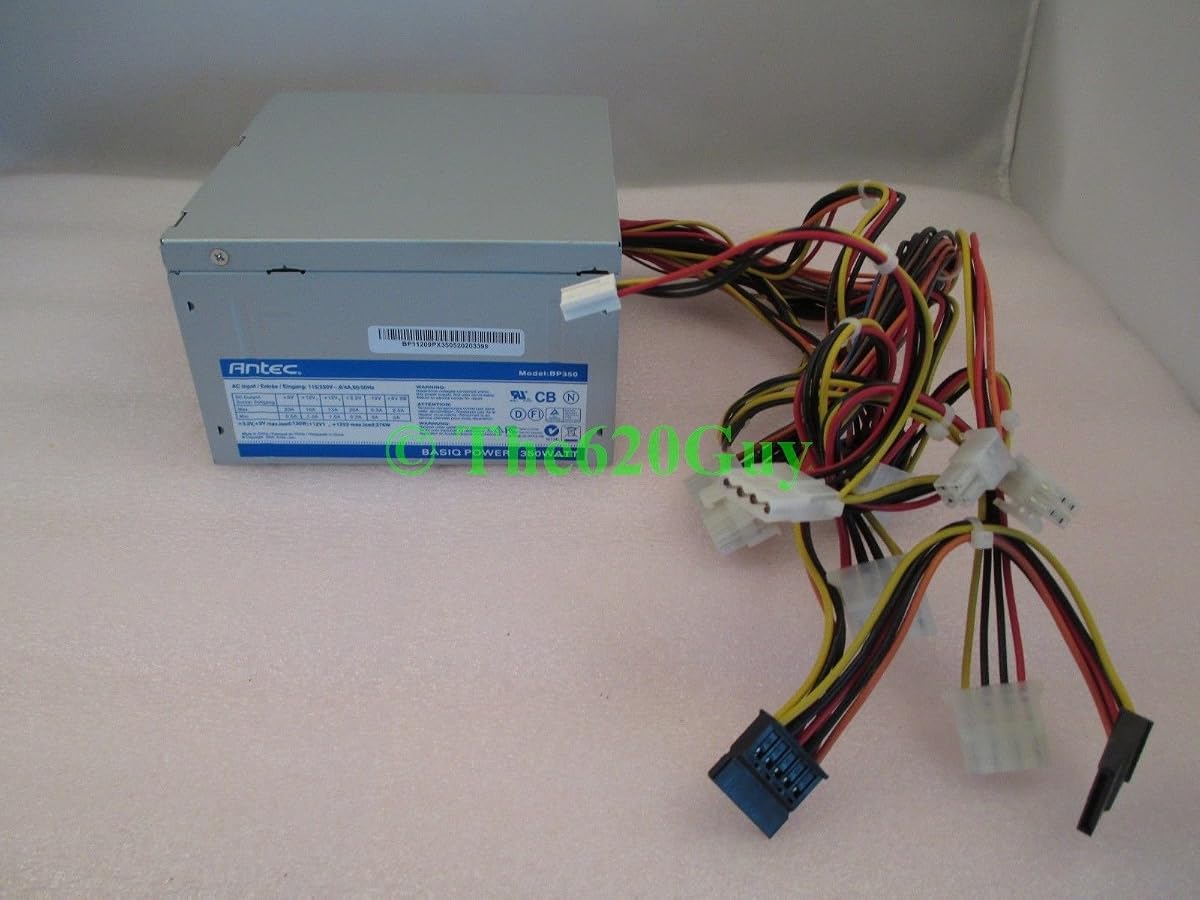
Antec Basiq BP350
5.0Editor score
Budget friendly reliable power
Standard ATX connectors
Quiet 80mm fan
This guide compares the top 350W PSU options for budget builds, small form factor systems, and entry-level PCs to help you choose reliable power.
Selecting a reliable power supply is critical for any computer build. A 350W PSU offers efficient energy delivery for entry-level systems, office PCs, and compact setups without wasting electricity.
We compared ten models based on efficiency ratings, build quality, connector options, and safety features. This list covers ATX and SFF designs suitable for various motherboard form factors and usage scenarios.
Each pick highlights key strengths and trade-offs to guide your decision. Prices and availability change frequently, so verify current listings before purchasing to ensure you get the best value today.
5.0Editor score

5.0Editor score

4.5Editor score
This side-by-side comparison evaluates all ten selected power supplies across key performance metrics. Review efficiency, form factor, protection features, and connector layouts to find the right match for your system.


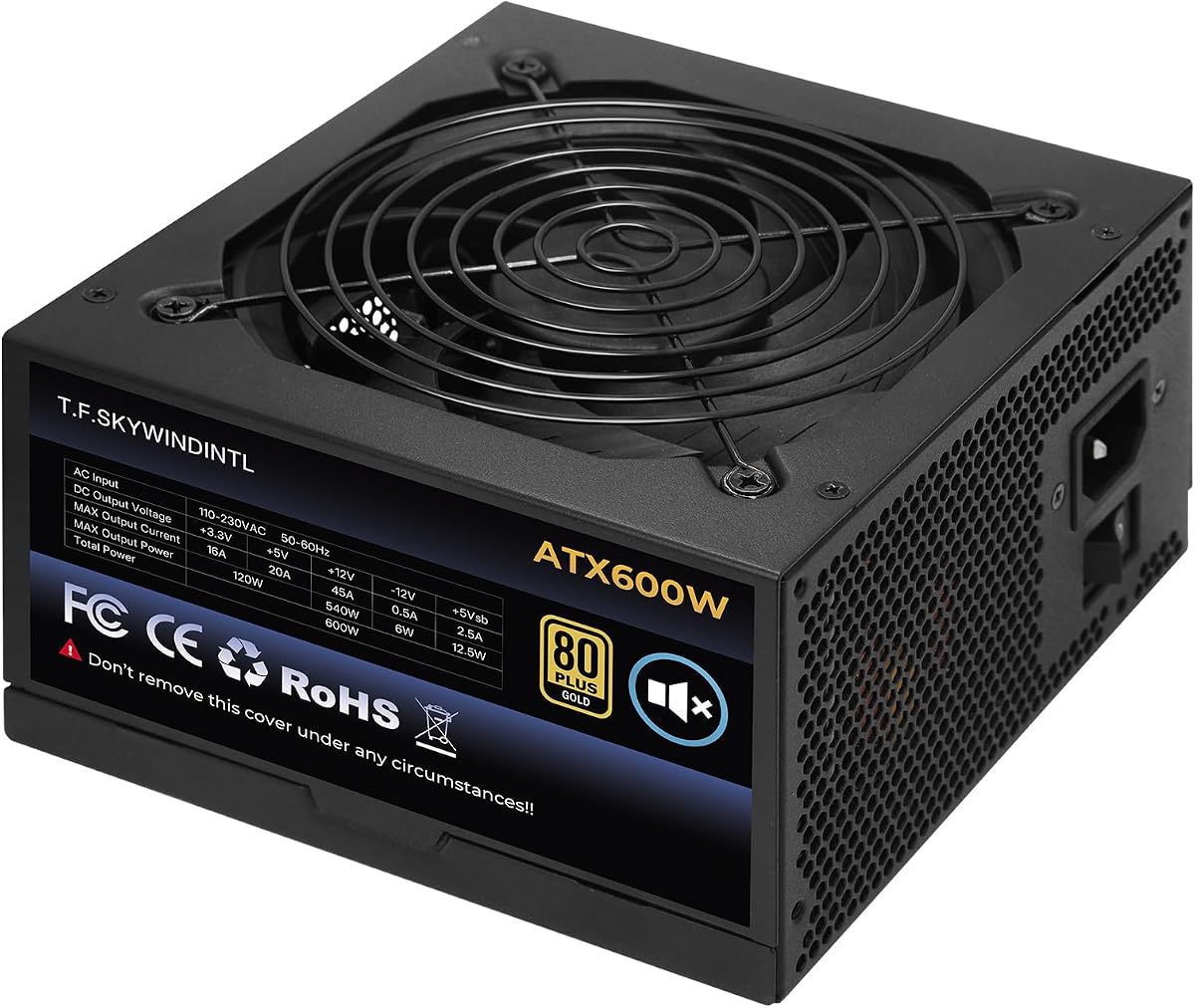
This 350W power supply stands out for its low energy consumption and ease of installation. With a perfect rating from users, it delivers reliable power for basic desktop systems without unnecessary complexity.
We may earn a commission when you buy through this link, at no additional cost to you.
The connector markings make wiring quick and effective, reducing errors during setup. The adjustable 115/230V voltage switch offers flexibility for different regions, while the thermal sensor ensures the fan runs only when needed.
Trade-offs include limited advanced features found in higher-end units, but this is acceptable given its targeted use case. It prioritizes stability and efficiency over modularity or RGB lighting.
Ideal for office PCs or low-power builds, this unit offers straightforward functionality. If you need a no-frills power source that minimizes electricity costs, this is a strong recommendation.
The low energy consumption profile reduces electricity costs over time compared to older units.
Manual switching between 115V and 230V ensures compatibility across various power grids.
We may earn a commission when you buy through this link, at no additional cost to you.
The Silverstone FX350-G-VT targets compact builds needing high efficiency. Its 80 PLUS Gold certification ensures minimal energy waste, making it ideal for systems that run continuously.
We may earn a commission when you buy through this link, at no additional cost to you.
Class-leading single +12V rail performance supports modern components well. The Flex ATX form factor fits small cases where space is limited but power quality remains critical.
Fixed cables may limit neatness in tight spaces, and the price reflects premium build quality. These trade-offs are acceptable for users prioritizing stability and efficiency in constrained chassis.
Best for mini-ITX or 1U servers, this PSU delivers professional-grade reliability. If you need a certified, compact power source for constant operation, this unit is worth the investment.
Gold certification means over 90 percent efficiency under typical loads, reducing heat and power bills.
Designed to run continuously without failure, making it perfect for servers or always-on workstations.
We may earn a commission when you buy through this link, at no additional cost to you.
Antec Basiq series delivers reliable power without breaking the bank. This 350W unit suits entry-level users who need straightforward performance from a trusted manufacturer.
We may earn a commission when you buy through this link, at no additional cost to you.
Built with solid quality expectations from Antec, it handles standard office and home PC loads easily. The 24/4-Pin connector ensures compatibility with modern motherboards.
Lacking advanced efficiency certifications is a trade-off, but for light systems, it remains adequate. The price point makes it accessible for those on a tight budget.
Choose this if you need a dependable, inexpensive power source for non-gaming setups. It satisfies demands for basic reliability without complex features or high costs.
Antec leverages years of experience to deliver solid build quality even in budget models.
Fits standard desktop cases and works with typical motherboards for easy upgrades.
We may earn a commission when you buy through this link, at no additional cost to you.
Thermaltake Smart offers 500W headroom for users anticipating minor upgrades. Its 80 PLUS White certification ensures baseline efficiency while maintaining a focus on quiet operation.
We may earn a commission when you buy through this link, at no additional cost to you.
The powerful +12V rail handles various system loads well. Active PFC improves power factor efficiency, and multiple protections guard against electrical issues.
While not the most efficient certified unit, the extra watts provide flexibility. The 120mm fan keeps noise down, which matters in home offices.
Select this if you need a bit more power than 350W offers. It balances cost, quiet cooling, and reliability for general desktop use.
500W output gives you room to add storage or upgrade components without replacing the PSU soon.
120mm cooling fan runs quietly to reduce noise distraction during work or media use.
We may earn a commission when you buy through this link, at no additional cost to you.
ARESGAME AGV Series provides solid performance with a generous warranty. Bronze certification ensures decent efficiency, while all black cables improve aesthetics inside the case.
We may earn a commission when you buy through this link, at no additional cost to you.
Heavy protection features like OVP and SCP ensure safety during operation. The 5 Year warranty adds peace of mind for users concerned about component longevity.
Non modular cables can clutter smaller cases, but airflow remains manageable. The cost is competitive compared to other Bronze units with similar specs.
Choose this if warranty length is a priority for your build. It offers reliable power at a reasonable cost with strong protective measures.
A 5 Year warranty ensures support if the unit fails, protecting your investment effectively.
Bronze certification guarantees at least 85 percent efficiency under typical load conditions.
We may earn a commission when you buy through this link, at no additional cost to you.
Apevia offers a fully modular power supply for mini-ITX builds. This design allows only necessary cables to be connected, improving airflow in compact cases.
We may earn a commission when you buy through this link, at no additional cost to you.
Active PFC handles wide voltage ranges from 90 to 264V. Split CPU and motherboard connectors ensure compatibility with various pin configurations.
Lower ratings suggest caution with installation, so verifying connections is vital. The 40mm fan keeps noise low in tight spaces.
If you build small form factor PCs, this modularity is valuable. Just ensure all cables are properly seated to avoid power-on issues.
Fully modular cables reduce clutter and improve airflow inside mini-ITX cases significantly.
Active PFC supports 90 to 264V input for use in many regions without adapters.
We may earn a commission when you buy through this link, at no additional cost to you.
APEVIA VENUS450W provides extra power for systems needing more than 350W. Its auto-thermally controlled fan adjusts noise based on system temperature.
We may earn a commission when you buy through this link, at no additional cost to you.
Comprehensive protections guard against shorts and over-voltages. The split connectors adapt to boards requiring 4-pin or 8-pin CPU power.
Voltage tolerance ensures stable output under varying loads. While brand recognition lags behind top tier, the price makes it attractive.
Use this for budget gaming or home PCs needing extra wattage. It balances performance and cost effectively for entry to mid level builds.
Fan speed adjusts automatically based on temperature to reduce noise when system is idle.
8-pin and 24-pin cables split for compatibility with older or newer motherboards easily.
We may earn a commission when you buy through this link, at no additional cost to you.
Antec Basiq offers a reliable replacement for older systems. The 80mm fan keeps noise low while delivering consistent 350W power.
We may earn a commission when you buy through this link, at no additional cost to you.
V2.01 compliance ensures compatibility with many existing motherboards. Antec's reputation adds confidence for buyers seeking dependable performance.
Protection features are standard but adequate for basic loads. It lacks modern efficiencies but serves older hardware well.
Ideal for replacing failing power supplies in legacy PCs. It delivers simple, reliable power without unnecessary features.
Designed to fit older ATX standards that modern units sometimes overlook.
Antec's long history in power supplies suggests stable performance for daily use.
We may earn a commission when you buy through this link, at no additional cost to you.
This ATX PSU serves as a direct replacement for older units. ROHS compliance ensures environmental standards are met during manufacturing and disposal.
We may earn a commission when you buy through this link, at no additional cost to you.
Standard size allows easy installation in most desktop cases. Basic connectors work with most non-specialized motherboards.
Minimal features mean it lacks modern efficiencies, but it works for basic needs. Pricing remains low compared to branded equivalents.
Select this for simple system recovery without high performance needs. It provides straightforward power for older or low-demand PCs.
Designed to drop in easily where old power supplies have failed or aged.
Meets environmental standards for hazardous substances, ensuring responsible manufacturing.
We may earn a commission when you buy through this link, at no additional cost to you.
This 600W unit offers maximum headroom for high performance builds. Gold efficiency ensures low energy waste, making it cost effective over time.
We may earn a commission when you buy through this link, at no additional cost to you.
The 125mm FDB fan provides silent cooling, essential for gaming rigs. Multiple cables support diverse GPU and CPU connections.
Non modular cables may clutter cases, but the power capacity compensates. It is overkill for basic 350W systems but future proof.
Buy this if you plan high-end GPU upgrades later. It delivers premium efficiency and quiet operation for intensive workloads.
600W output supports high-end GPUs and CPUs beyond basic system requirements.
125mm FDB fan operates silently to reduce noise during intense gaming sessions.
We may earn a commission when you buy through this link, at no additional cost to you.
Selecting the right PSU requires evaluating wattage, efficiency, form factor, and connectors to match your system needs.
Ensure the PSU can handle your total system power draw plus headroom. For basic office PCs, 350W is sufficient, but gaming rigs need more.
Check CPU and GPU power needs to avoid overloading the supply.
Higher ratings like Gold reduce electricity costs and heat. Bronze or White options are budget friendly but less efficient.
Pick a rating that balances cost and energy savings over time.
ATX units fit standard cases while SFF models suit mini-ITX. Verify case compatibility before purchase.
Mismatched form factors can prevent installation entirely.
Modern boards need 24-pin and 4+4 pin CPU connectors. PCIe connectors support GPUs.
Count available cables to ensure all components power correctly.
Look for OVP, OCP, and SCP to prevent damage from surges. These features guard components.
Protections add critical safety layers for system stability.
Larger fans are quieter but bigger. Thermal sensors adjust speed based on heat.
Silent operation matters for home offices and media rooms.
Modular units allow removing unused cables for better airflow. Fixed cables are cheaper.
Choose based on case space and cable management needs.
Known brands like Antec and Thermaltake offer reliability. Newer brands may lack testing data.
Reliable brands often provide better warranty support and safety.
Install the PSU in your case with screws provided. Connect the 24-pin and CPU cables to the motherboard first.
Ensure all cables are secure to avoid power issues. Plug the power cord into the PSU and wall outlet.
Keep vents clear for airflow and check dust every few months. Overheating reduces PSU lifespan.
For light gaming with integrated graphics or low-power GPUs, 350W works. Dedicated GPUs usually require more wattage. Check GPU specs before deciding.
Bronze units are less efficient than Gold. Gold means over 90% efficiency, reducing heat and power use. Bronze is cheaper.
Yes but excess cables may block airflow. Plan cable routing carefully to ensure proper ventilation inside the case.
Check your motherboard manual for 24-pin and CPU pin needs. GPUs may need PCIe connectors. Count total requirements.
Ensure all internal cables are connected properly. Some units need a load to activate. Verify connections before troubleshooting.
OVP, OCP, SCP protect components from electrical issues. Look for these in the product specs for safety assurance.
We reviewed top options including the Antec Basiq and Silverstone FX350-G-VT. Each offers distinct strengths based on build type.
Prioritize efficiency, connectors, and brand reputation when deciding. Your system longevity depends on quality power delivery.
Prices change frequently so check current listings before buying. Verify stock to ensure timely installation for your setup.