
FLASHFORGE AD5X
4.4Editor score
Auto leveling system
High-temperature nozzle
Large build volume
Explore the top 3D printer for figurines and models compared in this expert guide covering speed, precision, and multi-color capabilities for stunning prints.
Finding the right 3D printer for figurines and models requires balancing speed, precision, and material versatility. Enthusiasts need machines that can handle intricate details without sacrificing reliability or ease of use in modern workflows.
This guide compares ten leading FDM printers selected for their ability to produce high-quality miniatures and detailed models. We evaluated performance, automation features, and user feedback to determine the best options available today for creators of all skill levels.
Each pick highlights specific strengths like multi-color printing, fast calibration, or robust enclosures for advanced filaments. Prices and availability change frequently, so always verify current deals before purchasing to ensure you get the best value for your project needs.
4.4Editor score

4.7Editor score

4.5Editor score
This side-by-side comparison highlights key specifications and unique features across all ten selected printers to help you identify the best fit for your specific modeling needs.






The Bambu Lab A1 stands out as the top choice for creators seeking speed and precision in a compact form. With a 4.7 rating, it offers high-speed printing and active flow compensation to ensure smooth surfaces on detailed figurines.
We may earn a commission when you buy through this link, at no additional cost to you.
Its standout feature is the full-auto calibration system that handles bed leveling and Z-offset automatically before every print. This eliminates manual tinkering, allowing you to focus on designing complex models without worrying about failed first layers.
While the open frame limits use with certain engineering filaments, it remains ideal for PLA and PETG commonly used in miniatures. The quick-swap nozzle and quiet operation make it a pleasant addition to any home workspace or shared studio.
Buyers should choose the A1 if they want reliable performance right out of the box with minimal setup. It is highly recommended for hobbyists who need fast turnaround times for prototyping or printing multiple figurine parts efficiently.
The high acceleration ensures layers cure quickly while maintaining accuracy for intricate model features.
Automatic calibration reduces the learning curve for new users entering the world of 3D printing.
We may earn a commission when you buy through this link, at no additional cost to you.
The P2S Combo delivers premium features like the AMS 2 Pro and enclosed chamber for advanced materials. Its ability to print at 600 mm/s makes it perfect for production workflows where time is critical.
We may earn a commission when you buy through this link, at no additional cost to you.
Included AMS 2 Pro offers drying and multi-color printing without needing extra purchases. This setup supports intricate models needing vibrant details or support materials that dissolve later for complex assemblies.
The enclosed chamber ensures thermal stability for ABS and ASA prints which might warp on open printers. While the price is higher, the convenience of built-in drying and color switching justifies the investment for serious users.
Investors looking for a turnkey solution for multi-color figurines will find this combo unmatched. It reduces operational overhead while maintaining high precision and reliability across diverse material types.
AMS 2 Pro allows seamless switching between colors and materials without manual intervention.
Enclosed chamber supports high-temperature materials for stronger functional parts.
We may earn a commission when you buy through this link, at no additional cost to you.
The Creator 5 Pro is designed for users needing industrial-level multi-material capabilities without purging waste. Its four toolheads allow switching materials instantly for supports or multi-color parts efficiently.
We may earn a commission when you buy through this link, at no additional cost to you.
A near-zero waste system eliminates the need for purge blocks during color changes, saving significant material costs. This makes it ideal for long runs of complex figurines requiring soluble supports or mixed textures.
The 65C heated chamber ensures consistent results for engineering plastics like PC and PA which are durable for functional parts. While the size and complexity are higher than hobby printers, the output quality is unmatched.
Choose this for professional workshops where material versatility and waste reduction are top priorities. It supports a wide range of filaments and ensures high precision even on large-scale prints.
Toolhead changes occur without filament purging to reduce material consumption significantly.
Active heated chamber enables printing of high-performance engineering filaments reliably.
We may earn a commission when you buy through this link, at no additional cost to you.
The P1S offers an enclosed experience with high-speed printing capabilities that suit both hobbyists and pros. It balances performance and ease of use well for those needing reliable results.
We may earn a commission when you buy through this link, at no additional cost to you.
Its enclosed design allows for successful prints with ABS and ASA which are prone to warping. The fast speed ensures you can prototype models quickly without waiting too long for layers to finish.
Auto leveling and quick setup mean less time troubleshooting and more time creating. While it lacks the advanced color features of the P2S, it is robust and efficient for single-color or dual-color projects.
Buyers needing a dependable machine for engineering materials at a moderate pace will appreciate this model. It is a solid middle ground for those wanting stability without excessive complexity.
Enclosure maintains temperature stability for advanced materials like ABS and ASA.
High speed settings reduce wait times for large figurine batches.
We may earn a commission when you buy through this link, at no additional cost to you.
The AD5X brings multi-color capabilities to a more accessible price point than many competitors. Its IFS technology allows for vibrant models without requiring an expensive external unit.
We may earn a commission when you buy through this link, at no additional cost to you.
With auto leveling and a 300C nozzle, it handles a wide range of filaments from flexible TPU to tough ABS. This versatility makes it a great starter for creators wanting flexibility without high costs.
While it may not have the polish of premium brands, the speed and build volume are impressive for the category. It delivers consistent results if you follow recommended settings for best quality.
Perfect for hobbyists looking to experiment with colors on a budget without sacrificing much performance. It offers a strong entry point into the world of multi-material 3D printing.
Independent filament system enables switching between colors easily.
300C nozzle handles engineering filaments for stronger detailed parts.
We may earn a commission when you buy through this link, at no additional cost to you.
The Snapmaker U1 offers four independent toolheads that switch in seconds to minimize waste and time. This system is great for creating parts with different materials in one job seamlessly.
We may earn a commission when you buy through this link, at no additional cost to you.
Its locking mechanism has been validated for millions of swaps ensuring consistent performance over time. The CoreXY system provides stability needed for precise modeling where alignment matters deeply.
The toolchanger reduces purging drastically compared to older systems making it efficient for multi-color designs. While complex, it is ideal for users who need to print complex assemblies with soluble supports.
Buyers needing to print with flexible and rigid materials together will find this unmatched. It offers professional-grade reliability for workshops focused on detailed prototyping and production.
Five second changer keeps prints flowing without waiting for manual swaps.
Switches between rigid and flexible materials for complex parts easily.
We may earn a commission when you buy through this link, at no additional cost to you.
The SPARKX i7 brings AI photo-to-3D capabilities allowing users to create models from portraits easily. Its pre-assembled design means you can start printing just five minutes after unboxing.
We may earn a commission when you buy through this link, at no additional cost to you.
AI detection monitors prints to prevent spaghetti failures ensuring more successful outcomes. This is useful for beginners who want to learn without constant supervision or troubleshooting.
The multicolor support reduces waste while allowing vibrant designs that are popular for modern figurines. Although some features are new, the hardware is reliable and the ecosystem is growing rapidly.
Choose this for its convenience and innovative AI tools for custom gift creation. It removes barriers to entry for new users wanting immediate results without complex technical setup.
CubeMe AI transforms simple images into printable 3D models quickly.
Built-in camera and AI prevent common print failures automatically.
We may earn a commission when you buy through this link, at no additional cost to you.
The 5M Pro balances high-speed printing with a reliable enclosure for safer operations. Its CoreXY structure ensures stability even at high speeds for detailed models.
We may earn a commission when you buy through this link, at no additional cost to you.
A 3-second quick-swap nozzle system makes changing tips effortless during maintenance. This is useful for users printing different resolution parts without needing tools.
Filtration ensures a clean environment which is beneficial for office use where fumes are a concern. Mobile control allows you to monitor progress from anywhere for peace of mind.
Ideal for users needing a fast and clean printer for general modeling tasks. It is straightforward and reliable for those focused on quality single-material outputs.
Quick nozzle swap reduces downtime during regular maintenance.
Mobile app control lets you track prints without being present.
We may earn a commission when you buy through this link, at no additional cost to you.
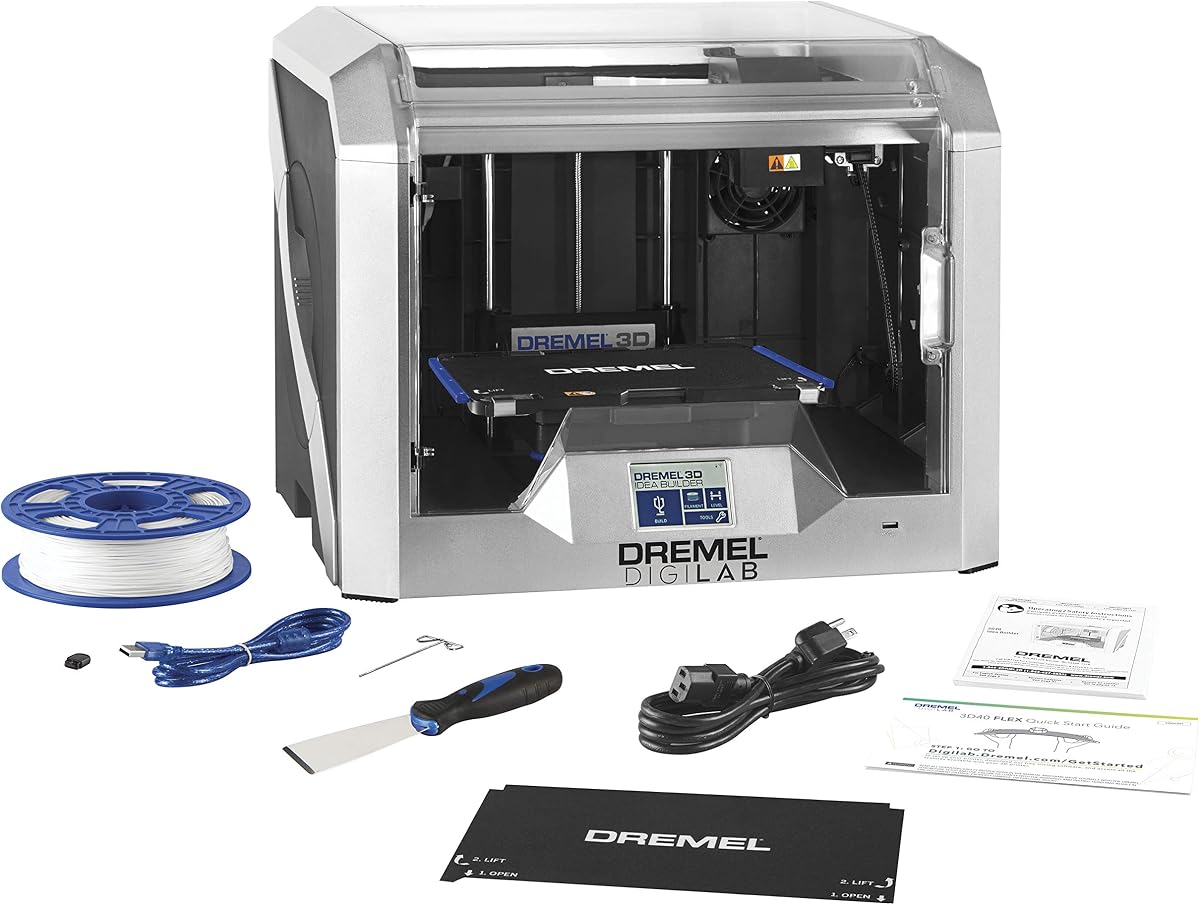
The 3D40 Flex brings the trusted Dremel name to 3D printing with reliable ease of use. It is designed for schools and offices with safety features like full enclosure.
We may earn a commission when you buy through this link, at no additional cost to you.
Its flexible build plate simplifies part removal without needing tools. The 50 micron resolution ensures high detail which is great for miniatures needing fine features.
Network-friendly features allow multiple users to manage prints from one location easily. While slower than newer models, it delivers consistent and safe prints for shared environments.
Choose this for classrooms or shared spaces where safety and support are paramount. It offers peace of mind with a reputation for quality and customer service.
Enclosed housing protects users from hot parts and fumes safely.
50 micron resolution supports intricate and detailed figurines.
We may earn a commission when you buy through this link, at no additional cost to you.
The A1 Combo is the complete package for users wanting multi-color right from the start. It includes the AMS Lite for seamless switching between colors for complex projects.
We may earn a commission when you buy through this link, at no additional cost to you.
With full auto calibration, it handles the complex settings for you automatically. This ensures smooth prints even for beginners who may not know how to calibrate manually.
The open frame allows for fast cooling which is great for PLA and PETG. It remains one of the fastest options in its class for prototyping detailed models quickly.
Perfect for those who want the full multi-color setup without extra steps. It offers the speed and features of the A1 with the added benefit of color flexibility.
Complete package includes multi-color capability without extra purchases.
Automated settings ensure consistent prints every time.
We may earn a commission when you buy through this link, at no additional cost to you.
Selecting the right machine involves understanding how speed, material compatibility, and automation affect your ability to produce detailed figurines efficiently.
High acceleration allows printers to move quickly between segments of a model without losing precision. For figurines, fast layer time means you can test prototypes faster or produce multiple parts for a set in less time.
Look for acceleration rates above 5000mm/s2 to ensure the machine handles quick turns required by complex designs.
Figurines often require multiple colors for eyes, clothes, or armor details. A multi-material system lets you change colors automatically or mix flexible supports with rigid models.
Choose a printer with an Automatic Material System (AMS) or independent toolheads if you plan to print with colors frequently.
Automated calibration systems handle bed leveling and Z-offset before every print. This reduces human error and ensures the first layer sticks properly which is vital for tall figurines.
Prioritize machines with full auto-leveling and active flow compensation to minimize failed prints.
A larger build volume allows for printing entire figurines without slicing them. High resolution ensures fine details on faces and clothing are visible rather than grainy.
Aim for a nozzle diameter of 0.25mm to 0.4mm for optimal detail on small models.
An enclosed chamber keeps temperature consistent for materials like ABS and ASA which are durable for outdoor displays. Open frames are cheaper and better for PLA but less versatile.
Consider your material needs and decide whether an enclosure is worth the extra cost.
Quiet operation is essential if the printer sits in a living space or studio. Safety features like HEPA filters and air circulation protect users from fine particles during long runs.
Check for noise-canceling motors and filtration systems to ensure a safe environment.
Advanced printers often support a wide range of materials including PETG and high-temp filaments. Ensure the nozzle can reach temperatures up to 300C for engineering plastics if needed.
Verify supported filament types to avoid hardware limitations later on.
Integrated slicing software and cloud monitoring streamline workflow for users who manage many prints. AI tools that detect failures save time and prevent wasted material.
Look for printers with companion apps for easy remote management.
Always start by ensuring the bed is clean and calibrated according to the manufacturer's recommendations. Use a brim or raft for tall figurines to prevent warping during the cooling process.
Regularly clean the nozzle and replace it if you notice inconsistent flow. Use a soft brush to remove dust from the linear rails and check the belt tension periodically.
Store filaments in dry containers with desiccant packs to prevent moisture absorption. Monitor your first few prints carefully to adjust temperature and flow rates for the best surface finish.
The Bambu Lab A1 and P1S are top choices due to their high acceleration and precise flow control. They offer fast speeds while maintaining fine details required for miniatures.
Yes, machines with AMS Lite or AMS 2 Pro like the A1 Combo allow seamless multi-color switching. This removes the need for manual filament swaps during prints.
An enclosed printer is ideal for engineering materials like ABS, but PLA works well in open frames. For standard figurines, an open frame is usually sufficient and more affordable.
Use printers with auto-bed leveling and flow calibration. Additionally, store your filament properly and ensure the bed surface is clean and level before printing.
A 0.25mm nozzle provides maximum detail but slows printing speed. Most hobbyists use 0.4mm as a balanced option for general figurine printing needs.
The Bambu Lab A1 features active noise-canceling motors for quiet operation. The SPARKX i7 also offers a Night Mode for silent printing in shared spaces.
The Bambu Lab A1 leads as our top pick for its balance of speed and ease of use. It delivers exceptional value for beginners and experts alike who need reliable performance.
Prioritize automation features like auto calibration and multi-color systems if you plan to print often. These features save time and reduce frustration for complex modeling projects.
Always verify current stock and warranty terms before purchasing to ensure you get the best deal. Your choice depends on your specific budget and the complexity of the models you plan to create.