
Toshiba L200 2TB
4.6Editor score
Low power profile
Shock sensors built-in
Advanced Format tech
Finding the right storage solution is crucial for modern computing needs. A 5400 Rpm HDD Hard Drive offers a balance of capacity and efficiency for everyday tasks.
We evaluated ten top models based on performance, durability, and user feedback. This guide helps you choose the best drive for your specific setup and budget.
Each pick highlights key specs and ideal use cases. Remember that prices fluctuate, so check current listings before making your final decision today.
4.6Editor score

4.7Editor score

4.5Editor score
As an Amazon Associate we earn from qualifying purchases.
This side-by-side comparison highlights the key differences between the top ten 5400 Rpm HDD Hard Drive models available on the market today.




This Seagate BarraCuda drive is a top choice for general computing. It holds a 4.7 rating and offers proven reliability for everyday tasks.
We may earn a commission when you buy through this link, at no additional cost to you.
It features a 128MB cache and SATA 6Gb/s interface for smooth data flow. The 2.5 inch form factor fits many laptops and small desktops.
The trade-off is lower speed compared to 7200 RPM models. This is acceptable for storage and media rather than high-speed gaming.
Buy this if you need reliable 2TB storage in a small case. It is recommended for most standard PC upgrades.
Backed by 20 years of innovation, this drive offers confidence in daily computing tasks and storage needs.
The 2.5 inch form factor allows easy installation in laptops and compact desktop towers.
We may earn a commission when you buy through this link, at no additional cost to you.
This drive offers huge storage for desktops with a 4.3 rating. It uses 5400 RPM speed but includes a 256MB cache for better performance.
We may earn a commission when you buy through this link, at no additional cost to you.
It is designed for desktop PC applications like media libraries. The 3.5 inch size fits standard desktop cases securely.
It uses more power than smaller drives. This is acceptable for desktops where power efficiency is less critical.
Buy this if you need large storage for a desktop. It is ideal for media servers and file archives.
With 6TB of space, this drive handles large media collections and extensive file archives easily.
Built for desktop PCs, it provides stable performance for long-term storage needs.
We may earn a commission when you buy through this link, at no additional cost to you.
This drive combines large capacity with a small size. It has a 4.2 rating and is perfect for space-constrained desktops.
We may earn a commission when you buy through this link, at no additional cost to you.
It offers 5TB of storage in a 2.5 inch format. This is rare for such large drives in small cases.
The price is higher than 3.5 inch models. This is worth it if space is limited in your system.
Buy this if you need 5TB in a laptop size. It suits mobile workstations and compact desktops.
Get 5TB of storage in a 2.5 inch drive, ideal for tight desktop builds.
Backed by BarraCuda reliability, it ensures safe storage for important files.
We may earn a commission when you buy through this link, at no additional cost to you.
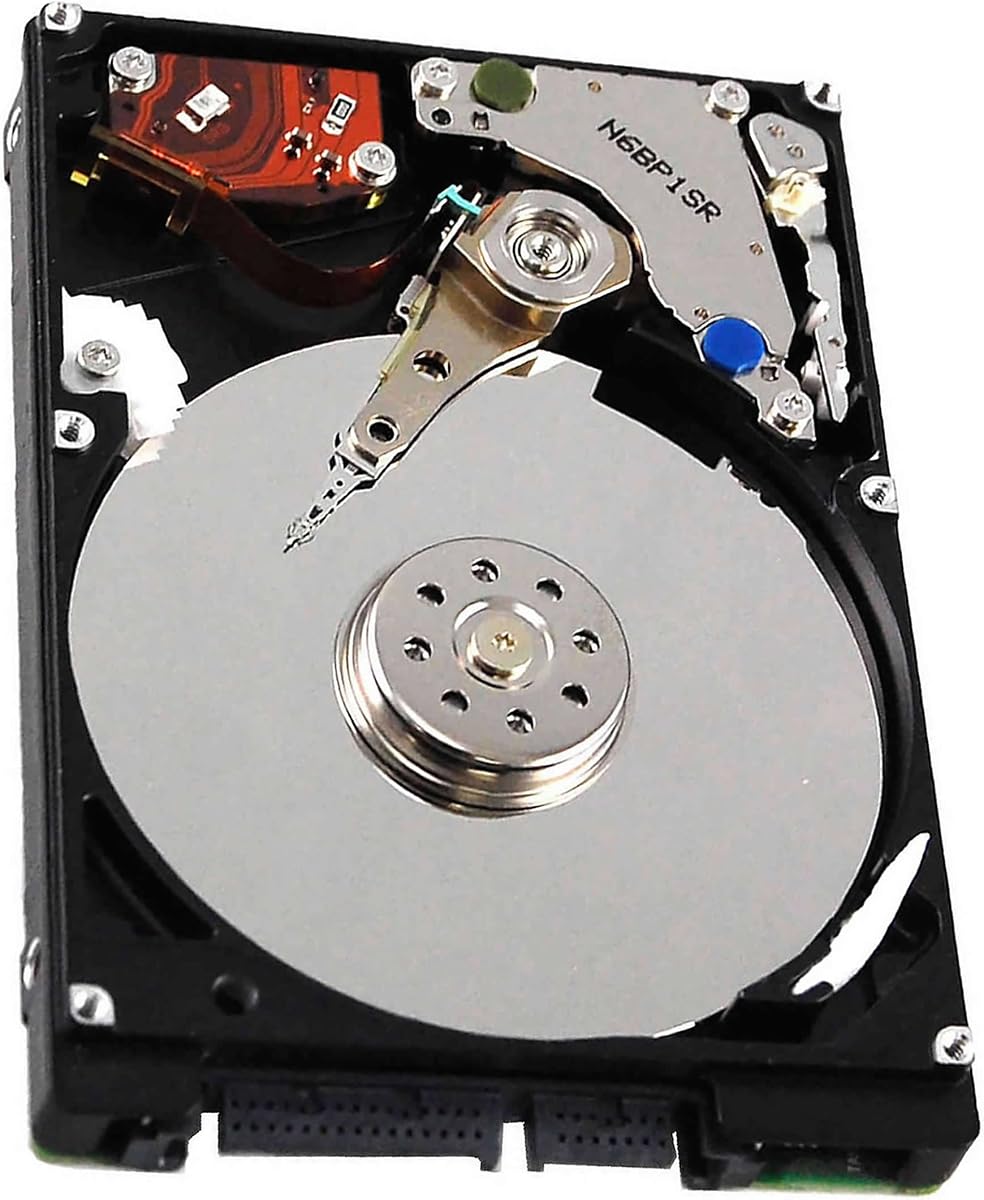
This Toshiba drive is a great budget pick for laptops. It has a 4.6 rating and features a low power profile for better battery life.
We may earn a commission when you buy through this link, at no additional cost to you.
It includes shock sensors and ramp loading for durability. The 9.5mm height fits most laptop bays easily.
It ships as a bare drive without packaging. You may need a mounting kit for some laptops.
Buy this if you need affordable laptop storage. It is ideal for budget-friendly upgrades.
The low power profile helps optimize your laptop's battery life during extended use.
Shock sensors and ramp loading technology protect data during movement and transport.
We may earn a commission when you buy through this link, at no additional cost to you.
This drive is designed for mobile computing needs. It has a 4.6 rating and specialized caching for optimized data flow.
We may earn a commission when you buy through this link, at no additional cost to you.
It allows you to tackle projects on the go. The 2.5 inch size fits most laptops perfectly.
The warranty provides peace of mind for portable use. This is important for drives that move frequently.
Buy this if you need reliable laptop storage. It is perfect for students and professionals.
Features specialized caching technology to optimize data flow and speed up loading times.
Backed by 20 years of innovation for portable hard drive technology.
We may earn a commission when you buy through this link, at no additional cost to you.
This Western Digital drive is factory renewed with zero hours. It has a 4.5 rating and offers a cost-effective solution.
We may earn a commission when you buy through this link, at no additional cost to you.
It includes 256MB cache for smooth operation. The renewed status means it is tested for reliability.
It is a great green choice. You reduce waste while getting good performance.
Buy this if you want value and sustainability. It is ideal for budget builds.
Renewed drives come with zero power on hours ensuring fresh usage time.
Choosing renewed hardware helps reduce electronic waste and environmental impact.
We may earn a commission when you buy through this link, at no additional cost to you.
This drive is built for tough environments. It has a 4.3 rating and G-Force protection for added robustness.
We may earn a commission when you buy through this link, at no additional cost to you.
It handles 1000 Gs of nonoperating shock. This is ideal for rugged mobile and industrial applications.
The capacity is lower than modern drives. This is acceptable for specific industrial uses.
Buy this if you need rugged storage. It suits industrial PCs and rugged laptops.
The robust design enables mobility in rugged operating environments with high shock tolerance.
Ideal for notebook PCs and industrial applications requiring durable storage solutions.
We may earn a commission when you buy through this link, at no additional cost to you.
This IronWolf drive is designed for NAS systems. It has a 4.5 rating and is ideal for multi-user environments.
We may earn a commission when you buy through this link, at no additional cost to you.
It includes health management and data recovery services. The drive delivers increased file-sharing performance.
It is pricier than desktop drives. This is worth it for networked storage reliability.
Buy this if you need NAS storage. It is perfect for home servers and offices.
Easily monitor drive health using the integrated IronWolf Health Management system.
Enjoy three-year Rescue Data Recovery Services included with the warranty plan.
We may earn a commission when you buy through this link, at no additional cost to you.
This BarraCuda drive offers great desktop storage. It has a 4.7 rating and includes free DiscWizard software.
We may earn a commission when you buy through this link, at no additional cost to you.
It supports up to 190 MB/s transfer rates. The packaging is frustration-free for easy setup.
It is for desktops only due to size. This suits most standard PC builds perfectly.
Buy this if you need reliable desktop storage. It is great for general computing.
Migrate and clone data from old drives easily using the free DiscWizard tool.
Easy to open packaging makes setup convenient for all users.
We may earn a commission when you buy through this link, at no additional cost to you.
This WD Red Plus drive is tuned for NAS. It has a 4.2 rating and uses CMR technology for reliability.
We may earn a commission when you buy through this link, at no additional cost to you.
It is designed for continuous operation in RAID systems. The warranty includes world-class support.
It is more expensive than desktop drives. This is justified for network storage performance.
Buy this if you need reliable NAS storage. It is ideal for home and office servers.
Uses CMR technology which is optimized for RAID systems and continuous operation.
Tuned for NAS systems with NASware for seamless performance in shared environments.
We may earn a commission when you buy through this link, at no additional cost to you.
Selecting the right 5400 Rpm HDD Hard Drive depends on your specific storage needs, device type, and budget constraints.
Capacity ranges from 320GB to 6TB. Choose based on how much data you need to store.
2.5 inch drives fit laptops. 3.5 inch drives are for desktops.
Cache sizes vary from 8MB to 256MB. Higher cache improves data flow.
Look for SATA 6Gb/s for modern compatibility. Older SATA 3Gb/s is slower.
Desktop drives suit static use. NAS drives handle 24/7 operation.
Most offer two to three years. Some include data recovery services.
Low power profiles help battery life. Desktops care less about this.
Mobile drives have shock sensors. Desktops typically lack this feature.
Install the drive securely in your laptop or desktop case. Use proper mounting screws to prevent movement during operation.
Regularly back up important data to the cloud or another drive. This ensures safety against unexpected failures.
Avoid moving laptops with the drive spinning. Sudden shocks can damage the internal mechanism.
It is a hard drive spinning at 5400 RPM. This speed balances capacity and power usage for general computing.
Yes, it is slower for gaming but efficient for storage. It consumes less power and runs cooler.
Yes, they are ideal for laptops. The lower power helps battery life and generates less heat.
Some are NAS optimized like IronWolf. Standard drives work but may not handle 24/7 use as well.
Cache stores data temporarily for fast access. Larger cache improves multitasking and loading times.
They can last five years or more with care. Proper installation and avoiding shocks extend their lifespan.
CMR is better for writing and RAID. SMR is cheaper but slower for some write tasks.
They are generally quiet. Lower RPM means less vibration and less sound than faster drives.
We covered top picks from Seagate, Toshiba, and Western Digital. Each model offers unique benefits for different needs.
Prioritize capacity and form factor first. Match the drive to your laptop or desktop requirements.
Prices change frequently. Always check current listings before finalizing your purchase today.