
HP Smart Tank 5003
4.1Editor score
Up to three years of ink included
Mess-free refill system
Cartridge-free design
This guide compares the top AI printers for home and office use, highlighting features like smart formatting, wireless connectivity, and ink efficiency to help
AI printers are transforming how we handle documents by offering smart features that streamline printing tasks. These devices use intelligent software to optimize layout and connectivity, making them ideal for modern homes and offices.
We have evaluated the leading models based on performance, reliability, and advanced AI capabilities. Our comparison focuses on speed, ink efficiency, and user-friendly interfaces to ensure you find a machine that meets your specific needs.
Each selection below showcases key strengths and potential trade-offs to guide your decision. Please note that prices and availability can change frequently, so check current listings before making a final purchase decision.
4.1Editor score

3.9Editor score

4.2Editor score
The following table provides a side-by-side overview of all ten selected AI printers. It highlights key specifications and features to help you quickly identify the model that best fits your workflow and budget requirements.




The HP OfficeJet Pro 8125 stands out as a top contender for home offices needing reliable and smart printing solutions. With a solid rating of 3.9 stars, it offers a balance of speed and intelligent features that simplify daily tasks. Its standout quality lies in the HP AI capability which optimizes print formatting to reduce waste and improve layout precision.
We may earn a commission when you buy through this link, at no additional cost to you.
This model delivers print speeds up to 20 ppm for black documents which is impressive for home use. It comes equipped with an auto document feeder and a 2.7-inch touchscreen for easy navigation. The inclusion of a three-month Instant Ink trial adds value by ensuring you never run out of supplies unexpectedly. Security is also a priority with HP Wolf Essential Security protecting your network from threats.
One trade-off to consider is the requirement for original HP chips which limits cartridge options. However, this ensures quality and prevents potential damage to the printer. The sustainable design using over 45% recycled plastic is a positive environmental note. These factors make it acceptable for users who prioritize reliability and smart features over third-party ink flexibility.
This printer is ideal for home office users who need professional-quality color documents like reports and presentations. If you value smart formatting tools and reliable wireless connectivity the HP OfficeJet Pro 8125 is a strong recommendation for your workspace needs.
HP AI easily removes unwanted content from web pages and emails so your prints are just the way you want without awkward layouts.
Dual-band Wi-Fi automatically detects and resolves connection issues ensuring your printer stays connected for seamless wireless printing tasks.
We may earn a commission when you buy through this link, at no additional cost to you.
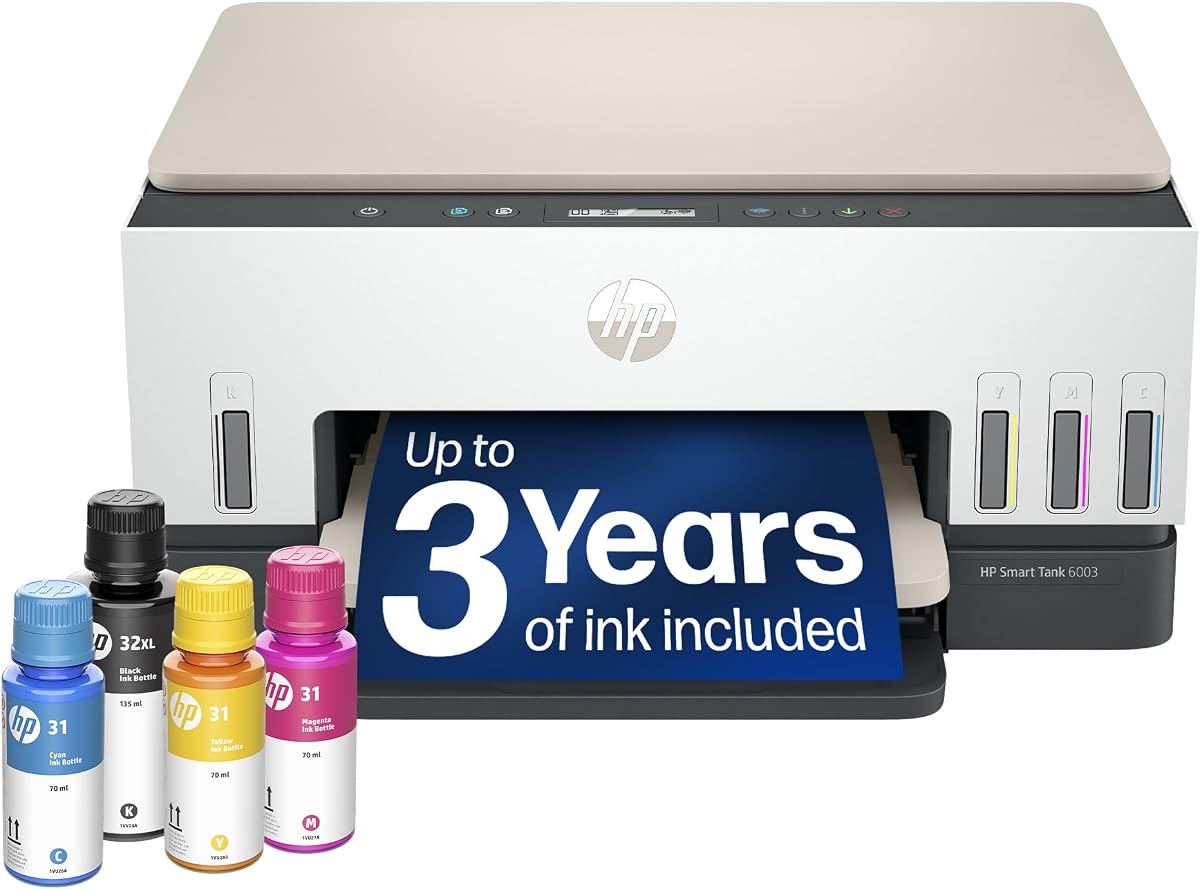
The HP Smart Tank 5003 is an excellent choice for budget-conscious users seeking high-volume printing capabilities. With a rating of 4.1 stars it delivers reliable performance without the need for frequent cartridge replacements. Its standout quality is the inclusion of up to three years of ink which significantly reduces long-term costs.
We may earn a commission when you buy through this link, at no additional cost to you.
This printer features a mess-free refill system that makes replenishing ink easy and clean. You can get up to 6000 color or black pages right out of the box which is perfect for families or small offices with heavy printing needs. It supports wireless printing and borderless prints ensuring versatility for various document types.
While it lacks fax functionality which might be needed in some offices the savings on ink make up for it. The cartridge-free design eliminates the hassle of buying expensive cartridges regularly. These trade-offs are acceptable for most home users who prioritize cost efficiency and convenience over advanced office features.
This model is best for those who need a reliable and affordable printer for everyday tasks. If you want to avoid running out of ink unexpectedly the HP Smart Tank 5003 is a top budget-friendly recommendation.
The Smart Tank design offers low-cost high-volume printing with up to three years of HP Ink included right out of the box.
Mess-free refill system allows you to simply plug ink bottles into the tank and let them drain without squeezing or spilling.
We may earn a commission when you buy through this link, at no additional cost to you.
The Liene PixCut S1 offers a unique premium solution for creative projects requiring stickers and custom labels. With a rating of 4.2 stars it combines high-quality printing with precise cutting in one device. Its standout quality is the AI image extraction feature that automatically recognizes and extracts subjects from photos for custom designs.
We may earn a commission when you buy through this link, at no additional cost to you.
This printer uses thermal dye-sublimation technology to deliver vibrant and true-to-life colors at 300 DPI. The AI-to-cut workflow ensures flawless results every time by following every edge with pinpoint accuracy. You can create stickers in just two minutes using the user-friendly app which connects via Bluetooth for seamless operation.
A potential limitation is that it is specialized for stickers rather than general documents. However, the precision and quality make it unbeatable for crafts and gifts. The durable waterproof and scratch-resistant stickers ensure your creations last over time. These factors make it worth the investment for creative enthusiasts.
This device is perfect for DIY crafters and small business owners who need custom labels. If you value AI-driven design tools and professional results the Liene PixCut S1 is a standout premium choice.
Upload a photo pick a style from the Liene Photo App and watch AI bring your vision to life instantly for endless creative versions.
Four-layer thermal dye-sublimation technology laminates photopaper automatically ensuring stickers are waterproof and scratch-resistant for long-lasting use.
We may earn a commission when you buy through this link, at no additional cost to you.
The HP Envy 6155 is designed specifically for homes where high-quality everyday documents are a priority. With a rating of 4.2 stars it offers vibrant color printing that matches what you see on screen. Its standout quality is the True-to-screen technology with P3 ensuring photos and documents look as vibrant as they do on your display.
We may earn a commission when you buy through this link, at no additional cost to you.
This printer supports auto 2-sided printing and has a 100-sheet input tray for efficient use. It comes with a three-month Instant Ink trial to help manage supplies easily. The intuitive 2.4-inch touchscreen makes navigation smooth and simple for all household members. It also connects via dual-band Wi-Fi for reliable wireless printing.
A trade-off is the print speed which is limited to 10 ppm for black documents. This is acceptable for typical home tasks rather than large office jobs. The sustainable design using at least 60% recycled plastic is a plus for eco-conscious users. These factors make it suitable for light to moderate printing needs.
This printer is ideal for families needing to print homework and borderless photos regularly. If you prioritize color accuracy and smart features the HP Envy 6155 is a strong choice for your home setup.
True-to-screen tech with P3 ensures documents and photos look as vibrant as they do on your screen with professional-quality results.
The most intuitive color touchscreen allows you to smoothly navigate your printer with an easy-to-use interface for quick tasks.
We may earn a commission when you buy through this link, at no additional cost to you.
The Bambu Lab P2S Combo is a powerful option for those interested in 3D printing with advanced AI features. With a rating of 4.7 stars it delivers professional-grade quality and speed for creative projects. Its standout quality is the high-speed precision printing up to 600 mm/s while maintaining exceptional accuracy and smooth layers.
We may earn a commission when you buy through this link, at no additional cost to you.
This 3D printer features AI failure detection and automatic calibration to ensure flawless results. The AMS 2 Pro enables seamless multi-color and multi-material printing with built-in filament drying. It is ready to print in just 15 minutes making it accessible even for beginners. The adaptive airflow system ensures clean safe air while printing.
A consideration is that multi-color printing requires the Combo version with the AMS 2 Pro unit. This adds complexity but offers limitless creativity for complex projects. The workflow is streamlined with Bambu Studio allowing you to explore over one million models easily. These factors make it suitable for hobbyists and professionals.
This device is best for makers wanting high-speed and reliable 3D printing capabilities. If you value smart calibration and multi-color options the Bambu Lab P2S Combo is a top recommendation.
With AI failure detection and automatic calibration this 3D printer makes professional-grade 3D printing effortless even for beginners.
The Adaptive Airflow System automatically balances cooling and heat retention keeping overhangs crisp and chamber consistent for engineering materials.
We may earn a commission when you buy through this link, at no additional cost to you.
The HP OfficeJet Pro 9135 is designed for small offices needing high performance and advanced features. With a rating of 4.0 stars it delivers fast and efficient printing for professional documents. Its standout quality is the fast color printing speeds up to 25 ppm for black ensuring quick turnaround times for busy teams.
We may earn a commission when you buy through this link, at no additional cost to you.
This model includes single-pass 2-sided scanning and an auto document feeder to handle large volumes efficiently. It comes with HP Wolf Pro Security to protect your network from cyber threats. The large 4.3-inch touchscreen provides a phone-like interface for easy navigation. A three-month Instant Ink trial is also included to help manage costs.
A trade-off is the larger size and higher cost compared to home models. However, the speed and security features justify this for business use. The sustainable design using over 40% recycled plastic is an added benefit. These factors make it acceptable for offices prioritizing productivity and security.
This printer is ideal for small offices printing brochures flyers and presentations. If you need robust security and fast speeds the HP OfficeJet Pro 9135 is a reliable recommendation.
Auto document feeder with single-pass 2-sided scanning allows for efficient processing of multi-page documents without manual flipping.
HP Wolf Pro Security bolsters security and helps keep your network protected from cyber threats during daily office operations.
We may earn a commission when you buy through this link, at no additional cost to you.
The HP Smart Tank 7603 is ideal for home offices requiring high-volume printing with low costs. With a rating of 3.9 stars it offers reliability and efficiency for heavy printing tasks. Its standout quality is the ability to print up to 8000 color or 6000 black pages right out of the box.
We may earn a commission when you buy through this link, at no additional cost to you.
This printer includes fax capability and an auto document feeder for versatile office use. It features a magic touch control panel for easy navigation and quick tasks. The mess-free refill system makes replenishing ink simple and clean. It also comes with up to three years of ink included to reduce long-term expenses.
A trade-off is the larger physical footprint which may require dedicated desk space. However, the ink efficiency and fax features make it worth it for busy users. The cartridge-free design ensures you avoid buying expensive individual cartridges. These factors make it acceptable for high-volume printing needs.
This model is best for home offices needing both fax and high-page output capabilities. If you want to minimize ink costs the HP Smart Tank 7603 is a top recommendation.
Get up to 8000 color or 6000 black pages right out of the box ensuring you never run out during busy work periods.
This all-in-one ink tank printer includes fax capability plus borderless prints for professional-quality document handling.
We may earn a commission when you buy through this link, at no additional cost to you.
The HP OfficeJet Pro 8139 is perfect for home offices needing extended ink support and security features. With a rating of 4.0 stars it offers reliable performance for business documents. Its standout quality is the one-year Instant Ink trial which provides long-term convenience and cost savings.
We may earn a commission when you buy through this link, at no additional cost to you.
This printer supports auto 2-sided printing and has an auto document feeder for efficient scanning. It includes HP Wolf Essential Security to protect your network from cyber threats. The 2.7-inch touchscreen provides easy navigation for all users. It also connects via dual-band Wi-Fi to maintain stable connections.
A trade-off is the requirement for original HP chips which may limit third-party options. However, this ensures print quality and prevents hardware issues. The sustainable design using over 45% recycled plastic is a positive environmental choice. These factors make it acceptable for professional home office settings.
This printer is ideal for users who value long-term ink savings and security. If you need fax capabilities the HP OfficeJet Pro 8139 is a strong recommendation.
Subscribe to the Instant Ink delivery service to get ink delivered directly to your door before you run out and save up to 50% on ink.
HP Wolf Essential Security bolsters security and helps keep your network protected from cyber threats during everyday printing tasks.
We may earn a commission when you buy through this link, at no additional cost to you.
The HP Smart Tank 7603 offers a reliable alternative for home offices needing high-volume printing. With a rating of 4.0 stars it provides consistency for heavy document loads. Its standout quality is the high page yield of 8000 color or 6000 black pages right out of the box ensuring fewer refills.
We may earn a commission when you buy through this link, at no additional cost to you.
This printer features a mess-free refill system that allows you to plug ink bottles into the cartridge-free tank easily. It includes fax capability and a magic touch control panel for efficient operation. The system supports wireless printing for seamless connectivity. It comes with up to three years of ink included.
A trade-off is the larger physical size which may need more desk space. However, the cartridge-free design ensures you avoid expensive ink replacements. The durable build supports reliable long-term performance. These factors make it acceptable for offices prioritizing cost efficiency.
This model is best for users wanting to eliminate cartridge waste. If you need fax support the HP Smart Tank 7603 is a top recommendation.
Replenish ink with HP's easy-access mess-free refill system simply plug the ink bottles into this cartridge-free ink tank and let them drain.
This printer delivers sharper text and richer colors only with HP Smart Tank for professional-quality printing every time.
We may earn a commission when you buy through this link, at no additional cost to you.
The HP Smart Tank 6003 is suitable for home users seeking reliable high-volume printing. With a rating of 3.8 stars it offers consistent performance for daily tasks. Its standout quality is the high page yield of 8000 color or 6000 black pages right out of the box ensuring long usage between refills.
We may earn a commission when you buy through this link, at no additional cost to you.
This printer includes fax capability and an auto document feeder for versatile office use. It features a magic touch control panel for easy navigation and quick tasks. The mess-free refill system makes replenishing ink simple and clean. It also comes with up to three years of ink included to reduce long-term expenses.
A trade-off is the larger physical footprint which may require dedicated desk space. However, the ink efficiency and fax features make it worth it for busy users. The cartridge-free design ensures you avoid buying expensive individual cartridges. These factors make it acceptable for high-volume printing needs.
This model is best for home offices needing both fax and high-page output capabilities. If you want to minimize ink costs the HP Smart Tank 6003 is a top recommendation.
Get up to 8000 color or 6000 black pages right out of the box ensuring you never run out during busy work periods.
This all-in-one ink tank printer includes fax capability plus borderless prints for professional-quality document handling.
We may earn a commission when you buy through this link, at no additional cost to you.
Choosing the right AI printer requires understanding your specific needs. This guide covers key factors to help you make an informed decision for your workspace.
Look for printers with high DPI ratings to ensure sharp text and vibrant images. AI printers often use advanced tech like thermal dye-sublimation for better photo quality.
High resolution ensures your documents look professional and suitable for presentations or custom gifts.
Consider pages per minute to match your workload. Home users need moderate speeds while offices require faster performance to handle busy days.
Choose a model that supports high-volume printing if you frequently print large batches of documents.
Advanced AI tools can optimize formatting reduce waste and enhance security. Features like automatic layout adjustments save time and reduce errors.
Prioritize printers with smart tools that simplify your workflow and improve output consistency.
Evaluate ink costs and capacity carefully. Tank models often offer lower per-page costs compared to cartridge systems for long-term savings.
Choose a cartridge-free system if you want to minimize long-term supply expenses and hassle.
Ensure the printer supports wireless connectivity like dual-band Wi-Fi for seamless mobile printing. Some models offer Bluetooth or app-based control for added convenience.
Reliable wireless features ensure you can print from any device without physical connections.
Security is critical for offices handling sensitive data. Look for built-in features like Wolf Pro Security to protect against cyber threats.
Secure connections ensure your documents and network remain safe during daily operations.
Check for sustainable materials and sturdy build quality. Recycled plastic content is a plus for eco-conscious users.
A durable design ensures your printer lasts longer and supports your long-term workflow needs.
Consider features like faxing auto document feeders or cutting capabilities based on your specific needs.
Versatile functions allow one machine to handle multiple tasks and save space.
To get the best results set up your printer on a stable flat surface away from direct sunlight. Ensure it connects securely to your network via Wi-Fi to enable mobile printing features.
Use the official app to manage your prints and check ink levels regularly. Update firmware as prompted to maintain optimal performance and security features.
Clean the printheads periodically to prevent clogs and ensure sharp output. Store ink bottles in a cool dry place to maintain their quality over time.
Yes, AI printers are perfect for small home offices as they offer features like automatic formatting and wireless connectivity. These tools streamline daily tasks and reduce the need for manual adjustments.
Smart Tank printers provide cost savings with refillable ink tanks that last years. This eliminates the need for frequent cartridge replacements and supports high-volume printing.
HP AI optimizes print formatting to remove unwanted content from web pages or emails. This ensures your documents look professional and reduce wasted paper.
No, printers like the Liene PixCut S1 integrate printing and cutting in one step. The AI auto-cut feature follows edges precisely so you do not need a separate machine.
Yes, all listed printers support wireless printing via Wi-Fi or Bluetooth. Some models offer dual-band Wi-Fi for more reliable connections in busy environments.
To reduce costs consider tank models with refillable ink or subscribe to delivery services like Instant Ink. This ensures you never run out unexpectedly and saves money on supply.
We reviewed ten top AI printers including the HP OfficeJet Pro 8125 and Liene PixCut S1. Each offers unique strengths from high speed to smart cutting capabilities.
Prioritize ink efficiency and smart features that match your specific workflow needs. Whether you need fax support or high-volume printing there is a model for you.
Always check current prices and availability before purchasing to get the best deal. Technology evolves quickly so verify the latest features and discounts.