
Ai Pen Chat Gpt Pen
5.0Editor score
Offline translation support
HD touchscreen interface
Built-in GPT assistance
AI scan pens with ChatGPT integration are transforming how we interact with printed text. These devices combine optical character recognition with large language models to provide instant answers explanations and translations. They are ideal for students researchers and professionals who need to process information quickly without losing focus on their primary tasks.
We evaluated ten leading models based on scan accuracy language support screen quality and AI responsiveness. Our comparison covers devices ranging from budget-friendly options to premium all-in-one solutions. Each product was analyzed for its ability to bridge the gap between physical documents and digital workflows efficiently.
Each pick below highlights specific strengths such as dyslexia support offline translation or real-time transcription. Remember that availability and specifications may vary by region. Always check the latest product details before making your final decision to ensure it meets your specific needs.
5.0Editor score

3.3Editor score

4.0Editor score
As an Amazon Associate we earn from qualifying purchases.
The following table provides a side-by-side comparison of the top ten AI scan pens available today. It highlights key specifications to help you identify the device that best fits your workflow and learning style.




The Scanmarker AI Pen is a leading device for converting printed text into digital formats with ease. It features a built-in screen that allows users to view scanned content immediately without needing a connected device. This makes it an excellent choice for students and professionals on the go who need instant access to information.
We may earn a commission when you buy through this link, at no additional cost to you.
Its standout quality is the ability to perform scan-to-text magic instantly. You simply slide the pen over text and watch words appear on the screen. The text-to-speech function adds another layer of utility by reading text aloud which helps with comprehension and reduces reading fatigue during long study sessions.
While the device offers significant convenience there are trade-offs. Users must keep the pen charged to maintain functionality which can be inconvenient during extended use. Additionally while it offers some offline capabilities the full power of its AI features often requires an internet connection limiting its use in remote areas.
This pen is ideal for anyone who needs to digitize documents quickly while maintaining portability. If you value speed and clarity in your scanning tool the Scanmarker AI Pen delivers on those fronts. We recommend it for daily study work or travel where quick access to text is essential.
Slide the pen over printed text to see words appear on the built-in screen within seconds.
Listen to scanned text read aloud to improve understanding and reduce eye strain during long sessions.
We may earn a commission when you buy through this link, at no additional cost to you.
The NEWYES AI Pen is designed with accessibility in mind making it a strong option for individuals with dyslexia. It offers customizable reading speeds and pause times to suit different learning preferences. The device also includes a built-in camera for photo translation which expands its utility beyond simple text scanning.
We may earn a commission when you buy through this link, at no additional cost to you.
Its AI-powered learning tools provide real-time homework checking and dictionary lookups. This helps users understand words in context rather than just translating them. The 16GB storage allows for significant content retention ensuring you can save and organize notes without frequent cloud reliance.
One challenge with this device is the initial setup process which may require patience. Additionally battery life can vary depending on usage intensity. However for users who need tailored reading assistance and robust translation capabilities these factors are minor compared to the benefits provided.
This pen is best suited for students and adults who require accessible reading tools. If you struggle with traditional reading methods or need extensive translation features the NEWYES AI Pen offers a comprehensive solution. It is particularly valuable for those who need to read at their own pace.
Adjust word reading speed and pause time to reduce stress and make text easier to process.
Translate between 112 languages using printed text photo scans or voice input for any situation.
We may earn a commission when you buy through this link, at no additional cost to you.
The XNote Smart Pen allows you to write on real paper while digitally syncing your strokes to a companion app. This preserves the tactile feel of traditional writing while adding the convenience of digital organization. It is ideal for those who prefer handwriting over typing but need searchable notes.
We may earn a commission when you buy through this link, at no additional cost to you.
Its AI capabilities go beyond simple digitization by summarizing lectures and auto-tagging notes. This feature helps users review material faster without reading every word. The device also integrates with meeting platforms to combine audio and handwritten notes into one searchable record.
A key limitation is that the pen itself lacks a microphone meaning audio recording happens through the app. Also users must have the app open to sync content unless using offline storage mode. Despite these minor constraints the seamless experience offers significant productivity gains.
This set is perfect for professionals and students who take extensive handwritten notes. If you want the comfort of paper with the power of digital search and summaries the XNote system is a top choice. It provides a complete workflow from note creation to organization.
Enjoy the comfort of real pen and paper while every stroke is captured instantly and synced to the app.
Auto-tag notes enable keyword search and summarize lectures to make studying and working more productive.
We may earn a commission when you buy through this link, at no additional cost to you.
This translator pen excels in supporting users with dyslexia and adult language learners through precise OCR and reading technology. It decodes complex vocabulary and reads text aloud to improve comprehension. The device supports over 140 languages online and ten offline making it versatile for travel and business.
We may earn a commission when you buy through this link, at no additional cost to you.
The integration of photo translation and voice recording adds significant value. You can capture text from signs or menus and get instant translations without typing. This feature is particularly useful in outdoor settings where manual transcription is impractical or time-consuming.
While the feature set is rich users may find the interface initially complex. Navigating different modes for scanning translating and recording requires some familiarity. However once learned the device provides a comprehensive toolkit for language and document management.
This pen is ideal for frequent travelers and language students who need robust translation features. If you require a tool that handles text scanning photo recognition and voice recording in one unit this device fits the bill. It is a strong choice for those prioritizing versatility.
Covers 142 languages online and offline to solve cross-language pain points in any environment.
Equipped with 5MP HD cameras to identify complex text scenarios and translate image text accurately.
We may earn a commission when you buy through this link, at no additional cost to you.
The Ai Pen offers a budget-friendly entry into AI-enhanced scanning tools without compromising on core features. It integrates GPT technology to provide instant answers for subjects like math and history. This makes it a versatile study tool for students looking to deepen their understanding beyond simple scanning.
We may earn a commission when you buy through this link, at no additional cost to you.
The HD touchscreen interface allows for easy navigation and quick translation across 150 languages. Users can store files directly on the device ensuring their notes are always accessible. The compact design makes it easy to carry in a pocket or bag for on-the-go use.
While the screen is functional it is smaller than premium models which may affect readability. Build quality can also vary between units but for the price point the functionality is strong. These minor drawbacks are often acceptable given the cost savings and feature set.
This pen is perfect for students and travelers on a budget who need reliable translation and AI help. If you want instant answers and extensive language support without a high price tag this device is an excellent choice. It balances affordability with modern smart features well.
Enhance your learning with built-in GPT integration offering intelligent suggestions and insights effectively.
Scan text across 60+ languages efficiently to store and organize notes for easy access later.
We may earn a commission when you buy through this link, at no additional cost to you.
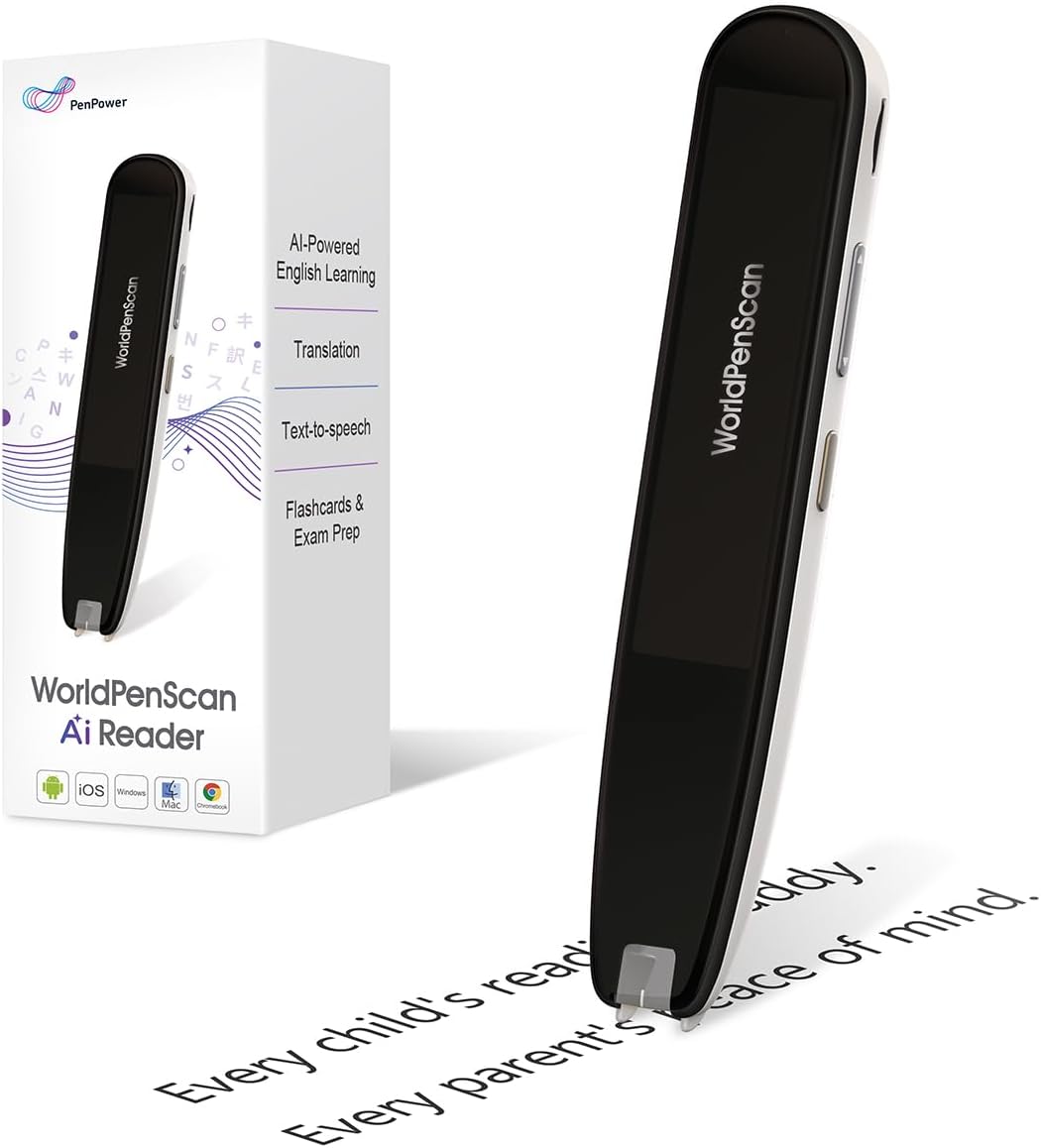
The WorldPenScan AI Reader is designed specifically to help children stay engaged with reading. It provides age-appropriate explanations for difficult words or sentences instantly. This tool helps children understand complex ideas without leaving the page which encourages independent reading habits.
We may earn a commission when you buy through this link, at no additional cost to you.
A unique feature is the AI Reading Buddy which syncs scans to offer deeper learning. It can provide fun facts and insights beyond the text to reinforce comprehension. Offline tools like text-to-speech ensure kids can use it anywhere without needing an internet connection.
The device is optimized for English Spanish and Chinese which limits its scope for broader language learning offline. The screen is also compact which may require small hands to operate. Despite this it remains a powerful tool for early readers and ESL learners.
This pen is ideal for parents wanting to support their child's reading development. If you need a tool that explains vocabulary simply and builds reading confidence this device is a top pick. It is particularly useful for young students who need extra support.
Scan a word to receive clear age-appropriate explanations in seconds without interrupting reading flow.
Encourages curiosity and strengthens comprehension to help children solve reading challenges on their own.
We may earn a commission when you buy through this link, at no additional cost to you.
This pen focuses heavily on integrating AI capabilities directly into the scanning workflow. It allows users to ask questions or brainstorm ideas through an intuitive ChatGPT interface. This bridges analog and digital learning effectively by providing instant context to scanned text.
We may earn a commission when you buy through this link, at no additional cost to you.
The multilingual mastery feature supports offline translation for over 50 languages. Users can scan foreign text and view translations instantly on the 3.5-inch HD touchscreen. Additionally voice recording helps capture ideas or lectures which can be synced wirelessly to devices.
One drawback is that syncing files wirelessly can sometimes introduce latency during review. The price point is also higher than basic scanners which may be a factor for budget-conscious buyers. However for users needing deep AI integration the trade-off is often worth it.
This device is perfect for professionals and students who rely on AI for productivity. If you want to interact with knowledge directly through scanning and have instant answers available this pen is a strong choice. It is best for those who value connectivity and intelligence.
Boost your productivity with built-in ChatGPT allowing you to ask questions and explore new topics easily.
Break language barriers with offline translation for over 50 languages and instant screen translations.
We may earn a commission when you buy through this link, at no additional cost to you.
The Smart Pen Notebook Set combines handwriting and voice transcription for a hybrid note-taking experience. It uses AI to convert voice into text in real time making it easy to capture inspirations and meeting content. The app also features handwriting recognition to generate editable Word documents.
We may earn a commission when you buy through this link, at no additional cost to you.
A unique feature is the ability to generate visuals from verbal expressions. You can input voice commands to create images which adds a creative dimension to note taking. The reusable design allows you to erase and rewrite markings on the special paper as needed.
While the features are innovative the setup process requires multiple steps to synchronize properly. Battery usage can be high when using transcription and image generation features frequently. Despite this the device offers a creative and efficient workflow for digital note management.
This pen is ideal for creatives and professionals who use both voice and handwriting. If you need a tool that captures spoken ideas and converts them to editable text this device fits well. It is particularly useful for brainstorming and meetings.
Voice is converted into text in real time making it easier to record inspirations and meeting content effortlessly.
Write erase and rewrite without worry with pencil refills designed for repeated usage and erasing.
We may earn a commission when you buy through this link, at no additional cost to you.
The Scanmarker Pal is a versatile translator and reading pen designed for language learners and travelers. It scans and translates text in over 100 languages with offline support for major languages like English and Spanish. This makes it reliable in places where internet access is limited.
We may earn a commission when you buy through this link, at no additional cost to you.
The text-to-speech feature reads text aloud while highlighting words on the screen. This helps improve comprehension and is particularly helpful for those with dyslexia or reading challenges. Users can also export scanned text as digital files for future use or editing.
One trade-off is that it lacks advanced AI features like deep contextual analysis found in other models. The screen is also small which may require careful scanning. However for straightforward translation and reading assistance it remains highly effective and simple to use.
This pen is ideal for travelers and language students who need quick and accurate translations. If you need a reliable tool that works offline and highlights key words this device is a great option. It is perfect for on-the-go language interaction.
Scans and translates text in over 100 languages including offline support for English Spanish French German and Italian.
Reads text aloud instantly with highlighted words on the screen for improved comprehension and auditory learning.
We may earn a commission when you buy through this link, at no additional cost to you.
This translation pen is a multi-functional device supporting 142 languages for online and scanning translation. It can handle printed text digital screens and labels making it versatile for many scenarios. The text extraction feature allows users to sync documents with their phone for editing and review.
We may earn a commission when you buy through this link, at no additional cost to you.
The device also serves as a recorder and media player which adds utility beyond language tools. You can save interviews and conversations and translate text in images via its camera function. This multifunctional approach makes it a comprehensive travel and study companion.
With so many features the interface can sometimes feel cluttered or confusing for new users. The display is basic compared to smart screens which limits readability. However for those who need a tool that does many things one device this versatility is a major benefit.
This pen is ideal for users who want a single device for translation media and recording. If you need a tool that supports 142 languages and handles image translation this device is a strong choice. It is perfect for travelers who want a single versatile gadget.
Supports document extraction in 142 languages synchronizing scanned and translated documents with your phone.
Supports photo image to text translation function and serves as a recorder for all important interviews.
We may earn a commission when you buy through this link, at no additional cost to you.
Choosing the right AI scan pen requires evaluating key factors such as translation capacity language support and screen quality. This guide helps you determine which features matter most for your specific needs.
Different devices support varying numbers of languages ranging from 50 to 150. Ensure the pen supports the specific languages you need for travel or study to avoid compatibility issues.
Prioritize models with offline support for essential languages if you travel to areas with limited internet connectivity.
Larger screens make reading translations and editing easier on the device. High-definition displays reduce eye strain during long reading sessions.
Select a screen size that balances portability with readability based on your typical usage scenarios.
Advanced AI features like context-aware translations and chat integration provide deeper insights than simple translations. These features are crucial for students needing explanations rather than just word replacements.
Look for devices that offer real-time chat or explanation modes if you need academic support.
Built-in storage allows you to keep notes and files accessible without cloud dependency. Ensure the device supports exporting to formats you use such as PDF or Word.
Check for USB or cloud sync options to manage your files efficiently across devices.
Long battery life ensures uninterrupted use during travel or study sessions. Fast charging capabilities reduce downtime between uses.
Choose a device with at least a day's worth of usage time to avoid frequent charging interruptions.
Lightweight pens are easier to carry daily without adding bulk. Durable builds ensure the device withstands travel wear and tear.
Opt for ergonomic designs that fit comfortably in the hand for extended scanning tasks.
Adjustable reading speeds and text-to-speech functions are vital for users with learning difficulties. These features improve comprehension and reduce fatigue.
Ensure the pen offers customizable settings to match your specific reading preferences and needs.
Bluetooth and Wi-Fi connectivity enable seamless data transfer to computers or phones. Reliable syncing ensures your notes are always backed up.
Verify that the device supports stable pairing with your existing ecosystem for smooth integration.
To use an AI scan pen start by charging the device fully before first use. Install the companion app if required and pair the pen via Bluetooth to enable syncing features.
When scanning text move the pen steadily across the line at the recommended speed for accuracy. For translation select the desired language settings before scanning to ensure correct output.
Regularly update the device firmware to access new AI features and improvements. Store the pen in a protective case when not in use to prevent damage to the scanning tip.
Many models offer offline translation for a limited set of languages such as English and Spanish. However advanced AI features like real-time chat often require an internet connection to function properly.
Most devices allow you to view and save scanned text directly on the screen. Editing is typically done on the paired app or computer after exporting the text files.
OCR accuracy varies by model and font clarity. High-end pens offer precise scanning for standard printed text but may struggle with handwriting or complex layouts.
Yes many pens include adjustable reading speeds and text-to-speech features designed to support dyslexia. These tools help reduce cognitive load and improve reading fluency.
Most AI scan pens support over 100 languages for scanning and translation. Check the specific language list for your model to ensure it covers your needs.
Warranty terms vary by manufacturer but most offer at least a one-year limited warranty. Check the product details for specific coverage information before purchasing.
Most pens are optimized for printed text and may not recognize handwriting accurately. Some models allow note-taking on specialized paper for better compatibility.
You can typically export notes via USB or Wi-Fi to your computer. Most apps allow saving in common formats like PDF or text files for easy sharing.
The ten AI scan pens reviewed here offer a wide range of features from basic translation to advanced AI assistance. Selecting the right one depends on your specific needs whether it be travel language learning or professional use.
Prioritize features such as offline capabilities and dyslexia support if they are critical for your workflow. Investing in a device with reliable connectivity ensures you get the most out of AI features.
Remember that product availability and specifications may change. Always verify the latest details on the manufacturer website or authorized retailer before making your final decision.