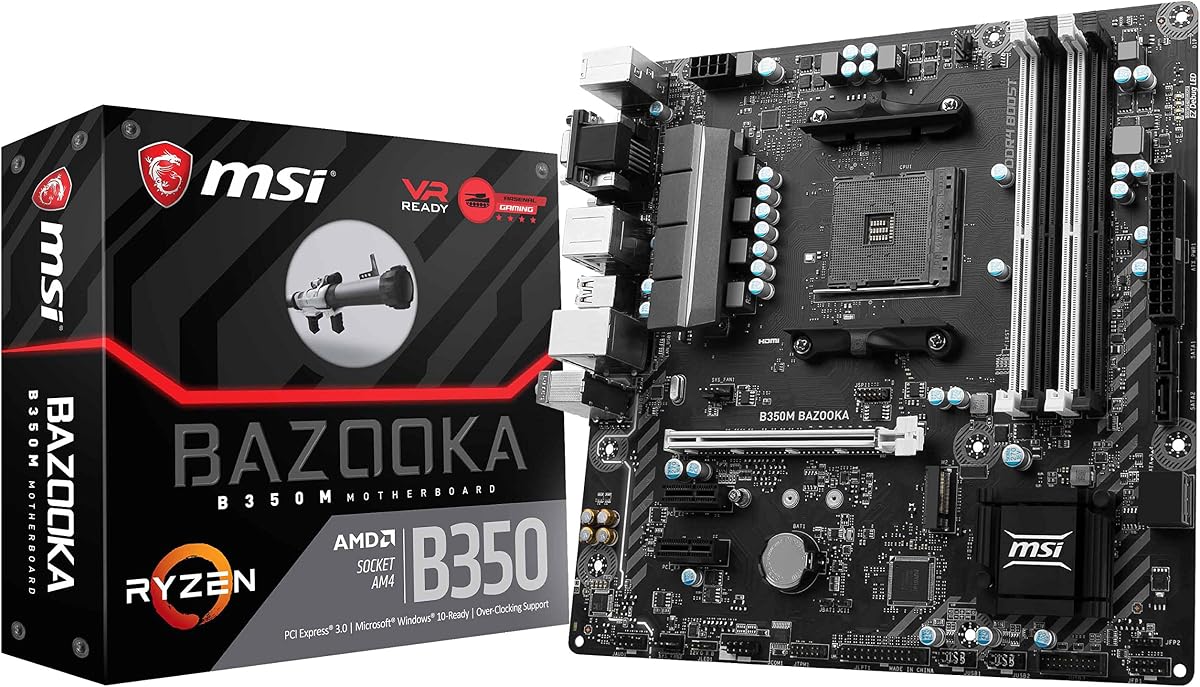
MSI Gaming B350
3.9Editor score
VR Ready Support
Audio Boost Tech
EZ Debug LED
This guide compares the top AMD B350 motherboards for Ryzen processors, covering features, connectivity, VRM quality, and value for budget and mid range gaming
Choosing the right motherboard is crucial for any AMD Ryzen build. The B350 chipset offers excellent value, supporting powerful processors and modern memory speeds. It remains a popular choice for budget-conscious gamers and builders.
We evaluated ten top models based on reliability, features, and user feedback. Our analysis focuses on VRM stability, connectivity options, and overall build quality. This list helps you find the perfect match for your needs.
Each pick highlights key strengths and potential trade-offs for different users. Prices and availability change frequently so check current listings before buying. Use this guide to make an informed decision for your next PC.
3.9Editor score

4.4Editor score
4.5Editor score
Here is a side-by-side comparison of all ten selected motherboards. We highlight key specifications and features to help you quickly identify the best fit for your specific build requirements and budget constraints.



The ASUS Prime B350-Plus stands out as a reliable choice for Ryzen builds. It offers solid power delivery and essential modern features like M.2 support. Its 4.4 rating reflects consistent performance and user satisfaction.
We may earn a commission when you buy through this link, at no additional cost to you.
This motherboard excels with its 5X Protection III hardware safeguards. The SafeSlot Core prevents damage from heavy GPUs. FanXpert 2+ ensures optimal cooling. These features contribute to long-term system stability.
However, it lacks built-in Wi-Fi and extensive RGB headers. You may need a wireless card or USB adapter. The lack of vibrant lighting might not appeal to RGB enthusiasts seeking a full aesthetic setup.
This pick is ideal for users wanting a dependable, affordable ATX board. It suits gamers who prioritize function over flair. If you need reliable performance without extra costs, this model delivers well.
FanXpert 2+ provides advanced fan controls for optimized cooling efficiency across the system.
5X Protection III ensures component longevity through robust hardware-level safety measures.
We may earn a commission when you buy through this link, at no additional cost to you.
This MSI board is designed specifically for budget gaming rigs. It supports Ryzen and 7th Gen A-series processors easily. The EZ Debug LED simplifies troubleshooting significantly for new builders.
We may earn a commission when you buy through this link, at no additional cost to you.
Game Boost and GAMING Hotkey tools enhance in-game performance. Audio Boost offers studio grade sound quality. VR Ready support ensures smooth operation with modern graphics cards.
The 3.9 rating suggests some quality control or feature limitations. Expansion slots are limited compared to ATX boards. It may not suit users needing multiple PCIe devices or extensive storage.
Ideal for tight budgets needing essential gaming features. It works well in small cases due to Micro-ATX size. If you need basic performance and simplicity, this is a strong starter choice.
The EZ Debug LED offers the easiest way to identify hardware issues quickly.
Studio grade sound quality rewards ears with rich audio for immersive gaming.
We may earn a commission when you buy through this link, at no additional cost to you.
The B450M-A/CSM is built for stability and long lifecycle use. It supports 2nd Gen Ryzen and provides premium connectivity. The 4.6 rating indicates strong user trust and consistent quality.
We may earn a commission when you buy through this link, at no additional cost to you.
ASUS Corporate Stable Model offers complimentary Advance Replacement. This service reduces downtime significantly for critical systems. SafeSlot Core prevents physical damage to slots during GPU installation.
However, it is designed with corporate needs in mind. This might not appeal to general consumers seeking advanced gaming features. Some legacy ports like PS2 are present for specific industrial use cases.
Best for workstations or businesses needing reliable uptime. The Aura Sync adds some visual appeal. If you prioritize longevity and service support over flashy features, this board is excellent.
The Corporate Stable Model provides long lifecycle support with Advance Replacement.
USB 3.1 Gen2 and NVMe M.2 maximize data transfer speeds.
We may earn a commission when you buy through this link, at no additional cost to you.
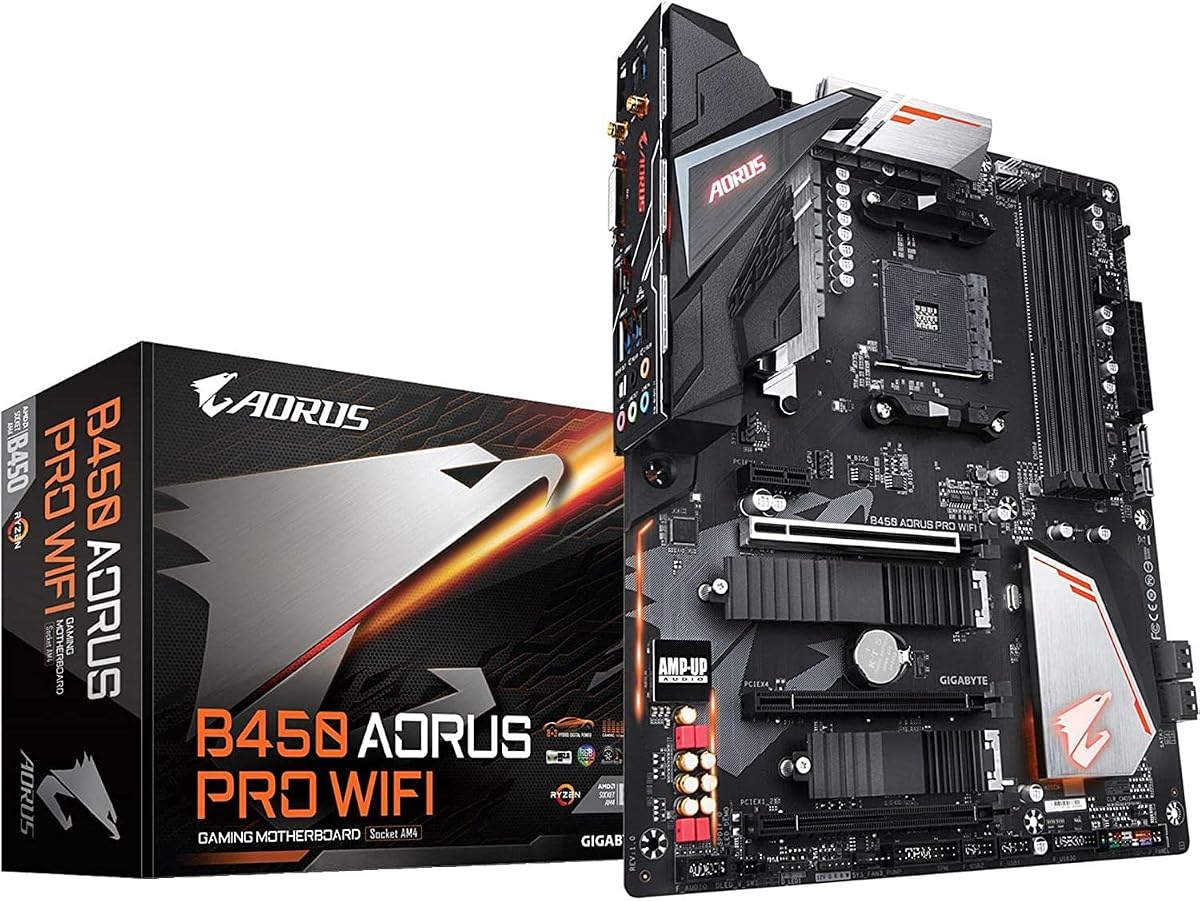
This GIGABYTE board brings premium features like onboard Wi-Fi. It supports 1st and 2nd Gen Ryzen with strong connectivity. The 4.5 rating confirms high quality and user satisfaction.
We may earn a commission when you buy through this link, at no additional cost to you.
Dual PCIe Gen3 M.2 slots offer fast storage options. Thermal Guards protect SSDs from overheating. The ALC1220 audio codec with WIMA capacitors ensures high fidelity sound output.
Wireless drivers may need specific installation steps for older OS versions. Cost is higher than basic boards. However, the convenience of integrated connectivity often justifies the investment.
Ideal for users wanting Wi-Fi without extra cards. It suits high-end audio enthusiasts and storage seekers. If you need top-tier features in an ATX layout, this is a top pick.
Onboard Wi-Fi eliminates need for external adapters for internet access.
ALC1220 codec with WIMA capacitors delivers enhanced sound fidelity.
We may earn a commission when you buy through this link, at no additional cost to you.
The B550-F supports Ryzen 3000 and 5000 series well. It offers PCIe 4.0 for faster GPU and storage speeds. The 4.6 rating highlights its reliability and robust features for enthusiasts.
We may earn a commission when you buy through this link, at no additional cost to you.
Onboard WiFi 6E provides smooth networking. Intel 2.5 Gb Ethernet ensures stable connections. The 12+2 power stages deliver consistent power for high-performance processors.
It requires newer Ryzen processors to unlock all features. Price is high compared to basic B350 boards. However, future-proofing often justifies the cost for serious builders.
Perfect for high-end gaming rigs needing modern specs. The BIOS Flashback helps without CPU for updates. If you plan to upgrade later, this board offers great longevity.
PCIe 4.0 doubles bandwidth for faster data transfer speeds.
12+2 teamed power stages ensure stable current delivery to CPU.
We may earn a commission when you buy through this link, at no additional cost to you.
This Micro-ATX board balances affordability with modern features. It supports Ryzen 5000 series effectively. The 4.4 rating shows consistent user satisfaction for small builds.
We may earn a commission when you buy through this link, at no additional cost to you.
It offers PCIe 4.0 support for fast storage. Advanced Thermal Armor ensures chipsets stay cool. Extreme Memory Profile support allows for high-speed RAM overclocking.
Power phase is basic for heavy overclocking. USB ports are fewer than ATX boards. It suits SFF builds needing modern specs without large size.
Best for budget Small Form Factor systems. Ideal for compact builds with high-performance needs. If you need PCIe 4.0 in a small package, this works well.
Chipset heatsinks provide better heat dissipation for stable operation.
Extreme Memory Profile enables faster RAM speeds for performance gains.
We may earn a commission when you buy through this link, at no additional cost to you.
The Gaming X V2 offers strong power delivery for Ryzen. Its 10+3 power phase ensures stability. The 4.5 rating reflects reliable performance and solid feature set.
We may earn a commission when you buy through this link, at no additional cost to you.
Front USB-C simplifies device connections. Q-Flash Plus allows BIOS upgrades without CPU or RAM. VRM heatsinks improve thermal management significantly.
It lacks built-in Wi-Fi requiring an adapter. RGB lighting is basic compared to high-end boards. Still, it provides great value for mainstream builders.
Perfect for users needing robust power without premium cost. Great for DIY enthusiasts using Q-Flash. If you value build convenience and power, this is a solid choice.
Q-Flash Plus allows BIOS upgrades without installing CPU, RAM, or GPU.
Digital Twin 10+3 Power Phase ensures steady current delivery.
We may earn a commission when you buy through this link, at no additional cost to you.
This board supports 3rd Gen Ryzen with future updates. It offers Wi-Fi and Bluetooth standard. The 4.5 rating indicates strong value and reliable performance.
We may earn a commission when you buy through this link, at no additional cost to you.
Core Boost technology ensures precise current delivery. M.2 Shield Frozr protects storage from heat. Flash BIOS Button lets users update without CPU or memory.
Audio codec is basic compared to premium options. Micro-ATX limits expansion slots. However, it provides essential features at a great price.
Ideal for users needing Wi-Fi on a budget. Great for builds prioritizing storage speed. If you want wireless and BIOS convenience, this is a strong pick.
M.2 Shield Frozr prevents overheating for faster SSD performance.
Flash BIOS Button allows updates without CPU or memory installed.
We may earn a commission when you buy through this link, at no additional cost to you.
The B550M-P uses Frozr AI Cooling for system fans. It supports Ryzen 5000 series and 4400+ MT/s memory. The 4.3 rating reflects solid value and good reliability.
We may earn a commission when you buy through this link, at no additional cost to you.
Core Boost technology improves stability. Passive chipset heatsinks reduce noise. Double M.2 connectors offer flexible storage options.
It lacks advanced gaming features or extensive RGB. The basic design may not suit enthusiasts. However, it provides reliable performance for standard builds.
Perfect for users needing quiet AI cooling. Good for professional setups requiring multiple DIMMs. If you value automation over gaming flair, this board works well.
Frozr AI cooling automatically adjusts fans based on CPU and GPU temps.
DDR4 Memory Boost enables extreme overclocking up to 4400+ MT/s.
We may earn a commission when you buy through this link, at no additional cost to you.
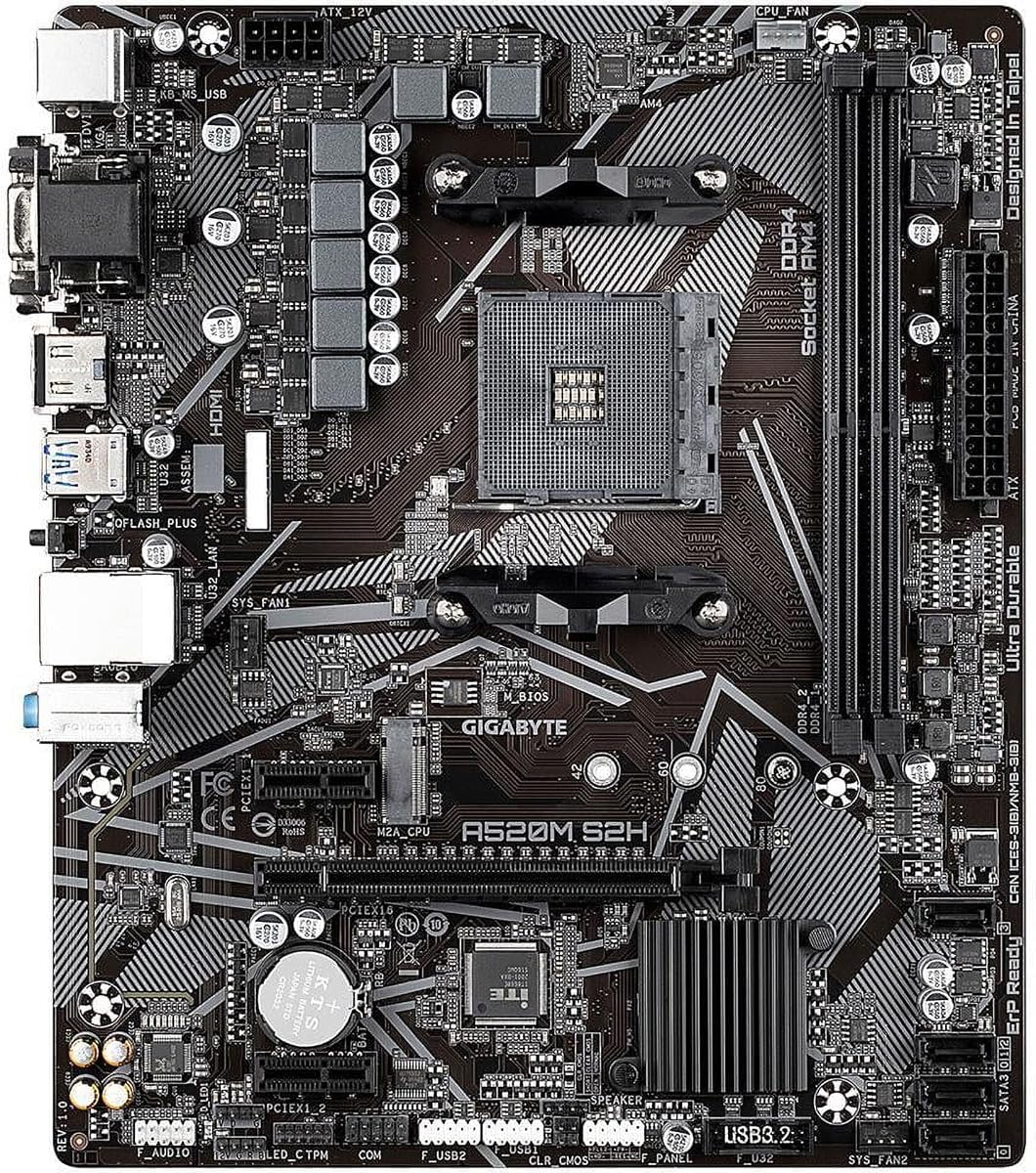
This A520 board supports 3rd Gen Ryzen efficiently. It offers digital PWM power stability. The 4.5 rating shows strong reliability for entry-level builds.
We may earn a commission when you buy through this link, at no additional cost to you.
Three display interfaces support multi-screen setups. Q-Flash Plus simplifies BIOS updates significantly. Gaming LAN ensures stable network performance.
It lacks PCIe 4.0 limiting future storage speeds. Feature set is basic compared to B550 boards. Ideal for budget or office systems.
Best for budget users needing basic Ryzen support. Good for office builds needing multi-display. If you need reliable entry options without cost, this is ideal.
4+3 Phases Digital PWM provides steady current delivery.
Q-Flash Plus allows easy BIOS flashing without full system.
We may earn a commission when you buy through this link, at no additional cost to you.
Selecting the right motherboard requires considering key technical aspects. We break down essential factors to help you choose wisely.
Ensure the board supports your CPU's socket type. AM4 is standard for Ryzen 1000 through 5000 series.
Check compatibility lists before buying to avoid mismatches.
VRMs regulate power delivery to the CPU. Better VRMs handle higher loads and overclocking.
Look for more phases and heatsinks for stability.
Choose ATX for expansion or Micro-ATX for compact builds. Measure your case dimensions carefully.
Small cases need smaller boards to fit properly.
Check USB, HDMI, and Ethernet ports based on your needs. Newer ports like USB-C offer faster speeds.
Ensure enough ports for peripherals and displays.
M.2 slots offer fast NVMe storage. Look for thermal guards for cooling.
Ensure slot count meets your drive requirements.
Built-in Wi-Fi adds convenience without extra cards. Verify supported standards for your area.
If not present, plan for a USB or PCIe card.
Flashback buttons allow BIOS updates without CPU. This helps with older processors.
User-friendly BIOS interfaces improve tweaking experience.
ALC codecs determine audio performance. Higher-end boards offer better sound.
Look for shielding if audio is a priority.
Install the board in your case carefully using standoffs. Avoid touching sensitive components directly to prevent static damage.
Connect power cables and devices securely. Ensure all cables are routed neatly for airflow.
Update BIOS to latest version for stability. Monitor temperatures regularly to maintain performance.
Most B350 boards require a BIOS update to support Ryzen 5000 series. Check manufacturer support pages. Some newer B450 or B550 boards support it out of the box. Always verify before purchase.
Yes, B350 supports CPU overclocking but memory overclocking varies. Use good VRMs for stable results. Overclocking requires proper cooling to avoid throttling.
Most modern boards include at least one M.2 NVMe slot. Check for PCIe 3.0 or 4.0 support. Some have thermal guards to prevent overheating.
B450 offers better support for newer CPUs and often more features. B350 is older and cheaper but may need BIOS updates. B450 is generally preferred for Ryzen 3000 and above.
Not if your board has built-in wireless. Many models include Wi-Fi and Bluetooth. If not, a USB adapter is an easy solution.
Download the latest BIOS from the manufacturer site. Use USB flashback if available. Ensure stable power during update to avoid corruption.
Yes, Micro-ATX boards fit in ATX cases. However, expansion slots may be fewer. It is a great option for smaller builds.
DDR4-3200 is a sweet spot for Ryzen. Faster speeds may require overclocking. Check CPU compatibility for best stability.
The ASUS Prime B350-Plus leads as our top pick for reliability. Other models like the GIGABYTE B450 AORUS PRO offer premium features.
Prioritize VRM quality and connectivity for long-term use. Match the board to your specific CPU and case needs.
Prices and availability change frequently so check current listings before buying. Use this guide to make an informed decision for your next PC.