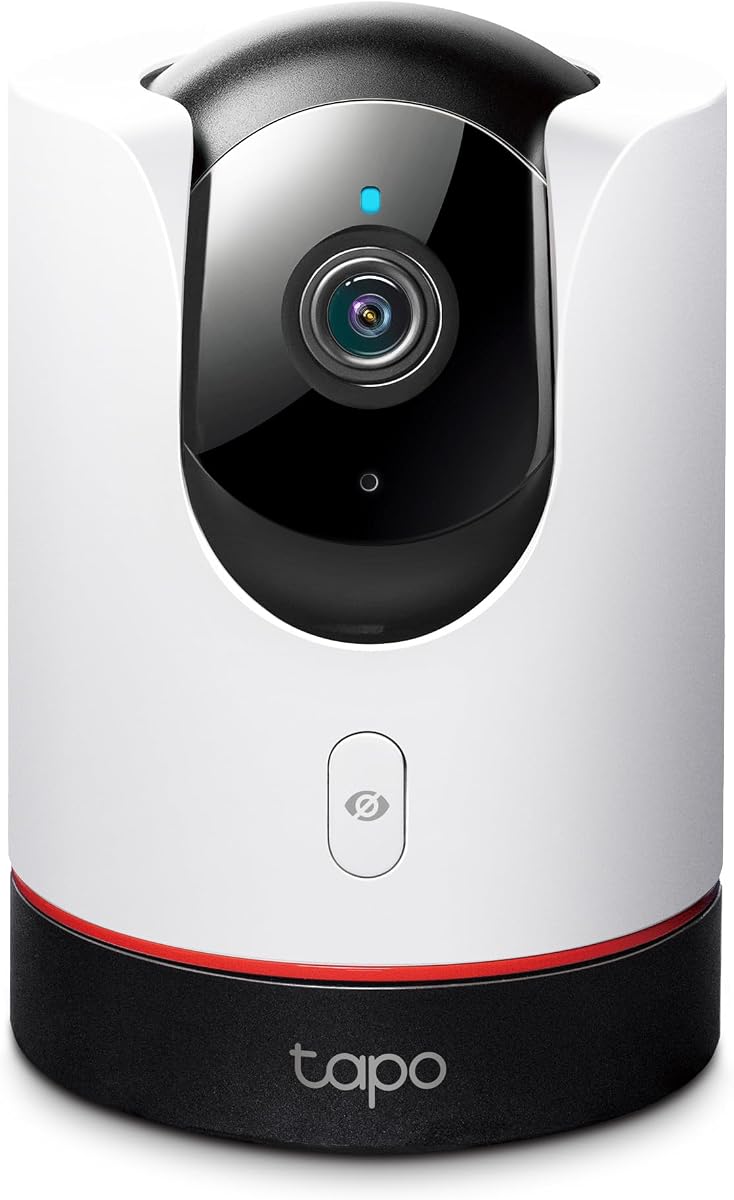
TP-Link Tapo C225
4.5Editor score
2K QHD resolution
360 degree view
Physical privacy mode
This guide compares the top ten Apple Homekit Security Cameras for 2026 focusing on video quality privacy encryption local storage and smart home integration.
Finding the right security camera for your home requires balancing video quality privacy and smart home integration. Apple Homekit Security Cameras offer a seamless experience for users invested in the Apple ecosystem ensuring end to end encryption and local processing for maximum data safety.
We have evaluated ten top rated models based on resolution field of view night vision capabilities and AI detection features. Our comparison includes indoor and outdoor options from leading brands like Aqara Eve Logitech and TP Link to help you choose the perfect fit for your specific surveillance needs.
Each pick below highlights key strengths and potential limitations to guide your decision making process. Prices and availability can change frequently so please verify the current details on the retailer page before finalizing your purchase to ensure you get the best value for your investment today.
4.5Editor score
4.2Editor score
4.3Editor score
The following table provides a side by side overview of the top ten models evaluated in this guide allowing you to quickly compare key specifications and features to determine which camera aligns best with your specific security requirements and budget constraints.



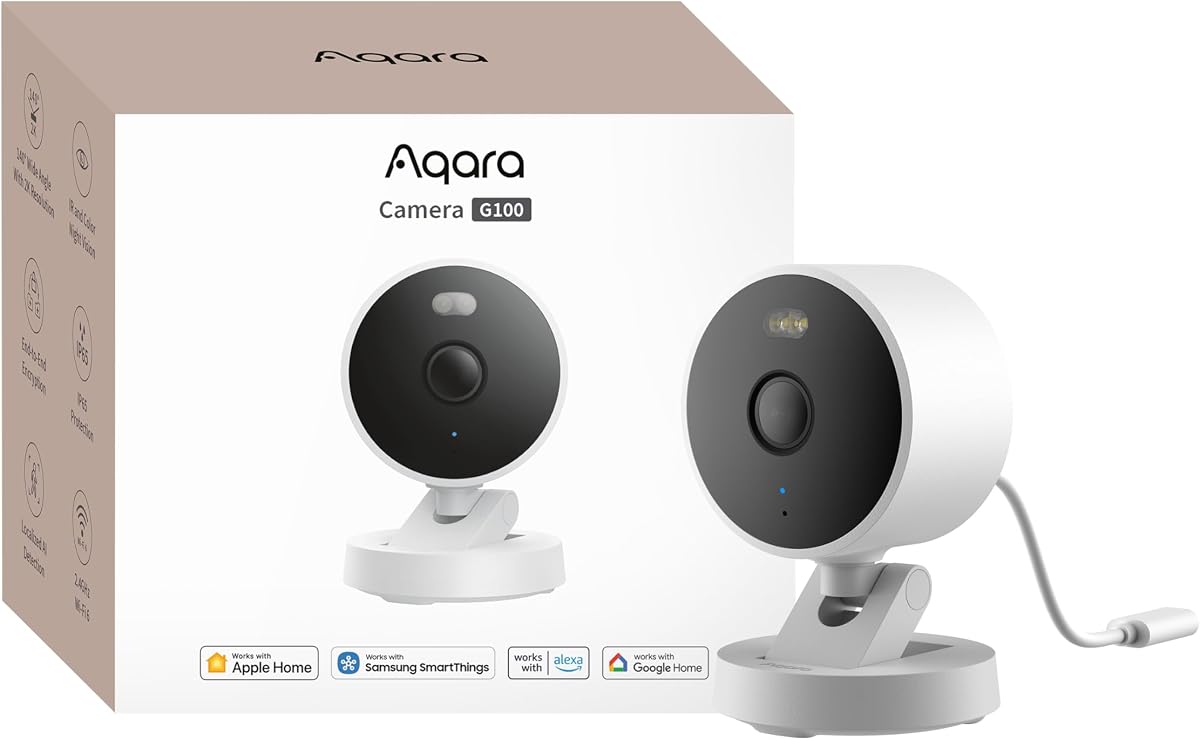
The Aqara 2K Indoor Outdoor Security Camera G100 stands out as a versatile option for homeowners seeking reliable surveillance within the Apple Homekit ecosystem. With a strong rating from users this camera delivers crisp 2K resolution video that captures fine details during both day and night. Its ability to function seamlessly in harsh weather conditions while maintaining compatibility with Homekit Secure Video makes it a top contender for comprehensive home security.
We may earn a commission when you buy through this link, at no additional cost to you.
This camera excels in image clarity thanks to its 2304 by 1296 resolution and wide-angle lens. The dual night vision modes offering color spotlight and IR detection ensure you never lose visibility regardless of lighting conditions. The inclusion of Wi-Fi 6 technology enhances connection stability in congested networks. Additionally its support for both local microSD recording and cloud options provides flexibility for different privacy preferences and storage needs.
Despite its strengths there are minor limitations to consider. The camera only supports 2.4 GHz Wi-Fi which might be a drawback if you rely solely on 5 GHz networks. Furthermore the power adapter is not included in the box meaning an additional purchase may be required. These are acceptable trade-offs given the robust feature set and reasonable price point of this device.
If you need a reliable camera that bridges the gap between indoor and outdoor use while maintaining strong privacy standards this camera is an excellent choice. It suits homeowners who value image quality and smart home integration. Its compatibility with various platforms including Home Assistant adds significant value for tech-savvy users looking to customize their automation routines.
The 2K resolution combined with a wide-angle lens ensures that every detail is captured clearly whether monitoring a living room or a driveway.
Dual night vision modes allow you to switch between color recording with a spotlight or covert infrared monitoring depending on your specific security requirements.
We may earn a commission when you buy through this link, at no additional cost to you.
The Eve Cam Smart Indoor Camera is designed exclusively for users who prioritize privacy above all else. This device operates solely within the Apple ecosystem ensuring that all video analysis happens locally on your home hub. While its rating is slightly lower than competitors due to feature limitations its commitment to data security makes it an ideal choice for those deeply invested in the Apple Home environment.
We may earn a commission when you buy through this link, at no additional cost to you.
Privacy is the core strength of the Eve Cam. It uses end to end encryption for all video footage ensuring that only you can view live or recorded streams. The camera requires no cloud processing for basic detection keeping your data entirely within your local network. This approach minimizes the risk of data breaches and aligns perfectly with Apple security standards for consumer electronics.
Users should be aware of the setup requirements before purchasing. A Home Hub such as a HomePod or Apple TV is mandatory along with an iCloud Plus subscription for Homekit Secure Video features. Additionally the camera is strictly for indoor use which limits its application compared to all weather outdoor models. These constraints are the price of its robust privacy architecture.
For homeowners seeking a camera that guarantees maximum data security without relying on third party cloud servers this option is highly recommended. It simplifies monitoring your living space while ensuring your privacy remains intact. If you already use Homekit devices this camera integrates effortlessly providing a unified experience across your Apple devices.
Video analysis occurs securely within your home network preventing your personal data from ever leaving your property for cloud processing.
Designed exclusively for Homekit the camera ensures seamless operation with iPhones iPads and Home Hubs for a frictionless user experience.
We may earn a commission when you buy through this link, at no additional cost to you.
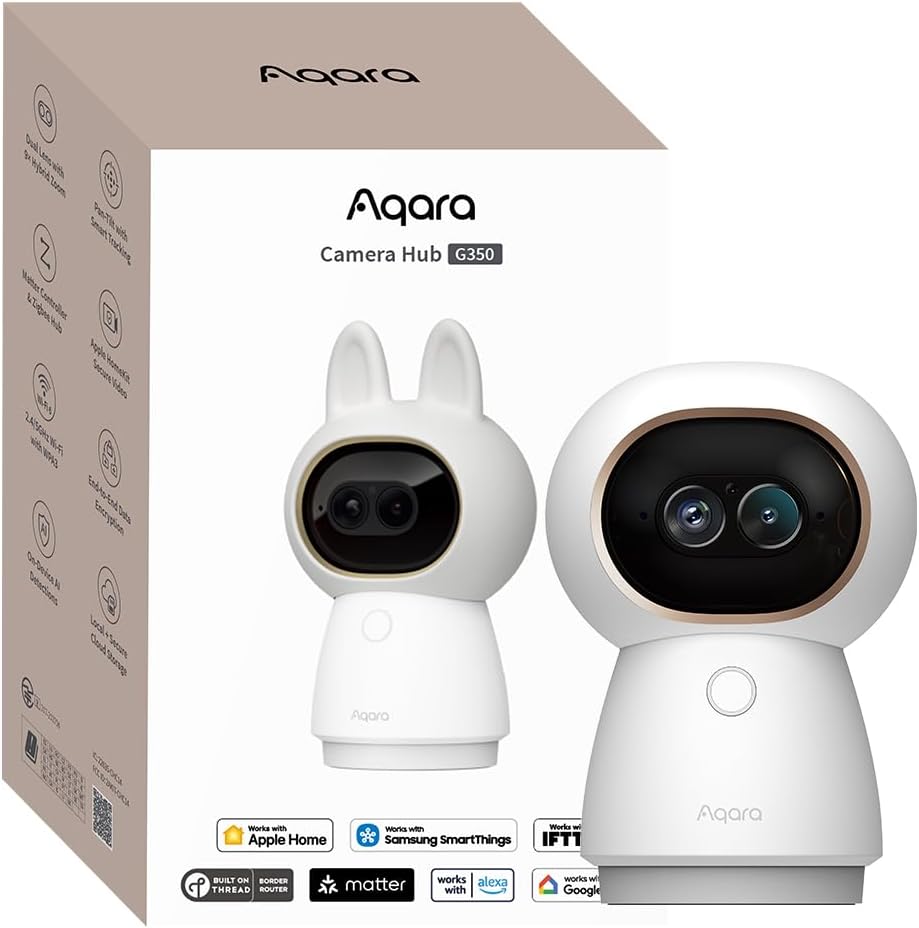
The Aqara 4K UHD Dual-Lens Matter Camera Hub G350 represents the pinnacle of indoor surveillance technology available today. This device combines high resolution video monitoring with a smart home hub capable of connecting dozens of other devices. Its premium build and extensive feature set justify its higher price for users seeking a comprehensive smart home solution.
We may earn a commission when you buy through this link, at no additional cost to you.
What sets the G350 apart is its dual lens system which captures both wide panoramic views and detailed telephoto images. The 9x hybrid zoom allows you to inspect specific areas without sacrificing clarity. Advanced AI features like gesture recognition and local sound detection add layers of interactivity and security. The camera processes all this data locally ensuring speed and privacy.
The complexity of the G350 may be daunting for some users. Setting up the hub functionality requires navigating through various protocol options and managing a large number of connected devices. The price is also significantly higher than standard cameras. However for those wanting a central command center for their smart home these factors are minor compared to the functionality provided.
This camera is perfect for tech enthusiasts who want a single device to handle both security and home automation. Its ability to bridge Zigbee and Thread devices into the Homekit ecosystem is a major advantage. If you need top-tier video quality and smart control features this model offers unmatched value in the premium segment.
The combination of a wide angle 4K lens and a telephoto lens provides unmatched versatility for monitoring large rooms and specific details simultaneously.
Beyond video the G350 acts as a bridge for up to 80 Zigbee or 40 Thread devices centralizing your smart home control.
We may earn a commission when you buy through this link, at no additional cost to you.
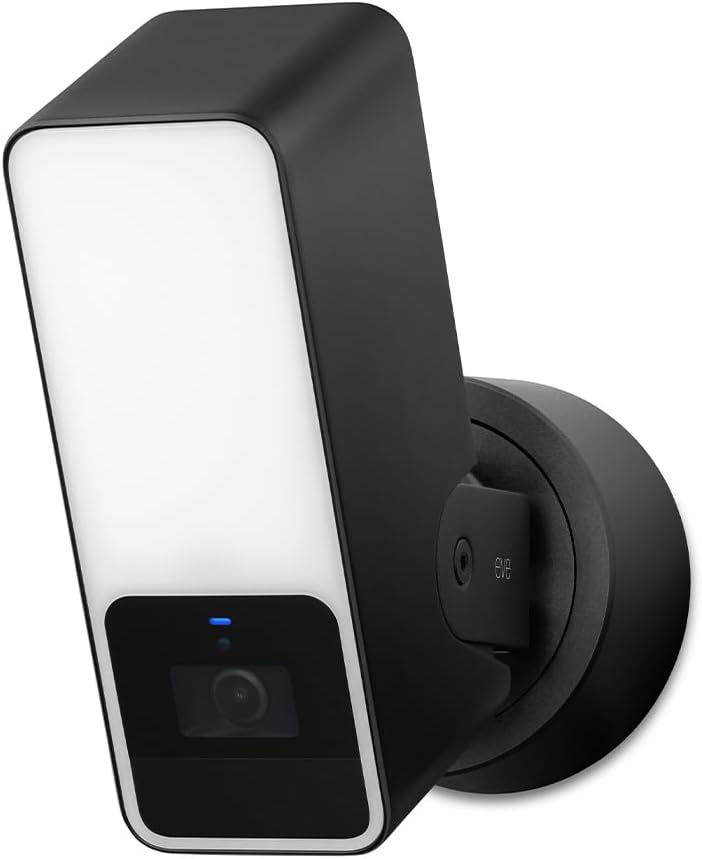
The Eve Outdoor Cam is a specialized device designed for outdoor security where lighting and privacy are paramount. It integrates a powerful floodlight with a camera to deter intruders and illuminate threats immediately. While it has specific installation requirements its focus on security and privacy makes it a compelling choice for homeowners who value data protection.
We may earn a commission when you buy through this link, at no additional cost to you.
Installation of this camera requires a neutral wire which is a significant consideration for older homes. Once installed it provides a wide field of view with effective night vision. The floodlight can be dimmed and boosted depending on the situation. The camera relies solely on local Homekit processing ensuring that no data is exposed to external servers.
The lack of higher resolution like 2K or 4K might be a disappointment for some users expecting the latest video standards. Additionally the power requirements are stricter than plug-and-play models. However the peace of mind offered by its privacy-centric design and deterrent capabilities often outweighs these technical limitations for security-focused buyers.
If you need an outdoor camera that prioritizes your privacy and integrates a light for deterrence this is a strong option. It is best suited for properties where electrical wiring allows for direct connection. The seamless integration with Homekit Secure Video ensures your recordings are secure and accessible only to you.
The built-in dimmable floodlight serves as an active deterrent to brighten the area instantly when motion is detected.
Video data is processed locally on your Homekit hub ensuring maximum privacy and security for your outdoor recordings.
We may earn a commission when you buy through this link, at no additional cost to you.
The TP-Link Tapo C225 offers an incredibly affordable entry point into the Homekit ecosystem. Despite its low price it delivers excellent 2K video quality and full panoramic coverage. Its design has even won international awards proving that budget-friendly cameras can still be stylish and functional. This model is perfect for those who want to monitor a room without spending much.
We may earn a commission when you buy through this link, at no additional cost to you.
Its standout feature is the physical privacy mode which physically blocks the lens when privacy is needed. The camera also features a starlight sensor for clear images in low light. The 360 degree coverage means you rarely need multiple cameras to monitor a large room. Setup is straightforward and the app provides a range of features beyond basic Homekit integration.
The main limitation is that it relies heavily on the Tapo app for advanced features while Homekit integration is limited. You also need to purchase a microSD card for recording since cloud options depend on subscriptions. These are standard trade-offs for this price point. The value remains high for casual home monitoring.
If you are looking for a budget camera that doesn't compromise on image quality this is the ideal pick. It suits parents monitoring nurseries or pet owners checking on their animals. The combination of privacy features and clear video makes it a reliable and affordable choice for everyday use.
A physical cover blocks the lens completely when you need privacy giving you total control over when the camera is active.
Recognized with a Red Dot Design Award this camera combines sleek aesthetics with practical functionality for any modern home.
We may earn a commission when you buy through this link, at no additional cost to you.
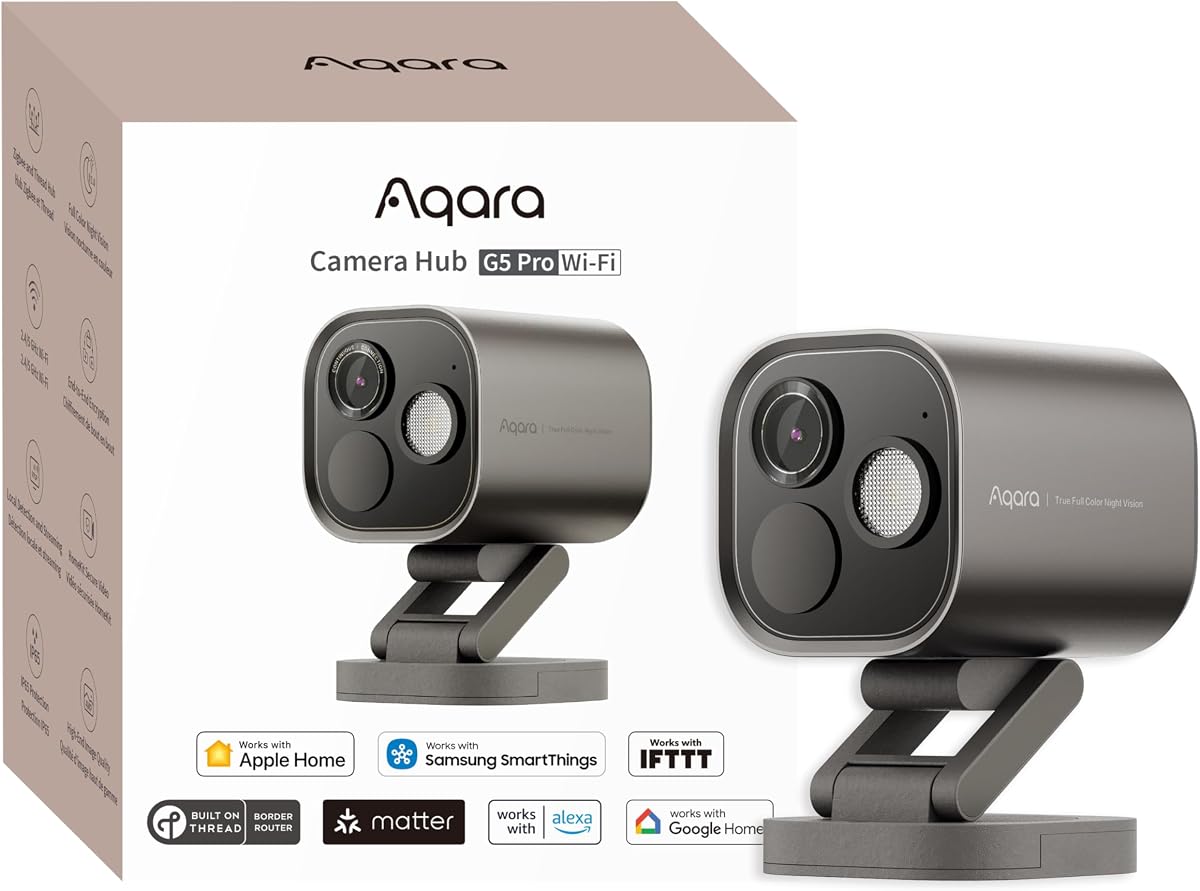
The Aqara 4MP Camera Hub G5 Pro WiFi is a high-end outdoor solution that merges security monitoring with smart home control. Its 4MP resolution provides exceptional detail which is crucial for outdoor security. The true color night vision ensures that you can identify subjects even in low light. Additionally its ability to bridge various sensors makes it a powerful addition to a connected home.
We may earn a commission when you buy through this link, at no additional cost to you.
This camera excels in low light due to its large aperture and true color technology. The local AI detection identifies faces vehicles and sounds without relying on cloud processing. It supports both 2.4 and 5 GHz Wi-Fi bands ensuring a stable connection. It acts as a hub for up to 80 Zigbee or 40 Thread devices providing central control.
The reliance on internet connectivity for some features may be a drawback in areas with unstable connections. The price is also higher than standard outdoor cameras. However the inclusion of hub capabilities and superior image quality offers significant value. It is designed for those who want a complete solution rather than a simple camera.
For homeowners with extensive smart home needs this camera serves as a central hub. It provides high quality security footage while supporting a wide range of other devices. The combination of color night vision and local processing makes it a premium choice for modern home security.
The large sensor and spotlight allow you to see true colors at night providing better identification than standard infrared cameras.
It supports both Zigbee and Thread protocols enabling you to connect up to 80 smart devices to your security system.
We may earn a commission when you buy through this link, at no additional cost to you.
The Logitech Circle View Weatherproof Wired Home Security Camera is designed for homeowners who want a wide field of view in a durable package. Its TrueView technology and 180 degree lens capture extensive areas reducing blind spots. The camera is built to withstand outdoor elements while maintaining seamless integration with Homekit for secure local storage.
We may earn a commission when you buy through this link, at no additional cost to you.
This camera features wide dynamic range technology that handles high contrast lighting effectively ensuring clear images even in bright sunlight. The physical privacy shutter allows you to disable the lens instantly when you are home. It is a wired device which ensures reliable power but limits placement options. The build quality is robust for long term use.
Users might find the lack of pan and tilt functionality restrictive compared to other models. The requirement for a wired connection also means installation is more permanent. These are acceptable trade-offs for the stability and privacy it offers. It is designed for fixed monitoring of entryways and large rooms.
Ideal for those who need a reliable wide angle camera for a specific spot this device delivers consistent performance. The focus on privacy and durability makes it a solid choice for permanent outdoor or indoor monitoring where a wide view is essential.
Advanced wide dynamic range processing ensures clear images in bright and dark areas simultaneously without loss of detail.
A manual shutter allows for instant privacy by physically blocking the lens when you need a break from monitoring.
We may earn a commission when you buy through this link, at no additional cost to you.
The Aqara 2K Indoor Security Camera E1 provides a balanced mix of high resolution video and smart detection features. Its 360 degree view allows for complete room monitoring without blind spots. The camera supports advanced privacy features such as automated privacy modes and local AI processing. This ensures that your data remains secure while providing useful security alerts.
We may earn a commission when you buy through this link, at no additional cost to you.
This model features Wi-Fi 6 support which offers faster speeds and better stability in busy networks. The NPU allows for local detection of people and sounds ensuring quick alerts without cloud dependency. The 2K resolution captures fine details making identification easier. Its design is compact and blends well with home decor.
The camera requires a 2.4 GHz Wi-Fi network which might be a limitation for some setups. The power adapter is also sold separately adding to the initial cost. However the features offered at this price point are competitive. It is a strong choice for indoor monitoring where privacy is a priority.
For those needing a reliable indoor camera with strong privacy controls this model is highly effective. It suits families monitoring living areas or nurseries. The combination of local processing and high resolution video makes it a practical and secure choice for modern homes.
Automated privacy modes can pivot the lens and disable recording when specific conditions are met keeping your space private.
The built-in NPU processes video locally to detect people and sounds instantly ensuring fast and private alerts.
We may earn a commission when you buy through this link, at no additional cost to you.
The eufy Security 4K Indoor Camera E30 delivers exceptional video quality at a competitive price. With 4K recording you get unmatched detail for indoor monitoring. The camera supports Homekit integration although it is limited to lower resolution within the app. It offers robust local storage options which means no monthly fees for basic recording.
We may earn a commission when you buy through this link, at no additional cost to you.
AI tracking ensures that the camera follows moving subjects so you never miss important action. The color night vision provides better visibility in dark conditions compared to standard infrared. Local storage on an SD card gives you control over your footage. The two-way audio allows for easy communication with family or pets.
The main limitation is that Homekit Secure Video reduces the resolution to 1080p so you lose the 4K benefit within the Apple app. You also need to buy an SD card separately. Despite this the camera offers great value for those who want high quality footage and flexible storage options.
This camera is perfect for users who want top-tier video without subscription fees. It is ideal for pet owners or parents who want to see every detail. The combination of 4K resolution and local storage makes it a practical choice for cost-conscious buyers.
Capture every detail in your home with 4K resolution which provides superior image quality for identification and monitoring.
Store footage locally on an SD card to avoid monthly subscription fees while maintaining full control over your data.
We may earn a commission when you buy through this link, at no additional cost to you.
The Aqara 4MP Camera Hub G5 Pro PoE is a professional grade outdoor camera that simplifies installation using Power over Ethernet. This eliminates the need for separate power cables reducing clutter and complexity. The camera offers 4MP video quality and true color night vision for superior performance. It also acts as a hub for various smart home devices.
We may earn a commission when you buy through this link, at no additional cost to you.
PoE technology provides a stable and reliable connection suitable for professional installations. The camera supports local AI for detecting faces and sounds ensuring quick responses without latency. Its ability to bridge Zigbee and Thread devices adds significant utility. The build quality is designed for outdoor durability.
Users must invest in a PoE switch which adds to the cost and setup complexity. The installation requires network expertise compared to standard plug-and-play cameras. However for those seeking a professional grade system the reliability and performance justify these requirements. It is a robust choice for comprehensive home security.
For homeowners needing a reliable professional system this camera offers a strong solution. It suits estates or large properties where wired reliability is preferred. The combination of 4MP video and smart home integration makes it a powerful tool for advanced security needs.
Simplify installation by using a single cable for both power and data ensuring a stable connection for your outdoor security.
Connect your security system to hundreds of smart devices through Zigbee and Thread protocols for a unified home experience.
We may earn a commission when you buy through this link, at no additional cost to you.
Selecting the right security camera involves considering several factors beyond just the brand name.
Resolution determines how much detail your camera can capture. Higher resolutions like 2K and 4K allow you to identify faces and license plates more easily than standard 1080p. However keep in mind that Homekit Secure Video often limits streaming to 1080p so a higher local resolution is beneficial for storage.
Look for cameras with at least 2K resolution for the best balance of clarity and storage efficiency.
Outdoor cameras must withstand weather conditions so look for ratings like IP65 or IP66. Indoor cameras focus more on aesthetics and features like pan and tilt. Ensure you choose a camera designed for the specific environment to avoid premature failure.
Verify the weather resistance rating if you plan to mount the camera outside your home.
Homekit Secure Video uses end-to-end encryption to protect your footage. This means only you can view the video and not even the manufacturer. Some brands also offer local processing which keeps data analysis inside your home instead of the cloud.
Prioritize cameras that support local AI processing for maximum privacy.
You should choose between cloud storage and local storage like microSD cards or NAS. Cloud storage via iCloud+ is convenient but costs extra while local storage requires an initial hardware investment. Homekit Secure Video requires iCloud+ but many cameras also support local recording.
Decide if you prefer monthly subscriptions or one-time hardware costs for your recording needs.
Check if the camera supports Wi-Fi 6 or dual-band connectivity for better stability. Some cameras only work on 2.4 GHz which limits performance in congested areas. A stable connection is vital for live views and alerts.
Opt for cameras with Wi-Fi 6 support if you have a modern router.
Consider if the camera can act as a hub for other devices. Some models support Matter Zigbee or Thread allowing you to control lights and sensors from one app. This adds significant value to your security ecosystem.
Choose a camera with hub capabilities if you have many smart devices at home.
Night vision is critical for 24/7 monitoring. Look for color night vision capabilities which provide better detail than standard infrared. This allows you to see what is happening in low light without turning on lights.
Select a camera with true color night vision for better nighttime security.
Some cameras require hardwired power while others use batteries. Wired cameras offer reliability but limit placement whereas battery cameras are easier to install. Decide on your installation preferences before buying.
Choose a power source that fits your installation capabilities and location.
To get started connect your camera to your Home app using the unique Homekit code provided. Ensure your Home hub like a HomePod or Apple TV is set up properly to enable Secure Video features. Follow the instructions for placement to avoid blind spots.
Regularly update your camera firmware to ensure security patches are applied. Clean the lens occasionally to maintain clear video quality especially for outdoor models exposed to dust and rain.
Adjust your motion sensitivity to avoid false alerts from passing cars or pets. Utilize activity zones if supported to focus monitoring on specific areas like doors and windows.
Not all cameras require a subscription but Homekit Secure Video does require iCloud+ storage to upload clips. Some cameras offer local SD card storage as an alternative to avoid ongoing costs. Always check the specific storage options before purchasing.
Direct access via the Home app is limited to Apple devices. However some cameras offer third-party apps like Aqara Home or TP-Link Tapo for broader access. Ensure you verify compatibility with your preferred devices.
Regular Homekit allows basic video streaming but Homekit Secure Video provides secure encrypted storage of events. It also enables features like person and vehicle detection locally. Secure Video is recommended for serious security needs.
Apple limits Homekit Secure Video streaming to 1080p to ensure compatibility and privacy across devices. Even if your camera supports higher resolutions like 4K the Home app may cap it at 1080p.
Night vision usually activates automatically in low light. Check the app settings to enable features like color night vision or IR mode manually if supported. Position the camera away from direct light sources for best results.
Many Homekit cameras are wireless and plug-and-play but outdoor wired models may require professional help. Ensure you have the necessary power outlets or Ethernet access. Installation difficulty varies by model and power requirements.
Some cameras support streaming to Google or Alexa displays via specific protocols. This requires configuring third-party integrations like Home Assistant. Not all features will be available on non-Apple platforms.
Local storage offers better privacy and no subscription fees but risks data loss if the card is damaged. Cloud storage provides remote access but relies on subscription services. A hybrid approach is often best for security.
Choosing the right Homekit camera depends on your specific needs whether it is budget privacy or advanced smart home integration. The top picks offer a range of solutions from affordable indoor models to premium outdoor hubs. We recommend comparing features against your home environment before deciding.
Prioritize cameras with strong encryption and local processing if privacy is your main concern. For those needing high resolution and smart features models like the Aqara G5 Pro provide exceptional value. Always consider storage requirements and setup complexity.
Remember that prices and availability change often so verify the current details on the retailer page before buying. This ensures you get the best deal and the most up-to-date version of the camera for your home security needs.