
45W Laptop Charger Asus VivoBook
4.5Editor score
Backward compatible with 33W
Compact foldable plug design
Six feet total cable reach
This guide compares the top ASUS Vivobook and Zenbook power cord options for reliable charging across various laptop models and connector types.
Finding the right power cord for your ASUS Vivobook or Zenbook is crucial for maintaining performance and battery health. A reliable charger ensures your laptop runs smoothly without interruptions during work or study sessions.
We evaluated ten highly rated chargers based on compatibility, safety features, and user feedback. Each product was selected for its ability to meet the specific power needs of ASUS laptops with round or USB-C ports.
Every pick includes detailed specifications and real-world performance insights to help you choose confidently. Please note that availability and pricing may change, so always verify details before purchasing online.
4.5Editor score

4.4Editor score
4.8Editor score
The following table provides a side-by-side comparison of all ten selected chargers highlighting key specifications such as wattage output connector types included accessories and warranty terms to help you find the perfect match for your ASUS laptop needs.


This Powseed charger offers excellent versatility for ASUS users with its four interchangeable DC tips and solid 65W output. It supports a broad range of Vivobook and Zenbook models while maintaining stable charging performance.
We may earn a commission when you buy through this link, at no additional cost to you.
The six-foot power cord provides ample reach for desk setups, and the inclusion of multiple tip sizes reduces the need for extra purchases. Its CE certification ensures safety during daily use.
While it does not support USB-C ports, its focus on round connectors covers many legacy and current models effectively. The plastic housing is durable though it may feel slightly less premium than OEM options.
Users seeking a reliable replacement that balances cost and functionality will find this charger ideal. It is especially suited for families or offices managing multiple older ASUS laptops.
The four included DC tips cover common barrel sizes ensuring a fit for most standard ASUS charging ports.
A two-year warranty provides long-term assurance against defects or performance issues beyond the first year.
We may earn a commission when you buy through this link, at no additional cost to you.
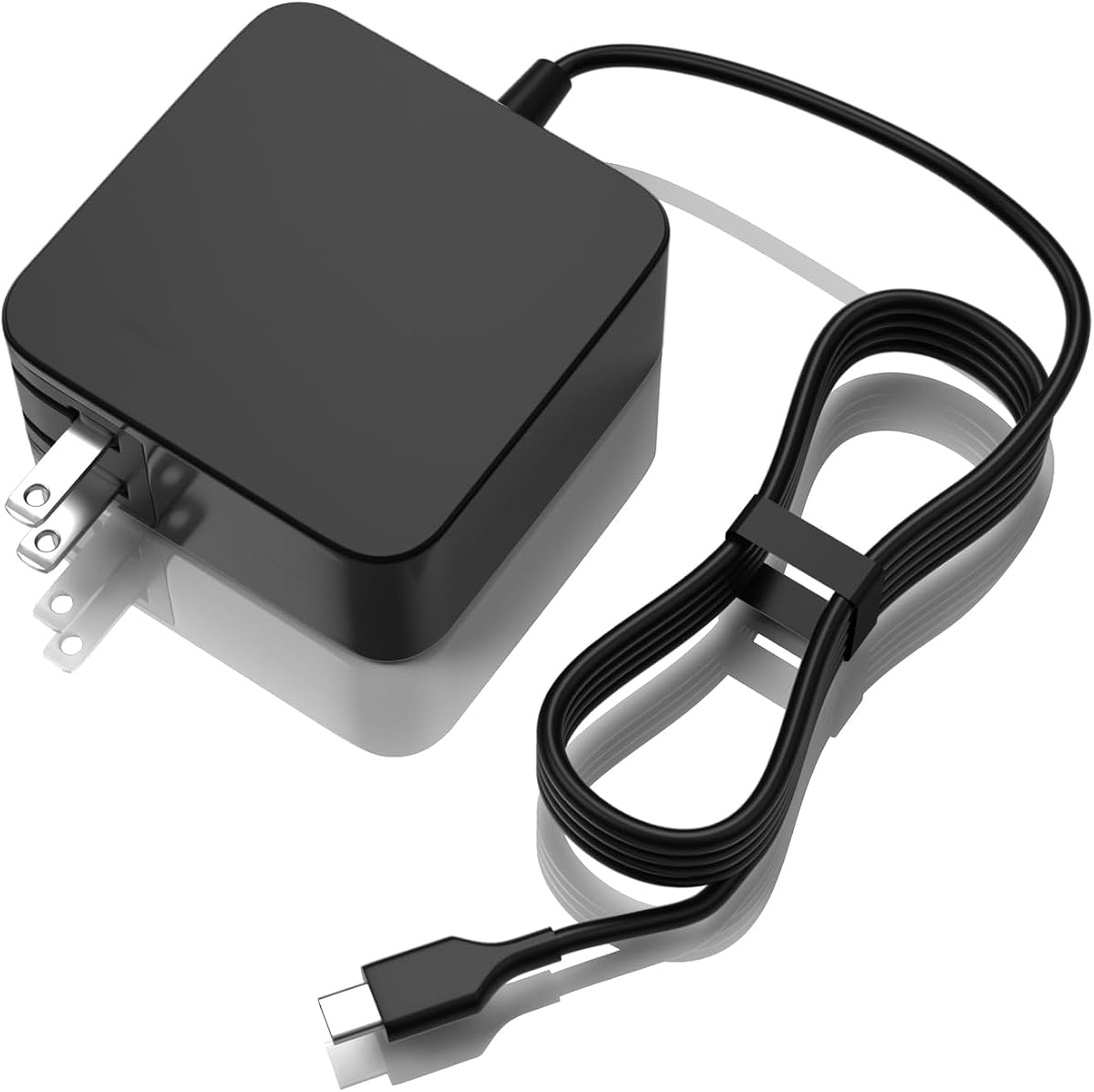
This 45W charger provides a cost-effective solution for users of lower-power ASUS models needing a reliable replacement. Its compact design makes it easy to store and carry for students or commuters.
We may earn a commission when you buy through this link, at no additional cost to you.
It supports backward compatibility with 33W devices which expands usability across older Zenbook series. The 6-foot cord offers flexibility while the foldable plug reduces bulk during travel.
The fixed 4mm tip limits use to specific models so verification is essential before purchase. While not suitable for high-performance laptops it delivers consistent power for everyday computing tasks.
Best for budget-conscious buyers with compatible devices this charger delivers solid performance without unnecessary features. It is an excellent secondary charger for home or dorm use.
Engineered for affordability it retains essential safety and performance features needed for daily charging.
Supports 33W laptops ensuring older devices can still charge efficiently without needing specific adapters.
We may earn a commission when you buy through this link, at no additional cost to you.
This 90W USB-C charger is built for modern ASUS laptops requiring higher power and faster charging speeds. It supports OLED models and matches OEM specifications for seamless performance.
We may earn a commission when you buy through this link, at no additional cost to you.
Its robust safety mechanisms including overcurrent and overheat protection ensure safe charging for sensitive electronics. The USB-C connection provides universal compatibility with newer ASUS Vivobook and Zenbook devices.
The cost is higher than lower-wattage chargers but justified for premium laptop owners. Note that it only works with USB-C ports so older models with barrel connectors will not be compatible.
Users with recent ASUS laptops will appreciate the fast charging and reliability. It is the top choice for those needing power for intensive tasks like creative work or multitasking.
The 90W output delivers fast energy replenishment for demanding systems needing continuous high power.
Multiple protections prevent overheating and overcharging extending both charger and battery lifespan.
We may earn a commission when you buy through this link, at no additional cost to you.
The Superer 65W charger stands out with four switchable round connectors covering most standard ASUS laptop models. It delivers stable power and includes a generous 24-month warranty.
We may earn a commission when you buy through this link, at no additional cost to you.
Users can swap tips easily to fit different devices making it ideal for shared environments. The wide input voltage ensures it works internationally without needing extra adapters.
Changing tips may take time and some find it inconvenient compared to fixed connectors. Also it lacks USB-C compatibility limiting its use with newer devices.
This charger is perfect for households or offices with varied ASUS models needing a single solution. Its durability and warranty provide confidence for daily or travel use.
Switchable connectors allow one charger to serve multiple devices reducing clutter and cost.
A two-year manufacturer warranty ensures support for defects or failures beyond typical one-year coverage.
We may earn a commission when you buy through this link, at no additional cost to you.
This Dexpt charger offers a long 7.5-foot cord making it convenient for distant outlets. It supports 65W 45W and 33W with detachable tips and an LED power indicator.
We may earn a commission when you buy through this link, at no additional cost to you.
The extra length is helpful for dorm rooms or large offices where outlets are far away. The LED light quickly confirms charging status without checking the device screen.
Tip compatibility must be verified to avoid mismatches. While it lacks USB-C support it covers many round-connector models effectively.
Users prioritizing reach and clear status indicators will find this charger practical. It balances performance and convenience well for general ASUS laptop needs.
The 7.5-foot cord eliminates the need for extra extension cables in most setups.
An LED light shows when the charger is active reducing guesswork during plug-in.
We may earn a commission when you buy through this link, at no additional cost to you.
This 90W USB-C charger is designed for modern ASUS laptops requiring higher power for demanding tasks. It supports OLED models and delivers fast charging with built-in safety protections.
We may earn a commission when you buy through this link, at no additional cost to you.
The USB-C port enables versatile use across compatible devices and future compatibility with newer standards. Its certifications ensure reliable operation under varying electrical conditions.
It will not work with barrel connectors so compatibility checks are essential. The focus on high output suits power users but may be overkill for basic browsing tasks.
Best for those with Type-C Vivobook or Zenbook models needing reliable high-wattage charging. It provides peace of mind for intensive workloads.
USB-C ensures compatibility with latest ASUS devices and other USB-PD laptops.
FCC CE and RoHS certifications guarantee safe materials and electrical performance.
We may earn a commission when you buy through this link, at no additional cost to you.
This USB-C charger works well with Chromebook and Zenbook models using USB-C charging. Its foldable plug and 5.9-foot cord make it highly portable for students and travelers.
We may earn a commission when you buy through this link, at no additional cost to you.
The design minimizes bag clutter and the wide voltage range ensures global usability. It provides safe charging for devices needing 33W to 65W input.
It lacks support for traditional barrel connectors limiting use to modern USB-C laptops. The wattage may not suit high-performance systems requiring 90W or more.
Ideal for Chromebook owners or light laptop users seeking portability and safety. Its design emphasizes convenience for daily carry.
Foldable plug and compact build reduce bulk in bags and backpacks.
Supports 100 to 240V input enabling worldwide use without extra adapters.
We may earn a commission when you buy through this link, at no additional cost to you.
This Nicpower charger is designed for round-connector ASUS laptops and covers many Vivobook and Zenbook models. It delivers steady 65W output for daily use and includes a standard one-year warranty.
We may earn a commission when you buy through this link, at no additional cost to you.
Its compatibility with Flip and Go series makes it versatile for ASUS users with varied portfolios. The plug-and-play design simplifies setup without adapter hunting.
It does not support USB-C so it won't work with newer Type-C devices. Users must verify their laptop port type before ordering.
Ideal for those with older ASUS models needing a trusted replacement charger. It offers reliability at a reasonable price point.
Supports multiple Vivobook generations including 15 17 16 Flip 14 and Go series.
No complex setup needed just match the connector and plug in.
We may earn a commission when you buy through this link, at no additional cost to you.
This Dexpt 65W charger includes three connector tips covering most standard ASUS round ports. It supports Chromebook models and offers reliable performance with universal input voltage.
We may earn a commission when you buy through this link, at no additional cost to you.
The included tips reduce the need for separate purchases and simplify compatibility checks. It is well-suited for general use with older laptops.
It does not support USB-C limiting flexibility with modern devices. The compact size is convenient for travel but tips may feel slightly fragile.
Best for households needing one charger for multiple round-connector laptops. Its value and simplicity make it a practical choice.
Three included connectors increase likelihood of matching existing ASUS devices.
Also works with compatible Chromebook models expanding utility beyond ASUS laptops.
We may earn a commission when you buy through this link, at no additional cost to you.
This EERSY charger features an impressive 8.8-foot cord ideal for distant outlets and flexible workspace setups. It supports multiple socket types and offers solid 65W output.
We may earn a commission when you buy through this link, at no additional cost to you.
The extended reach eliminates cord strain and suits setups where outlets are far from desks. It includes compatibility lists for quick verification against part numbers.
The long cord may create clutter in small spaces and it lacks USB-C compatibility. Users should coil excess length for tidy storage.
Best for users needing maximum reach and socket flexibility. Its high rating and durable build make it a trustworthy option.
The 8.8-foot cord provides flexibility for large desks or hard-to-reach outlets.
Supports multiple socket types including 4.0mm and 5.5mm for broader compatibility.
We may earn a commission when you buy through this link, at no additional cost to you.
Selecting the right power cord involves evaluating wattage, connector type, safety certifications, and warranty coverage. Understanding these factors ensures safe and efficient charging for your ASUS laptop.
Check your laptop's required wattage before purchasing. Using a charger with lower wattage may slow charging or cause battery drain during heavy use. Most Vivobook and Zenbook models require 65W but newer OLED models may need 90W.
Always match or exceed the original charger's wattage to maintain performance and battery health.
Modern ASUS laptops use USB-C while older models use round barrel connectors. Verify your laptop's port shape and size using original charger measurements or part numbers to ensure compatibility.
Choosing the correct connector prevents physical mismatches and ensures secure connection.
Look for chargers with CE, FCC, and RoHS certifications. These indicate compliance with international safety standards protecting your device from overheating, overvoltage, and electrical hazards.
Certified chargers reduce risks and ensure reliable operation across varying electrical environments.
Adequate cord length improves convenience and reduces strain on ports. Consider your workspace layout and typical outlet positions when choosing a charger to avoid tangled cables or limited movement.
Six to eight feet is generally sufficient for most desks and work areas.
A longer warranty indicates manufacturer confidence in product durability. One to two-year warranties provide assurance against defects or premature failure and simplify replacement processes.
Always retain purchase receipts to validate warranty claims if issues arise.
Select chargers from reputable brands with positive customer feedback and transparent specifications. Established brands often have better quality control and customer support for compatibility issues.
Reviews and ratings can highlight real-world reliability beyond listed specs.
Some chargers include adapters or multiple tips to support various models. These increase flexibility but may require extra steps to ensure the correct tip is selected for your device.
Verify that included accessories match your laptop's connector before purchase.
For frequent travelers, foldable plugs and compact designs reduce packing bulk. Lightweight chargers are easier to carry but should still offer robust build quality to withstand daily use.
Consider storage convenience if you move between home, office, and school regularly.
Always plug the charger into a stable wall outlet before connecting to your laptop. Avoid using extension cords or power strips that might interfere with voltage stability. Ensure the connector fits snugly without forcing it into the port.
Keep the charger and cord away from heat sources and moisture to prevent damage. Periodically inspect the cable for fraying or cracks and replace if signs of wear appear. Unplug from the wall when not in use to conserve energy and extend lifespan.
Store the charger loosely coiled to avoid internal wire damage. Do not wrap tightly around the brick or use zip ties that pinch the cord. Clean connectors gently with a dry cloth if dust or debris accumulates.
Yes, a 90W charger is safe for a 65W laptop as the device draws only the power it needs. Ensure the connector matches your laptop's port type. Avoid using lower wattage chargers with high-performance laptops as this may cause performance throttling.
Some heat is normal during charging due to electrical resistance and power conversion. If the charger becomes too hot to touch, stop use and check for obstructions or damaged cables. Proper ventilation helps manage heat during extended use.
Measure your original plug's outer and inner diameter or check your laptop's user manual for port dimensions. Compare with product images and specs before purchase. Using an incorrect size can damage the charging port.
Many third-party chargers with safety certifications perform reliably and offer better value than OEM options. Look for positive reviews and warranties to ensure quality. Avoid uncertified generic chargers that may risk device safety.
Yes, if they share the same connector type and power requirements. Using interchangeable tips can increase compatibility across models. Always confirm wattage matches or exceeds each laptop's needs.
USB-C supports power delivery standards allowing versatile charging and data transfer. It requires compatible USB-C ports but offers faster charging on modern models. Round connectors are standard for older ASUS laptops without USB-C.
Check wall outlets and connections first before assuming charger failure. Inspect cables for visible damage and try different ports. Contact customer support if under warranty for replacement or troubleshooting assistance.
Replace the charger when visible damage occurs or performance declines significantly. With proper care, most chargers last several years. Regular inspection helps identify early signs of wear.
This guide has highlighted ten top-rated chargers offering reliable power solutions for ASUS laptops with round or USB-C ports. The Powseed, Dexpt, and EERSY chargers stand out for value and flexibility across models.
Prioritize connectors type, wattage, and safety certifications when selecting a charger. A well-matched charger ensures stable performance, longevity for your battery, and protection against electrical issues during daily use.
Always verify compatibility and current availability before purchasing. Prices and stock change frequently so checking recent product listings helps secure the best deal for your needs.