
Ambir ImageScan Pro 687-AS
4.9Editor score
Duplex scanning captures both sides
Compatible with Windows and Mac
Zapier automation integration support
Discover the top business card scanners for 2026. Compare features, speed, and software to find the best device for your office digitization needs.
Business card scanners transform physical networking into digital contacts instantly. Choosing the right device ensures accuracy and speed while organizing your professional connections efficiently.
We evaluated ten top models based on scanning speed, software integration, and reliability. Each product offers unique features tailored to different office environments and workflow requirements.
Every pick highlights key strengths and potential trade-offs for informed decisions. Prices and availability change frequently, so verify current details before purchasing your ideal scanner.
4.9Editor score

4.5Editor score

4.3Editor score
This side-by-side comparison highlights key specifications and capabilities across all ten reviewed models to help you choose the perfect fit.


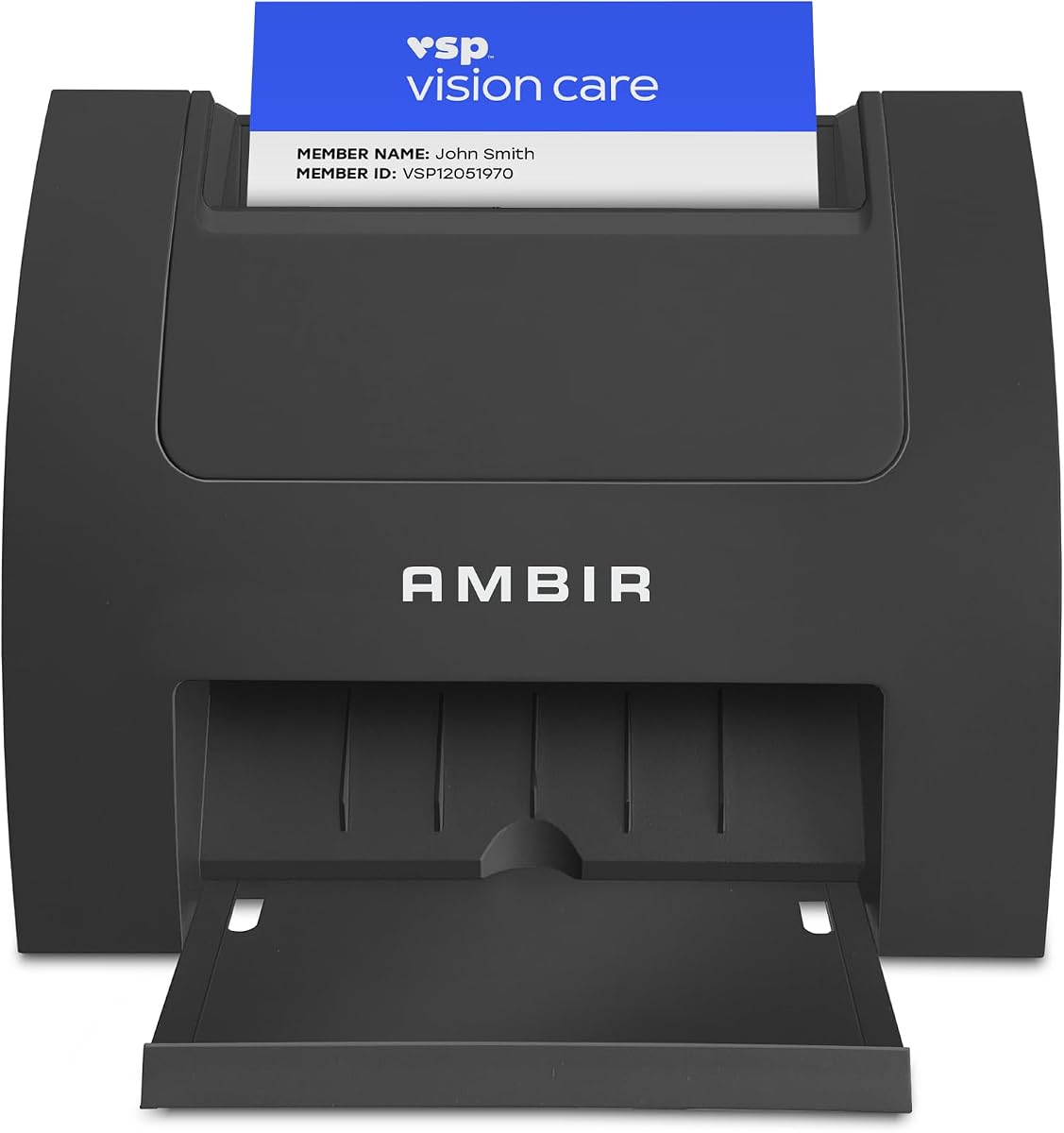


The Ambir ImageScan Pro 687-AS leads our list with exceptional speed and versatility for business card scanning needs. Its ability to handle various card types including those with raised characters ensures no data is missed during digitization.
We may earn a commission when you buy through this link, at no additional cost to you.
This device shines with its duplex scanning capability capturing both sides in one pass. The included software supports PDF JPG and cloud formats while Zapier integration automates workflows sending metadata to tools like Slack and QuickBooks.
While the price is higher than basic models the investment pays off in time saved and automation capabilities. The requirement for Zapier Professional may add cost but the seamless integration justifies the expense for busy offices.
Buy this scanner if you need reliable high volume card scanning with advanced automation features. Its robust performance and compatibility make it a top choice for professionals prioritizing efficiency.
The scanner effortlessly processes raised characters found on insurance cards and licenses ensuring accurate data capture every time.
Built-in webhook integration connects to thousands of apps eliminating manual entry through custom automated workflows.
We may earn a commission when you buy through this link, at no additional cost to you.
The PenPower WorldCard Pro is designed for international business needs with support for twenty-four different languages. It digitizes cards quickly and converts them into accurate digital formats ready for immediate use.
We may earn a commission when you buy through this link, at no additional cost to you.
Its software allows flexible data exchange exporting contacts to Address Books or various file formats like CSV and HTML. Advanced search functions let you find contacts instantly by clicking links to maps or websites.
Despite lower ratings this device remains useful for those needing broad language support. The interface may feel less modern than newer models but functionality remains solid for standard tasks.
Consider this scanner if you work with diverse international contacts requiring multi-language OCR. It offers practical tools for organizing global networks effectively.
Recognize cards in twenty-four languages ensuring global contacts are digitized accurately without manual translation.
Organize efficiently with editing tools category assignments and keyword search for quick retrieval.
We may earn a commission when you buy through this link, at no additional cost to you.
This model excels for Outlook users offering direct import of scanned contact into your address book. It automates contact management by detecting duplicates and allowing easy editing of fields.
We may earn a commission when you buy through this link, at no additional cost to you.
Optional AI processing enhances extraction accuracy for names emails and phone numbers locally on your PC. Shared folder scanning supports team environments allowing easy distribution of contacts across your organization.
While limited to Windows environments the integration with Microsoft tools saves significant time. The optional AI feature ensures higher accuracy when enabled but remains accessible for standard use.
Ideal for businesses heavily invested in Microsoft Outlook workflows this scanner streamlines contact entry effectively. The warranty and support add peace of mind for office deployment.
Seamlessly import scanned data directly into Outlook address book keeping contacts organized and up to date.
Enhance accuracy with optional AI processing ensuring key fields are captured correctly.
We may earn a commission when you buy through this link, at no additional cost to you.
The Epson Workforce ES-50 is the lightest and fastest mobile single-sheet fed scanner available today. Its compact design makes it perfect for travelers who need to digitize cards or receipts on the go.
We may earn a commission when you buy through this link, at no additional cost to you.
Powered entirely by USB it eliminates the need for batteries or external adapters. The included software allows quick scanning to cloud accounts and PDF creation with OCR support for editable documents.
While it handles only single sheets efficiently the speed and portability make up for this limitation. It is best suited for individual professionals rather than high volume office use.
Choose this device if you need a reliable tool for scanning while traveling. Its simplicity and ease of use provide excellent value for mobile professionals.
Scans documents up to 72 inches long making it versatile for receipts and long cards.
Operates without batteries using just a USB connection for true on-the-go convenience.
We may earn a commission when you buy through this link, at no additional cost to you.
This scanner claims the fastest single-sided performance scanning cards in under two seconds. Its vertical feed path takes up minimal desk space making it suitable for busy offices where counter space is limited.
We may earn a commission when you buy through this link, at no additional cost to you.
Image quality remains high with true 600 dpi output meeting third-party software standards. The bundled software enables continuous scanning without prompts allowing users to maintain high throughput efficiently.
While it only scans one side at a time the speed compensates for many use cases. It is particularly effective for high volume tasks where both sides aren't required every time.
Buy this if you need speed and a small footprint for business card management. The vertical design is a thoughtful addition for space-constrained environments.
Capture cards in under two seconds saving significant time during high volume scanning sessions.
Save desk space with a unique vertical design ideal for compact workstations.
We may earn a commission when you buy through this link, at no additional cost to you.
While focused on ID cards this scanner offers unique features for businesses requiring verification and data capture. It reads 2D barcodes to extract key info like name and date of birth instantly.
We may earn a commission when you buy through this link, at no additional cost to you.
All data is stored locally on your system ensuring maximum privacy without cloud dependencies. Customizable age restrictions and anti-passback security prevent fraud making it reliable for regulated industries.
It is perfect for venues needing secure verification workflows without recurring costs. The one-time purchase model and included software eliminate hidden fees or subscriptions.
Consider this if your workflow involves verifying IDs alongside business cards. Its security features provide peace of mind for compliance-heavy operations.
Read barcodes instantly to eliminate manual entry and reduce errors in customer data.
Keep all scanned information on your system ensuring privacy and control without internet.
We may earn a commission when you buy through this link, at no additional cost to you.
This versatile document scanner saves space with an innovative design that stays out of the way. It handles various document types including plastic cards making it a good all-around choice for offices.
We may earn a commission when you buy through this link, at no additional cost to you.
Features like auto de-skew and color optimization ensure great images every time without setup. You can connect via USB or Wi-Fi scanning directly to Mac PC or mobile devices seamlessly.
The ScanSnap Home software organizes everything making it easy to manage photos and receipts. While not exclusively a card scanner it handles business cards effectively within its broader document workflow.
Choose this for a compact all-in-one solution for home or small office use. Its flexibility and wireless capabilities make it ideal for modern workspaces.
Handles thick items and plastic cards alongside standard documents for broad compatibility.
Wireless or USB connection allows scanning to multiple devices and cloud services easily.
We may earn a commission when you buy through this link, at no additional cost to you.
Designed to be about the size of a stapler this scanner takes up minimal space. It is ideal for travelers who need to digitize cards without carrying bulky equipment or adapters.
We may earn a commission when you buy through this link, at no additional cost to you.
Powered directly by USB it simplifies setup anywhere with a laptop. The included software scans directly to PDF maintaining industry standards with TWAIN driver compatibility.
While it lacks advanced features its simplicity is a benefit for quick on-the-go tasks. The lightweight design ensures it fits easily in bags or cases for mobile professionals.
Pick this if your primary need is basic portability for occasional card scanning. It offers essential functions without unnecessary complexity.
Light weight and small footprint make it the perfect travel companion.
Scan directly to industry-standard PDF format for quick sharing and storage.
We may earn a commission when you buy through this link, at no additional cost to you.
This mobile scanner delivers blazing fast speeds of 16 pages per minute color or black and white. Its compact size allows it to fit virtually anywhere making it great for mobile office setups.
We may earn a commission when you buy through this link, at no additional cost to you.
It supports multiple operating systems including Windows Mac and Linux offering flexibility for diverse IT environments. The included app allows scanning to cloud email or local storage with OCR capabilities.
Power comes via micro USB ensuring it works even without wall outlets nearby. The automatic image optimization enhances text and color making digital copies look professional.
Select this for reliable performance across different platforms. It balances speed and portability well for frequent travelers needing quick document capture.
Works seamlessly on Windows Mac and Linux ensuring compatibility with your existing hardware.
Color scanning matches black and white speed so you never slow down during tasks.
We may earn a commission when you buy through this link, at no additional cost to you.
Designed for high-volume productivity this desktop scanner handles stacks of cards with a 50-sheet auto document feeder. Its duplex capability scans both sides efficiently reducing manual flipping and time spent.
We may earn a commission when you buy through this link, at no additional cost to you.
Seamless integration allows scanning directly to cloud services like Dropbox and Google Drive. Automatic file naming and image adjustments like auto-crop simplify workflow for busy office teams.
Features like ultrasonic double feed detection prevent errors ensuring documents are captured completely. It balances speed with reliability making it ideal for shared workspaces handling multiple documents daily.
Choose this for offices needing robust high-volume card and document digitization. Its automation features save significant time for administrative tasks.
Efficiently scan stacks of documents or cards without constant manual feeding.
Prevent missed pages with ultrasonic technology ensuring complete document capture.
We may earn a commission when you buy through this link, at no additional cost to you.
Selecting the right scanner depends on volume speed and software needs. This guide highlights key factors to consider for your specific workflow.
Speed matters greatly depending on how many cards you process daily. High-volume offices benefit from devices with document feeders while personal use may only require portable single-sheet options. Look for specs like pages per minute and seconds per card to gauge efficiency.
Match the speed to your expected workload to avoid bottlenecks in your digitization process.
The included software should support your preferred contact management systems. Features like direct Outlook import or CRM exports reduce manual data entry significantly. Check for compatibility with tools you already use like Google Contacts or sales platforms.
Prioritize scanners that offer seamless integration to save time after the scan is complete.
Duplex scanners capture both sides of a card in one pass doubling efficiency for cards with back-side info. Simplex models are cheaper but require flipping cards manually increasing time spent. Consider if your cards typically have important data on the reverse side.
Choose duplex if you need full data capture without extra handling steps.
USB powered models are great for portability and reducing cable clutter. Wireless options allow scanning directly to devices without connecting a computer. Ensure the connectivity matches your mobile or desktop environment needs.
Select wired USB for reliability or wireless for maximum flexibility on the go.
OCR converts images into editable text allowing you to search and edit contact details. Built-in OCR avoids subscription fees for external software. Ensure the OCR quality is high enough to minimize errors in name and address extraction.
Look for OCR capabilities if you need to edit or export text fields directly.
Desk space is often limited so compact designs are valuable for small offices. Vertical feed paths save counter space compared to flatbeds. Check dimensions to ensure the device fits comfortably at your workstation.
Opt for space-saving designs if your workspace is tight or mobile.
Reliable customer support and warranty coverage protect your investment over time. Look for hardware warranties and accessible technical assistance. US-based support can be crucial for resolving issues quickly during business hours.
Verify warranty terms before buying to ensure long-term reliability and peace of mind.
Modern workflows often require scanning directly to cloud storage services. Compatibility with tools like Dropbox Google Drive or Evernote streamlines sharing. Check supported file formats like PDF TIFF or JPG to meet your archiving needs.
Choose a scanner that supports your preferred cloud platforms for easier data management.
Place the scanner on a stable surface and connect it to your computer via USB. Install the provided drivers and software following the on-screen prompts to ensure proper recognition.
Insert cards carefully into the feed slot ensuring they are flat and free of bends. Clean the rollers regularly with a soft cloth to prevent jams and maintain image quality.
Use the software to select file formats and destinations before scanning. After capturing cards organize them into folders immediately to keep your digital database tidy and searchable.
Duplex scanners capture both sides of a card in one pass while simplex models scan only one side. Duplex saves time for cards with information on the back while simplex is often more affordable for basic needs.
Many scanners come with built-in OCR software that extracts text automatically. Some require third-party tools for advanced contact management but basic models include everything needed for direct export.
Most of the reviewed models support both Mac and Windows systems. Always check the product specifications for macOS version compatibility before purchasing to ensure it works with your setup.
High-quality scanners can handle plastic cards like IDs and membership cards. Check the product details for card thickness limits to ensure your specific card types will feed smoothly.
Most business card scanners include software as a one-time purchase without recurring fees. Some advanced features or cloud services may offer optional paid upgrades but basic functionality is free.
Clean rollers every few months or when you notice frequent paper jams. Use a lint-free cloth with water or a mild cleaner to remove dust and maintain smooth feeding performance.
Our top picks cover diverse needs from high-volume office use to portable travel solutions. The Ambir ImageScan Pro 687 leads for features while the Epson ES-50 offers great value for travelers.
Prioritize factors like speed software integration and duplex capability based on your specific workflow. Balancing these elements ensures you choose a device that truly enhances productivity.
Prices and availability fluctuate so always verify the latest details before making your final decision. Investing in the right tool now will pay off in streamlined contact management.