
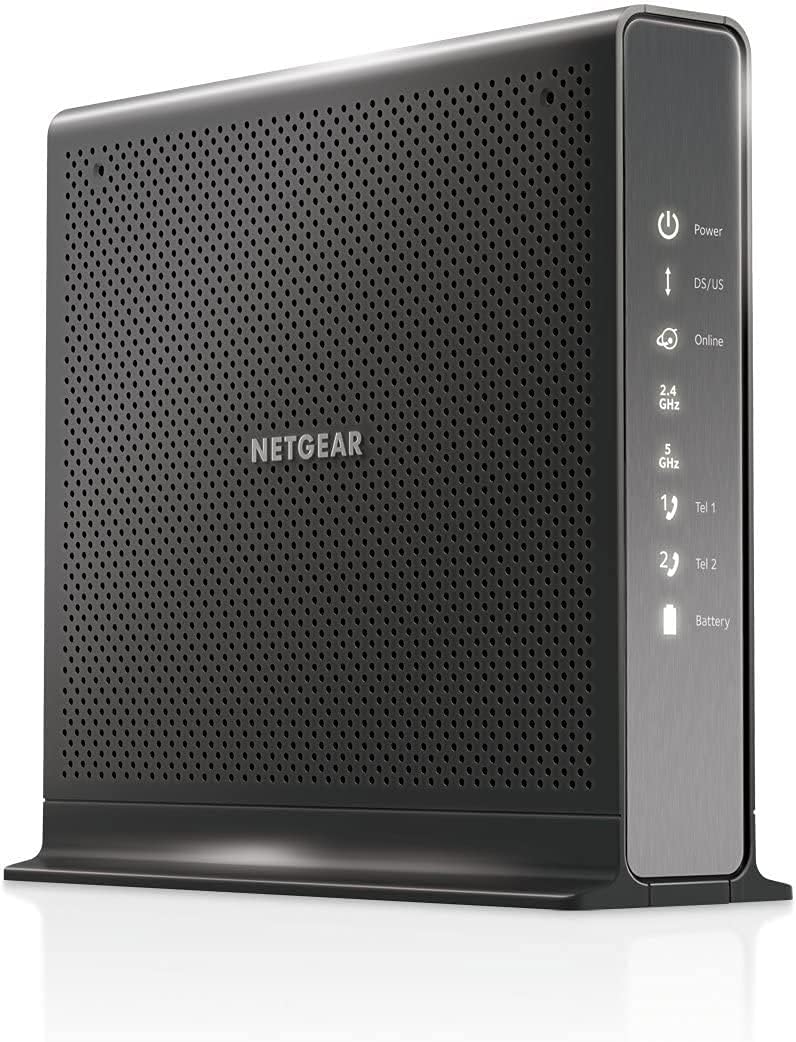
NETGEAR Nighthawk Cable Modem and WiFi 5 Router Combo (C7000)
4.2Editor score
DOCSIS 3.0 Modem
AC1900 WiFi 5 Speed
Up to 800Mbps Plans
This guide compares the top cable modem WiFi router combo units for 2026, evaluating speed, coverage, and compatibility to help you choose the best home
Finding the right cable modem WiFi router combo can significantly improve your home network performance and save you money on monthly rental fees. These all-in-one devices simplify your setup by combining two essential pieces of hardware into a single unit. They are designed to handle modern high-speed internet plans while providing reliable wireless coverage throughout your living space.
We have carefully selected and reviewed ten of the most popular and highly rated models available in the market today. Our evaluation process focuses on critical performance metrics such as DOCSIS standards, WiFi generation, and compatibility with major internet service providers. We also consider real-world usability factors like ease of setup and security features to ensure you get a well-rounded assessment.
Each product in this list includes detailed specifications, pros and cons, and expert insights to help you make an informed decision. While we strive to provide the most accurate information possible, please note that prices and availability can change frequently. We recommend checking the current details on the retailer's website before making your final purchase to ensure you get the best deal.
4.2Editor score

4.1Editor score

3.7Editor score
The following table provides a side-by-side comparison of the top ten cable modem WiFi router combo units. We have summarized key specifications and capabilities to help you quickly identify which model best suits your specific internet plan and home network needs.





The NETGEAR Nighthawk CAX30 stands out as our top pick for those seeking a powerful all-in-one solution. It combines a DOCSIS 3.1 modem with a WiFi 6 router to deliver speeds up to 2.7Gbps. This model is highly rated for its ability to handle multiple devices simultaneously without dropping connection.
We may earn a commission when you buy through this link, at no additional cost to you.
This device excels in providing whole-home coverage up to 2,000 square feet. It supports over 25 connected devices, making it ideal for families with smartphones, tablets, and smart home gadgets. The inclusion of four Gigabit Ethernet ports ensures that gaming consoles and desktop PCs can remain hardwired for maximum stability.
While the performance is exceptional, it comes at a higher price point than some competitors. The physical size is also larger than average, which may require careful placement in your home network setup. However, the reliability and speed often justify the investment for heavy internet users.
We recommend this model for households with high-speed internet plans up to 1Gbps or more. It is particularly suitable for users who prioritize low latency for gaming and high-quality video streaming. The Nighthawk app adds significant value by simplifying network management tasks.
The DOCSIS 3.1 standard allows for faster download speeds and better efficiency during peak usage hours. This ensures your network remains capable as your internet plan upgrades over time.
WiFi 6 technology improves data throughput and reduces congestion when many devices are connected. This results in smoother performance for video calls and online gaming.
We may earn a commission when you buy through this link, at no additional cost to you.
The C7000 offers a reliable entry point into the world of all-in-one modems without breaking the bank. It supports internet plans up to 800Mbps which covers the needs of most average households. The AC1900 WiFi speed ensures smooth streaming and browsing across your home network.
We may earn a commission when you buy through this link, at no additional cost to you.
This unit features Beamforming+ technology which boosts signal range and reduces dead spots. It connects via four Gigabit Ethernet ports and includes a USB 2.0 port for sharing storage. Users appreciate the straightforward setup process guided by the Nighthawk app.
The main trade-off is the lack of WiFi 6 support which may limit performance as device counts grow. However, for budgets constrained users, this provides excellent performance for the price. It remains a robust choice for standard streaming and browsing tasks.
We suggest this model for small to medium families on a budget. It is ideal for those who do not need the absolute fastest speeds but want reliable connectivity. The savings on monthly rental fees often pay for the device quickly.
This device delivers fast speeds at a fraction of the cost of premium models. It is perfect for users who want to save on rental fees without sacrificing performance.
Despite being an older standard, WiFi 5 still provides ample speed for streaming and gaming. It ensures a stable connection for typical daily activities.
We may earn a commission when you buy through this link, at no additional cost to you.
The ARRIS Surfboard G34 is designed for users who need maximum speed and modern connectivity. It supports plans up to 2.5Gbps which makes it one of the fastest available. The WiFi 6 AX3000 ensures robust wireless performance throughout your home.
We may earn a commission when you buy through this link, at no additional cost to you.
This device features a compact design that fits well in any entertainment center. It includes four Gigabit Ethernet ports for wired connections to your favorite devices. The setup process is straightforward allowing you to connect and activate quickly with your provider.
While it offers top-tier performance, the price is higher than many competitors. Some users report mixed experiences with compatibility depending on their specific ISP. However, its speed capabilities make it a strong contender for power users.
We recommend this for tech enthusiasts who demand the highest speeds. It is suitable for large homes with many connected devices requiring fast bandwidth. Ensure you check compatibility with your provider before purchase.
The DOCSIS 3.1 modem supports extremely high speeds ideal for large file downloads. This ensures you get the most out of your fiber or cable plan.
WiFi 6 offers better efficiency and speed for multiple devices. This helps maintain high performance even when many gadgets are connected.
We may earn a commission when you buy through this link, at no additional cost to you.
This renewed version offers the same high performance as the new model at a lower price. It includes a DOCSIS 3.1 modem and WiFi 6 router for fast speeds. Users appreciate the savings without sacrificing the benefits of the latest technology.
We may earn a commission when you buy through this link, at no additional cost to you.
The unit supports link aggregation for faster wired connections to your server or NAS. It provides strong coverage and capacity for over 25 devices. The renewed status means it has been tested for functionality before sale.
One consideration is that warranties for renewed items may vary. However, many users find them reliable for standard home use. It is an excellent way to get premium features on a budget.
We suggest this for cost-conscious buyers who want top specs. It is ideal for those who do not need a brand new box. Check the return policy when purchasing renewed items.
Buying renewed allows you to access high-end specs for less. It is a smart financial decision for most households.
The refurbishment process ensures the device works correctly. You get reliable speed and connectivity for your home network.
We may earn a commission when you buy through this link, at no additional cost to you.
This model delivers fast speeds suitable for high-bandwidth applications. It supports plans up to 2Gbps which is excellent for heavy users. The USB 3.0 port allows for fast file transfers to connected storage.
We may earn a commission when you buy through this link, at no additional cost to you.
Users report good WiFi range covering up to 2,000 square feet. The setup via the Nighthawk app is user friendly. It replaces your rental equipment effectively to save money.
As a refurbished item, availability might vary by region. It is a good option for those who want the latest tech without the premium price. Ensure you verify compatibility with your ISP.
We recommend this for families needing high speed and storage sharing. It works well for gaming and streaming. Check the specific condition details before buying.
The device supports very fast internet plans ensuring smooth streaming. It is ideal for large households with high usage.
Multiple ports allow you to connect many wired devices. This ensures stability for devices that need wired internet.
We may earn a commission when you buy through this link, at no additional cost to you.
This renewed unit offers the most affordable way to own your modem and router. It supports speeds up to 800Mbps which is sufficient for most users. The AC1900 WiFi is still very capable for streaming and browsing.
We may earn a commission when you buy through this link, at no additional cost to you.
The setup is simple and works with many major providers. It features 1800 sqft of coverage which fits smaller homes well. Users like the no fuss experience of this classic model.
The main limitation is the age of the technology compared to newer models. However, for budget focused buyers, it delivers strong value. It saves you from monthly rental fees effectively.
We suggest this for small families on a tight budget. It is great for basic internet use without extra features. Check the specific warranty terms for renewed products.
This device provides solid performance at a low cost. It is perfect for those prioritizing savings over speed.
Despite older specs it handles daily tasks well. You get reliable internet for streaming and gaming.
We may earn a commission when you buy through this link, at no additional cost to you.
The CAX80 is a powerhouse for large homes needing extensive coverage. It supports plans up to 2Gbps and covers 2500 sqft. The AX6000 speed provides plenty of bandwidth for multiple users.
We may earn a commission when you buy through this link, at no additional cost to you.
It includes four Gigabit Ethernet ports and advanced security features. Users appreciate the ability to connect many devices without slowdown. The app offers detailed control over your network settings.
The price is very high compared to other options. It is best suited for those with very high speed plans and many devices. The complexity might be too much for casual users.
We recommend this for power users and large homes. It is ideal for streaming 4K on multiple screens. Consider if you need this level of speed before buying.
The wide coverage ensures signal reaches every corner. This is perfect for multi-story houses.
The fast WiFi handles many simultaneous streams. It is great for busy households.
We may earn a commission when you buy through this link, at no additional cost to you.
This unit is unique because it supports voice plans with phone lines. It includes ports for two phones and a battery backup. This ensures you stay connected even during power outages.
We may earn a commission when you buy through this link, at no additional cost to you.
It supports internet plans up to 600Mbps which is good for standard use. The AC1900 speed handles streaming and browsing well. Users appreciate the voice capabilities if they need them.
The device is specific to voice plans so it may not work for all users. It is a niche product for those who need home phone service. Otherwise, standard models may offer better value.
We suggest this only if you have a cable voice plan. It is great for those who want one device for internet and phone. Check compatibility carefully before purchasing.
This model saves space by combining internet and phone. It is ideal for those keeping landlines.
The battery ensures voice service works during outages. It is a safety feature for home safety.
We may earn a commission when you buy through this link, at no additional cost to you.
The C6250 is designed for lower speed plans up to 300Mbps. It offers basic WiFi 5 performance that covers small spaces well. The design is compact and easy to hide in a cabinet.
We may earn a commission when you buy through this link, at no additional cost to you.
It includes two Ethernet ports and a USB port for storage. Users find it very easy to set up and manage. It is a solid choice for apartments or small homes.
The speed limitation makes it less suitable for high bandwidth users. However, for basic needs it is reliable and affordable. It saves monthly rental costs effectively.
We recommend this for smaller households on a budget. It is perfect for casual browsing and streaming. Ensure your plan is within the supported speed range.
This unit takes up very little space. It is ideal for small living areas.
It provides essential connectivity without extra cost. You get reliable performance for basic tasks.
We may earn a commission when you buy through this link, at no additional cost to you.
The ARRIS SBG7600AC2 is a trusted name in home connectivity. It offers AC2350 speeds which are faster than many budget options. The four Ethernet ports make it versatile for wired connections.
We may earn a commission when you buy through this link, at no additional cost to you.
Users find the setup app straightforward and easy to use. It supports speeds up to 800Mbps which is good for families. The design is compact and fits in any room.
As an older model it lacks WiFi 6 features. However, it is reliable and proven over time. It is a good alternative to major brands.
We recommend this for those seeking variety. It is suitable for medium sized homes. Check your provider for compatibility before ordering.
ARRIS has sold millions of modems globally. This means you get reliable hardware.
Four ports allow you to connect many devices. This is helpful for gamers and streamers.
We may earn a commission when you buy through this link, at no additional cost to you.
Selecting the right combo unit requires understanding several technical factors to ensure compatibility and performance.
DOCSIS standards define the speed capabilities of your modem. DOCSIS 3.0 supports speeds up to 800Mbps while DOCSIS 3.1 supports multi-gigabit speeds. Always match the standard to your internet plan.
Choosing a higher standard ensures your device remains compatible with future upgrades.
WiFi 6 offers better efficiency and speed than WiFi 5. If you have many connected devices, WiFi 6 helps reduce congestion. Older models may save money but lack this efficiency.
WiFi 6 is recommended for future-proofing your home network setup.
Ensure the unit supports the maximum speed of your internet plan. Using a slower device will cap your speeds regardless of your subscription. Check the specs for max speed support.
Match the device to your plan to avoid throttling your connection speed.
Coverage depends on your home size and layout. Most units cover between 1500 to 2500 square feet. Large homes may need additional extenders for full coverage.
Check the listed coverage area to ensure it fits your space.
Not all modems work with every provider. Always check the provider list on the product page. Major brands like Xfinity and Spectrum have specific approved lists.
Confirm compatibility with your ISP to avoid activation issues.
Look for WPA3 encryption and built-in firewalls. Some units include security subscriptions to protect your network. Security features help keep your data safe from threats.
Prioritize devices with strong security protocols for peace of mind.
Easy setup saves time and frustration. Apps that guide you through activation make the process smooth. Look for units with clear instructions and support.
Choose a model with good app support for easier management.
A good warranty protects your investment if the device fails. Support options like expert help can resolve issues quickly. Check the warranty length before buying.
Opt for brands with reliable support for long term peace of mind.
To use your new combo unit, plug the coaxial cable into the modem port and power it on. Wait for the status lights to indicate a stable connection before connecting your devices.
Use the manufacturer app to set your network name and password securely. This allows you to manage devices and run speed tests easily from your phone.
Keep the device in a well ventilated area to prevent overheating. Avoid placing it inside cabinets or near heat sources to maintain performance over time.
Yes you must activate your device with your internet service provider. This usually involves calling customer service or using an online activation portal to register the device MAC address.
Yes a combo unit combines both functions into one box. You can remove your old hardware and connect your devices directly to this new device for convenience.
No most units are designed for specific cable providers like Xfinity or Spectrum. Always check the compatibility list on the product page before purchasing.
Most modern units support over 20 connected devices. High end models can handle even more without performance drops making them great for families.
Many newer models offer WiFi 6 for better speed and efficiency. However older budget models may still use WiFi 5 technology depending on the specs.
Yes owning your modem eliminates monthly rental fees. This typically saves you over a hundred dollars per year depending on your provider rates.
We have reviewed ten top units ranging from budget friendly options to high performance models. The NETGEAR Nighthawk CAX30 stands out as the best overall choice for most users.
Prioritize compatibility with your ISP and speed requirements when making a decision. Investing in a reliable unit ensures smooth streaming and stable connections for all devices.
Prices and availability change frequently so check current listings before buying. Always confirm warranty details to ensure you get the best value for your money.