
Guermok Video Capture Card
4.4Editor score
1080P 60FPS Output
USB 3.0 and Type-C
Plug and Play Setup
This comprehensive guide compares the top capture cards for YouTube streaming and recording to help you choose the right device for your content creation needs
Choosing the right capture card for YouTube is essential for creators who want to share high quality gameplay or device footage. A good capture card ensures smooth video transmission without lag while maintaining crisp visuals and clear audio for your viewers.
We have compared ten popular capture cards based on their resolution support, latency performance, compatibility with major software, and ease of setup. This list covers budget friendly options as well as premium models designed for professional streamers and content creators.
Each pick highlights key features and real world performance to help you make an informed decision for your setup. Keep in mind that availability and pricing can change over time so always verify the latest details before purchasing.
4.4Editor score

4.5Editor score

4.2Editor score
The following table provides a side-by-side comparison of all ten capture cards evaluated in this guide. Use this overview to quickly assess specifications and capabilities before diving into the detailed reviews.




This capture card is designed for creators who need reliable 1080P streaming without breaking the bank. With a solid rating and strong compatibility across consoles and cameras it stands out as an excellent entry point for YouTube content creators.
We may earn a commission when you buy through this link, at no additional cost to you.
The HDMI Loop-Out feature ensures your gameplay remains smooth on your monitor while you capture the feed. It works seamlessly with OBS and other major software tools making setup straightforward even for beginners.
While it does not support 4K at 120Hz the 60FPS 1080P output is sufficient for most YouTube gaming channels. The included microphone input allows you to add commentary directly without extra hardware which saves space on your desk.
If you are launching a new channel or upgrading from built-in console streaming this device offers the best balance of performance and ease of use. Its simplicity ensures you can focus on content rather than troubleshooting technical settings.
The HDMI Loop-Out technology allows you to play games with zero perceived delay on your main display while the signal is simultaneously captured for streaming to YouTube.
Compatible with PS4, PS5, Xbox One, and many other HDMI devices this card removes the guesswork from connecting your favorite gaming hardware to your computer.
We may earn a commission when you buy through this link, at no additional cost to you.
The Elgato 4K X captures the full potential of modern gaming rigs with support for 4K resolution at 144 frames per second. It is an ideal choice for professional streamers who demand the highest visual fidelity for their YouTube audience.
We may earn a commission when you buy through this link, at no additional cost to you.
Built with HDMI 2.1 input and output this card supports advanced features like Variable Refresh Rate to eliminate screen tearing during fast paced gameplay. The ultra-low latency ensures your reactions remain perfectly synchronized with your broadcast.
While this device comes with a premium price tag it delivers unparalleled performance for those who need to capture high frame rate content reliably. The integration with popular streaming apps simplifies your workflow significantly.
For creators investing in next-gen consoles or high refresh rate PC setups this capture card is a worthy investment. It future proofs your channel by handling the resolution and frame rate demands of modern games.
Unleash the full potential of your content with cutting-edge 4K resolution delivering crystal-clear visuals at an impressive 144 frames per second for an immersive viewing experience.
Powered by USB 3.2 Gen 2 this card ensures your broadcast and gameplay remain perfectly synchronized keeping your audience engaged without distracting lag or desync issues.
We may earn a commission when you buy through this link, at no additional cost to you.
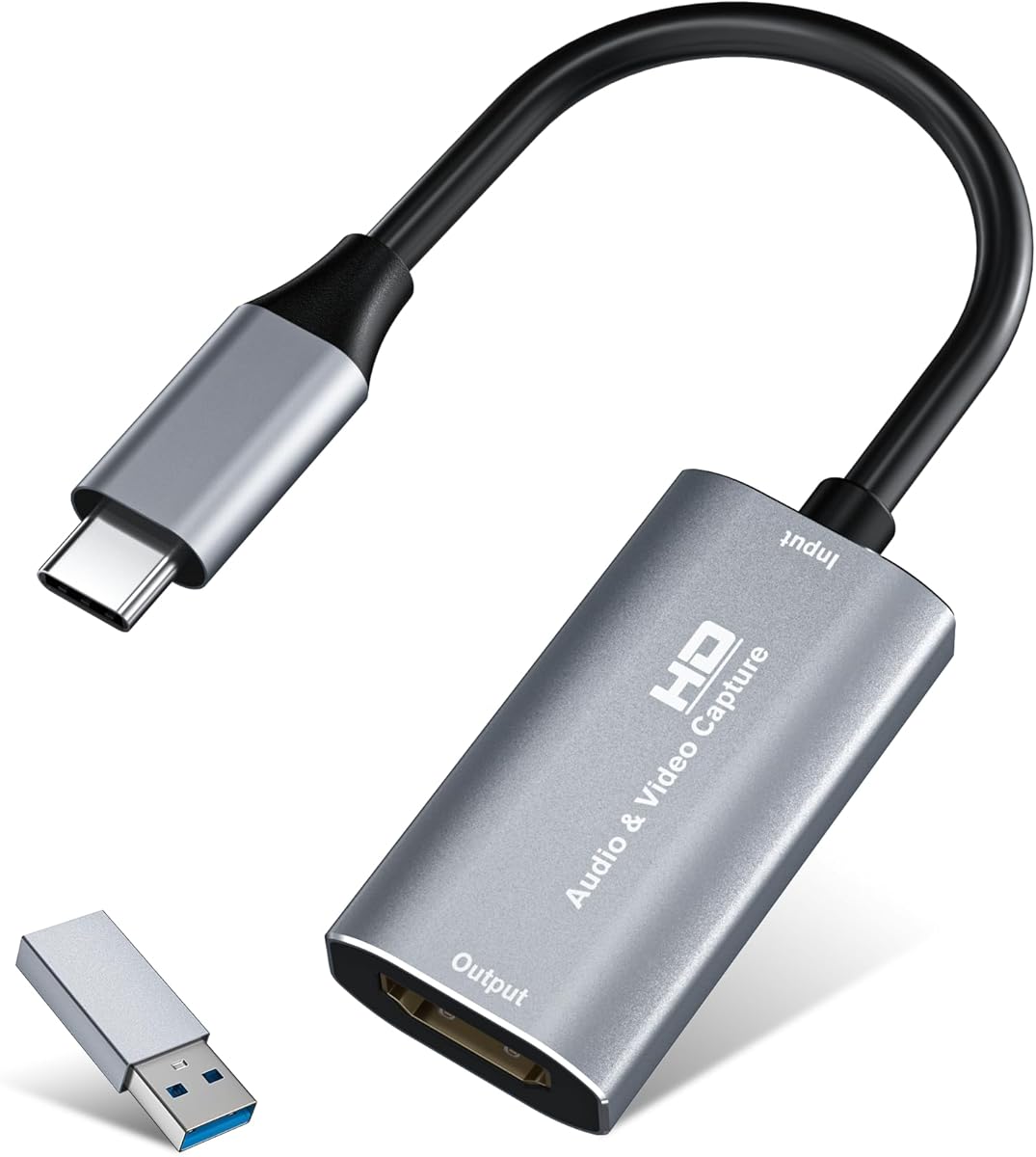
The Guermok Video Capture Card is a budget-friendly option that does not compromise on core streaming performance. It supports 1080P at 60 frames per second making it suitable for YouTube gaming and live streaming sessions.
We may earn a commission when you buy through this link, at no additional cost to you.
With support for both USB-C and USB 3.0 connections this device is versatile for users with different laptop ports. Its compact size makes it easy to carry for outdoor events or travel streaming needs.
While it lacks some advanced features like HDMI loop-out the ultra-low latency ensures smooth gameplay recording without noticeable delay. The aluminum alloy shell helps dissipate heat during extended recording sessions.
If you are on a tight budget but still require reliable video capture this card offers excellent value. It pairs well with OBS and other software allowing you to start streaming quickly without complex driver installations.
The capture card is small and lightweight so you can put it in your bag for emergencies making it very portable for outdoor live streaming.
Made of good quality aluminum alloy with strong heat dissipation this card avoids blue screens and lag during long recording sessions.
We may earn a commission when you buy through this link, at no additional cost to you.
This capture card is designed for users who need a reliable device that works seamlessly with macOS and other systems. It supports 1080P recording at 60 frames per second delivering smooth video for YouTube uploads.
We may earn a commission when you buy through this link, at no additional cost to you.
Built with a premium aluminum alloy shell it ensures stable heat dissipation during intensive streaming. The chipset supports ultra-low latency transmission so your content remains responsive and engaging.
While it captures video at 30Hz in 4K the 60FPS 1080P output is more than sufficient for standard YouTube content. The plug and play design means you can start recording immediately after connecting to your Mac.
For creators using MacBook or iMac systems this card is a solid choice that integrates well into existing workflows. It is lightweight and portable making it easy to use in different environments.
This capture card works seamlessly with most macOS systems requiring no driver installations which simplifies setup for Apple users.
Capture high-quality video and dual-channel audio in real time ensuring your stream has balanced sound without lag or frame drops.
We may earn a commission when you buy through this link, at no additional cost to you.
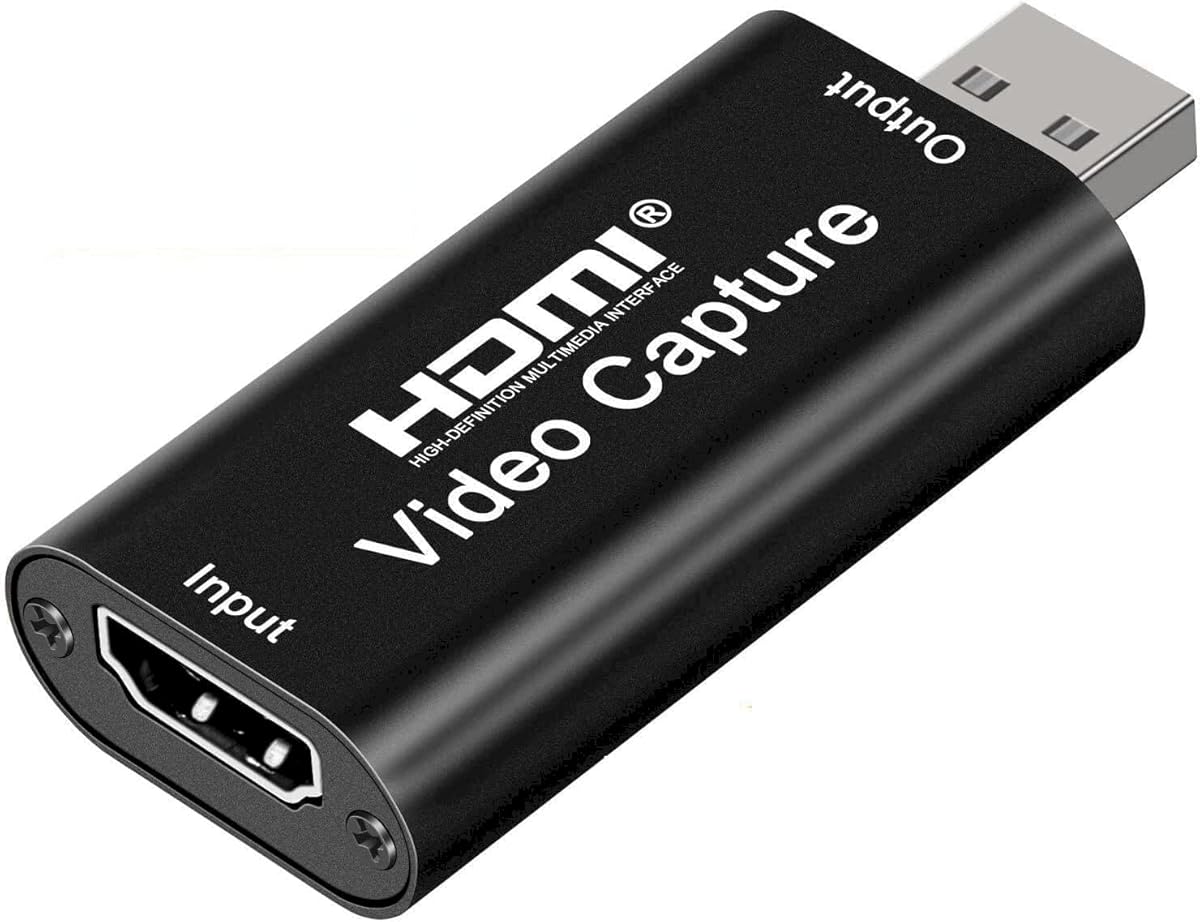
This device is engineered for creators who need a straightforward capture solution that works out of the box. It delivers crisp 1080P video at 60 frames per second which is ideal for YouTube gameplay.
We may earn a commission when you buy through this link, at no additional cost to you.
The universal compatibility ensures it works with popular consoles and cameras making it a versatile tool for any setup. Low-latency performance helps maintain synchronization between your actions and the broadcast.
Its compact size makes it easy to travel with so you can record events or switch gaming setups often without hassle. The lightweight design means it won't weigh down your gear bag.
If you need a simple reliable capture device that just works this card is a great fit. It supports OBS and Streamlabs allowing you to focus on content creation without technical distractions.
Designed as a USB capture card for streaming this device works instantly out of the box just plug into your PC or laptop and start capturing.
This capture card for streaming minimizes delay between gameplay and broadcast so you get reliable low-latency capture that works well for competitive gaming.
We may earn a commission when you buy through this link, at no additional cost to you.
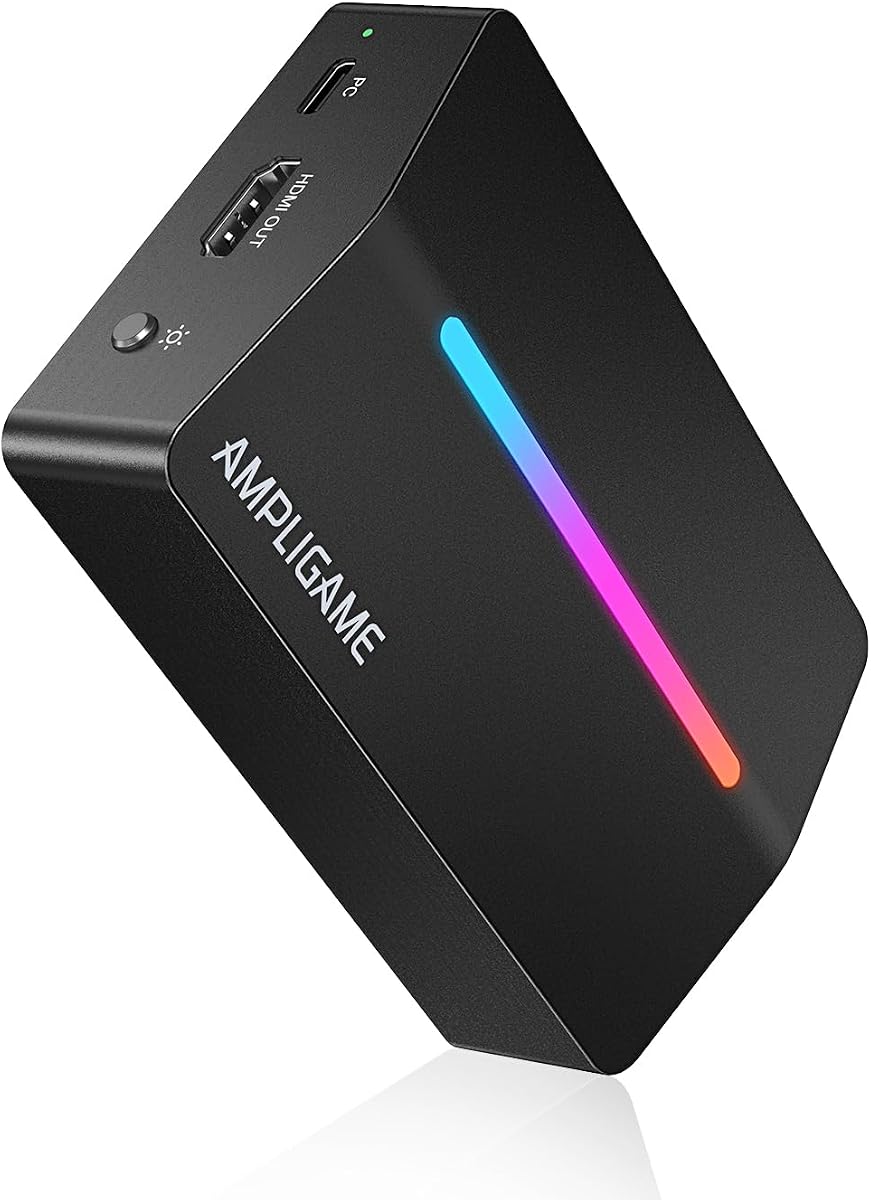
The Fifine AmpliGame capture card stands out for its built-in RGB lighting which adds aesthetic appeal to your streaming setup. It delivers smooth 1080P 60 frames per second footage ideal for YouTube content creators.
We may earn a commission when you buy through this link, at no additional cost to you.
It includes HDMI loop-out so you can play on your monitor with zero latency while recording the stream. The Line-In and Headset ports allow you to manage audio without extra mixers.
While user ratings are lower than premium brands the card offers solid performance for the price. The RGB modes can be customized to match your desk setup providing a cohesive visual theme.
If you want a stylish capture card that integrates well with gaming gear this is a strong option. It works with major platforms like OBS and Twitch making it easy to stream across multiple services.
Elevating your streaming aesthetics with dynamic lighting this switch capture card for XBOX offers 9 vibrant RGB modes to match your content.
Featuring HDMI Output LINE IN and Headset Ports this HDMI video capture card expands your setup perfectly allowing seamless teammate communication.
We may earn a commission when you buy through this link, at no additional cost to you.
The Audio Express AXHDCAP is a straightforward capture card for those needing basic recording without high frame rate demands. It supports 4K input but outputs 1080P which is sufficient for YouTube videos.
We may earn a commission when you buy through this link, at no additional cost to you.
Built with thermal dissipation this device handles heat well during long sessions preventing performance drops. The anti-static design protects your equipment ensuring long-term reliability.
Since it uses USB 2.0 it may have higher latency compared to newer USB 3.0 models. However for static setups or conference recordings it provides stable performance.
If you need an affordable device for capturing video conferences or teaching content this card is a viable choice. Its durability and ease of use make it a practical addition to any workspace.
Our advanced ultra-low latency technology ensures seamless real-time transmission of video streams allowing you to capture every detail precisely without delays.
The AXHDCAP HDMI to USB Video Capture Card is designed for long-term use having advanced thermal dissipation for applications such as analog video to digital conversions.
We may earn a commission when you buy through this link, at no additional cost to you.
This capture card uses YUY2 technology to deliver richer colors than standard MJPEG formats enhancing the visual quality of your YouTube streams. It supports 1080P at 60Hz for smooth playback.
We may earn a commission when you buy through this link, at no additional cost to you.
The HDMI Loop-Out feature ensures that your gameplay remains visible on your monitor with minimal delay while you capture the feed. This allows you to maintain situational awareness while streaming.
A dedicated microphone input lets you add commentary directly without needing an audio mixer. This simplifies your setup and saves desk space for other peripherals.
For creators who prioritize color accuracy and simple audio handling this card offers solid performance at an accessible price. It works with most major operating systems and streaming software seamlessly.
Featuring YUY2 technology it delivers richer colors than MJPEG for lifelike live streaming and recording with minimal latency.
Plug in a headset or mic directly to stream and record voice easily no extra adapters required for real-time gaming commentary or online classes.
We may earn a commission when you buy through this link, at no additional cost to you.
The XIIXMASK capture card handles high frame rate inputs up to 1080P at 120 frames per second which is great for competitive gaming streams. It also supports 4K 60 FPS capture for high fidelity recordings.
We may earn a commission when you buy through this link, at no additional cost to you.
With both audio input and microphone output ports you can integrate external audio easily without extra equipment. The pass-through support allows you to monitor gameplay with low latency.
While setup may require some adjustments to optimize frame rates the card offers flexibility for professional streaming needs. It supports multiple video formats including NV12 and YUY2 for advanced users.
For creators who need high refresh rate capture this device provides the bandwidth and features required. It works with Windows and macOS making it versatile for different workflows.
Handles high-frame-rate input and recording up to 1920 by 1080 at 120 frames per second offering enhanced flexibility for demanding recording requirements.
This USB 3.0 capture card includes 3.5mm audio input and microphone output ports for integrating external audio to embed commentary into your stream.
We may earn a commission when you buy through this link, at no additional cost to you.
The PORTTA DX20R supports advanced features like Variable Refresh Rate and HDR for superior image quality in your recordings. It captures 4K at 60Hz while offering passthrough for 240Hz refresh rates.
We may earn a commission when you buy through this link, at no additional cost to you.
A smart switch on the device allows for easy display control reducing the need for constant software adjustments. Utility software further enables firmware updates and EDID management for optimized performance.
While it requires some configuration to fully utilize its capabilities this card offers exceptional versatility for high-end setups. It supports a wide range of consoles and cameras ensuring broad compatibility.
If you need advanced video technologies like HDR and VRR for your streams this device is a powerful choice. It balances high performance with user-friendly controls for professional content creation.
Enjoy superior image quality with Variable Refresh Rate and High Dynamic Range for smoother gameplay and immersive viewing experiences.
Real-time operation parameters and a smart switch for easy display control and ring light control simplify your workflow and setup.
We may earn a commission when you buy through this link, at no additional cost to you.
Selecting the right capture card depends on your specific needs such as resolution output frame rates and software compatibility. Consider these factors to ensure the device matches your setup.
Capture cards vary in the maximum resolution and frame rate they can process. For YouTube content 1080P at 60 frames per second is the standard baseline while higher end models support 4K and 120 frames per second for competitive gaming. Verify that the device supports your source console or camera output before purchasing.
Prioritize resolution and frame rate capabilities that match your content goals to avoid bottlenecks in video quality.
Most modern capture cards use USB 3.0 or USB-C interfaces to ensure sufficient bandwidth for high definition video. Some budget models may rely on USB 2.0 which can limit frame rates or cause latency. Check your computer's available ports to ensure a secure connection.
Always opt for USB 3.0 or higher connections to maintain smooth data transfer and prevent performance issues during recording.
While most capture cards are designed for Windows and macOS you should verify compatibility with your specific OS version. Some older hardware may require drivers or firmware updates that could cause conflicts. Linux users should check for open-source support or specific kernel modules.
Ensure the device is certified for your operating system to avoid installation hurdles or software conflicts during streaming.
Some capture cards include microphone or line-in ports allowing you to record commentary directly without extra equipment. Others may only pass-through audio from the HDMI source which can complicate separate voice recording. Decide if you need built-in audio inputs for your workflow.
Look for models with 3.5mm audio jacks if you want to integrate external microphones seamlessly into your stream.
Pass-through allows you to view the video source on a monitor without delay while capturing the signal for streaming. This feature is critical for competitive gaming where reaction time matters. Verify that the device supports HDMI loop-out at the desired resolution.
Choose a capture card with HDMI pass-through to ensure you can monitor gameplay in real time without lag.
Ensure the capture card is compatible with your preferred streaming software such as OBS Streamlabs or XSplit. Some devices work best with specific applications or include proprietary tools for video adjustment. Driver support and software stability are key for uninterrupted streams.
Verify that the device is recognized by your streaming platform of choice to simplify setup and ensure reliable performance.
Extended recording sessions can generate heat which may affect performance. Aluminum alloy shells and thermal dissipation features help maintain stability. Budget models may use plastic housings that are less effective at managing heat.
Select a device with strong thermal management to prevent overheating during long streaming or recording sessions.
Premium capture cards support features like High Dynamic Range and Variable Refresh Rate to improve visual fidelity. These technologies reduce screen tearing and enhance color depth in your videos. They are beneficial for high-end gaming setups.
Consider advanced features only if you require top-tier visuals for your content to ensure they add value to your workflow.
Start by connecting the HDMI cable from your gaming console or camera to the input port on the capture card. Then plug the USB cable into your computer and ensure the device is detected in your operating system's audio video settings.
Open your streaming software like OBS or Streamlabs and select the capture card as the video source. Adjust your resolution and frame rate settings to match the card's capabilities and test the preview to verify audio and video sync.
Keep the capture card clean by wiping it with a dry cloth to avoid dust buildup. Store it in a protective case when traveling to prevent physical damage to the USB or HDMI ports.
Not necessarily. Some capture cards have built-in processing that reduces the load on your CPU. However for high resolution recording a powerful computer helps ensure smooth streaming without lag.
Yes many capture cards are compatible with macOS. Always check the product specifications to ensure your specific model supports your operating system version and required software.
Audio sync issues often occur due to latency in the HDMI or USB connection. You can adjust audio delay settings in your streaming software to correct the mismatch.
No capture cards work locally to transmit video signals from your console to your computer. Internet is only needed if you plan to stream your content online to platforms like YouTube.
Typically you need an HDMI cable to connect your console to the card and a USB cable to connect the card to your computer. Some packages include both cables but verify before purchasing.
Yes many capture cards are compatible with conferencing software like Zoom. They allow you to bring external video sources like cameras into your virtual meetings seamlessly.
We have reviewed ten capture cards offering options for every budget and setup. Whether you need basic recording or high-end 4K capture there is a device that meets your needs.
Prioritize features that align with your content goals such as resolution support audio inputs and platform compatibility to ensure a smooth workflow.
Prices and availability change frequently so always check the latest product details before purchasing to make the best decision for your channel.