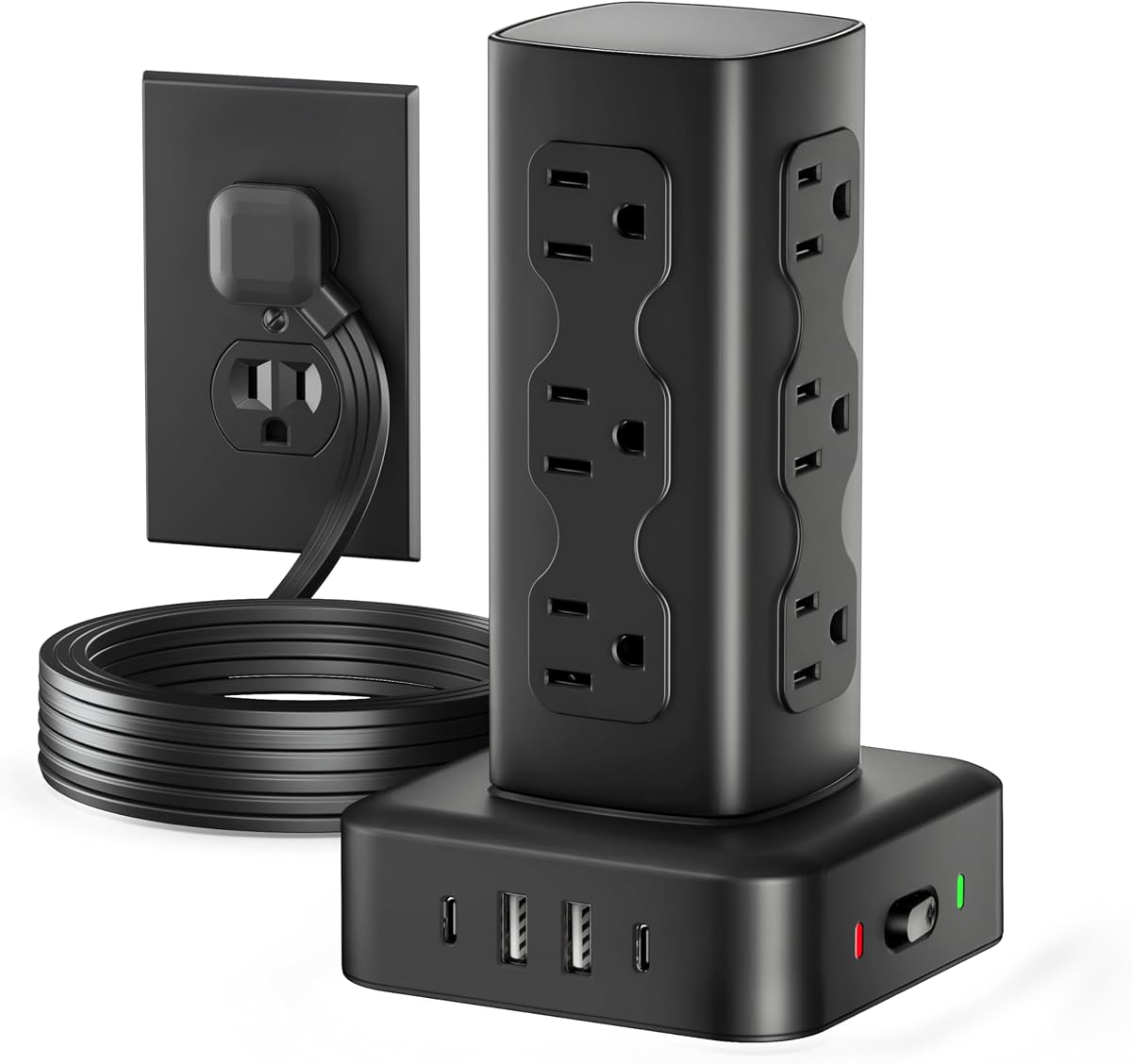
Power Strip Tower with 12 AC Outlets & 4 USB Ports(2 USB C), 6FT Cord
4.7Editor score
Ultra thin 0.31in flat plug
2000 joule surge protection
Compact vertical space saving
This comprehensive guide compares the top ten charging tower models available in October 2026 to help you find the perfect vertical power solution for your
Modern homes and offices require reliable power solutions to handle the growing number of electronic devices. A charging tower offers a vertical layout that saves desk space while providing multiple outlets and USB ports for convenient access to energy.
We evaluated ten leading models based on safety certifications, outlet spacing, cord length, and total charging capacity. Our analysis focuses on durability, design practicality, and the ability to handle high-wattage devices without overheating or power loss.
Each pick highlights specific strengths like retractable cords, flat plugs, or fast USB-C support. Keep in mind that availability and pricing vary by region and time. Always verify current specs before purchasing to ensure the model meets your specific needs.
4.7Editor score

4.5Editor score

4.7Editor score
This side-by-side comparison reviews the ten most popular charging towers on the market. We examine their unique features, safety ratings, and design choices to help you decide which model offers the best value for your specific power needs.


The kakyanill Power Strip Tower stands out as the top pick due to its robust 17-in-1 capacity and innovative retractable cord design. With a 4.5 rating from thousands of users, it proves reliable for high-demand environments like home offices and dorm rooms.
We may earn a commission when you buy through this link, at no additional cost to you.
Its vertical layout maximizes workspace efficiency by stacking nine AC outlets and eight USB ports in a slim profile. The 6-foot retractable flat cord allows you to adjust length without tangling, while the 45-degree angled plug prevents blocking adjacent outlets.
Safety is paramount here, featuring a 15A circuit breaker and fire-resistant ABS shell rated for high temperatures. Individual switches let you power down specific devices instantly. The trade-off is the mechanical complexity of the retractable base, which might require occasional maintenance.
This tower is ideal for users needing extensive power access without sacrificing desk space. It balances capacity, safety, and convenience better than most competitors. Choose this if you want a complete power hub that organizes cables effectively.
The vertical design eliminates the need for multiple horizontal strips, keeping cords organized and reducing tripping hazards.
Overload protection and a fire-resistant shell ensure your expensive electronics stay safe from electrical surges and heat.
We may earn a commission when you buy through this link, at no additional cost to you.
The JACKYLED Tower impresses with an 18-in-1 configuration that supports almost any device setup simultaneously. Its 4.7 rating reflects strong user satisfaction with the smart charging ports and independent switches that offer granular power control.
We may earn a commission when you buy through this link, at no additional cost to you.
Widely spaced AC outlets prevent bulky adapters from blocking neighbors, making it practical for power strips and gaming setups. The retractable cord winds neatly into the base, saving space. Each layer has an indicator switch for easy status checks.
While the 1050J surge protection is adequate for most home uses, heavy industrial users might prefer higher ratings. The retractable cord is convenient but requires careful winding to avoid jams. Still, the convenience features outweigh minor limitations.
This model suits families or students with many gadgets. It delivers organized charging without overwhelming the desk. Pick this if you prioritize USB flexibility and space-saving cable management over raw surge capacity.
Built-in detection optimizes charging speeds for phones and tablets, ensuring safe and efficient power delivery.
Each switch lets you manage specific groups of devices, reducing energy waste when rooms are unoccupied.
We may earn a commission when you buy through this link, at no additional cost to you.
The Kakyanill 115W tower excels in delivering rapid charging via USB-C, with two ports supporting up to 65W each. This makes it perfect for powering laptops alongside phones. The 4.5 rating confirms consistent performance in daily use.
We may earn a commission when you buy through this link, at no additional cost to you.
Retractable cord functionality keeps your workspace clean, and the four-sided compact tower saves desk space. Anti-slip feet prevent sliding on smooth surfaces. A reset switch adds convenience for quick power cycling without unplugging.
Users should remove phone cases during high-wattage charging to avoid overheating, a minor usability trade-off. The USB output shares power across ports, so simultaneous heavy loads may reduce individual speeds. Still, speed is impressive.
Choose this for tech enthusiasts needing fast laptop and device charging in one unit. It balances power and design well. Ideal for modern offices where USB-C dominance is the norm.
Power distribution ensures your laptop and mobile devices charge quickly without needing separate adapters.
Rubber feet and a weighted base keep the tower steady even when plugging in heavy adapters.
We may earn a commission when you buy through this link, at no additional cost to you.
Offering exceptional value, this tower provides a 16-in-1 solution with strong surge protection. Its 4.7 rating highlights reliability and ease of use. It covers basic needs for most users without breaking the bank.
We may earn a commission when you buy through this link, at no additional cost to you.
The 2000J protection is a standout feature at this price point, safeguarding electronics against surges. The flat plug fits easily behind furniture, and the cord allows flexible placement. Ideal for tight spaces like behind sofas.
It lacks individual switches for precise control, meaning all outlets power together. The limited USB port count may not suit heavy USB users. However, it delivers core functionality efficiently and securely.
This is the smart choice for budget-conscious buyers needing surge safety. It simplifies power management without extra cost. Best for households prioritizing safety and space-saving design.
High joule capacity ensures your sensitive electronics remain protected from unexpected power spikes.
The flat plug allows the tower to sit flush against walls, maximizing available space.
We may earn a commission when you buy through this link, at no additional cost to you.
This tower delivers 230W total power, making it capable of handling multiple high-draw devices. Its 4.5 rating shows consistent performance in demanding environments like offices. Color-coded ports simplify identifying fast-charge options.
We may earn a commission when you buy through this link, at no additional cost to you.
The 65W USB-C ports charge laptops quickly, while the slim design fits tight corners. Safety features like overheat protection ensure safe usage over time. The flat plug avoids blocking other outlets effectively.
The 5-foot cord may be short for distant wall sockets. Outlet spacing is standard but might cramp bulky plugs. Despite this, it remains a powerful choice for charging-heavy setups.
Choose this if you need high-wattage USB power in a small package. It's perfect for desk-centric users who value speed and organization.
High-wattage ports eliminate the need for separate laptop chargers, keeping desks clutter-free.
Small dimensions save desk space while supporting multiple devices simultaneously.
We may earn a commission when you buy through this link, at no additional cost to you.
Ideal for large rooms, this tower features a 10-foot pure copper cord for maximum reach. Its 4.7 rating highlights reliability and safety. The ultra-thin plug hides behind furniture without blocking neighbors.
We may earn a commission when you buy through this link, at no additional cost to you.
20 devices can charge simultaneously, though USB-C is capped at 20W. The lightweight body makes it easy to move, and rubber feet ensure stability. Pure copper wiring improves current efficiency.
The lighter build might feel less solid than heavy models. USB-C is decent for phones but slower for laptops. Still, the cord length is a major advantage for hard-to-reach outlets.
This suits users needing long reach without compromising on port count. Choose it for bedrooms or RVs where outlets are distant.
The long cord lets you place the tower exactly where you need it without extension cords.
Compact and lightweight, it packs easily for trips while providing multiple outlets.
We may earn a commission when you buy through this link, at no additional cost to you.
Anker’s reputation shines with this 9-in-1 charger, offering premium build quality and safety. The 4.7 rating reflects trust in its performance. It features a heavy base for stability, making it ideal for desktops.
We may earn a commission when you buy through this link, at no additional cost to you.
USB-C supports up to 100W, perfect for laptops. The 8-point safety system ensures robust protection. While it has fewer outlets, the quality of power delivery is superior. It looks great on any desk.
It lacks high outlet counts compared to others, and the price is higher. If you need many ports, this may not fit. But for quality, it is unmatched.
Choose this for a premium look and reliable power. It suits professionals who value design and safety over raw port numbers.
The sleek design blends seamlessly into modern offices and home workspaces.
Anker’s engineering ensures consistent power delivery without overheating.
We may earn a commission when you buy through this link, at no additional cost to you.
This tower balances port count with a dedicated 20W PD port. Its 4.5 rating shows solid reliability. The wide-spaced outlets handle bulky adapters easily. It is a practical choice for mixed device setups.
We may earn a commission when you buy through this link, at no additional cost to you.
The 10-foot cord allows flexible placement. The weighted base prevents tipping. Safety features include flame-retardant housing. The design is simple but effective for daily use.
The 20W PD is sufficient for phones but slower for laptops. Aesthetics are basic compared to premium models. However, function and value are strong here.
This suits families needing many outlets and reliable safety. Choose it for mixed use where phone charging is priority.
The dedicated PD port ensures fast charging for mobile devices without adapters.
Weighted construction prevents tipping when plugging in heavy items.
We may earn a commission when you buy through this link, at no additional cost to you.
This tower is designed for minimal space usage. With 12 AC and 4 USB ports, it provides solid coverage. The 4.7 rating confirms its utility. Wide spacing helps with bulky plugs.
We may earn a commission when you buy through this link, at no additional cost to you.
The flat plug sits flush behind furniture. Surge protection is strong for home electronics. The reset switch adds convenience. It fits perfectly under desks.
The cord length is standard but not long. USB power is moderate. For small spaces, this is excellent. It avoids clutter effectively.
This suits dorm rooms and tight corners. Choose it if minimizing desk footprint is your top priority.
The small size keeps desks clean without sacrificing outlet count.
Reset switches and surge protection ensure reliable use over time.
We may earn a commission when you buy through this link, at no additional cost to you.
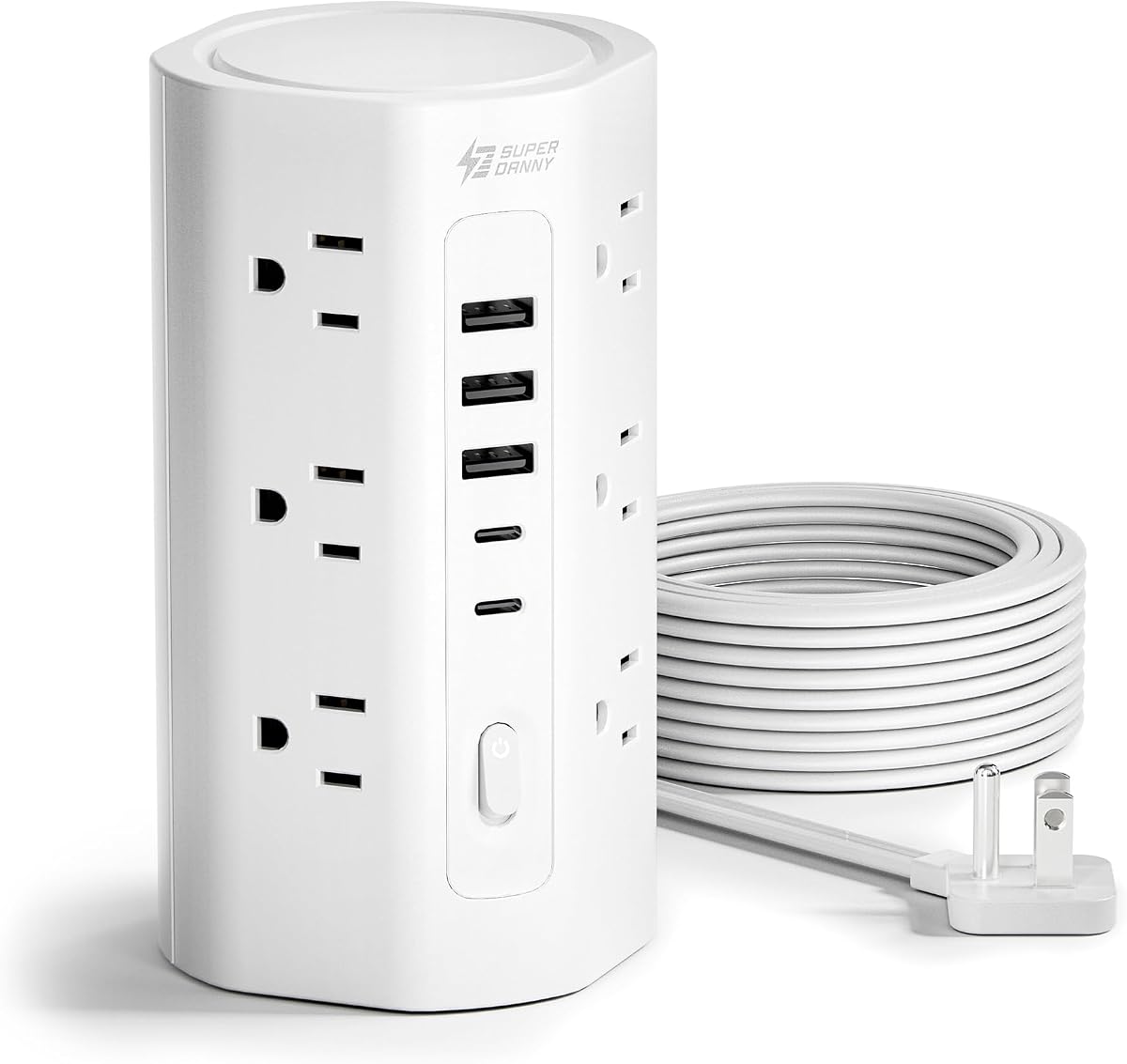
SUPERDANNY offers a practical solution with a long cord and warranty. Its 4.7 rating shows user satisfaction. The wide outlets handle adapters easily. It fits various home needs well.
We may earn a commission when you buy through this link, at no additional cost to you.
The 10-foot cord reaches distant outlets. Safety includes V-0 fire retardant. The anti-slip feet keep it stable. While USB power is moderate, the warranty adds peace of mind.
Build feels standard but reliable. For heavy USB charging, this might not be enough. However, general use is robust. The warranty is a strong selling point.
This suits users prioritizing cord length and warranty. Choose it for bedrooms or offices where reach matters.
The long cord allows placement in large rooms without extra extensions.
Three years of maintenance coverage ensures long-term reliability.
We may earn a commission when you buy through this link, at no additional cost to you.
Choosing the right charging tower requires balancing outlet needs, safety, and design. This guide breaks down the critical factors to consider before you buy.
Count your devices to determine if you need 12 or 18 outlets. Ensure outlets are widely spaced (at least 1.5 inches) so bulky plugs don't block neighbors.
Look for vertical spacing that accommodates both large adapters and small cables simultaneously.
Check if the tower includes USB-C ports for fast charging. USB-C ports with Power Delivery (PD) are essential for laptops, while USB-A suits older devices.
Prioritize towers with dedicated high-wattage USB-C ports if you need to charge laptops without a separate brick.
Surge protection is measured in joules. Look for at least 1500J for home use. Higher ratings (2000J+) provide better defense against voltage spikes.
Ensure the tower has overload and short-circuit protection to prevent electrical hazards.
Cord length determines placement flexibility. Standard lengths are 6 feet, while 10-foot options offer more reach. Flat cords are preferred for hiding behind furniture.
Retractable cords help reduce clutter but may have moving parts that wear over time.
Flat plugs with 45-degree angles are crucial for tight spaces. They allow the tower to sit flush against walls and avoid blocking adjacent outlets.
Verify plug thickness to ensure it fits behind desks or beds without protruding.
Always verify that the tower has UL or FCC certification. These standards ensure the device meets strict safety requirements for heat and electrical resistance.
Materials like fire-resistant ABS or V-0 rated plastics add extra layers of safety.
A stable tower prevents tipping when plugging in heavy devices. Look for anti-slip rubber feet that grip desktops securely.
Weighted bases provide better stability for taller models that might be top-heavy.
Reliable brands offer warranties ranging from one to three years. Check for customer service availability for troubleshooting or replacements.
Strong support ensures you get help quickly if any issues arise.
Start by plugging the tower directly into a wall outlet. Avoid using additional extension cords to ensure safe power distribution and prevent overloading the circuit.
Distribute devices evenly across the AC outlets and USB ports. Avoid plugging high-wattage appliances like space heaters or irons into the tower.
Periodically inspect the cord and outlets for dust or damage. Wipe the surface with a dry cloth to keep it clean and ensure vents remain clear for airflow.
No, charging towers are designed for electronics like phones and laptops. High-wattage appliances such as heaters or microwaves can overload the circuit. Always check the wattage rating before connecting any device.
Not necessarily. Many towers distribute power across ports. Check for dedicated fast-charging ports. Total USB output is shared, so using all ports slows down individual speeds.
Yes, surge protection safeguards devices from voltage spikes caused by lightning or grid fluctuations. It prevents damage to sensitive electronics. Ensure your tower has a certified joule rating.
Vertical towers save floor and desk space. They organize cables better and prevent outlet blocking. This makes them ideal for crowded workspaces.
Yes, but ensure the base is stable. Non-slip feet help prevent tipping. Keep the base ventilated to avoid heat buildup.
Most towers last several years with proper care. Avoid overloading outlets. Replacing damaged units ensures safety. Regular inspections extend lifespan.
Retractable cords save space by winding into the base. Fixed cords are simpler and more durable. Retractable ones may wear over time with frequent winding.
We reviewed ten top models ranging from compact budget units to robust high-wattage towers. The kakyanill Power Strip Tower remains a top choice for its retractable cord and capacity.
Prioritize safety certifications and cord length when making your decision. Ensure the model matches your specific outlet needs to avoid underutilization or clutter.
Remember that specifications and availability can change. Always check current product details before purchasing to ensure the best fit for your space.