
HOTTABLET Tablet 7Inch Android 14.0
3.7Editor score
Dual-band WiFi connectivity
Protective case included
Android 14 operating system
Finding a reliable cheap WiFi tablet can be challenging with so many options flooding the market today. You need a device that balances affordability with essential features like smooth multitasking, clear displays, and long battery life for daily tasks.
We have rigorously evaluated ten distinct models based on processor speed, storage capacity, screen quality, and connectivity options. Our analysis focuses on real-world usability, ensuring each recommendation delivers genuine value for students, families, and casual users.
Each pick highlights specific strengths and potential trade-offs to help you make an informed decision quickly. Please note that availability and specific configurations may vary over time, so always verify current details before completing your purchase online.
3.7Editor score

4.5Editor score

4.2Editor score
As an Amazon Associate we earn from qualifying purchases.
The following table provides a side-by-side comparison of all ten selected models, highlighting key specifications and unique selling points to simplify your selection process based on individual needs and priorities.


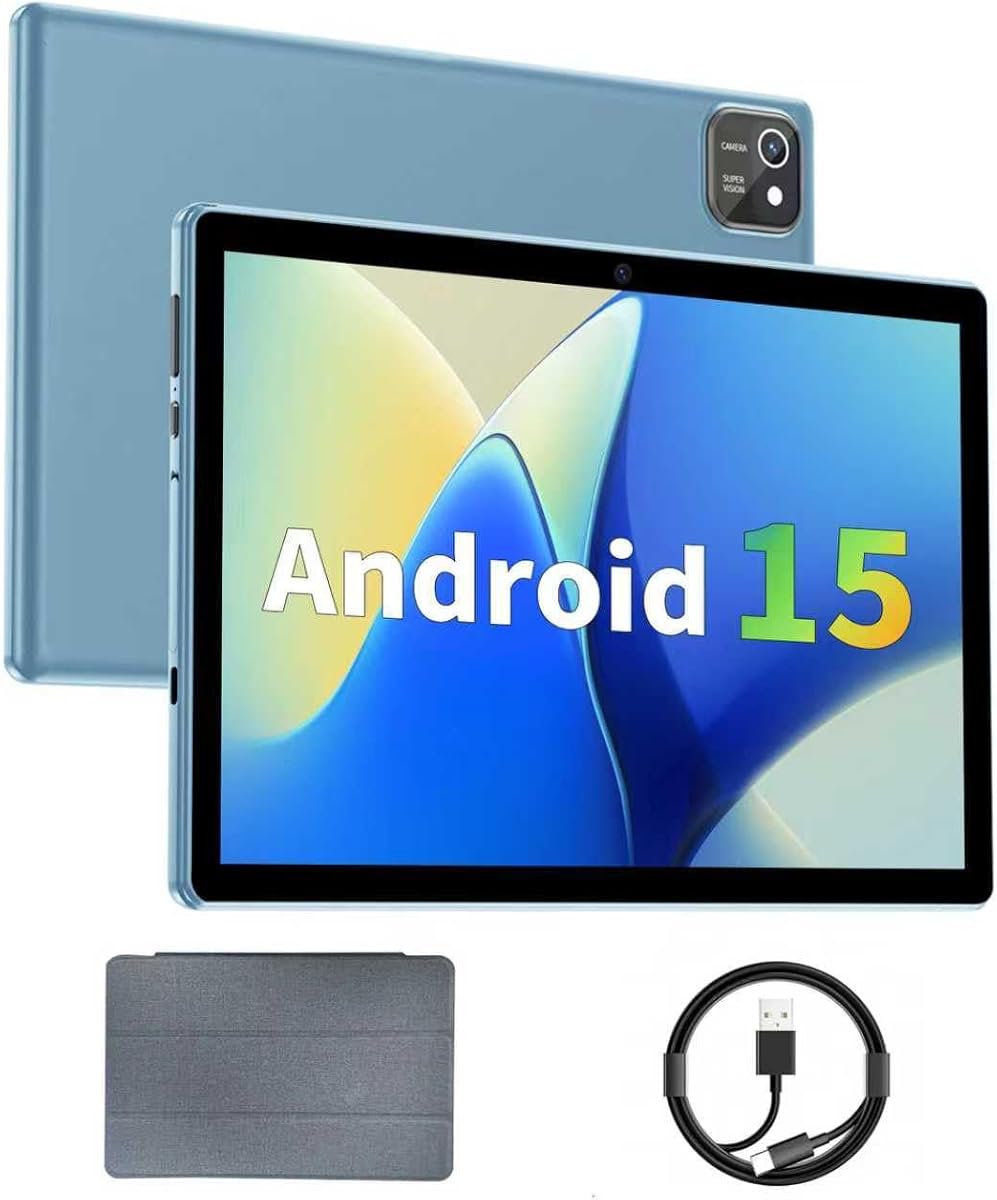


The Evermyth Android 16 Tablet stands out as a top contender due to its impressive hardware configuration and modern operating system. With a 4.3 rating from users, it delivers reliable performance for everyday tasks like browsing, streaming, and light productivity work.
We may earn a commission when you buy through this link, at no additional cost to you.
Its standout feature is the combination of Android 16 and 24GB RAM, which ensures smooth multitasking without lag. The 10-inch IPS display offers vibrant colors suitable for media consumption, while Wi-Fi 6 provides stable and fast internet connections even in crowded networks.
However, the camera resolution is modest, limiting its utility for high-quality video calls compared to more expensive models. Additionally, it does not come with a physical keyboard accessory, which might be a consideration for users planning heavy typing tasks.
This device is ideal for students and families seeking a versatile, budget-friendly tablet that supports modern apps and offers robust performance. We recommend it for those prioritizing software updates and connectivity over premium camera capabilities.
The generous RAM allocation allows multiple applications to run simultaneously without noticeable slowdowns, perfect for switching between study resources and entertainment.
Equipped with Wi-Fi 6 and Bluetooth 5.4, this tablet ensures future-proof connectivity for smart home devices and high-speed internet access.
We may earn a commission when you buy through this link, at no additional cost to you.
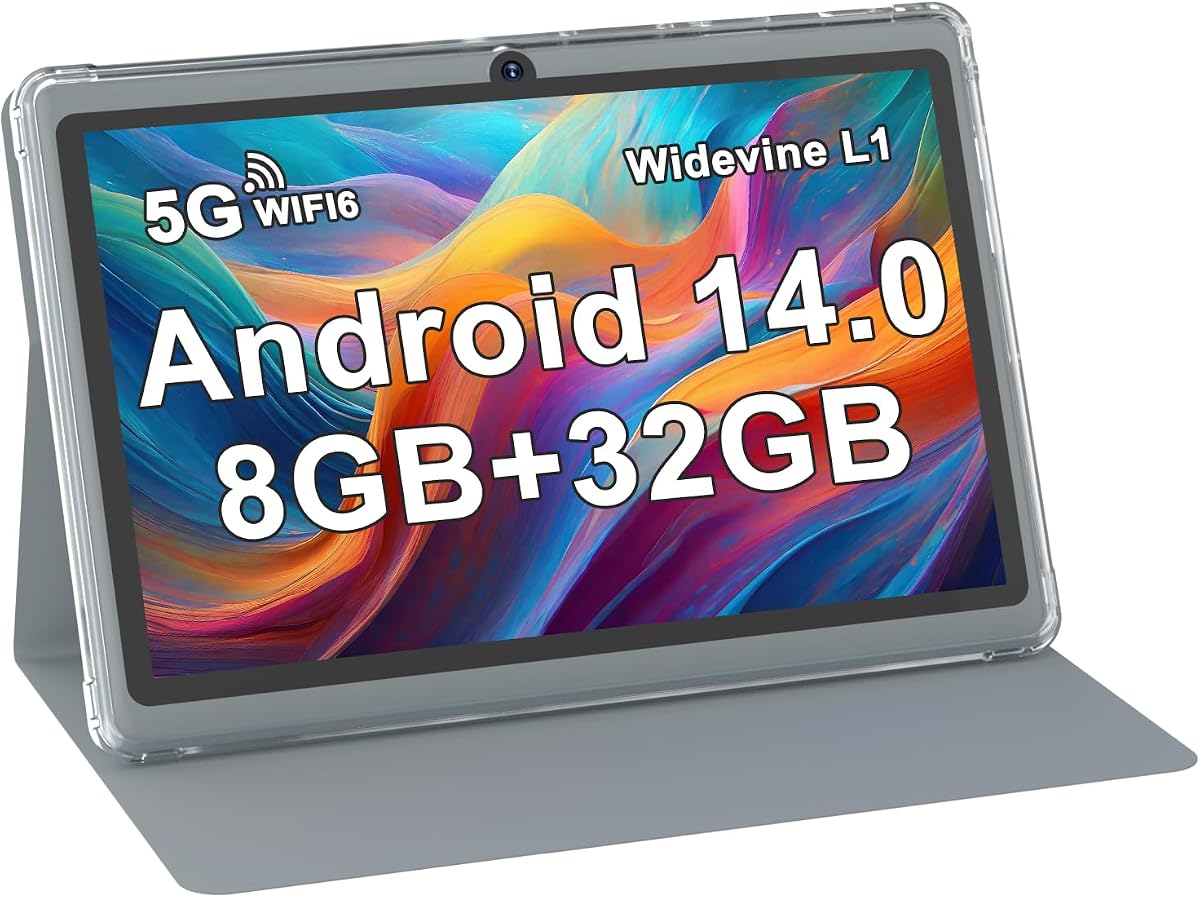
This 7-inch model is an excellent entry-level choice for users needing a portable device for basic tasks. It features Android 14 and 8GB RAM, offering a surprisingly smooth experience for its price point and compact form factor.
We may earn a commission when you buy through this link, at no additional cost to you.
The inclusion of a protective case adds immediate value, making it durable for daily use. Dual-band WiFi ensures stable connections for streaming, while the 7-inch screen is perfect for reading or handheld gaming without being too cumbersome.
The battery life is modest compared to larger tablets, and the smaller screen may feel limiting for productivity tasks like document editing. Users should expect moderate performance suitable for casual consumption rather than intensive workloads.
We suggest this for students, children, or travelers who need a secondary device for light use. Its affordability and included accessories make it a smart purchase for budget-conscious buyers.
The lightweight design and included case ensure you can take the tablet anywhere without worrying about accidental drops or scratches.
Dual-band support allows seamless switching between frequencies to maintain consistent internet speeds during video calls or media streaming.
We may earn a commission when you buy through this link, at no additional cost to you.
The COOPERS Tablet offers a compelling mix of features centered around its expandable storage options and recent Android 15 OS integration. It aims to provide a solid media consumption device with reliable daily performance for general users.
We may earn a commission when you buy through this link, at no additional cost to you.
Its 6000mAh battery ensures enough power for a full day of mixed usage, making it suitable for reading or browsing. The 10-inch screen provides enough real estate for comfortable viewing, and the Android 15 OS ensures access to modern app features.
Build quality feels average compared to premium brands, and the camera setup is functional but not exceptional. Users should focus on its utility as a browsing and media device rather than relying on it for photography or heavy multitasking.
This tablet is a strong recommendation for those needing a larger screen and storage capacity without spending a fortune. It serves well as a home or bedroom companion for entertainment needs.
Expandable storage allows you to keep extensive media libraries, applications, and documents on the device without constant management.
Built-in GPS functionality adds utility for travel or location-based services, a feature often missing in budget tablets.
We may earn a commission when you buy through this link, at no additional cost to you.
The Amazon Fire HD 10 tablet delivers a premium experience with its sharp Full HD screen and impressive 13-hour battery life. Its 4.5 rating reflects user satisfaction with its reliability and performance for entertainment and casual use.
We may earn a commission when you buy through this link, at no additional cost to you.
The octa-core processor handles streaming and light gaming smoothly, while the integration with Alexa and Amazon services adds significant convenience. Parents appreciate the robust parental controls, making it a safe device for children to use.
However, the Fire OS does not include native access to the Google Play Store, which might limit app availability for some users. Additionally, compatibility with certain external accessories can be less versatile compared to standard Android tablets.
We recommend this model for households already invested in Amazon services like Prime Video and Kindle. It is an excellent choice for media consumption and reading where ecosystem convenience is a priority.
The Full HD resolution ensures crisp text and vibrant visuals, enhancing the overall experience for movies, games, and reading.
Built-in Alexa allows you to control smart home devices, play music, and get information hands-free, adding smart functionality.
We may earn a commission when you buy through this link, at no additional cost to you.
This lightweight Android tablet is designed for users who need a simple device for reading and basic web browsing. Its small form factor and certified status ensure it runs standard apps without compatibility issues.
We may earn a commission when you buy through this link, at no additional cost to you.
The 7-inch screen is compact enough to hold in one hand, making it ideal for reading books or watching videos while traveling. GMS certification guarantees access to popular Google apps, which is crucial for daily utility.
Performance is limited by only 2GB of RAM, which may result in slower performance when running multiple apps simultaneously. It is not suited for heavy multitasking or demanding games but works well for single-task usage.
We suggest this for users prioritizing portability and basic functionality. It is a good secondary device for quick checks or travel use where weight matters more than speed.
GMS Certification ensures you can download and run popular apps from the Google Play Store without any technical barriers.
The slim and lightweight build makes it easy to slip into a bag or jacket pocket for on-the-go access.
We may earn a commission when you buy through this link, at no additional cost to you.
The aiprotablet Tablet stands out with its generous RAM configuration, which helps handle multitasking more effectively than many budget competitors. With a 3.9 rating, it offers dependable performance for users needing reliability.
We may earn a commission when you buy through this link, at no additional cost to you.
The 12GB RAM ensures smooth app switching, while the 6000mAh battery supports extended usage sessions. The 10-inch screen provides sufficient space for productivity tasks like spreadsheets or document editing without feeling cramped.
While the LCD screen is functional, it may not match the vibrancy of higher-end displays. Wi-Fi 5 provides stable connectivity but lacks the speed potential of newer standards like Wi-Fi 6 in crowded networks.
We recommend this for users who need a capable work-from-home device on a budget. Its balance of memory and battery makes it a versatile tool for mixed work and leisure usage.
The 12GB RAM allows for running multiple applications simultaneously without significant lag or freezing issues.
A 6000mAh battery ensures you can go through a full day of browsing and streaming without needing a charger.
We may earn a commission when you buy through this link, at no additional cost to you.
This model combines a compact 7-inch form factor with Wi-Fi 6 support, offering modern connectivity in a small package. It is designed for users who prioritize portability and protection without sacrificing essential performance.
We may earn a commission when you buy through this link, at no additional cost to you.
The included protective case adds value and immediate durability, making it a ready-to-use option. With 8GB RAM, it handles basic multitasking well, ensuring you can switch between apps like browsers and social media smoothly.
The screen size limits productivity tasks, as typing or reading complex documents can feel cramped. While Wi-Fi 6 is fast, the small battery and form factor mean it is best suited for short bursts of usage.
We suggest this for travelers or students needing a lightweight companion for quick notes or reading. The bundle with a case makes it an attractive value option for casual users.
The included case offers immediate protection against drops and scratches, saving you the cost and effort of buying one separately.
Wi-Fi 6 support ensures faster speeds and better stability, especially in areas with many connected devices.
We may earn a commission when you buy through this link, at no additional cost to you.
The Callsky-Tab emphasizes portability with an ultra-lightweight design and powerful processor that handles daily tasks efficiently. Its 3.6 rating reflects its balance of features for users prioritizing mobility over premium build quality.
We may earn a commission when you buy through this link, at no additional cost to you.
The 12GB RAM and Octa-core CPU provide enough power for smooth multitasking and media consumption. The thin profile makes it comfortable to hold for long periods, reducing hand fatigue during extended reading or video sessions.
Screen resolution is adequate but lacks the sharpness of higher-end models, which might be noticeable in high-definition content. Battery life is decent but may require frequent charging with heavy use.
We recommend this for users needing a travel-friendly device for work or study. Its light weight and performance make it a practical choice for on-the-go productivity.
The ultra-slim and lightweight design ensures comfortable handling during long periods of reading or typing.
An Octa-core processor ensures smooth operation even when switching between complex applications or media streams.
We may earn a commission when you buy through this link, at no additional cost to you.
The Jeazans Tablet stands out with advanced security features like face unlock and Widevine L1 support, enabling high-quality streaming on popular platforms. A perfect 5.0 rating indicates strong user satisfaction with its security and performance features.
We may earn a commission when you buy through this link, at no additional cost to you.
With 20GB RAM and Wi-Fi 6, it delivers excellent responsiveness and stable internet speeds. The battery life ensures you can stream or work for hours without interruption, making it suitable for daily heavy usage.
Camera quality remains basic, focusing more on functional utility than high-end photography. While the security features are robust, the device lacks some accessory integration options compared to premium brands.
We recommend this for privacy-conscious users who value secure access and streaming quality. It is an excellent choice for protecting personal data while enjoying media.
Face unlock technology provides a convenient and secure way to access your device without typing passwords repeatedly.
Widevine L1 support ensures HD content streams smoothly on platforms like Netflix and Prime Video without quality degradation.
We may earn a commission when you buy through this link, at no additional cost to you.
The Samsung Galaxy Tab A11 offers the reliability and build quality expected from a leading tech brand. With a 4.2 rating, users appreciate its smooth display and consistent software updates provided by Samsung.
We may earn a commission when you buy through this link, at no additional cost to you.
The 90Hz refresh rate makes scrolling and navigation feel more fluid than on standard 60Hz screens. Android 15 with One UI 7 ensures a modern interface and access to the latest features and security patches.
However, the charger is not included in the box, and the international version might lack certain regional features or language support initially. These factors can be minor inconveniences for some buyers.
We recommend this for users prioritizing brand reliability and display quality. It is an excellent choice for those who want a stable device with long-term software support.
The 90Hz refresh rate provides smoother animations and transitions, enhancing the overall feel of the interface.
Samsung provides regular software updates, ensuring the tablet remains secure and functional for years after purchase.
We may earn a commission when you buy through this link, at no additional cost to you.
Selecting the right budget tablet requires balancing essential features against cost to ensure you get a device that meets your specific needs without overspending.
Ensure the tablet runs a recent Android version like 14 or 15 to access the latest apps and security updates. Older versions may eventually stop supporting popular applications or lack critical security patches.
Choose a model with at least Android 14 for future-proofing and smoother performance across standard applications.
RAM is critical for running multiple apps simultaneously without slowdowns. Aim for at least 8GB of RAM for smooth performance, though some budget models may offer virtual RAM extensions.
Prioritize 8GB or more RAM to handle multitasking efficiently and prevent lag during daily usage.
Screen size depends on usage needs; 7 inches are ideal for portability and reading, while 10 inches suit media consumption and productivity. Look for IPS panels for better color accuracy and viewing angles.
Select an IPS display between 7 and 10 inches based on your preferred balance between portability and visual clarity.
Battery life determines how long you can use the tablet away from a charger. Models with 6000mAh batteries typically offer a full day of mixed usage, while smaller tablets may have lower capacities.
Look for at least a 6000mAh battery for extended usage without frequent recharging interruptions.
Wi-Fi 6 offers faster and more stable internet connections, especially in crowded areas. Bluetooth 5.0 or higher ensures reliable connections to headphones and speakers.
Ensure the device supports Wi-Fi 6 and Bluetooth 5.0 for optimal connectivity and speed.
Internal storage should be at least 32GB for basic use, but expandability via microSD card is crucial for storing media and apps. This allows you to customize storage based on your needs.
Choose a tablet with expandable storage options to accommodate growing media libraries and application needs.
For video calls and basic photography, dual cameras with decent resolution are sufficient. Built-in speakers should offer clear audio for media consumption without needing external devices.
Opt for models with dual cameras and decent speakers to ensure clear communication and audio playback.
Durable construction protects against daily wear and tear. A manufacturer warranty provides peace of mind against defects, so check the included warranty terms before purchasing.
Prioritize tablets with robust build quality and a clear manufacturer warranty for long-term reliability.
To maximize battery life, adjust screen brightness and timeout settings to match your typical usage environment. Use power-saving modes when traveling or when you cannot access a charger for extended periods.
Protect your tablet from physical damage by using a case and screen protector, especially for budget models. Keep it away from extreme temperatures and moisture to prevent internal component damage.
Keep the operating system and apps updated to ensure security and performance. Regularly clear cache and unused apps to maintain smooth operation and available storage space.
Many affordable models offer front cameras suitable for Zoom or Skype calls. Ensure the device has decent RAM to maintain performance during calls. Higher-end budget tablets typically provide smoother video quality and better microphone sensitivity for communication.
Most budget tablets support GMS Certification which allows standard Play Store installation. Some models may require sideloading apps not found on standard stores. Check for GMS certification before purchase to ensure compatibility with Google apps.
Wi-Fi 6 provides faster speeds and better stability in crowded networks. It is beneficial for streaming HD content or frequent video calls. While not strictly necessary, it offers better long-term value and connectivity reliability.
Most budget tablets include a microSD card slot for storage expansion up to 1TB or more. Insert the card into the slot and format it as portable storage to access files immediately. This allows you to add space for media and apps.
A 10-inch screen is ideal for media and productivity, while 7 inches suits portability and reading. Consider where you will use the device most to decide on the right size. Both sizes offer good value depending on your primary use case.
Yes, many affordable models support document editing and basic spreadsheets effectively. Pair them with a Bluetooth keyboard for better typing comfort. Ensure the RAM is at least 6GB to handle productivity apps smoothly.
The Evermyth Android 16, HOTTABLET, and Amazon Fire HD 10 represent the top choices across different needs like performance, budget, and premium features.
Prioritize RAM and connectivity standards like Wi-Fi 6 to ensure your device remains useful and responsive for several years.
Always check current availability and specific configurations on the retailer site before purchasing to get the best possible deal for your needs.