
ProtoArc XK04 Foldable Compact Keyboard
4.5Editor score
Ultra-compact foldable design
Bluetooth 5.1 multi-device support
Includes PU leather protective cover
This guide compares the top compact editing keyboards for professionals and creators, evaluating portability, key layout, connectivity, and workflow features.
Finding the right compact editing keyboard can transform your creative workflow and save valuable desk space. Whether you edit video, design graphics, or type documents, a streamlined layout helps you focus on your craft without clutter.
We evaluated ten top-rated models based on portability, connectivity options, key feel, and specialized features. Our analysis focuses on real-world usability for editors and creators who need efficiency without sacrificing comfort or functionality.
Each pick highlights distinct strengths tailored to different needs and budgets. Please note that product availability and pricing may change over time, so check current listings before making your final decision to ensure you get the best value.
4.5Editor score

4.7Editor score

4.4Editor score
This side-by-side comparison breaks down the key specifications and capabilities of each model to help you identify the best fit for your editing setup and budget constraints.


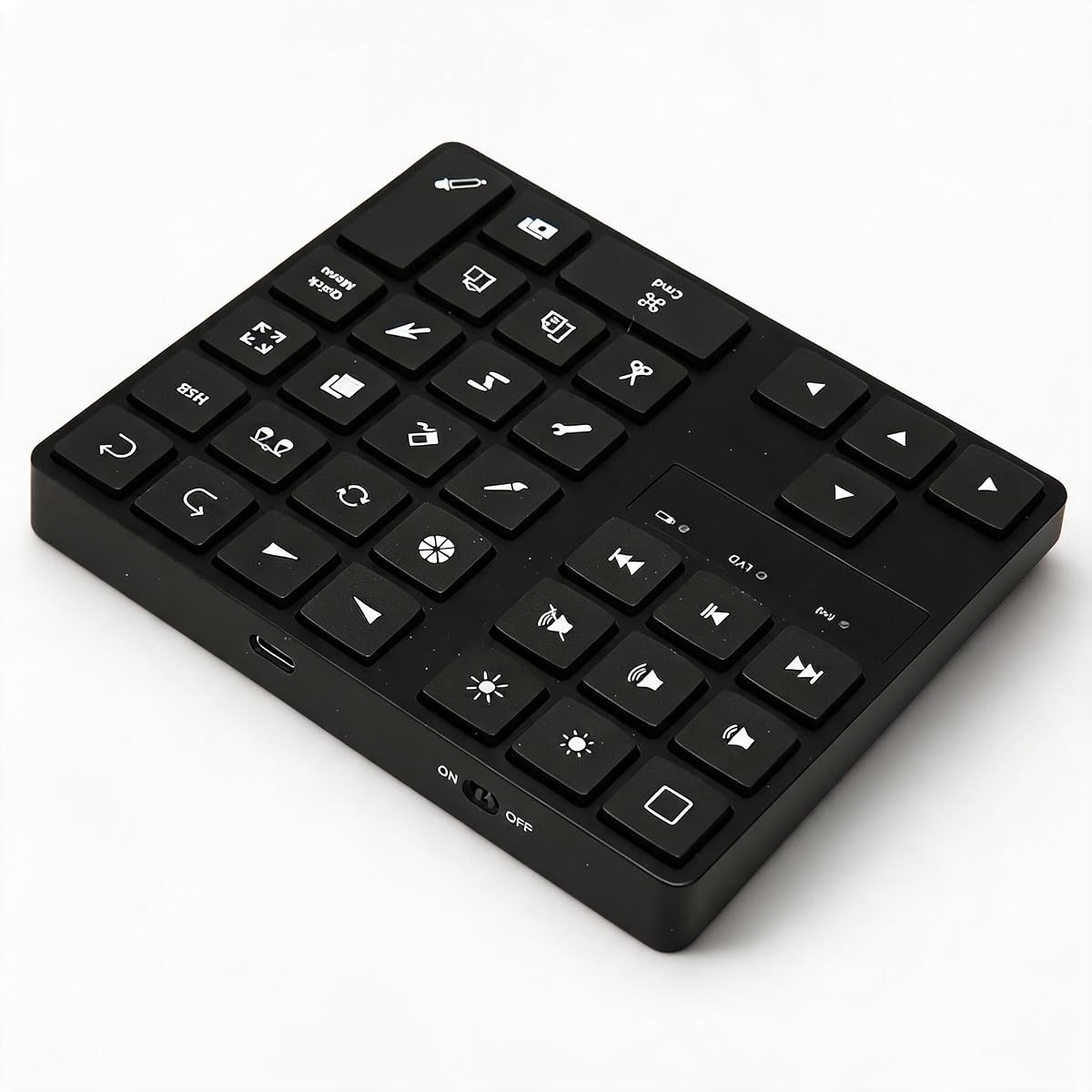

The ProtoArc XK04 stands out as an exceptional compact editing keyboard designed for professionals on the move. With a 4.5-star rating it delivers reliable performance in a package that folds down to a pocket-sized footprint ideal for travel and tight workspaces.
We may earn a commission when you buy through this link, at no additional cost to you.
Its Bluetooth 5.1 connectivity allows seamless switching between up to three devices without re-pairing. The integrated PU leather cover protects the keyboard from scratches while adding a premium aesthetic. The auto-sleep feature extends standby up to 150 days ensuring it is always ready when you need to type on the go.
While the keycaps are small at 0.55 inches which may require an adjustment period the overall typing experience is smooth and responsive. The lack of a traditional numpad is expected in this category but the trade-off grants significant space savings on crowded desks or airplane trays.
This keyboard is perfect for editors who prioritize portability and need a reliable backup input method for tablets or phones. Its lightweight build and durable construction make it a top recommendation for anyone seeking a versatile compact editing solution.
Optimized layouts for phones and tablets provide physical typing capability where touchscreens fall short.
The PU leather cover shields the unit allowing confident carry without needing additional cases.
We may earn a commission when you buy through this link, at no additional cost to you.
The Microsoft Designer Compact Keyboard offers a clean and functional experience for users who value aesthetics and simplicity. Rated 4.3 stars it provides a streamlined typing experience that complements modern workspaces with its low-profile design and optimized key spacing.
We may earn a commission when you buy through this link, at no additional cost to you.
Key features include an expressive input key for quick access to emojis and symbols which enhances productivity during content creation. The ability to connect up to three devices and switch seamlessly between them makes it a versatile option for multi-device workflows.
While it lacks advanced programmable keys found in higher-end models its reliable performance and comfortable typing feel make it a strong budget choice. The design encourages closer mouse positioning reducing strain on your arm during long editing sessions.
Ideal for writers and light editors who need a dependable wireless keyboard without extra bloat this model strikes a balance between function and form. Its straightforward setup ensures you can start working immediately after pairing with your devices.
Compact design saves desktop space allowing for a more ergonomic setup with your mouse.
Expressive input keys streamline symbol and emoji entry for faster content creation.
We may earn a commission when you buy through this link, at no additional cost to you.
The Logitech Pebble Keys 2 K380s redefines portable typing with its slim profile and eco-friendly construction. Boasting a 4.3-star rating it is designed to go places while delivering a familiar laptop-like typing experience that feels comfortable for extended use.
We may earn a commission when you buy through this link, at no additional cost to you.
Battery life is a major highlight offering up to three years of use on a single set of batteries. The Easy-Switch buttons allow you to hop across three devices instantly while the personalized Fn keys streamline access to search and emoji menus.
Though it does not include rechargeable battery options the long life means fewer battery changes. The keyboard is made with at least 49% post-consumer recycled plastic making it a sustainable choice for conscious consumers.
This model is best for mobile professionals who need a reliable silent keyboard that matches their aesthetic. Its seamless Bluetooth connection and lightweight build make it a top pick for creators who value battery and portability.
Constructed with recycled plastic materials to reduce environmental impact without compromising quality.
Easy-Switch buttons enable instant transitions between Windows macOS and iOS devices.
We may earn a commission when you buy through this link, at no additional cost to you.
The Logitech MX Keys Mini is a powerhouse of precision designed for editors who demand ergonomic comfort. With a 4.4-star rating it features smart keys shaped for fingertips that support voice-to-text dictation and emoji access efficiently.
We may earn a commission when you buy through this link, at no additional cost to you.
Smart illumination ensures your keys light up when your hands approach and adjust to changing light conditions. This feature is crucial for late-night editing sessions. The keyboard connects via Bluetooth Low Energy to up to three devices for a seamless workflow.
Battery life varies between ten days with backlighting and five months without. The rechargeable USB-C port ensures you never run out of power unexpectedly. The keys offer a satisfying tactile feel that reduces fatigue during long typing tasks.
Best for power users working across multiple computers the MX Keys Mini integrates well with other Logitech peripherals. If you want a compact keyboard that feels like a full-sized workstation this is the top choice available today.
Sensors detect your hands and environment to auto-adjust backlighting for perfect visibility.
Pairing with Logitech mice lets you move text between computers seamlessly.
We may earn a commission when you buy through this link, at no additional cost to you.
The XPPen Mini Keydial ACK05 is built for creators who need precise control over their software. Rated 4.3 stars this wireless keyboard includes a rotating dial for zooming and adjusting brush sizes alongside ten programmable shortcut keys.
We may earn a commission when you buy through this link, at no additional cost to you.
Anti-ghosting ensures every keypress is registered accurately even when multiple keys are pressed simultaneously. The compact design weighs only 75 grams making it easy to hold with one hand during detailed design work on a tablet.
Setup requires downloading a driver to fully customize the keys but the flexibility pays off for artists. The large 1000 mAh battery supports up to 300 hours of continuous work ensuring it lasts through long sessions.
Best for designers and video editors this model accelerates your workflow by reducing mouse dependency. Its compatibility with Photoshop and Illustrator makes it a valuable tool for enhancing productivity in creative environments.
Rotating dial offers tactile feedback for quick zoom and rotation adjustments during editing.
Up to forty shortcuts across four sets allow deep customization for complex tasks.
We may earn a commission when you buy through this link, at no additional cost to you.
The Macally Compact Wireless Keyboard is a practical solution for users needing a simple reliable input device. With a 4.4-star rating it uses a 2.4GHz USB-A dongle for a stable connection that requires no software installation.
We may earn a commission when you buy through this link, at no additional cost to you.
Its 78-key layout includes twelve shortcut keys to help you tackle computer tasks quickly. The slim profile makes it easy to slide into a laptop bag without adding bulk. The on/off switch helps conserve battery power when the keyboard is idle.
While it lacks Bluetooth capabilities the wireless dongle ensures broad compatibility with PCs and Chromebooks. This makes it a solid choice for environments where Bluetooth might be restricted or unreliable.
Ideal for casual users and travel professionals this keyboard delivers steady performance at an affordable price. Its straightforward design ensures you can start typing immediately without dealing with complex drivers or pairing menus.
No drivers or software are needed as the USB dongle connects instantly to your system.
Lightweight construction and slim profile make it perfect for on-the-go work.
We may earn a commission when you buy through this link, at no additional cost to you.
The Logitech K250 combines compact design with a full number pad for versatile productivity. Rated 4.2 stars this keyboard is built to last with spill-resistant technology and durable keys that withstand everyday use.
We may earn a commission when you buy through this link, at no additional cost to you.
Deep-profile keys and an adjustable tilt-leg design provide a comfortable typing feel that reduces strain. The wireless Bluetooth connection connects quickly without needing a USB dongle making it ideal for devices with limited ports.
Battery life is impressive offering up to twelve months of daily use before requiring a change. The eco-friendly design uses at least 64% recycled plastic parts contributing to a more sustainable product choice.
Best for office workers who need a numpad but still want portability this model strikes the right balance. Its reliable performance and comfortable layout make it a trustworthy option for daily editing and data entry.
Built to last with recycled materials and a design that resists everyday spills and wear.
Adjustable tilt legs and deep keys ensure a natural posture for long typing sessions.
We may earn a commission when you buy through this link, at no additional cost to you.
The Blackmagic Design Davinci Resolve Speed Editor is a professional tool designed for video editors using DaVinci Resolve. With a 4.7-star rating it offers specialized keys that match the editing workflow for streamlined post-production work.
We may earn a commission when you buy through this link, at no additional cost to you.
The built-in search dial allows you to locate clips and markers quickly without using a mouse. Bluetooth or USB-C connectivity provides flexibility depending on your setup needs. The bundle includes the Studio activation card adding significant value.
Though expensive this keyboard is built for high-volume editing environments where speed matters. The tactile feedback and durable construction ensure it can withstand hours of daily use in professional studios.
Best for video professionals working with DaVinci Resolve this model is unmatched for efficiency. If you edit video daily the time saved on shortcuts justifies the investment in this specialized compact keyboard.
Shortcuts are mapped directly to editing functions to streamline complex post-production tasks.
Includes DaVinci Resolve Studio activation making it a cost-effective package for editors.
We may earn a commission when you buy through this link, at no additional cost to you.
The One-Handed Ergonomic Keyboard offers unique comfort for artists and designers who spend long hours working. Rated 4.0 stars it positions your hand to reduce muscle fatigue and prevent cramping during extended creative sessions.
We may earn a commission when you buy through this link, at no additional cost to you.
Thirty-five programmable shortcuts allow you to assign drawing commands or text snippets for quick access. The wired USB-C connection ensures zero lag which is critical for precision work on tablets and desktops.
While the layout is different from standard keyboards it quickly becomes intuitive with use. The angled sculpted key well promotes a neutral wrist posture that supports long-term health and comfort.
Best for digital artists needing a custom input tool this keyboard expands your capabilities significantly. Its portability and ergonomic design make it a valuable addition to any creator who wants to optimize their workspace.
The sculpted layout naturally positions your hand to prevent strain during long design work.
USB-C wired connection guarantees instant response without battery worries or pairing issues.
We may earn a commission when you buy through this link, at no additional cost to you.
The Cherry Stream is a reliable wired compact keyboard designed for focused typing and editing work. With a 4.3-star rating it features SCX scissor technology for a precise pressure point that feels comfortable for frequent typists.
We may earn a commission when you buy through this link, at no additional cost to you.
The slim profile without a number pad keeps the mouse closer to your body improving ergonomic positioning. A sturdy metal plate and rubberized feet ensure the keyboard stays stable on your desk even during intense use.
Multimedia keys and abrasion-resistant lettering add practical utility without extra cost. The GS mark safety certification indicates high safety standards and build quality that meets global expectations.
Best for office environments and home desks this keyboard provides consistent performance without battery worries. Its compact size and quiet operation make it a reliable choice for daily editing and writing tasks.
SCX scissor technology ensures precise key pressure for an unbeatable typing experience.
Integrated metal plate and non-slip feet provide stability for consistent use.
We may earn a commission when you buy through this link, at no additional cost to you.
Choosing the right compact editing keyboard involves balancing portability, connectivity, and specific features needed for your workflow. Consider these factors to find a model that fits your exact requirements and budget.
Determine whether you need Bluetooth or wired connections. Bluetooth offers flexibility for multiple devices but requires pairing. Wired models ensure zero lag and no battery drain.
Check if the keyboard supports multi-device switching if you work across laptops and phones simultaneously.
Decide if you need a number pad. Compact layouts save space but may sacrifice function keys. Ensure key spacing allows comfortable typing for long sessions.
Look for ergonomic designs like angled keys or tilt legs to reduce wrist strain.
Consider programmable keys or dials if you edit video or use design software. These features can speed up complex workflows significantly.
Evaluate if backlit keys are necessary for low-light environments or night work.
Assess whether the battery is rechargeable or uses replaceable cells. Rechargeable batteries are eco-friendly but add weight to the device.
Check standby times to ensure the keyboard remains ready during long periods of inactivity.
Look for materials like metal plates or spill-resistant designs to ensure longevity. High-quality construction prevents wear over time.
Check safety certifications and ratings to confirm the device meets industry standards.
Verify the keyboard works with your operating system and specific editing software. Some models require drivers for full customization.
Check if the layout matches your OS shortcuts to avoid confusion during use.
For travel, choose lightweight models that fold or fit into laptop bags easily. Weight matters if you carry it daily.
Ensure the keyboard comes with protective covers if you plan to transport it frequently.
Prioritize keyboards with comfortable key travel and wrist support. Ergonomic layouts reduce the risk of repetitive strain injuries.
Try to read reviews or test the typing angle before buying to ensure it suits your posture.
Pair your keyboard carefully by ensuring Bluetooth is active on both devices. For wired models, plug into a USB port and wait for automatic recognition before typing.
Keep your keyboard clean by wiping keys with a soft dry cloth. Avoid liquids and food crumbs which can damage internal switches over time.
Store the keyboard in a protective case when traveling to prevent scratches. Regularly check for firmware updates to ensure optimal performance and battery efficiency.
For travel, look for foldable designs or lightweight models under 1 pound. Bluetooth connectivity and long battery life are essential to avoid carrying cables. Ensure it fits easily in a laptop sleeve or backpack.
Yes, most modern compact keyboards support tablets via Bluetooth or USB-C. Check that the layout includes necessary modifiers like Command for iOS or Control for Android to ensure full functionality on mobile devices.
Comfort depends on key travel and spacing. Models with ergonomic designs or adjustable tilt legs are better for extended use. Test key feel before buying to ensure it suits your typing style.
Many compact keyboards allow connection to up to three devices. Use dedicated switching buttons to toggle between laptops and phones without disconnecting. This feature saves time for multi-device workflows.
Battery life varies from weeks to years depending on the model. Rechargeable models typically last days to weeks per charge while battery-operated ones can last months or years with efficient power management features.
Turn off the device and use compressed air to remove dust between keys. Wipe keys with a lint-free cloth slightly dampened with mild soap solution. Allow it to dry completely before reconnecting.
Most work plug-and-play but some offer advanced customization via drivers. Check the manufacturer site for software if you want to map custom macros or change lighting settings for full control.
Few are fully waterproof but many are spill-resistant. Look for models with sealed switches or water-dissipating designs to protect against accidental spills during use in office or home settings.
The right compact editing keyboard can elevate your workflow by combining portability with essential features. Whether you prioritize specialized shortcuts or simple typing comfort there is a model tailored to your needs.
Consider your budget and workflow requirements carefully when selecting a device. A compact keyboard is an investment in productivity that should match your daily habits and software preferences.
Always check current prices and availability before purchasing as models may change over time. Ensure you select a reliable vendor to guarantee warranty support and product authenticity for peace of mind.