
Dell Optiplex 3060
4.0Editor score
32GB DDR4 RAM
1TB SSD storage
WiFi and Bluetooth
Discover the top desktop computers for home use in 2026. Compare performance, storage, and features to find the perfect PC for your family.
Choosing the right desktop computer for home use can significantly impact your daily productivity and entertainment experience. With numerous options available, finding a machine that balances performance, affordability, and reliability is essential for modern households.
This guide compares ten carefully selected desktop computers based on processing power, memory capacity, storage speed, and overall value. We evaluated each model to ensure it meets the diverse needs of students, professionals, and casual users alike.
Each pick highlights key strengths and ideal use cases to help you make an informed decision. Please note that product availability and pricing may change over time, so verify details before purchasing.
4.0Editor score

4.5Editor score

4.4Editor score
The following table provides a side-by-side comparison of all ten desktop computers reviewed in this guide. Use it to quickly compare specifications, ratings, and key features across different models.




The Dell Slim Desktop stands out as a top choice for modern home offices due to its AI-powered Intel Core Ultra processor and sleek design. With a 4.5 rating, it offers a blend of productivity tools and environmental consciousness that appeals to tech-savvy users.
We may earn a commission when you buy through this link, at no additional cost to you.
Its standout quality lies in the ability to connect up to four FHD monitors or two 4K displays, making it ideal for multitasking professionals. The built-in AI accelerates tasks, while the tool-less entry design simplifies maintenance and component upgrades without requiring specialized tools.
While the price is higher than budget options, the inclusion of onsite service and secure hardware features like TPM chips justify the investment. The sustainable materials used in construction also align with eco-friendly home setups.
This model is best for professionals needing reliable performance and screen real estate. If you prioritize productivity and future-proofing, this desktop delivers exceptional value despite the higher cost.
The Intel Core Ultra processor includes built-in AI to unlock new levels of creativity and speed in everyday workflows.
Crafted from recycled materials, its sleek design fits small workspaces while reducing environmental impact.
We may earn a commission when you buy through this link, at no additional cost to you.
The Dell Tower Desktop is engineered for power users who demand top-tier performance. With a 4.4 rating, it combines the Intel Core Ultra 7 processor with 32GB of RAM to handle heavy workloads without lag.
We may earn a commission when you buy through this link, at no additional cost to you.
Its key strength is the robust multitasking capability enabled by the 32GB RAM and AI-enhanced CPU. You can run multiple applications simultaneously while maintaining smooth performance, ideal for content creation or complex data analysis.
The tool-less design allows quick upgrades, and the sustainable build reduces environmental footprint. However, the cost and size may be prohibitive for casual users with limited space.
This model suits professionals and enthusiasts needing raw power. If budget allows, it provides premium features that ensure longevity and efficiency in demanding tasks.
32GB of RAM ensures smooth operation even when running memory-intensive applications side by side.
Modern design crafted from recycled materials offers both style and environmental responsibility.
We may earn a commission when you buy through this link, at no additional cost to you.
The HP 2026 Desktop Tower offers excellent value for students and families. With a 4.4 rating, it provides enough power for remote work, online learning, and general home use without breaking the budget.
We may earn a commission when you buy through this link, at no additional cost to you.
The 8-Core i7 processor handles multitasking well, while the 1TB PCIe SSD ensures quick boot times and ample storage for files. Including keyboard and mouse simplifies setup immediately upon delivery.
While the graphics card is basic, it supports casual entertainment. The main trade-off is the older processor generation, but it remains efficient for everyday tasks.
This desktop is perfect for budget-conscious households. It balances performance and cost effectively, making it a reliable choice for education and family needs.
Everything needed for study and work comes in one package including essential peripherals.
The 1TB PCIe SSD delivers lightning-fast startup and responsive file access for daily use.
We may earn a commission when you buy through this link, at no additional cost to you.
The HP Desktop Computer Tower PC is tailored for households with diverse needs. A 4.5 rating reflects its reliability for homework, streaming, and light gaming across multiple users.
We may earn a commission when you buy through this link, at no additional cost to you.
Its 16GB RAM handles multitasking well, and the 256GB SSD ensures instant boot-ups. The dedicated graphics card supports smooth video playback and casual games, making it versatile for entertainment.
The compact design fits easily on desks or entertainment centers. However, storage is limited compared to larger models, so external drives may be needed for large media libraries.
Ideal for families seeking a ready-to-use system. It offers enhanced security with Windows 11 Pro and parental controls, providing peace of mind for parents.
Windows 11 Pro includes enhanced security and parental controls suitable for home environments.
Microtower design saves space and operates quietly for minimal disruption.
We may earn a commission when you buy through this link, at no additional cost to you.
The Dell Optiplex 3060 offers exceptional value for those needing high RAM on a budget. A 4.0 rating indicates solid performance for multitasking despite being a renewed unit.
We may earn a commission when you buy through this link, at no additional cost to you.
Its standout feature is the 32GB of DDR4 RAM, allowing seamless switching between applications. Combined with a 1TB SSD, it handles content creation and media streaming efficiently.
As a renewed product, it is significantly cheaper but may show minor cosmetic signs of previous use. The older processor limits peak performance but remains capable for daily work.
Best for buyers prioritizing RAM over raw CPU speed. It is an excellent choice for office work or home use where budget is a key concern.
Sustainable business practice offering high performance at a reduced cost through refurbishment.
32GB of RAM eliminates lag when running many programs at once.
We may earn a commission when you buy through this link, at no additional cost to you.
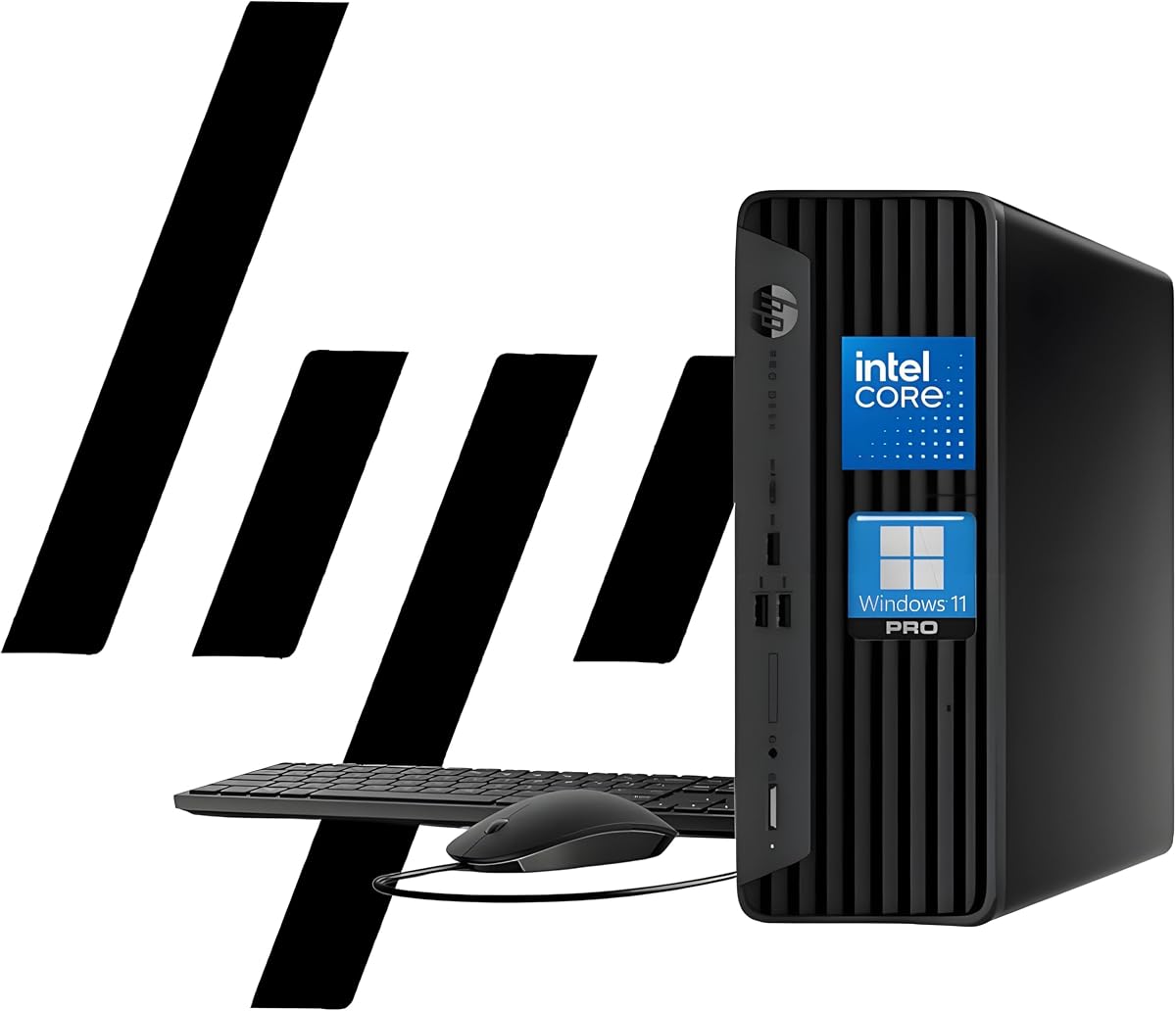
The HP ProDesk 400 G9 is built for business reliability in a compact package. With a 4.4 rating, it delivers smooth daily computing and robust security features suitable for professional settings.
We may earn a commission when you buy through this link, at no additional cost to you.
Its 32GB RAM supports effortless multitasking, and the 1TB SSD ensures fast boot-up. Dual 4K display support allows for expanded workspace on a small desk footprint.
The processor is basic, which limits heavy gaming or rendering. However, for office automation and security, it excels with HP Wolf Security and TPM 2.0 chips.
Ideal for businesses needing secure, reliable PCs without taking up much space. The durable build ensures it withstands daily use effectively.
Windows 11 Pro and HP Wolf Security provide complete protection for sensitive business data.
Weighing under 9 pounds, it fits easily on any desk or shelf.
We may earn a commission when you buy through this link, at no additional cost to you.
The Dell 2026 Edition Tower is designed to handle future workloads. A 4.4 rating highlights its responsiveness thanks to the latest DDR5 RAM and modern connectivity options.
We may earn a commission when you buy through this link, at no additional cost to you.
Its 14th Gen processor paired with 32GB DDR5 RAM eliminates lag in multi-application processing. This makes it ideal for data analysis or trading setups requiring speed.
Though it is an i3 model, the DDR5 memory ensures longevity. The compact design with optimized thermal layout keeps the system cool during continuous daily operations.
Best for those prioritizing future-proof memory over raw CPU power. It suits professional environments needing enterprise-grade security and speed.
High-speed DDR5 RAM provides faster data handling than previous generations.
Thermal airflow layout ensures system longevity even during heavy usage.
We may earn a commission when you buy through this link, at no additional cost to you.
The HP 2026 Desktop is a reliable choice for shared computing needs at home. A 4.5 rating reflects its stability for business and family applications alike.
We may earn a commission when you buy through this link, at no additional cost to you.
Its 12th Gen i5 processor delivers smooth performance for inventory management or online classes. The 16GB RAM ensures no slowdowns during multitasking.
Lifetime access to Office 365 adds significant value for productivity. However, 512GB SSD may fill quickly if storing many large files locally.
This model fits small business owners or families seeking reliability. It is ready to use out of the box with essential software included.
Lifetime access to Office 365 on the web saves on subscription costs.
Includes wired keyboard and mouse for immediate use without extra purchases.
We may earn a commission when you buy through this link, at no additional cost to you.
The Lenovo IdeaCentre Tower offers robust everyday performance with its 10-Core Intel Ultra 5 processor. A 4.6 rating confirms its reliability for office tasks and light productivity.
We may earn a commission when you buy through this link, at no additional cost to you.
Its 16GB DDR5 RAM handles multiple applications efficiently. The 512GB SSD provides fast boot times, while the 7 USB ports allow connecting many peripherals.
Although storage is moderate, the system supports expansion up to 4TB. The inclusion of a keyboard and mouse makes it a complete package for home offices.
Ideal for users needing responsive computing without breaking the bank. It suits light workloads and media consumption effectively.
HDMI and VGA ports support dual monitor setups for better multitasking.
Includes Lenovo black wired keyboard and mouse for immediate daily use.
We may earn a commission when you buy through this link, at no additional cost to you.
The Dell Pro Tower Desktop has earned an outstanding 4.9 rating for its reliability and security features. It is engineered for professional environments requiring consistent performance.
We may earn a commission when you buy through this link, at no additional cost to you.
Its 14th Gen i3 processor with 16GB DDR5 RAM ensures seamless multitasking. Windows 11 Pro enhances security with remote desktop capabilities for IT manageability.
Physical security features like the Kensington lock slot protect the device. While the CPU is not the fastest, it is sufficient for typical business workflows.
Best for small businesses and professionals needing security. It offers compact design and extensive ports for modern office setups.
Windows 11 Pro provides enhanced features to protect sensitive business data.
Extensive port selection supports peripherals and dual displays easily.
We may earn a commission when you buy through this link, at no additional cost to you.
Selecting the right desktop computer requires understanding your specific needs, from processing power to storage capacity. Below are key factors to consider before making a purchase.
The processor is the brain of your computer, determining how fast tasks are completed. For home use, an Intel Core i5 or Ultra series is often sufficient for multitasking and media consumption.
Look for newer generations like 14th Gen or Ultra series for better AI capabilities and efficiency.
RAM affects how many programs you can run at once. 16GB is standard for most families, while 32GB is better for heavy productivity work.
Ensure the memory is DDR4 or DDR5 depending on the motherboard generation to maximize speed.
Solid State Drives (SSDs) are essential for quick boot times and responsive performance. Aim for at least 512GB to store documents and media comfortably.
NVMe PCIe SSDs are faster than SATA SSDs, so prioritize those if possible.
Windows 11 Home is user-friendly for families, but Windows 11 Pro offers better security and remote desktop features.
Check for TPM chips and security suites included to protect personal data.
If you use multiple monitors for work or entertainment, check the number of video ports like HDMI or DisplayPort.
Support for 4K resolution ensures crisp visuals for streaming and design work.
Modern ports like USB-C and USB 3.2 are vital for transferring files quickly to external devices.
Built-in Wi-Fi 6 or 6E ensures stable wireless connections for smart home devices.
Some desktops have tool-less entry panels that let you add RAM or storage easily without tools.
This can extend the lifespan of your machine and save money on future upgrades.
Balance your needs with your budget. Renewed or older models can offer high specs like 32GB RAM at lower costs.
Always compare warranty and service options to ensure long-term support for your investment.
Set up your desktop on a stable surface away from direct sunlight to prevent overheating. Ensure proper ventilation so that the internal fans can function efficiently without obstruction.
Install regular system updates to keep your operating system secure. Use antivirus software and enable parental controls if children access the computer frequently.
Clean the exterior with a soft microfiber cloth and avoid using liquids directly on the device. Periodically check cables and connections to ensure everything remains secure and functional.
For most home users, an Intel Core i5 or Ultra 5 series offers the best balance of performance and price. It handles everyday tasks like browsing and streaming smoothly without excessive cost.
A minimum of 512GB SSD is recommended for storing documents, photos, and media comfortably. If you have large video libraries, consider a 1TB drive or external storage.
DDR5 offers faster speeds and better efficiency for future tasks. While DDR4 is sufficient for now, DDR5 ensures longevity if you plan to keep the system for several years.
Windows 11 Home is designed for personal use with standard security. Pro adds features like BitLocker encryption and remote desktop which are useful for businesses or advanced users.
Most of the listed desktops do not include monitors. You will need to purchase a separate display unless specifically mentioned in the package contents.
Many models allow easy upgrades via tool-less panels. Always check specific product details to confirm compatibility with additional memory or storage drives.
Yes, renewed desktops often offer higher specs at lower prices. They undergo testing and come with warranties, making them a reliable choice for value seekers.
Look for USB-C and USB 3.2 for fast data transfer. HDMI and DisplayPort are necessary for monitors, while Ethernet ports ensure stable wired internet connectivity.
We have reviewed ten excellent desktop computers ranging from budget-friendly options to premium models. The Dell Slim Desktop leads for modern AI performance, while the Optiplex offers incredible value for high RAM needs.
Prioritize what matters most to you such as memory capacity for multitasking or SSD speed for quick access. Ensure the system fits your physical space and supports your required monitor setup.
Please check current prices and availability as they may change over time. With the right choice, your new desktop will serve your family reliably for years to come.