
Redragon M612
4.6Editor score
Programmable buttons
Ergonomic grip
RGB lighting
This guide compares the top drag click mice for gaming and typing, evaluating sensor performance, switch technology, ergonomic designs, and programmable
Finding the right drag click mouse can transform your gaming precision and typing efficiency. These devices offer specialized sensors and switches designed to handle rapid input demands without sacrificing comfort or durability during long sessions.
We analyzed ten top-rated models based on sensor accuracy, build quality, customization options, and user feedback. Each product brings unique strengths, from budget-friendly wired options to high-end wireless esports gear tailored for competitive play.
Every pick highlights key specs and real-world performance traits to guide your decision. Note that prices and availability change frequently, so check current listings before purchasing to ensure you get the best value available today.
4.6Editor score

4.6Editor score

4.6Editor score
This side-by-side comparison highlights the core specifications of each model to help you quickly identify which features align best with your specific gaming or professional needs.

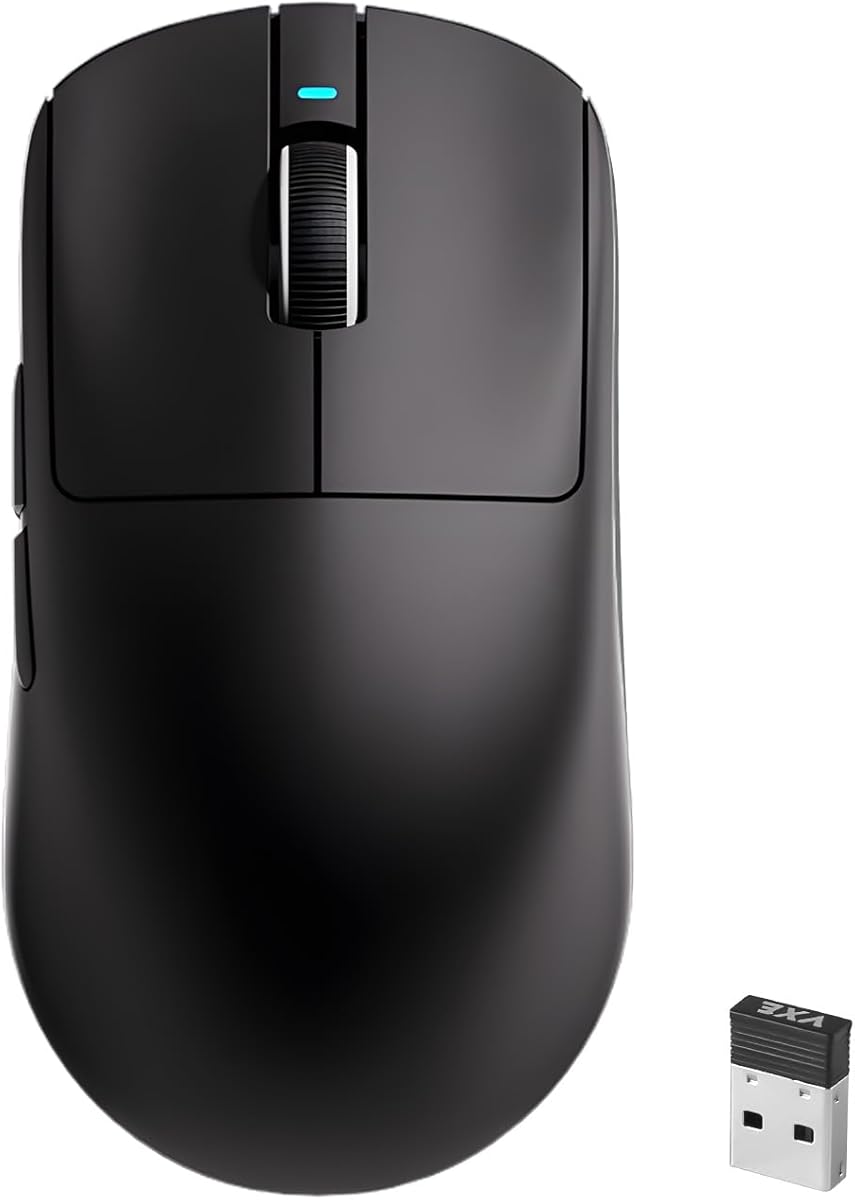



The Redragon M612 stands out as an accessible entry point for users seeking a reliable drag click mouse without breaking the bank. Its strong rating reflects consistent performance in both gaming and office environments.
We may earn a commission when you buy through this link, at no additional cost to you.
Designed with a streamlined claw-grip shape, this mouse minimizes fatigue during extended sessions. The frosted coating ensures a secure hold while preventing smudges, which is crucial for maintaining precise drag clicks.
While it lacks wireless versatility, the dedicated buttons and rapid fire function offer tangible benefits for competitive shooters. Users can remap any button to suit their specific playstyle or workflow requirements effectively.
This model is ideal for budget-conscious gamers or students who need solid customization. It delivers essential features like 5 DPI levels and macro support, making it a practical choice for daily use.
You can adjust DPI between 500 and 8000 via software to match your sensitivity needs. The rapid fire button significantly improves click rates for games requiring fast actions.
The ergonomic design with rubber texture on the side provides excellent friction. This ensures the mouse stays stable in your hand even when performing rapid drag clicks.
We may earn a commission when you buy through this link, at no additional cost to you.
The Redragon M923 PRO brings wireless freedom to the drag click category with a high DPI sensor capable of precision tracking. It balances performance and comfort for those who refuse to be tethered by a cable.
We may earn a commission when you buy through this link, at no additional cost to you.
Its tri-mode connectivity allows you to switch between Bluetooth, 2.4G, and wired connections seamlessly. This versatility ensures you can adapt to different devices while maintaining optimal speed for competitive tasks.
The software suite enables deep customization of button mappings and DPI settings. While it adds a layer of complexity, the payoff is a highly tailored experience that matches your specific input habits perfectly.
Ideal for users seeking wireless convenience without compromising on sensor quality. This mouse supports extended gameplay with a focus on reducing strain while providing the precision needed for accurate drag clicking.
Choose from BT for general use or 2.4G for low-latency gaming. This flexibility ensures you always have the right connection mode for your current task.
Adjust DPI from 400 to 3200 with software options for deeper tuning. The dedicated buttons let you trigger macros instantly during intense moments.
We may earn a commission when you buy through this link, at no additional cost to you.
Engineered for elite competitive play, the Razer Viper V3 Pro offers unmatched speed and precision for drag clicking. Its lightweight build ensures swift movements without fatigue, making it a top choice for esports athletes.
We may earn a commission when you buy through this link, at no additional cost to you.
The Focus Pro 35K sensor delivers flawless tracking on various surfaces including glass. Combined with 8000 Hz polling, this mouse guarantees zero lag or delay during critical moments of gameplay.
Optical switches provide a 0.2 ms actuation with zero double-click issues. This reliability is crucial for drag clicking where consistent input timing can determine the outcome of a match or shot.
Best suited for serious gamers demanding top-tier performance. While the price is high, the engineering and battery life justify the investment for those who rely on their peripherals for professional results.
HyperSpeed wireless technology ensures a stable connection even in noisy environments. This reliability is essential for maintaining focus during high-stakes competitive matches.
With 90 million click lifecycle, the switches are built to last. The 54g weight allows for effortless flicks that match your every intention precisely.
We may earn a commission when you buy through this link, at no additional cost to you.
The ATK R1 SE+ stands out with its web-driven settings interface allowing easy customization without heavy software. This approach appeals to users who prefer simplicity while still needing advanced features for drag clicking.
We may earn a commission when you buy through this link, at no additional cost to you.
Weighing just 55 grams, it reduces hand strain during intense battles. The PAW3395SE sensor supports high DPI and accurate tracking, ensuring your movements translate directly to screen actions with minimal delay.
The tri-mode connection caters to various usage scenarios from tablets to desktops. You can switch between Bluetooth and wireless modes effortlessly, making it versatile for both gaming and daily work tasks.
An excellent choice for users wanting customization without bloatware. Its ergonomic shape supports various grip styles, ensuring comfort even during long gaming marathons or extended work sessions.
Adjust DPI and button functions directly in your web browser. This saves installation time and lets you tweak settings instantly on any compatible device.
The ergonomic design fits natural hand curves for reduced fatigue. Lightweight construction helps prevent wrist strain while enabling quick precise movements.
We may earn a commission when you buy through this link, at no additional cost to you.
The Redragon M910-K offers a robust set of features including a dedicated fire button for rapid clicking. It is designed to enhance win rates in competitive games where speed is a critical factor.
We may earn a commission when you buy through this link, at no additional cost to you.
Its ergonomic contour ensures a comfortable fit for various hand sizes. Users can switch between five profiles to adapt settings for different games or work tasks, maintaining productivity without constant reconfiguration.
The software supports DIY keybinds allowing deep customization of macros. While the RGB lighting can be adjusted, the focus remains on providing a reliable tool for serious gaming and typing sessions.
Recommended for gamers who value button utility over wireless flexibility. It delivers high DPI adjustments and a solid build, making it a practical choice for budget-conscious buyers seeking performance.
The fire button boosts click speed significantly in FPS games. This feature can be the difference between winning and losing in tight scenarios.
Save five distinct profiles for different applications. This makes switching between work and play seamless without manual adjustments.
We may earn a commission when you buy through this link, at no additional cost to you.
The MOJO Pro Performance is unique for its silent click technology, making it perfect for quiet environments. It combines this feature with a high-performance sensor ideal for precision drag clicking tasks.
We may earn a commission when you buy through this link, at no additional cost to you.
Its ergonomic design includes a sniper key to slow down DPI temporarily for accuracy. This helps when needing fine control over crosshairs or detailed cursor movements during professional work.
The software allows full customization of buttons and LED settings. While it is a wired mouse, the stability it offers ensures your drag clicks remain consistent without signal interference.
Best for users who need to reduce noise without sacrificing performance. Its focus on silent operation makes it a great choice for late-night sessions or shared workspaces.
Silent buttons prevent loud clicking sounds from disturbing others. This feature is especially valuable when gaming at night or working in shared spaces.
The sniper key reduces speed instantly for exact aiming. Combined with the PMW3336 sensor, this ensures accurate targeting on any surface.
We may earn a commission when you buy through this link, at no additional cost to you.
Designed for MMO gamers, the Redragon M913 offers 16 programmable buttons including 12 side keys. This density allows for complex drag clicks and macro sequences essential for managing multiple actions.
We may earn a commission when you buy through this link, at no additional cost to you.
With a 45-hour battery life, it supports extended gaming sessions without frequent recharging. The dual mode capability lets you switch to wired mode when battery is low or when extra stability is needed.
The optical sensor ensures reliable tracking at 16000 DPI. While larger than typical mice, the design supports heavy usage and provides ample room for finger placement during rapid clicking.
Ideal for MMO players needing extensive button access. It balances battery longevity with a high number of inputs, making it a powerful tool for complex gaming strategies.
12 side buttons provide easy access to abilities and macros. This setup reduces the need to move your hand to keyboard keys for every action.
45-hour battery ensures you stay in the game longer. Switching between wireless and wired modes offers adaptability for different gaming environments.
We may earn a commission when you buy through this link, at no additional cost to you.
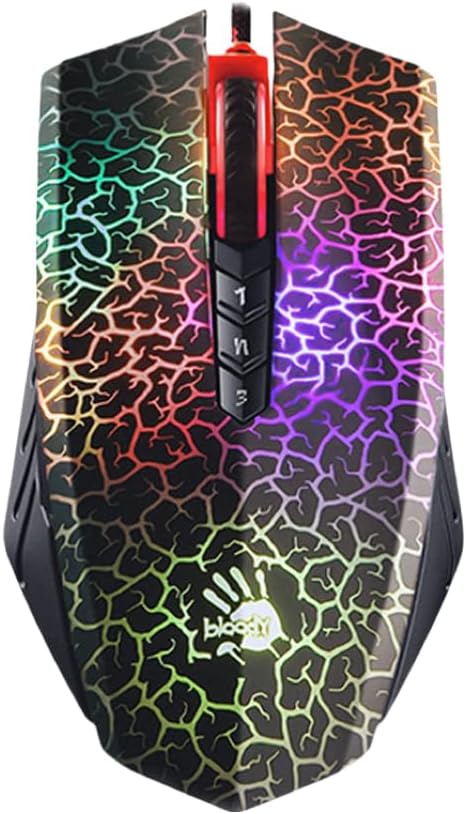
The Bloody A70 II utilizes Light Strike optical switches to achieve an incredibly fast 0.2 ms response. This technology eliminates metal bouncing noise, offering a unique tactile feel for drag clicking.
We may earn a commission when you buy through this link, at no additional cost to you.
Its exclusive X'GLIDE Armor improves durability and glide on specific mouse pads. This enhances agility allowing you to execute rapid drag clicks with precision across different surfaces effectively.
Fully programmable buttons and advance macros give deep control over your setup. The software allows you to build complex chains that automate repetitive tasks efficiently during intense matches.
Suited for users who value speed and durability. The optical switches ensure long-lasting performance, making it a reliable companion for high-intensity gaming environments.
Light Strike switches offer 0.2 ms response without metal bounce. This ensures every click registers instantly for maximum accuracy in combat.
X'GLIDE Armor feet improve smoothness and longevity. Pairing with specific pads ensures consistent performance during rapid movements.
We may earn a commission when you buy through this link, at no additional cost to you.
The Logitech G PRO X2 introduces Haptic Inductive Trigger System for immersive feedback. This feature provides real-time tactile sensation that enhances your interaction with drag clicks.
We may earn a commission when you buy through this link, at no additional cost to you.
With HERO 2 sensor delivering 44,000 DPI and over 888 IPS tracking, accuracy is unmatched. The lightweight 0.7 mm wall case ensures you can execute quick flicks without effort during extended play.
Industry-leading speed means clicks are 30 ms faster than standard models. Deep customization with 10-level actuation points allows you to tune the mouse to your exact physical touch preferences.
Ideal for professional gamers demanding the cutting edge. The haptic system and battery life make it a top-tier choice for those prioritizing immersion and precision above all else.
Haptic Inductive Trigger System adds real-time feedback. This enhances your awareness of clicks and improves control over rapid actions.
10-level actuation points let you tailor sensitivity. Combined with 30 ms faster clicks, this delivers peak performance in competitive matches.
We may earn a commission when you buy through this link, at no additional cost to you.
The Razer Basilisk V3 features a HyperScroll tilt wheel that switches between free-spin and tactile modes. This versatility is perfect for navigating menus quickly or selecting items with precision.
We may earn a commission when you buy through this link, at no additional cost to you.
Designed for ergonomic support, it includes a thumb rest that fits the natural curve of your hand. This reduces fatigue significantly, allowing for longer drag click sessions without discomfort or strain.
With Focus Plus 26K DPI sensor and optical switches, it offers high accuracy and durability. You get zero smoothing and fast 0.2 ms actuation which ensures responsive input for every single click.
Recommended for gamers who want premium ergonomics and customization. Its 11 programmable buttons and lighting zones make it a versatile tool for both FPS and RPG gaming scenarios.
HyperScroll wheel offers free-spin or tactile modes. This flexibility is ideal for quickly cycling through inventory or precise aiming adjustments.
Optical switches prevent double-click issues over time. The ergonomic shape and thumb rest ensure lasting comfort even during marathon sessions.
We may earn a commission when you buy through this link, at no additional cost to you.
Selecting the right drag click mouse requires balancing sensor quality, ergonomics, and switch technology. This guide breaks down the essential factors to consider for your needs.
The sensor is the core of any drag click mouse as it translates physical movement to digital input. High-end models feature optical sensors with DPI ranges exceeding 20,000 to ensure precise tracking on various surfaces.
Look for sensors that minimize jitter and acceleration to maintain consistency during rapid drag clicks for high performance.
Switches determine the click speed and durability of your mouse. Optical switches use light beams instead of metal contacts to reduce debounce time and prevent double-clicking issues.
Prioritize models with high click lifecycles to ensure long-term reliability without performance degradation over time.
Since drag clicking requires repetitive motion, comfort is vital to prevent strain. An ergonomic design fits your hand naturally, reducing wrist tension during extended use.
Choose a shape that matches your grip style whether it be claw, palm, or fingertip for optimal control.
Weight influences how quickly you can move the mouse across your desk. Lighter mice allow for faster flicks and less fatigue but might feel too flimsy for some users.
Aim for a weight range around 50 to 70 grams for a balanced experience between speed and stability.
Wireless mice offer freedom but require battery management. Wired models ensure zero latency and consistent power but restrict your movement range.
Evaluate your environment to decide if the convenience of wireless outweighs the absolute stability of a cable connection.
Adjustable DPI allows you to switch sensitivity for different tasks. Drag clicking benefits from a baseline sensitivity that aligns with your screen resolution.
Ensure the software lets you save profiles so you can switch between work and game settings effortlessly.
A higher polling rate means the mouse reports position more frequently to the PC. Standard rates are 125Hz but gaming mice often support 8000Hz for instant response.
Higher rates reduce input delay which is crucial for timing-sensitive drag click actions in competitive games.
Drag clicking often goes hand-in-hand with macros for automating complex actions. A mouse with dedicated buttons allows you to bind frequently used commands.
Check if the software supports multi-step macro creation to streamline your workflow or gaming strategy.
Begin by installing the dedicated software to map your buttons and set DPI. Adjust the settings to match your screen resolution for smooth movement.
Clean the mouse surface regularly to remove oils that reduce friction. Use a microfiber cloth to maintain the grip texture essential for drag clicking.
Store your mouse in a cool dry place when not in use. Avoid exposing the electronics to moisture or extreme heat to preserve battery and sensor health.
Drag clicking is a technique where you drag your finger across a mouse button to register multiple clicks rapidly. It helps in increasing CPS or clicks per second which can be advantageous in certain games.
Not all mice support drag clicking effectively. You need models with textured buttons and optical switches to ensure consistent registration of rapid inputs without hardware errors.
Use a soft dry cloth to wipe the exterior. For deeper cleaning, slightly dampen the cloth with water to avoid damaging the internal electronics or surface coating.
Generally it is safe but excessive force can wear out buttons faster. Using high-quality switches and proper technique extends the lifespan of your device significantly.
Most gamers prefer a moderate DPI around 400 to 1600 for control. Higher DPI might cause unintentional movements during rapid dragging if your hand is not steady.
This could be due to dirty buttons or software misconfiguration. Ensure your driver is up to date and the button is free of debris for optimal contact.
Yes modern wireless mice with high polling rates support drag clicking well. Ensure battery levels are high to prevent performance drops during intense sessions.
Optical switches often last over 70 million clicks which is far superior to mechanical ones. This durability makes them ideal for heavy drag clicking usage.
We reviewed ten top models offering a range of features for every budget and need. From the Razer Viper V3 Pro for esports to the Redragon M612 for value there is something for everyone.
Prioritize sensor accuracy and ergonomics above flashy features. A mouse that feels good and responds instantly will serve you better than one with excessive RGB lighting.
Check current listings and prices before buying to ensure the best deal. Technology evolves quickly so verify that the model supports current standards for longevity.