
Kasa Smart Light Bulbs
4.5Editor score
16 Million Colors
Voice Control Ready
No Hub Required
This comprehensive guide compares the top 10 smart bulbs compatible with Google Home, reviewing features like color range, connectivity, and voice control to
Smart lighting has transformed how we interact with our homes, offering convenience and ambiance at the touch of a button. For Google Home users, finding the right bulb ensures seamless integration and reliable voice control for everyday tasks.
We have evaluated ten leading smart bulbs based on connectivity, color accuracy, and ease of setup. Each product was reviewed for its compatibility with Google Assistant and overall performance in real-world home environments.
Every selection highlights key features and potential trade-offs to guide your decision. Prices and availability may change, so please check the latest details directly on the product pages before purchasing.
4.5Editor score

4.5Editor score

4.5Editor score
This table provides a side-by-side overview of the top smart bulbs evaluated for Google Home integration, highlighting key specifications to help you compare performance and features quickly.



The Govee Smart Light Bulbs offer a robust solution for Google Home users seeking vibrant color options and reliable connectivity. With a high rating and extensive features, these bulbs deliver a versatile lighting experience for various settings.
We may earn a commission when you buy through this link, at no additional cost to you.
Key strengths include the 16 million color options and preset scene modes that adapt to your mood. Music sync allows dynamic light changes based on sound, while group control simplifies management of multiple fixtures across rooms.
Trade-offs include the reliance on 2.4GHz WiFi and the lack of support for traditional dimmer switches. These limitations are acceptable given the advanced smart features and ease of setup via the dedicated app.
This product is ideal for homeowners who want rich color customization and interactive features. It stands out as a top choice for creating immersive environments in living areas or entertainment spaces.
Sync lights with music via phone microphone for a party atmosphere or immersive experience.
Use sunrise and sunset modes to automate daily brightness changes effortlessly.
We may earn a commission when you buy through this link, at no additional cost to you.
Kasa Smart Light Bulbs provide an affordable entry point into smart lighting with solid Google Home compatibility. The two-pack offers flexibility for starting a smart home setup without a large investment.
We may earn a commission when you buy through this link, at no additional cost to you.
Features like energy monitoring and auto white adjustment add practical value beyond basic lighting. The app allows precise control over colors and brightness, ensuring you can create the perfect atmosphere.
While the 2.4GHz requirement is standard, it can be tricky on dual-band routers. However, the performance and reliability make up for this minor setup inconvenience in most homes.
Best for budget-conscious buyers who need reliable color and energy tracking. This option is perfect for bedrooms or living rooms where cost-effectiveness is a priority.
Monitor real-time usage to reduce consumption without sacrificing light quality.
Adjust color temperature automatically to match daylight patterns for better focus.
We may earn a commission when you buy through this link, at no additional cost to you.
Linkind Smart Light Bulbs stand out with their WiFi and Bluetooth dual connection system. This ensures stable control even when WiFi signals are weak, a common issue in larger homes.
We may earn a commission when you buy through this link, at no additional cost to you.
The music sync and preset scenes add fun to everyday lighting. With 16 million colors and a long lifespan, these bulbs offer both aesthetic appeal and durability.
The requirement for 2.4GHz WiFi remains a constraint, but the dual connection mitigates latency. This is a strong choice for those prioritizing connection stability.
Ideal for users needing reliable connectivity and vibrant color options. The app features make it a versatile choice for creative lighting setups.
Use Bluetooth backup for local control when WiFi is temporarily unavailable.
Design custom light patterns and scenes through the intuitive app interface.
We may earn a commission when you buy through this link, at no additional cost to you.
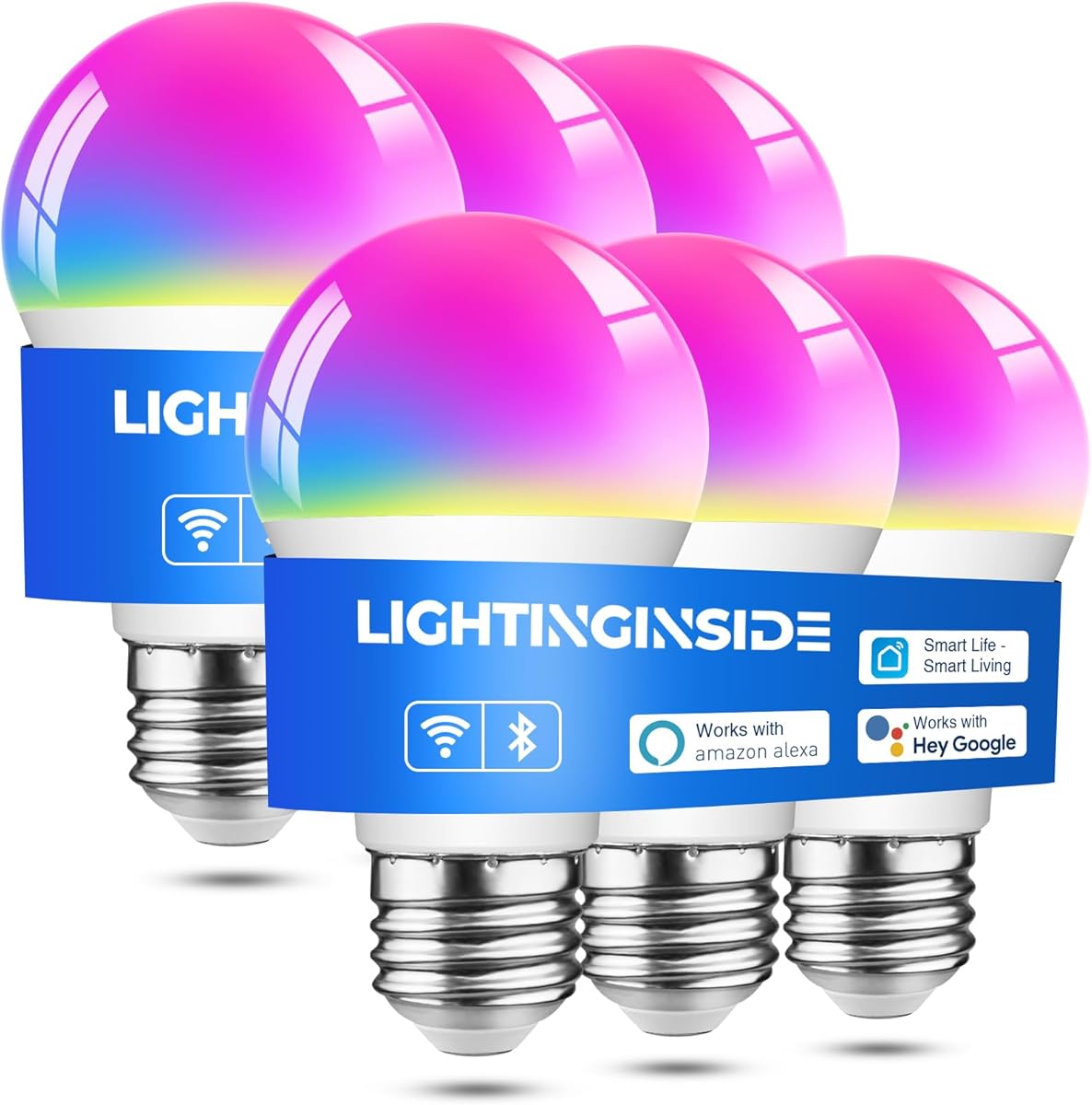
Lightinginside offers a six-pack of smart bulbs, making it an excellent choice for outfitting entire rooms. Compatibility with Google Home ensures seamless voice control.
We may earn a commission when you buy through this link, at no additional cost to you.
The dual-channel chip speeds up setup and improves reliability. Tunable white and RGB options allow for diverse lighting scenarios from focus to relaxation.
Bluetooth is needed for initial pairing, which may complicate things slightly. However, the flexibility and warranty make this a solid long-term investment.
Great for families looking to upgrade multiple fixtures at once. The variety of colors and white options suits different needs across the home.
Upgraded chip ensures 3x faster setup for a smoother initial experience.
Use local connectivity for control even if internet service is interrupted.
We may earn a commission when you buy through this link, at no additional cost to you.
DAYBETTER bulbs offer a straightforward setup using Bluetooth and WiFi. This combination helps avoid common network issues during installation.
We may earn a commission when you buy through this link, at no additional cost to you.
Music sync and preset scenes enhance entertainment value. The 800LM brightness ensures rooms are well-lit without feeling dim.
You must use the specific DAYBETTER app, which limits integration options. This is manageable if you do not rely on broader smart home ecosystems.
Recommended for those wanting an affordable, easy-to-set-up bulb. It works well for casual users prioritizing brightness and mood lighting.
Dual connectivity speeds up the initial setup process significantly.
Access holiday and dinner scenes to instantly change your home vibe.
We may earn a commission when you buy through this link, at no additional cost to you.
Philips Hue is synonymous with premium smart lighting. The Essential series offers a balance of advanced features and ease of use.
We may earn a commission when you buy through this link, at no additional cost to you.
The 4-pack allows you to illuminate large spaces. Smooth dimming from full to low adds a touch of class to your lighting design.
While the ecosystem can be pricey, the reliability and quality justify the investment. Bridge support allows for future expansion and advanced features.
Ideal for users willing to invest in top-tier lighting. The ecosystem offers unmatched control and customization for home automation enthusiasts.
Preset scenes are designed by professionals to optimize your mood and focus.
Seamless integration with Apple Home extends your smart home reach.
We may earn a commission when you buy through this link, at no additional cost to you.
This Linkind model focuses on high-quality white light with tunable temperatures. Perfect for reading and workspaces, it offers true color rendering.
We may earn a commission when you buy through this link, at no additional cost to you.
High CRI ensures objects look natural under the light. Bluetooth offline support means you can control lights even without internet.
The lack of RGB limits color fun, but the focus on quality is clear. Scheduling functions help manage energy usage effectively.
Best for users prioritizing light quality and reliability over color. Great for home offices or living rooms where focus matters.
High CRI restores the true look of furniture and decor.
Automate schedules to save energy during waking and sleeping hours.
We may earn a commission when you buy through this link, at no additional cost to you.
Matter support is a major advantage for future-proofing your smart home. OREiN bulbs work seamlessly across different platforms and apps.
We may earn a commission when you buy through this link, at no additional cost to you.
Music sync adds a fun interactive element to your lighting. The secure protocol ensures your data stays protected while you control your home.
The 2.4GHz limitation is standard but noted. The interoperability makes this a strong choice for mixed smart home setups.
Recommended for users looking for long-term compatibility. It bridges the gap between different smart home ecosystems effortlessly.
QR code pairing simplifies connecting to multiple apps instantly.
LAN operation ensures lights work even if internet goes offline.
We may earn a commission when you buy through this link, at no additional cost to you.
Linkind Matter bulbs offer great flexibility across Apple Home, Alexa, and Google Home. This makes them a top pick for multi-platform households.
We may earn a commission when you buy through this link, at no additional cost to you.
16 million colors and music sync create vibrant lighting experiences. The high-quality design ensures long life and energy savings.
You must complete initial setup via the app or Matter hub. Once done, control is seamless across all compatible devices.
Ideal for families using multiple smart assistants. It simplifies lighting control without needing extra hubs or complex setups.
Eliminate app switching by integrating into one central control system.
Use music sync to turn your home into a lively entertainment space.
We may earn a commission when you buy through this link, at no additional cost to you.
This Kasa model focuses on high-quality soft white light. With a CRI over 90, it renders colors accurately for daily tasks.
We may earn a commission when you buy through this link, at no additional cost to you.
Energy monitoring helps track usage and save costs. The dimming range ensures you can adjust brightness precisely for any activity.
The lack of color limits decorative use, but the focus on quality is clear. It is a reliable choice for standard lighting needs.
Best for kitchens and workspaces where focus and energy efficiency matter. Trust Kasa for consistent performance and durability.
Monitor wattage consumption to identify savings opportunities.
Soft white light reduces eye strain during extended reading sessions.
We may earn a commission when you buy through this link, at no additional cost to you.
Selecting the right smart bulb involves evaluating connectivity, color options, and compatibility features.
Most smart bulbs use WiFi or Bluetooth. Ensure your router supports the required band, usually 2.4GHz, to maintain a stable connection.
Always verify your network setup before buying to avoid connectivity issues during installation.
RGB bulbs offer millions of colors for ambiance, while white bulbs focus on adjustable color temperatures for daily tasks.
Choose based on your room's function: vibrant colors for living areas and warm whites for focused workspaces.
Some bulbs work with multiple apps, while others are restricted to specific platforms. Check if the bulb integrates with Google Home directly.
Prefer bulbs with open ecosystems to ensure flexibility and ease of control.
Smooth dimming ranges from 1% to 100% allow for precise lighting control. This is crucial for creating different moods.
Look for bulbs with wide dimming ranges to ensure you can achieve the exact brightness needed.
LED bulbs consume less power than traditional ones. Features like energy monitoring can help track and reduce usage.
Select energy-efficient models to lower bills and reduce environmental impact.
High-quality LEDs last up to 25,000 hours. A warranty ensures protection against manufacturing defects.
Check for warranty terms to ensure long-term reliability and peace of mind.
Integration with Google Assistant allows hands-free commands. Test if the bulb responds well to voice requests.
Ensure the bulb supports native voice commands for the best user experience.
Ensure the bulb fits your fixture, typically E26. Some bulbs require hubs while others do not.
Check fixture compatibility and hub needs to simplify setup.
To begin, screw the bulb into a standard E26 socket and ensure it is powered on. This initial step ensures the bulb is ready for pairing with your smart home network.
Download the associated app on your smartphone and follow the on-screen instructions. Connect the bulb to your 2.4GHz WiFi network to enable full functionality and control.
Once connected, link the bulb to your Google Home app for voice control. Regularly check for firmware updates to maintain optimal performance and security.
Most bulbs in this list connect directly to WiFi, eliminating the need for a separate hub. However, some premium systems may offer advanced features with an optional bridge.
Traditional dimmer switches are generally not supported. Instead, dim the lights using the app or voice commands to avoid flickering or damage.
Some models include Bluetooth backup for local control when internet is unavailable. This ensures you can still manage lighting even if the network goes down.
Yes, they use LED technology and consume significantly less power than incandescent bulbs. Many models also feature energy monitoring to track usage.
Remote access is available via the app as long as the bulb is connected to your home WiFi. This allows you to manage lights from anywhere globally.
Most bulbs require 2.4GHz for compatibility. Ensure your router broadcasts a 2.4GHz signal separately to avoid connection issues during setup.
We reviewed ten top bulbs offering various features like color options, connectivity, and energy tracking. The Govee and Kasa models provide great value and reliable performance.
When choosing, prioritize features that matter most to your lifestyle such as music sync, color range, or simple white lighting. Consider your specific room needs before deciding.
Prices and availability may shift frequently. Always check the latest details on the product pages to ensure you get the best value for your purchase.