
ARCTIC P8 Silent
4.6Editor score
Low noise design
Static pressure optimized
Affordable price point
Discover the top 80mm case fans for silent cooling and airflow. This guide compares noise, specs, and performance to help you pick the right model.
Finding the right 80mm case fan is crucial for compact builds. These small fans must balance high airflow with low noise to keep components cool without disturbing your workspace.
We compared ten leading models based on airflow, noise levels, bearing quality, and PWM control. Our analysis focuses on real-world performance data to ensure reliability and value.
Each pick highlights key strengths and trade-offs. Prices and availability change frequently, so check current listings before purchasing to secure the best deal for your specific build needs.
4.6Editor score

4.9Editor score

4.8Editor score
The following table provides a side-by-side comparison of all ten models. We highlight key specifications like RPM, noise levels, and connector types to help you decide.



The Noctua NF-A8 PWM stands out as the top choice for quiet cooling. With a 4.9 rating, it delivers superior performance while maintaining low noise levels suitable for any environment.
We may earn a commission when you buy through this link, at no additional cost to you.
Its Flow Acceleration Channels and optimized frame reduce turbulence and noise. The 4-pin PWM allows precise speed control, ensuring efficient cooling without unnecessary sound.
While it is pricier than many alternatives, the included accessories like the low-noise adaptor and anti-vibration mounts justify the cost. It is a reliable long-term investment.
Ideal for HTPCs and ITX builds where silence is paramount, this fan ensures your system stays cool without disturbing your peace. It is our strongest recommendation for premium builds.
The frame design specifically reduces noise emissions while maintaining high static pressure for better cooling in restricted spaces.
With over 150,000 hours MTTF, this fan offers exceptional durability, reducing the need for future replacements in critical systems.
We may earn a commission when you buy through this link, at no additional cost to you.
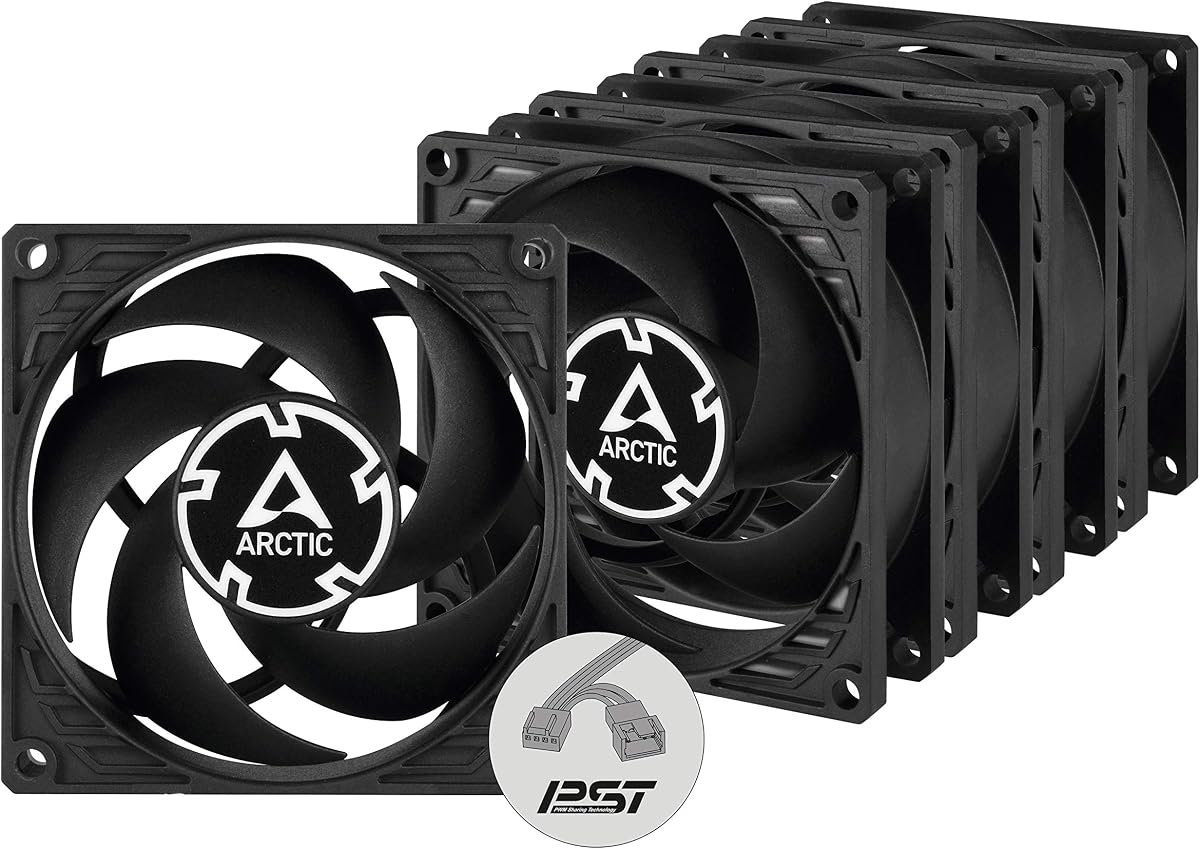
The ARCTIC P8 pack offers excellent value for needing multiple units. Rated 4.6, it balances affordability with effective cooling performance for larger chassis setups.
We may earn a commission when you buy through this link, at no additional cost to you.
Optimized for static pressure, these fans excel at pushing air through resistances like radiators. The Fluid Dynamic Bearing ensures longevity and reduced friction over time.
However, at 3000 RPM, noise can be noticeable. The 3-pin connector also limits PWM control options, making it better for manual control or fixed speed systems.
Best for budget builds or server racks where airflow is prioritized over silence. It provides a cost-effective solution for cooling multiple zones efficiently.
Blades are redesigned to maximize pressure, ensuring air moves effectively even through restricted filters or dense heatsinks.
We may earn a commission when you buy through this link, at no additional cost to you.
This pack brings PWM sharing technology to budget fans. Rated 4.7, it allows syncing multiple fans with a single header, simplifying cable management significantly.
We may earn a commission when you buy through this link, at no additional cost to you.
The motor runs efficiently, keeping noise low at idle while offering high speeds when needed. The wide RPM range provides flexibility for thermal management.
While more expensive than the standard P8, the added control justifies the cost for users wanting precise temperature-based regulation across multiple zones.
Perfect for systems needing both silence and cooling power. It combines the benefits of bulk buying with the control of premium fans.
This feature allows daisy-chaining fans to control speed simultaneously via one motherboard header, reducing clutter and simplifying configuration.
We may earn a commission when you buy through this link, at no additional cost to you.
The redux-1800 offers a cost-effective entry into Noctua's ecosystem. Rated 4.8, it provides nearly identical performance to the premium version at a lower price point.
We may earn a commission when you buy through this link, at no additional cost to you.
By stripping non-essential accessories, the redux version cuts cost while maintaining the core high-quality motor and bearing. It runs exceptionally quiet at 17.1 dB.
If you need premium cooling but already have mounts and cables, this is the logical choice. It delivers the same durability as top-tier models.
Ideal for budget-conscious builders who refuse to compromise on reliability. It is a solid choice for NAS and office workstation cooling.
By focusing purely on the fan unit and removing extras, it offers a competitive price without sacrificing the core cooling performance.
We may earn a commission when you buy through this link, at no additional cost to you.
Kingwin delivers a solid option for general cooling tasks. Rated 4.5, this fan is designed for silent operation while maintaining adequate airflow for standard cases.
We may earn a commission when you buy through this link, at no additional cost to you.
The optimized blade design focuses on ventilation efficiency, making it suitable for CPU coolers and general chassis air movement. It fits most standard mounts.
While it lacks advanced PWM features, its low price makes it ideal for replacements or secondary slots. It is a reliable workhorse for mining rigs.
Best for users needing straightforward cooling without complex features. It balances cost and function for basic PC maintenance tasks.
Designed to match standard 80mm mounts, it ensures easy installation across various PC cases and cooling systems without adapters.
We may earn a commission when you buy through this link, at no additional cost to you.
The P8 Silent prioritizes silence above all else. Rated 4.6, it operates at barely audible levels when running at standard speeds, making it perfect for office PCs.
We may earn a commission when you buy through this link, at no additional cost to you.
With a maximum speed of 1600 RPM, it sacrifices some airflow for noise reduction. However, the static pressure optimization ensures it still cools restricted spots effectively.
The trade-off is lower peak performance. If you need high-speed cooling, this might not suffice, but for steady-state silent cooling, it excels.
Ideal for home theaters or quiet workstations. It is the best budget pick for users prioritizing silence over raw speed.
Developed with an enhanced bearing system, the motor minimizes friction and noise, ensuring a peaceful environment even under load.
We may earn a commission when you buy through this link, at no additional cost to you.
This fan brings premium looks to the NF-A8 series. Rated 4.8, it combines the top-tier performance of Noctua with a sleek all-black aesthetic.
We may earn a commission when you buy through this link, at no additional cost to you.
The chromax.black.swap edition includes swappable colored pads, allowing you to match your build's theme perfectly. It retains the same high airflow as the standard model.
It is priced higher due to the added design features. However, for enthusiasts wanting a cohesive look, it is unmatched in value and quality.
Best for high-end builds where aesthetics matter. It offers the best balance of style and performance in the 80mm category.
Included colored pads allow for easy customization, letting users match fan colors to their system's theme without extra cost.
We may earn a commission when you buy through this link, at no additional cost to you.
This bulk pack offers the same silent performance as the single unit. Rated 4.4, it is perfect for users needing multiple silent fans without breaking the bank.
We may earn a commission when you buy through this link, at no additional cost to you.
Running at 1600 RPM, it keeps noise extremely low while maintaining enough pressure for small radiators. It provides a consistent airflow solution.
The lack of PWM is a limitation for advanced control, but the value proposition remains strong. It is ideal for server racks or bulk replacements.
Best for those needing quantity over customizability. It ensures every zone stays quiet without excessive spending on premium options.
Optimized for resistance, this fan moves air efficiently through dense components, maintaining cooling even when airflow is restricted.
We may earn a commission when you buy through this link, at no additional cost to you.
The P8 Max pushes performance boundaries for an 80mm unit. Rated 4.7, it offers up to 5000 RPM, making it ideal for high-density server racks.
We may earn a commission when you buy through this link, at no additional cost to you.
The fluid dynamic bearing supports long life even at high speeds. It ensures that even with heavy loads, the fan remains reliable and effective.
Noise increases significantly at max RPM, so use with caution in home environments. However, for critical cooling, it delivers unmatched airflow.
Best for server cabinets or specialized cooling needs. It combines high speed with affordability for performance-focused users.
Designed for durability and silent low-speed operation, the bearing ensures longevity while maintaining high performance when demanded.
We may earn a commission when you buy through this link, at no additional cost to you.
The TL-8015 stands out due to its thin 15mm profile. Rated 4.5, it is perfect for slim coolers where standard 25mm fans won't fit.
We may earn a commission when you buy through this link, at no additional cost to you.
It delivers high airflow despite the reduced thickness, making it excellent for low-profile cases. The S-FDB V2 bearing helps keep noise under control.
The thin frame is slightly less rigid but sufficient for standard mounting. It offers a practical solution for tight spaces without compromising airflow.
Ideal for low-profile builds and slim coolers. It balances thin design with high performance effectively.
The 15mm thickness allows installation in tight spaces where standard fans would obstruct components or prevent case closure.
We may earn a commission when you buy through this link, at no additional cost to you.
Choosing the right fan requires balancing airflow, noise, and fit. This guide breaks down key factors to help you select the perfect model.
Airflow measures air volume moved, while static pressure measures force against resistance. High airflow is best for free space, while high pressure suits radiators.
Prioritize static pressure for restricted areas and airflow for general exhaust or intake.
Noise is measured in dB or Sones. Lower numbers mean quieter operation. Consider your environment and how much tolerance you have for fan noise.
Choose fans rated below 20dB for silent builds.
Higher RPM generally means more airflow but more noise. Look for fans with a wide range to balance performance and silence.
A flexible RPM range allows better thermal control.
3-pin provides fixed speed. 4-pin PWM offers dynamic speed control. Ensure your motherboard supports the connector type you choose.
Always prefer 4-pin PWM for flexible control.
Bearings affect lifespan and noise. Fluid dynamic bearings last longer and run quieter than sleeve bearings. Check MTTF ratings for longevity.
Select fluid dynamic for longevity and quiet operation.
Some builds require black fans or RGB. Standard colors may not match. Premium models offer customizable pads or sleek finishes.
Match fan color to your case design.
Premium fans cost more but offer reliability. Budget packs offer quantity. Balance your budget with your cooling needs.
Consider cost per unit for bulk purchases.
Install the fan securely using the provided screws to prevent vibration and noise. Ensure airflow direction matches intake or exhaust requirements.
Connect the fan to a compatible header on the motherboard. Adjust fan curves in BIOS to balance noise and cooling based on temperatures.
Regularly clean dust from the blades and frame to maintain airflow efficiency. Check mounting stability over time to prevent loosening.
3-pin fans run at fixed speeds, while 4-pin PWM fans allow dynamic speed control. Choose 4-pin for better thermal management and silence.
Noise depends on RPM and build quality. Premium models like Noctua are whisper-quiet, while budget models may be louder at max speed.
Typically 1 intake and 1 exhaust suffice for small cases. More fans help with airflow density but increase noise.
Yes, many coolers use 80mm fans. Ensure the dimensions match, particularly thickness, for proper clearance.
Fluid dynamic bearings offer the best balance of longevity and quiet operation. Sleeve bearings are cheaper but wear faster.
Mounts reduce noise transmission. Recommended for quiet builds, they isolate fan vibration from the case frame.
Use compressed air to remove dust from blades. Hold blades still to prevent damage and avoid moisture.
We have reviewed ten top models, highlighting the Noctua NF-A8 PWM as our top pick for overall performance and silence.
Consider your priorities: whether quiet operation, raw airflow, or budget value matters most for your build.
Prices and stock fluctuate, so verify current listings before making your final purchase decision.