
512MB Flash Drives 100 Pack Bulk and Wholesale
4.5Editor score
100 pack for maximum volume distribution
Metal clip with plastic housing body
USB 2.0 compatible plug and play
This guide compares the top ten bulk USB flash drives for businesses and schools, evaluating speed, capacity, durability, and value to help you find the best
Bulk USB flash drives are essential tools for organizations that need to distribute data efficiently across many users. Whether for corporate training, school assignments, or event giveaways, having reliable portable storage ensures information reaches the right hands quickly and securely.
We evaluated ten distinct bulk packs ranging from low-capacity promotional items to high-speed USB 3.0 drives. Our comparison focuses on real-world performance, build quality, compatibility across operating systems, and overall value per unit to help you make an informed purchasing decision.
Each pick below highlights specific strengths like swivel protection, lanyard inclusion, or high-speed transfer rates. Prices and availability change frequently, so verify current listings before buying to ensure you get the best deal for your specific storage needs today.
4.5Editor score

4.6Editor score

4.6Editor score
The following table provides a side-by-side overview of all ten bulk USB flash drive options we reviewed. Compare key specifications like capacity, interface speed, and included accessories to find the perfect match for your bulk storage requirements.


The PNY 32GB Turbo Attaché 3 USB 3.0 Flash Drive 10-Pack stands out as a top contender for businesses needing faster data transfer. With speeds up to 10 times faster than standard USB 2.0 drives, it significantly reduces wait times when moving large files. Its durable and lightweight design ensures reliability during daily use, making it a robust choice for professional environments.
We may earn a commission when you buy through this link, at no additional cost to you.
This pack excels in convenience and performance. The sliding collar protects the USB port without the hassle of a removable cap that can get lost. It is compatible with most PC and Mac laptops and desktop computers with USB 3.0 ports, ensuring broad usability. The ability to transfer movies, videos, photos, and documents quickly makes it perfect for presentations and media sharing.
While the 10-pack size is smaller than some bulk options, the quality justifies the focus on speed and durability. The backwards compatibility with USB 2.0 host devices means you can still use them on older machines, albeit at slower speeds. This flexibility ensures you are not limited by legacy hardware in your organization.
For organizations prioritizing speed and reliability over sheer volume, this pack is an excellent investment. It balances performance with practical design features like the capless mechanism. We recommend this for teams that frequently exchange large digital assets and need storage that keeps up with modern workflow demands without slowing down productivity.
The USB 3.0 interface provides transfer speeds up to 10 times faster than USB 2.0, allowing users to move large files quickly and efficiently without long wait times.
The convenient sliding collar design protects the USB content when not in use, eliminating the risk of losing a separate cap and ensuring the drive is always ready to use.
We may earn a commission when you buy through this link, at no additional cost to you.
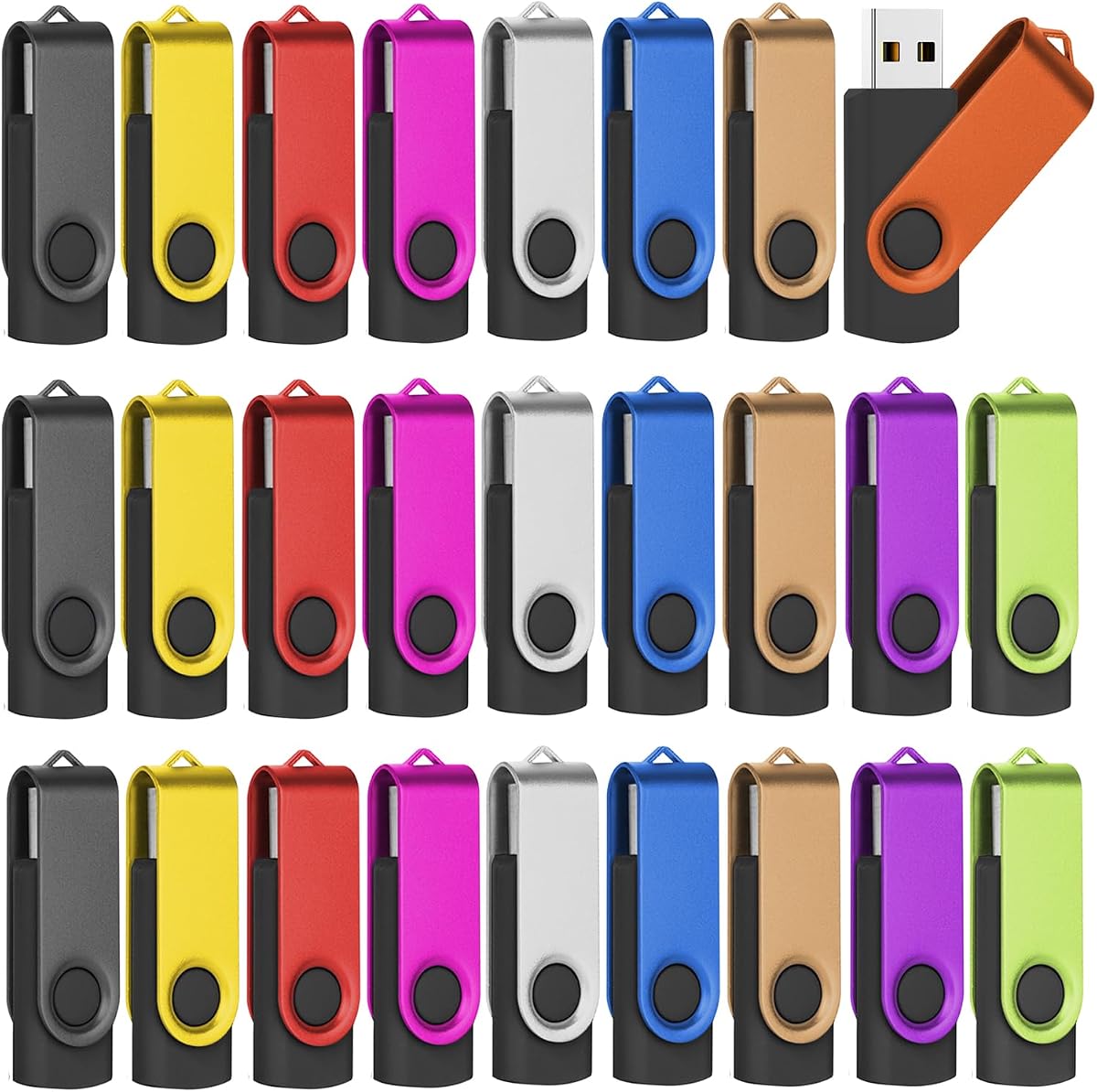
This 100-pack of 512MB USB flash drives offers unmatched value for distribution needs where storage size is not the primary concern. With read speeds of 14MB/s and write speeds of 7MB/s, these drives handle small documents and simple media efficiently. The metal clip and plastic housing body make them durable enough for daily use while remaining lightweight and portable.
We may earn a commission when you buy through this link, at no additional cost to you.
The sheer volume of 100 drives makes this an ideal choice for conferences, trade shows, or classroom assignments where every participant needs a drive. The mini size of 2.32 by 0.75 by 0.39 inches ensures they fit easily in pockets or bags. The 360-degree rotated design adds a touch of functionality, allowing for flexible handling and attachment options.
While the capacity is limited to 512MB, it is sufficient for text documents, PDFs, or small image files. The USB 2.0 interface ensures compatibility with virtually any device, including older systems. However, users should not expect high-speed transfers for large files, as these drives are designed for basic data sharing.
For businesses looking to distribute branded or informational data without breaking the bank, this pack is a practical solution. It is specialized for B2B markets and can even be customized with logos for a professional touch. This makes it a perfect choice for marketing campaigns where quantity matters more than capacity.
With 100 drives in a single pack, you can provide storage to a large audience instantly, making it ideal for events, giveaways, or classroom distribution without running out of stock.
The vendor focuses on B2B markets and can provide custom logos for the drives, allowing businesses to brand their giveaways effectively and enhance professional presentation.
We may earn a commission when you buy through this link, at no additional cost to you.
The Micro Center SuperSpeed 20 Pack offers a premium solution with 64GB capacity and USB 3.0 performance. With transfer speeds up to 70MB/s, it is significantly faster than standard USB 2.0 drives, which typically max out around 10 to 15MB/s. This speed difference saves valuable time when transferring large video files or extensive data sets for professional projects.
We may earn a commission when you buy through this link, at no additional cost to you.
Build quality is a standout feature here, with a hard plastic cover designed to protect the drive from rough treatment. The rear loop makes it easy to attach to a keychain, ensuring you never misplace the drive. The included 2-year warranty further backs this reliability, offering worry-free use for schools, businesses, or travelers needing robust storage.
While the cost is higher than lower-capacity options, the value lies in the capacity and speed. The drives are plug and play, supporting Windows OS and compatible with PC, laptop, TV, car audio, and other devices. This versatility means you can use them for digital storage of photos, music, and videos across various platforms without compatibility issues.
If you need bulk drives that can handle modern storage demands without compromise, this pack is the best choice. It balances speed, capacity, and durability effectively. We recommend this for IT departments or organizations that require high-performance storage for backups, software installations, or large media files.
Featuring reliable fast transfer speeds up to 70MB/s, this drive cuts down wait times significantly compared to standard USB 2.0 options, saving time during data transfers.
The memory stick hard plastic cover protects the device from rough treatment, while the rear loop prevents misplacing the drive by allowing easy attachment to keychains.
We may earn a commission when you buy through this link, at no additional cost to you.
This 50-pack of 128MB USB flash drives includes lanyards, making it highly practical for events or educational settings where drives need to be worn or secured. The 10 different color choices allow for easy categorization of files or groups, adding a functional layer to the design. The frosted metal cover prevents fingerprints and adds a professional look to the bulk unit.
We may earn a commission when you buy through this link, at no additional cost to you.
Performance is reliable for standard document storage, with read speeds between 15 and 25MB/s and write speeds between 8 and 12MB/s. The drives support Windows, Linux, and Mac OS without needing any software installation, ensuring immediate usability. The hole design in the casing makes it simple to hang the drive on a lanyard or keychain securely.
While the capacity is limited to 128MB, it is perfect for small files like text documents, certificates, or simple images. This makes it an excellent choice for teacher's day gifts, children's day events, or conference handouts where large storage is not required. The stable high-standard storage technology ensures data is protected from loss during daily use.
For organizations needing a complete kit that includes accessories, this pack saves time and effort. The inclusion of lanyards means you do not need to source them separately. We recommend this for schools and event planners who value convenience and visual organization over raw storage capacity.
Each drive comes with a lanyard, eliminating the need to purchase separate accessories and ensuring that recipients can immediately attach the drive to their keys or bags.
The availability of 10 different color choices makes it easy to categorize files or separate groups, adding a practical organizational benefit to the bulk packaging.
We may earn a commission when you buy through this link, at no additional cost to you.
The XUANREG 50-Pack offers a compact and lightweight solution for users who need to carry data on the go. At 128MB, these drives are ideal for storing small documents or configuration files that do not require massive storage. The design fits easily into a pocket or bag, ensuring you can carry data storage without adding bulk to your daily carry items.
We may earn a commission when you buy through this link, at no additional cost to you.
Compatibility is a major strength here, as these drives work with Windows, Mac, Linux, and even legacy systems like Windows 98 or Unix. They operate as plug-and-play devices, meaning no software installation is needed to access stored files. This universal support makes them versatile for environments with mixed operating systems or older hardware.
While the capacity is reserved by about 8% to 10% for functionality, this is standard practice to ensure durability. The 50-pack includes 20 lanyards, which provides enough for a portion of the pack or for specific teams. For the price, you get a reliable tool for storing and sharing digital data in daily life or travel scenarios.
If you need a large quantity of drives for basic tasks, this pack provides excellent value. It is well-suited for educational purposes where students need to save small assignments or for businesses sharing simple text files. We recommend this for scenarios where cost-effectiveness and broad compatibility are the primary priorities.
These drives work seamlessly with a wide range of operating systems including Windows, Mac, and Linux, ensuring that they can be used in diverse environments without installation issues.
The compact and lightweight design means the drive fits easily in pockets or bags, making it simple to carry data storage with you wherever you go without inconvenience.
We may earn a commission when you buy through this link, at no additional cost to you.
This 20-pack of 16GB KOOTION USB flash drives features a practical swivel design that protects the USB port without the need for a removable cap. The metal side of the drive allows for 360-degree rotation, covering and protecting the connector when not in use. This design choice reduces wear and tear and ensures the drive is always ready for connection.
We may earn a commission when you buy through this link, at no additional cost to you.
With 16GB of storage, these drives offer a decent amount of space for storing music, photos, movies, and programs. The integrated loop makes it easy to attach the drive to key chains or backpacks, preventing loss during daily use. The packaging is clean and neat, making it suitable for gifting to clients or friends in professional settings.
The drives are plug and work, requiring no software installation. They are compatible with USB 2.0 and below, ensuring broad compatibility with various computers and electronic devices. While the actual available capacity for data storage is slightly less than listed due to formatting, it is standard for the industry. This makes them reliable for general data storage needs.
For users looking for a balance between capacity and durable design, this pack is a solid option. The swivel mechanism is a key advantage over cap-dependent drives, ensuring longevity. We recommend this for students or professionals who need to carry data securely and want a drive that withstands daily handling.
The 360-degree rotation of the metal side covers the USB end, protecting it from damage without the risk of losing a separate cap, ensuring long-term durability.
An integrated loop allows you to easily attach the drive to key chains or backpacks, making it simple to carry your data with you securely and prevent misplacing the drive.
We may earn a commission when you buy through this link, at no additional cost to you.
EASTBULL emphasizes quality with this 50-pack of 16GB thumb drives, which undergo double testing specifically by quality machines to ensure performance. The high-quality USB A+ chip provides faster and more stable performance compared to standard bulk drives. This focus on testing helps ensure that customers receive a reliable product that meets expectations for consistent use.
We may earn a commission when you buy through this link, at no additional cost to you.
The design is practical, with a tiny and lightweight body that is easy to carry and use. Each pack includes 50 lanyards, ensuring that every drive can be easily attached to keys or bags to prevent loss. Compatibility is broad, supporting USB 2.0, 1.1, and 1.0 interfaces, which covers almost all computers and devices with a USB slot.
The drives work with around 99% of computers or devices, making them highly versatile for business, school, or personal gifts. The plug and play feature means no extra software is needed to get started. While the capacity is moderate, it is sufficient for storing important documents and media files for personal use or client distribution.
If reliability is your main concern when buying bulk drives, this pack stands out for its testing process. The inclusion of lanyards adds to the value proposition. We recommend this for companies looking for bulk gifts or client handouts where a consistent and reliable experience is essential.
All thumb drives are double tested by quality machines to ensure a nice product, offering confidence in the durability and performance of every unit received.
These drives work with approximately 99% of computers or devices, ensuring that you can share data with anyone regardless of their specific hardware or OS version.
We may earn a commission when you buy through this link, at no additional cost to you.
This 20-pack of 4GB USB flash drives includes an LED indicator that lights up when plugged in and blinks during read/write activities. This feature provides visual feedback to ensure data is being transferred correctly, reducing the risk of accidental removal during operation. The aluminum casing offers rugged durability, protecting the drive from daily wear and tear.
We may earn a commission when you buy through this link, at no additional cost to you.
The drives are plug and play, requiring no software installation, and feature a 360-degree metal swivel cap that safeguards the USB port. They support FAT32 format, which is ideal for storing music, photos, and videos under 4GB. The included 20 lanyards allow for easy attachment to keychains or bags, ensuring you do not lose them during travel or work.
While the capacity is limited to 4GB, it is sufficient for small documents and general files. The zero-setup convenience means even non-tech users can utilize them easily. The universal compatibility with Windows, Mac, and Linux ensures that the drives will work in various environments without compatibility issues.
For users who need visual feedback during file transfers, the LED indicator is a significant advantage. The durable build and swivel protection make it a reliable choice for daily use. We recommend this for students or office workers who need a simple, reliable drive with clear status indicators.
The LED indicator lights up when the drive is plugged in and blinks during read/write activities, allowing you to see exactly when data transfer is complete before removing the drive.
The default FAT32 format provides read/write compatibility with both Windows and macOS, making it simple to share files between different operating systems without conversion.
We may earn a commission when you buy through this link, at no additional cost to you.
This version of the EASTBULL 16GB bulk pack offers a vibrant blue color that makes it easy to identify among other devices. Like the black version, these drives are made with high-quality USB A+ chips to ensure faster and more stable performance. The double testing by quality machines guarantees that each drive meets high standards before reaching the customer.
We may earn a commission when you buy through this link, at no additional cost to you.
The pack includes 50 lanyards, allowing users to attach the drives to keys or bags easily. The compact body makes it very easy to take and use, whether for business, school, or events. With support for USB 2.0, 1.1, and 1.0 interfaces, these drives work with almost any computer or device, ensuring broad utility across different settings.
The 16GB capacity is sufficient for storing music, videos, and documents. Plug and play functionality means no software is needed to get started. The blue color adds a visual distinction that can be useful for categorization or branding purposes. It is a solid choice for bulk distribution where visibility is valued.
If you are looking for a reliable bulk drive with a distinct look, this pack offers the same performance as the black version with a different aesthetic. We recommend this for schools or events where color coding is needed for easy identification and organization of student or attendee drives.
The blue color offers a distinct look that helps in quick identification, which is useful for organizations needing to differentiate between groups or types of drives easily.
The inclusion of 50 lanyards means every drive comes ready for attachment, saving you the effort of sourcing separate accessories for your distribution needs.
We may earn a commission when you buy through this link, at no additional cost to you.
This 10-pack offers a total capacity of 640GB, making it a high-volume storage solution for organizations. Each drive comes in a different color, allowing you to mark and store different content types or user groups easily. The USB 2.0 interface is backwards compatible with USB 1.1, ensuring broad compatibility with older devices like car stereos or older laptops.
We may earn a commission when you buy through this link, at no additional cost to you.
The design features a 360-degree spinning metal cap that protects the USB port and prevents loss. The free lanyards allow for easy attachment to keychains or backpacks. An LED indicator lights up when the drive is working, providing visual confirmation of operation. This is particularly useful when transferring files to ensure data integrity.
While the pack size is smaller, the capacity per drive is significant at 64GB. This makes it suitable for sewing machines, embroidery, and other special uses that require specific storage sizes. The plug and play functionality means no software is needed to start using the drives immediately. It is a versatile tool for digital data storing and sharing.
If you need to organize data by color, this pack is an excellent choice. The high capacity ensures you can store large files without issues. We recommend this for creative professionals or small businesses that need distinct drives for different projects or clients without needing a massive number of individual units.
With 10 different colors included, you can easily identify and mark different content or projects, streamlining organization and reducing the chance of mixing up files.
At 64GB per drive, each unit offers substantial storage space, making it suitable for storing larger files or specialized data that requires higher capacity than standard drives.
We may earn a commission when you buy through this link, at no additional cost to you.
Choosing the right bulk USB flash drives requires understanding your specific needs regarding storage capacity, transfer speed, durability, and budget. This guide outlines key factors to consider before making your purchase.
Capacity is one of the most important factors to consider when selecting bulk flash drives. If you need to store large video files, software, or high-resolution photos, look for drives with 64GB or higher capacity. For simple text documents, certificates, or small media files, 128MB or 16GB drives may suffice. Always assess the size of the files you intend to distribute to ensure the drives can hold your content without running out of space.
Choose a capacity that matches your file size requirements to avoid wasting money on excess storage or needing multiple drives per user.
The interface type determines how fast data can be transferred. USB 3.0 drives offer speeds up to 10 times faster than USB 2.0 drives. If you need to transfer large files frequently, USB 3.0 is a worthwhile investment. However, if you are on a tight budget and only moving small files, USB 2.0 drives are often more cost-effective and compatible with almost all devices.
Prioritize USB 3.0 for speed and efficiency, but stick to USB 2.0 if budget is a primary concern and speeds are not critical.
Bulk drives come in packs ranging from 10 to 100 units. A larger pack like 50 or 100 reduces the cost per unit significantly, which is ideal for large events or school-wide distribution. Smaller packs like 10 or 20 are better for small teams or specific projects where you do not need high volume. Ensure you choose a pack size that aligns with your recipient count to avoid waste.
Select a pack size that meets your exact distribution needs to maximize value and avoid purchasing excess inventory.
Durability features such as capless designs, swivel covers, or metal casings extend the life of the drives. Capless or swivel drives prevent the loss of protective caps, which is a common failure point. Aluminum or metal housings provide better resistance to drops and wear compared to plastic. For outdoor events or daily use, robust physical protection is essential.
Look for capless or metal designs to ensure your drives survive daily handling and travel without damage.
Some bulk packs include lanyards or keychain loops, which are useful for securing the drive to keys or bags. If you need lanyards for an event or distribution, a pack that includes them saves time and additional costs. Always check the product description to see if accessories are included before purchasing separately.
Opt for packs that include lanyards to simplify setup and reduce additional costs for accessories.
Ensure the drives are compatible with all operating systems you plan to use. Most USB 2.0 and 3.0 drives work with Windows, Mac, and Linux by default. However, if you plan to use older hardware or specialized devices like car audio systems, verify that the interface matches their ports. Universal compatibility ensures that your recipients can use the drives without technical issues.
Verify compatibility with your devices and recipients' systems to ensure seamless access to stored files.
Bulk purchases often come with varying warranty terms. Drives with longer warranties, such as 2 years, indicate higher reliability and provide peace of mind against defects. Check the manufacturer's policy before buying to know what support you can expect if a drive fails. This is particularly important for business use where downtime must be minimized.
Choose drives with a clear warranty policy to ensure you are protected against potential defects in bulk production.
Some suppliers offer the option to add custom logos or branding to the drives. This is beneficial for businesses wanting to use the drives as promotional items. While not all bulk packs offer this, it is worth checking with vendors who specialize in B2B sales if branding is important for your use case.
Consider customization if you want to turn the drives into branded marketing tools or personalized gifts.
To use a bulk USB flash drive, simply plug it into an available USB port on your computer or device. The drive will automatically appear in your file system without requiring any software installation. You can then copy files to it by dragging and dropping them or using the copy-paste function on your computer.
When you are finished using the drive, safely eject it using the operating system's eject option before physically removing it from the port. This prevents data corruption and ensures that all files are fully written to the drive. Avoid pulling the drive out while the LED indicator is still blinking to prevent data loss.
To maintain the life of your bulk flash drives, store them in a cool, dry place away from direct sunlight or moisture. Protect the USB connector from dust and physical damage by keeping the cap closed or using a swivel cover. Regularly backup important files stored on the drives to avoid data loss if a drive eventually fails.
Yes, most bulk USB flash drives are compatible with Mac computers as well as Windows and Linux systems. They are designed as plug-and-play devices that do not require additional software to install. However, if you plan to format the drive for exclusive Mac use, you may need to reformat it to HFS+ or APFS file system using Disk Utility.
To format a bulk USB flash drive, insert it into your computer, right-click the drive in File Explorer or Finder, and select Format. Choose the file system FAT32 for universal compatibility or exFAT for larger file support. Click Start to begin the process, which will erase all existing data on the drive, so always back up files before formatting.
The available capacity on bulk USB flash drives is often slightly less than the advertised number due to system formatting and overhead. Manufacturers calculate capacity differently than operating systems. For example, a 16GB drive may show up as 14.9GB on your computer. This is normal and does not indicate a defective product.
USB 3.0 drives are significantly faster than USB 2.0 drives, with transfer speeds up to 10 times higher. USB 3.0 drives also usually have blue connectors to distinguish them. While both are backward compatible, USB 2.0 drives are generally cheaper and sufficient for transferring small files like text documents.
Yes, bulk USB flash drives can be used to create bootable media for installing operating systems on computers. However, this requires specific tools to write the bootable image to the drive. Ensure the drive has enough capacity to hold the installation files, typically at least 8GB or more depending on the OS version.
Most bulk USB flash drives last anywhere from 5 to 10 years with normal use. The lifespan depends on the quality of the components and how often the drive is written to. Avoid exposing them to extreme temperatures or physical shocks to maximize their longevity and data reliability over time.
Standard bulk USB flash drives do not have built-in encryption. To secure sensitive data, you should use software tools to encrypt the drive or choose a model with hardware encryption. Always remove the drive safely after use to prevent data theft or corruption, and avoid leaving sensitive data unencrypted on public drives.
Some bulk packs come in organized boxes with dividers or individual sleeves for each drive, making them suitable for gifting. Others may arrive in simple bulk boxes. Check the product description to see if the packaging is designed for display or presentation, especially if you plan to use them as corporate gifts or awards.
Selecting the right bulk USB flash drive depends on balancing your capacity needs with budget and durability requirements. The top picks offer a range of options from high-speed 3.0 drives to cost-effective 2.0 packs with lanyards and color variety. Each option reviewed provides reliable storage for distribution, business use, or educational purposes.
Prioritize speed and durability if you are storing large files or using the drives frequently in professional settings. For giveaways or events where quantity is more important than performance, lower capacity options with bulk packaging offer the best value. Consider included accessories like lanyards to ensure recipients can use the drives effectively.
Prices and availability for these products can change frequently, so checking current listings is always recommended before making a bulk purchase. By understanding the differences in speed, capacity, and features, you can choose a bulk pack that meets your specific needs and ensures your data reaches the right hands securely and efficiently.