
Switch 2 Pro Controller Charging Station
3.5Editor score
Dual charging ports
LED status indicators
Compact desktop design
This guide compares the top ten controller charging dock for Switch 2 options featuring fast charging, RGB lights, and storage for a optimized gaming setup.
Finding the right controller charging dock for Switch 2 is essential for gamers who want to keep their sessions uninterrupted. A quality dock ensures your controllers stay powered up while adding organization to your gaming station without taking up too much desk space.
We have evaluated ten top-rated charging stations based on compatibility, charging speed, safety features, and build quality. Our analysis focuses on how well each dock handles multiple controllers and whether it offers additional storage for your game cards and accessories.
Each pick in this list highlights specific strengths like magnetic alignment or RGB lighting to help you choose the best fit. Please note that prices and availability can change frequently so verify current details before making your final purchase decision today.
3.5Editor score

4.7Editor score
4.6Editor score
This comparison table lists all ten charging docks side by side so you can quickly see which one fits your needs for capacity and design.


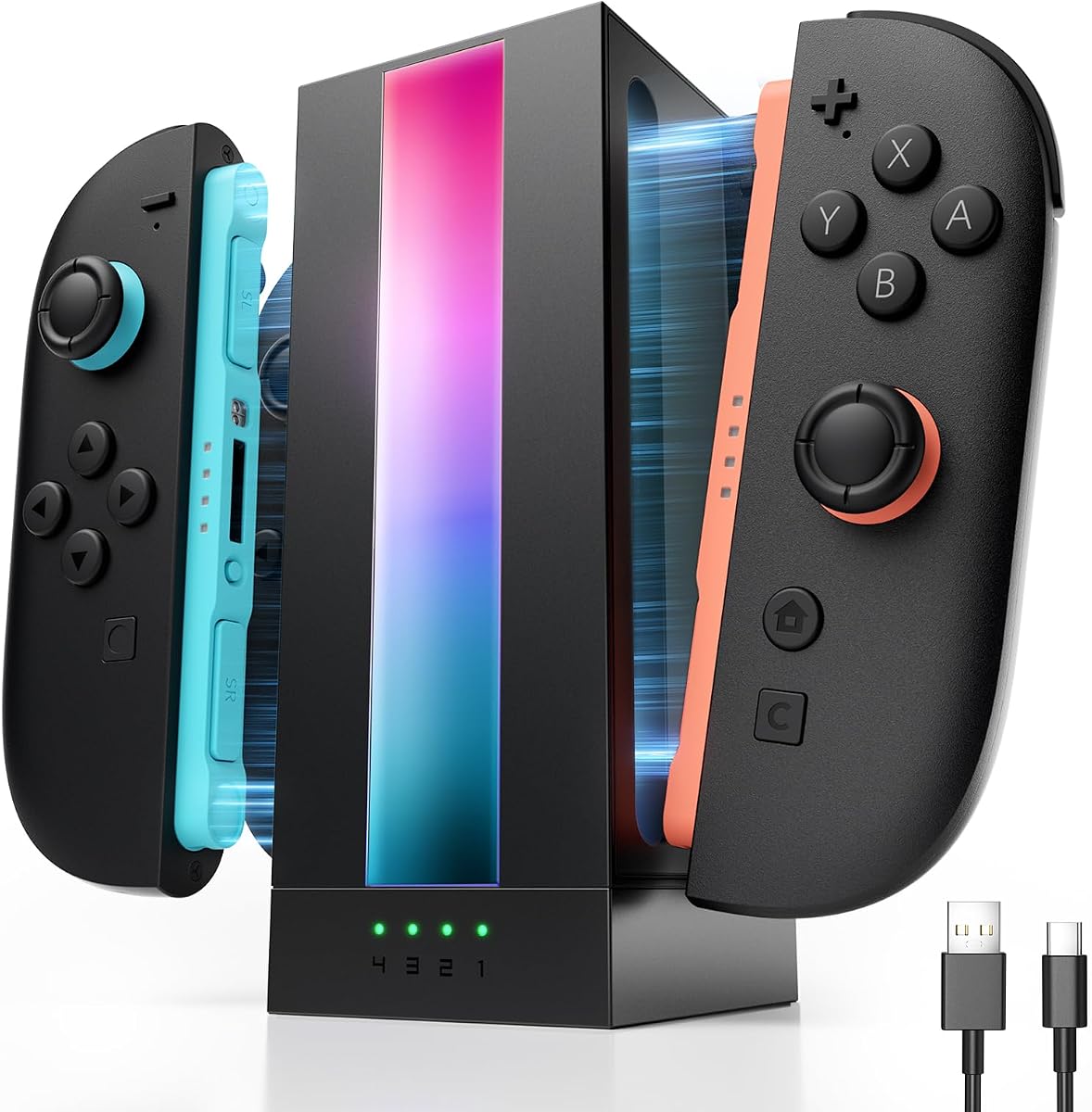
The FASTSNAIL Charging Dock for Nintendo Switch 2 stands out as a top choice for gamers needing reliable power solutions. It holds a strong rating for its ability to charge multiple controllers quickly while keeping your setup organized. The magnetic alignment feature is a standout quality that simplifies daily use.
We may earn a commission when you buy through this link, at no additional cost to you.
Key strengths include the ability to charge four Joycons simultaneously without needing to distinguish between plus and minus variants. The customizable RGB lights offer nine vivid modes that reactivate automatically due to a smart memory function. This enhances your gaming ambiance without requiring manual adjustments each time.
Trade-offs involve ensuring you use the recommended power source for optimal speed. The dock is designed exclusively for Switch 2 Joycons so it will not work with older models which limits versatility. However these constraints are acceptable for users focused on the latest hardware.
This dock is ideal for multiplayer nights or solo marathons where battery life matters. If you want a clean desk and fast charging you should buy this model. It balances functionality with style to support your gaming sessions effectively.
The magnetic design lets you drop controllers in without worrying about orientation which saves time and reduces port wear.
Nine lighting modes let you match the dock to your setup or mood with a touch button for instant changes.
We may earn a commission when you buy through this link, at no additional cost to you.
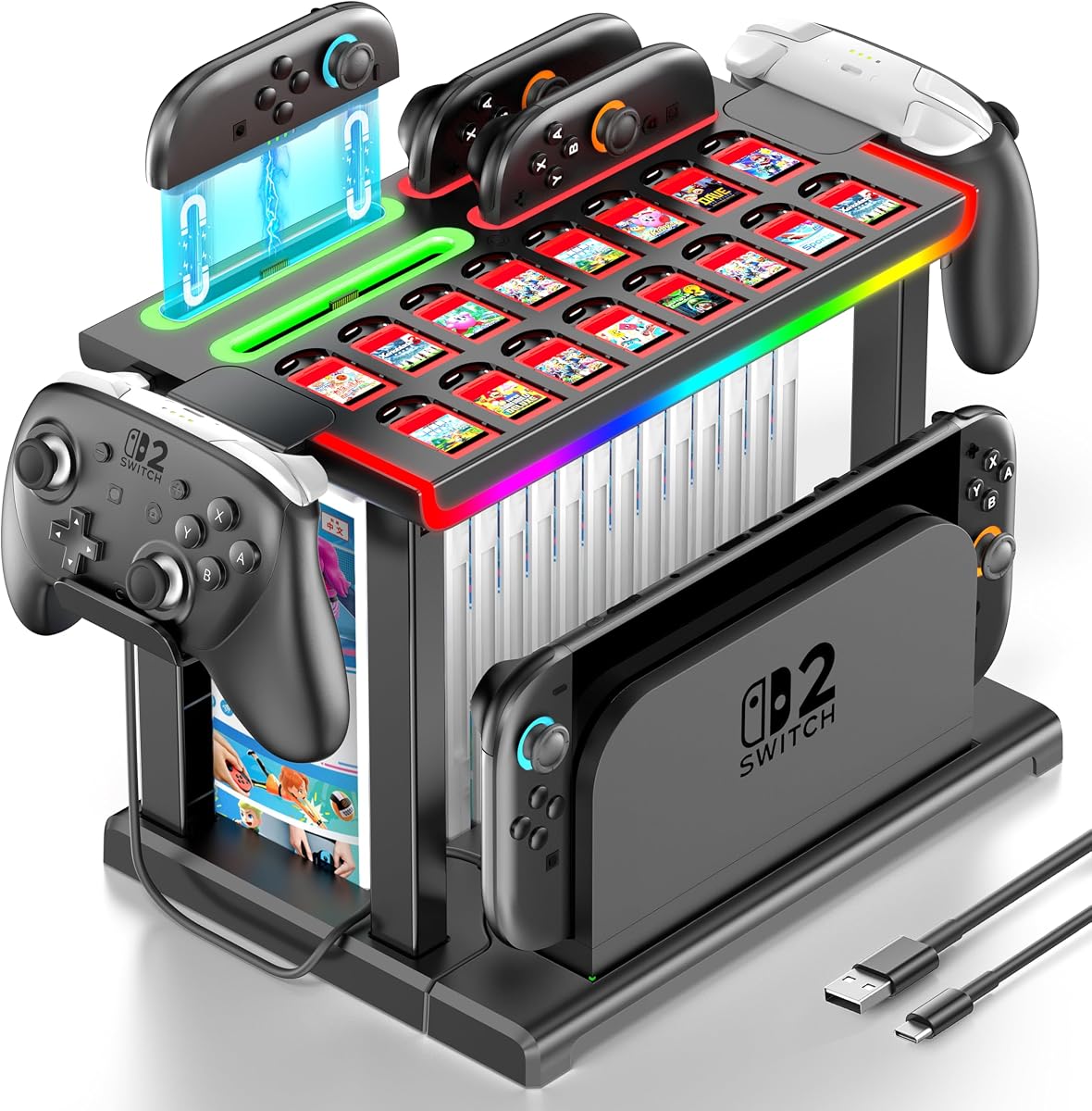
This organizer station combines storage and charging to create a complete solution for Switch 2 enthusiasts. It is rated highly for its large capacity that holds game cases and cards alongside controllers. The RGB lighting adds a stylish touch that many users appreciate.
We may earn a commission when you buy through this link, at no additional cost to you.
Strengths include the ability to hold sixteen game cases and sixteen cards which keeps your library organized. The charging indicator shows red or green to inform you of battery status clearly. You can also charge four Joycons at once without distinguishing sides.
The main trade-off is that it requires significant space on your desk or TV stand. Also the TV dock is not included so you must buy that separately. These limits are minor given the extensive organization it provides.
Buy this if you need a central hub for all your gaming accessories. It makes a perfect gift for friends or family who play Switch 2. The tool-free installation means you can start using it right away.
Storage for game cases and cards keeps your area neat so you spend less time searching for items.
Lighting modes sync with your gaming rhythm to enhance immersion without needing complex setup steps.
We may earn a commission when you buy through this link, at no additional cost to you.
This station offers a straightforward way to charge two Switch 2 Pro Controllers without breaking the bank. It is designed for reliable power delivery and features clear LED indicators. The compact design fits easily into smaller gaming spaces.
We may earn a commission when you buy through this link, at no additional cost to you.
Strengths include support for 5V/2A input which ensures efficient charging times. The smart protection helps prevent overheating and overcharging to keep your controllers safe. It combines charging and storage in one sleek stand for quick access.
The limitation is that it is meant primarily for Pro Controllers rather than Joycons. This restricts its use if you mainly play with Joycons. However for Pro users it offers good value for the price.
Buy this if you need a simple stand for your Pro Controllers. It keeps your desk neat and ensures your controllers are ready when you need them. The safety features provide peace of mind during long sessions.
The stand combines charging and storage so you save desk space while keeping controllers accessible.
Intelligent protection prevents common issues like overcharging so your controllers last longer.
We may earn a commission when you buy through this link, at no additional cost to you.
This dock handles multiple controller types including Switch Pro and PS5 which is great for multi-console setups. It charges two controllers at once and includes removable USB-C adapters. The LED indicators let you see charging status at a glance.
We may earn a commission when you buy through this link, at no additional cost to you.
Strengths include the use of removable adapters which reduce wear on the controller ports. The smart chip protects against power issues and ensures stable charging. It fits neatly on desks or TV stands without taking up much space.
Note that it does not support PowerA controllers so check your model before buying. Also you need a 5V2A adapter for best performance which is not included. These points are manageable if you use official controllers.
Buy this if you have controllers from different systems and want one dock. It keeps them organized and charged ready for any game. The adapters make daily use easier and more durable.
Supports Switch PS5 and Xbox so you can use one dock for different game systems.
USB-C adapters prevent port wear and allow easy drop-in charging for your controllers.
We may earn a commission when you buy through this link, at no additional cost to you.
This base offers a wireless charging option that appeals to users wanting convenience. It is fully compatible with Nintendo Switch Pro Controllers and PowerA wireless controllers. The LED lights show you when charging is complete.
We may earn a commission when you buy through this link, at no additional cost to you.
Strengths include the ability to charge Joycon and wireless controllers simultaneously. The bold design looks great with gaming setups and the LED lights are clear. It simplifies your routine by reducing cable clutter.
The trade-off is that wireless charging requires precise placement which can be fiddly. Also the design is bold so it may not fit minimal setups. However it offers good versatility for PowerA users.
Buy this if you want wireless convenience and PowerA compatibility. It keeps your controllers powered up without needing to plug cables in every time. The design adds style to your gaming area.
Wireless charging reduces the need to plug in cables manually every time you charge.
The design is eye-catching and complements gaming setups with a stylish look.
We may earn a commission when you buy through this link, at no additional cost to you.
This station is versatile enough to handle Joycons Pro and PS5 controllers simultaneously. It supports charging via console or USB hub. The fireproof panel and IC chip ensure safe charging for all devices.
We may earn a commission when you buy through this link, at no additional cost to you.
Strengths include the ability to charge four Joycons and two Pro controllers at once. The USB Type-C port design makes powering it easy. It comes with a cable and a quality promise.
Note that controllers are not included and it is from a small business brand. However the protection features and compatibility make it a strong contender. It is simple to set up and use.
Buy this if you need a versatile charger for multiple controller types. It keeps everything organized and safe. The power options give you flexibility on how to power the dock.
Charge via console hub or wall charger to fit your specific setup needs.
Built-in chip and fireproof panel prevent overcharging and overheating risks.
We may earn a commission when you buy through this link, at no additional cost to you.
This dock is designed for official USB-C controllers including Switch Pro and PS5. It charges two controllers at the same time to reduce downtime. The compact design fits neatly on stands without taking up space.
We may earn a commission when you buy through this link, at no additional cost to you.
Strengths include the included USB-C adapters which help reduce wear on ports. LED indicators show status clearly so you know when charging is done. It is stable and easy to place.
Keep in mind it does not support PowerA or some third-party controllers. Also best performance requires a 5V2A adapter. These points matter if you use specific brands.
Buy this if you use official USB-C controllers and want dual charging. It keeps your setup organized and safe. The adapters make daily charging easier and simpler.
Designed for official controllers like Switch Pro and PS5 for reliable connections.
Charge two controllers together to reduce downtime and stay ready to play.
We may earn a commission when you buy through this link, at no additional cost to you.
This dock charges up to four Joy Con controllers at once which is great for groups. The dual-side charging means you do not need to align them perfectly. It also offers nine RGB modes for personalization.
We may earn a commission when you buy through this link, at no additional cost to you.
Strengths include the magnetic design that secures controllers and reduces wear. LED indicators show status in real time so you can monitor power easily. It is compact and keeps your area organized.
Note it is compatible with Switch 2 Joycon releases only. Joycons are not included so you need your own. These limits are clear and acceptable for Switch 2 owners.
Buy this if you need fast charging for multiple Joycons. The magnetic feature and RGB modes make it functional and fun. It keeps your gaming area neat and ready.
Place Joycons in either direction and get stable charging without fiddling.
Nine modes let you match lighting to your mood or desk style.
We may earn a commission when you buy through this link, at no additional cost to you.
This dock supports up to ten charging slots for Joycons and Pro controllers. It is designed for Switch 2 1 and OLED models. The organizer station keeps your desktop clean and tidy while charging.
We may earn a commission when you buy through this link, at no additional cost to you.
Strengths include 11 RGB modes with memory and clear LED indicators. It also has two USB 2.0 ports for extra data transfer or charging. The Y-Type cable connects to the official dock.
Note it does not work with third-party controllers. Also the NS2 dock is recommended as a power source. These requirements ensure stability and speed.
Buy this if you need a multi-device organizer with style. The USB ports and lighting modes add value to your setup. It saves costs by avoiding multiple chargers.
Supports multiple Joycon and Pro controller types in one unit to save space.
Two USB 2.0 ports allow data transfer or additional device charging.
We may earn a commission when you buy through this link, at no additional cost to you.
This dock is exclusively designed for Switch 2 JoyCon controllers to ensure compatibility. It can charge four Joycons at high speed which reduces waiting time. The dynamic RGB light bar enhances your gaming environment.
We may earn a commission when you buy through this link, at no additional cost to you.
Strengths include independent LED indicators on each port for clear status. The smart chip provides protection against short circuits and overheating. It is efficient and reduces interruptions.
Note it is not compatible with older models like 2017 or OLED. Also the power adapter is not included. These points ensure you get the right hardware.
Buy this if you want fast charging for Switch 2 Joycons. The RGB and protection features add value. It keeps your controllers ready without long waits.
Fully compatible with 2025 Switch 2 JoyCon for optimized charging.
Built-in safeguards protect against common charging risks and extend lifespan.
We may earn a commission when you buy through this link, at no additional cost to you.
Selecting the right dock depends on your controller types and storage needs.
Ensure the dock explicitly supports Switch 2 Joycons or Pro controllers to avoid mismatched connections. Many docks work with multiple consoles so verify the model list before buying.
Always confirm compatibility with your specific controller model to prevent charging issues.
Look for docks that support 5V/2A power input for efficient charging. Some docks require specific adapters to reach full speed.
Choose a dock with sufficient power input to avoid long wait times between sessions.
Decide how many controllers you need to charge at once. Options range from single Pro docks to multi-slot Joycon hubs.
Pick a slot count that matches your household needs to maximize efficiency.
Select docks with smart chips to prevent overcharging and overheating. These features protect your valuable controllers from damage.
Prioritize models with built-in safety ICs for long-term reliability.
Some docks double as organizers for game cases and cards. This reduces clutter on your desk.
Choose docks with storage slots to keep your gaming area neat.
RGB lights can enhance ambiance but may distract if too bright. Check if modes can be turned off.
Pick lighting options that suit your environment preferences.
Docks with included USB-C cables save extra purchases. Check cable length to ensure it reaches your power source.
Verify cable inclusions to avoid additional costs.
Sturdy materials and non-slip pads ensure stability on your desk. Look for fireproof panels where possible.
Prioritize robust build materials for durability and safety.
Begin by connecting the dock to a reliable power source using the included cable. Ensure the power adapter meets the recommended voltage for best performance.
Insert your controllers carefully to align the charging contacts properly. Magnetic docks simplify this process but ensure full contact.
Regularly check indicators to monitor status and remove controllers when full to extend battery life.
Most docks are designed for specific models like Switch 2 Joycons only. Always check compatibility lists before purchasing to avoid mismatched connections.
Some docks include cables but power adapters are often sold separately. Verify the package contents to ensure you have the right supply.
Charging time varies by model but typically takes around three hours for full battery. Docks with faster power input reduce wait times.
Most official docks do not support third-party brands like PowerA. Check compatibility details to confirm if your controller is included.
Smart docks have protection that stops charging when full but removing them prolongs battery life. Best practice is to unplug once indicated.
Lighting modes are independent of charging and do not impact power delivery. You can turn them off to save energy if needed.
The top picks offer a range of features from magnetic alignment to multi-device storage. Choose based on your controller count and style preferences.
Prioritize safety and compatibility to ensure your controllers stay protected. A good dock improves your gaming experience significantly.
Remember to check current prices and availability before buying as these can change regularly.